

Discover the ultimate Shopify Image Size Guide 2026 with Shopify banner size recommendations, formats, and tips to optimize website visuals and conversions.
Images do far more than decorate a Shopify store. They tell your brand story, guide shoppers toward products, and influence whether someone clicks Add to Cart or bounces. In 2026, with faster themes, AI-powered discovery, and mobile-first browsing, getting image dimensions right is foundational.
Many Shopify merchants struggle with blurry banners, slow-loading product pages, or images that crop awkwardly on mobile. These problems usually come down to sizing, format, or optimization mistakes. Once you understand how Shopify handles images and which sizes work best for each use case, you can fix these issues quickly and build a store that looks polished, loads fast, and converts better.
This guide walks you through everything you need to know about Shopify banner sizes in 2026, which file types perform best, how to optimize images for speed and SEO, and how to troubleshoot common formatting issues.
Key Takeaways
- Image sizing directly impacts Shopify speed, conversions, and perceived brand quality.
- Each Shopify image type requires purpose-specific dimensions and formats.
- Mobile-first sizing is essential as most Shopify traffic comes from smartphones.
- Modern formats like WebP and SVG improve performance without sacrificing quality.
- Consistent image standards prevent layout issues across themes and apps.
What Is Shopify Image Size?
Shopify image size refers to the width and height of images used across your store, measured in pixels. These dimensions determine how images render on desktop, tablet, and mobile devices. Shopify automatically resizes images based on theme settings, but it still relies on you to upload images with the right proportions and resolution.
When you upload an image to Shopify, the platform stores multiple versions of that image. It then serves the most appropriate version depending on the shopper’s screen size and device. However, Shopify can’t fix a poorly sized or low-quality image. If you upload something too small, it looks blurry. If you upload something oversized and uncompressed, it slows your site down.
That’s why knowing the correct Shopify banner size and other recommended dimensions matters. It ensures Shopify’s image rendering works in your favor instead of against you.
Image size in Shopify also ties directly to:
- Theme design constraints
- Aspect ratios defined by sections (hero, slideshow, collection grids)
- Page speed and Core Web Vitals
- Visual consistency across your storefront
Also Read: 10 BFCM Ecommerce Strategies for Successful Sales 2026
Understanding the importance of image size helps ensure your store loads fast, looks professional, and ranks well in search engines.
Why Is Image Size Important for Websites?
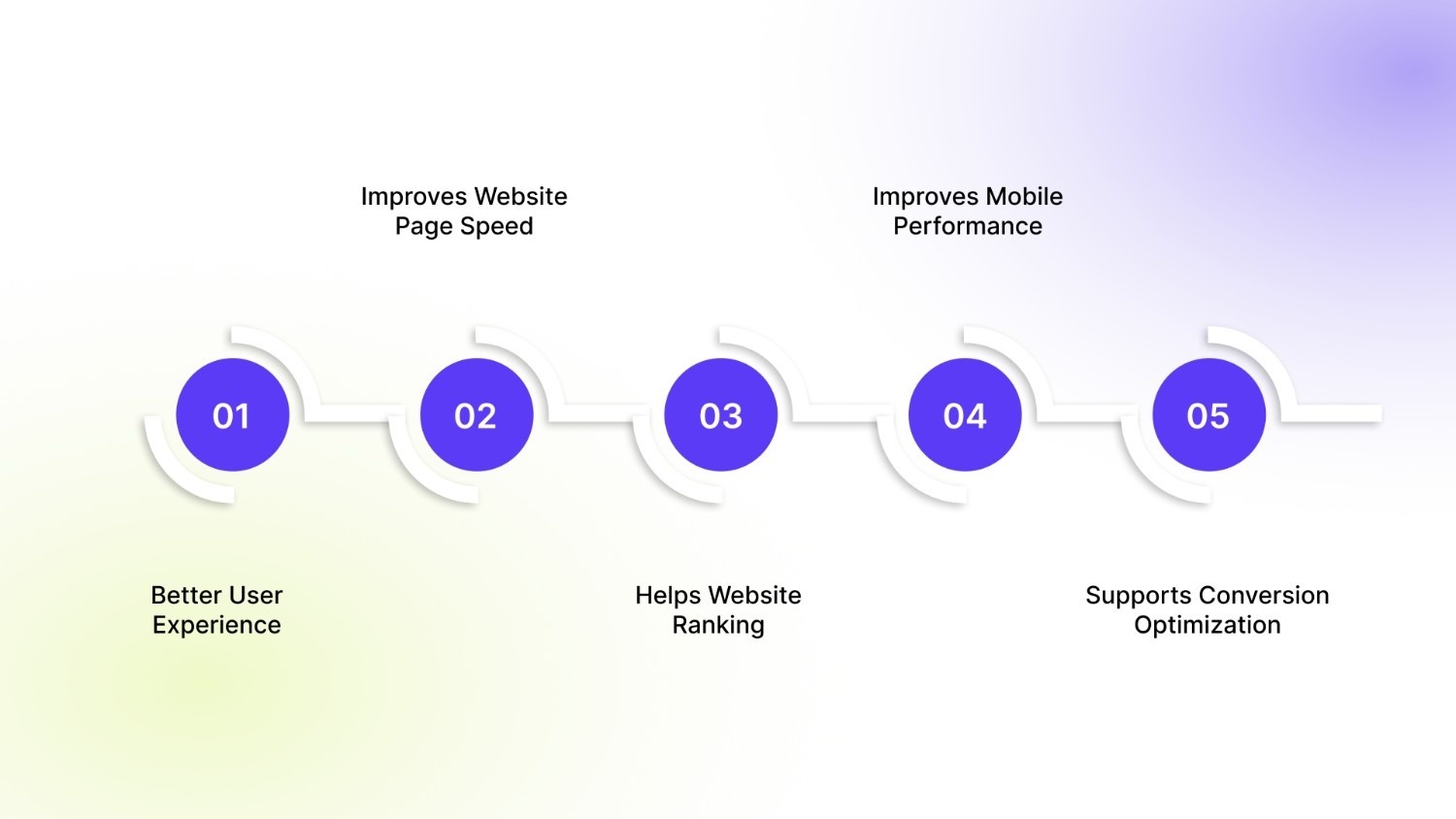
Image size plays a major role in how your Shopify store performs and feels. It impacts both the technical side of your site and the emotional response shoppers have when they land on your pages.
1. Better User Experience
Shoppers expect crisp, well-aligned visuals. Correctly sized images prevent awkward cropping, stretched banners, and misaligned product photos. When images look intentional, your store feels more trustworthy and professional. A properly set Shopify banner size ensures your homepage hero or promotional banners look great on every device.
2. Improves Website Page Speed
Large, unoptimized images are one of the biggest causes of slow Shopify stores. Page speed affects bounce rates, conversions, and SEO. When images match recommended dimensions and file sizes, Shopify can load them faster and more efficiently.
3. Helps Website Ranking
Google uses page speed and user experience signals as ranking factors. Faster-loading images help improve Core Web Vitals like Largest Contentful Paint (LCP). Optimized images also support image search visibility, especially when paired with descriptive alt text.
4. Improves Mobile Performance
Most Shopify traffic now comes from mobile devices. Images that look great on desktop but break on mobile hurt conversions. Using the right dimensions ensures images scale properly and remain readable on smaller screens.
5. Supports Conversion Optimization
High-quality images that load quickly keep shoppers engaged. When banners, hero images, and product photos feel seamless, shoppers focus on the product, not the design flaws.
Also Read: Alt Text for Images: Importance, Characteristics & Best Practices
Once you know why size matters, it’s time to look at the recommended dimensions for every type of Shopify image.
Best Image Sizes for Websites
Below is a practical reference table for common Shopify image types. These dimensions work well across most modern Shopify themes in 2026.
Also Read: How to Get Shopify Colors to Show as Swatches: A Complete Guide
Using these sizes consistently helps maintain visual balance across your store and prevents layout shifts. Many merchants overlook how important the Shopify banner size is when designing promotional sections, but it often defines the first impression of your brand.
Practical examples show exactly how to implement these sizes for banners, hero images, blogs, and more.
Website Image Size Guidelines With Examples
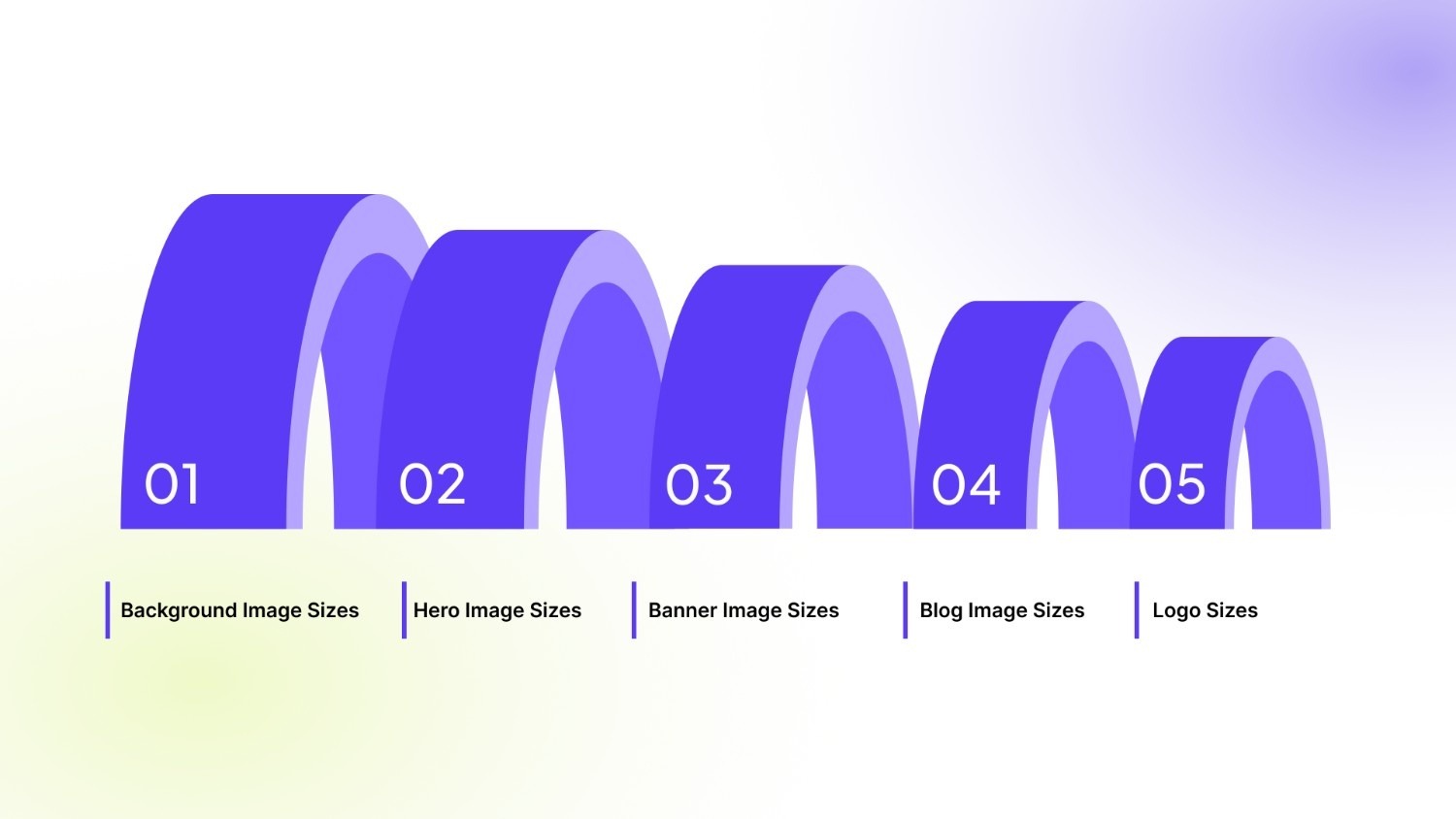
Below are practical guidelines for the most common Shopify image types, complete with descriptions and recommendations.
1. Background Image Sizes
Background images usually sit behind text, buttons, or featured sections in Shopify themes, especially on homepages and landing pages. They help establish mood, brand personality, and visual context without competing with your primary message. In Shopify sections, these images often stretch full-width, so correct sizing prevents distortion across screen sizes.
Example:
A lifestyle image showing a model using your product behind a headline and button.
- Recommended image width: 2560 px
- Recommended image height: 1400 px
- Aspect ratio: 16:9
- Recommended file size: Under 500 KB
2. Hero Image Sizes
Hero images are the first visuals shoppers see when they land on your Shopify store, making them important for first impressions. They communicate your brand promise, highlight flagship products, or promote key campaigns instantly. In most Shopify themes, hero images anchor above-the-fold content and influence scroll behavior. A properly sized hero image ensures clarity, fast loading, and consistent cropping across devices.
Example:
A clean product shot with a headline like “New Summer Collection.”
- Recommended image width: 1280 px
- Recommended image height: 720 px
- Aspect ratio: 16:9
- Recommended file size: Under 400 KB
3. Banner Image Sizes
Banner images are commonly used in Shopify to promote offers, announce sales, or highlight seasonal events. They usually appear as horizontal strips across the homepage, collection pages, or promotional sections. Because banners are scanned quickly, clarity and readability matter more than visual complexity. Using the right dimensions keeps text legible and prevents banners from overwhelming the page layout.
Example:
A “Free Shipping This Weekend” promotional strip.
- Recommended image width: 1200 px
- Recommended image height: 400 px
- Aspect ratio: 3:1
- Recommended file size: Under 250 KB
4. Blog Image Sizes
Blog images support content marketing and SEO by making articles easier to read and more engaging. In Shopify blogs, these images appear both in listing previews and within post content, so consistency matters. Properly sized blog images prevent layout shifts and improve time-on-page. They also perform better when shared across social platforms and search results.
Example:
A how-to image showing a product in use during a tutorial.
- Recommended image width: 1200 px
- Recommended image height: 800 px
- Aspect ratio: 3:2
- Recommended file size: Under 300 KB
5. Logo Sizes
Logos represent your brand identity and appear repeatedly across your Shopify store, including headers, footers, checkout pages, and emails. A correctly sized logo maintains visual balance without dominating navigation or content. Shopify themes often scale logos automatically, but starting with the right proportions ensures sharpness on all screens.
Example:
A horizontal brand logo is displayed in the site header.
- Recommended image width: 400 px
- Recommended image height: 100 px
- Aspect ratio: 4:1
- Recommended file size: Under 50 KB
Once your images follow the right dimensions and aspect ratios, consistency across variants becomes the next priority. Shoppers often compare colors or styles visually, and even small inconsistencies can create hesitation. StarApps studio’s Color Swatch King: Variants supports this stage by keeping variant swatches and images visually aligned across product and collection pages. It helps your optimized images remain clear, comparable, and easy to scan without disrupting the browsing flow.
Choosing the right file format ensures your images load efficiently while maintaining quality and compatibility across devices.
What Is the Best Image File Type to Use?
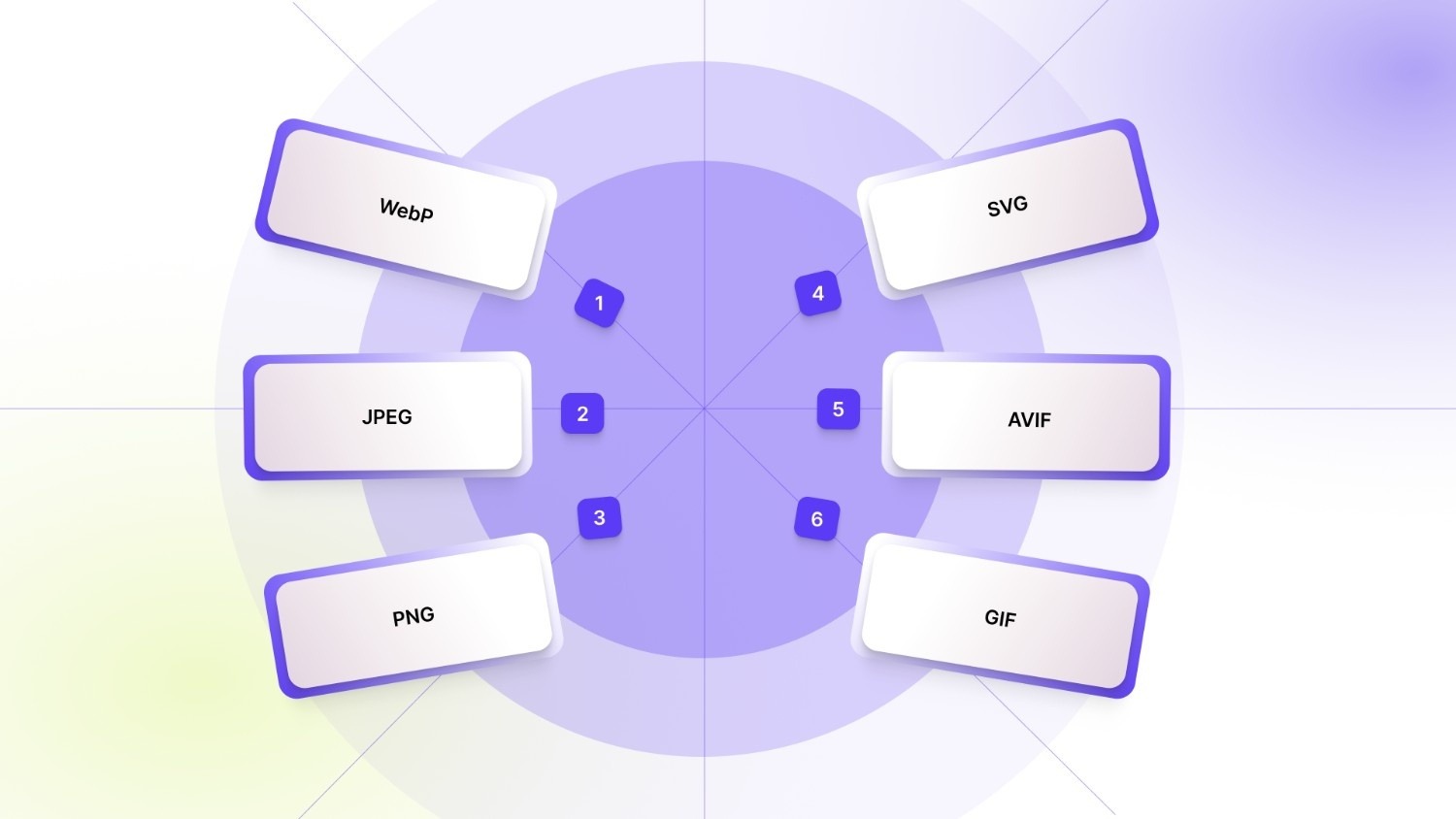
Choosing the right image file format is just as important as selecting the correct dimensions. Shopify supports multiple modern formats, and each one serves a specific role depending on image type, placement, and performance goals.
1. WebP
WebP offers excellent compression while preserving sharp visual quality, making it ideal for modern Shopify stores. Shopify natively supports WebP and often serves it automatically when browsers allow. It works especially well for hero images, banners, and high-resolution product photos where speed matters.
2. JPEG
JPEG is best suited for photographic images such as lifestyle shots, editorials, and product-in-use visuals. It strikes a reliable balance between image quality and file size, which helps maintain fast page loads. JPEG remains a safe, widely supported choice across all Shopify themes.
3. PNG
PNG is commonly used for images that require transparent backgrounds, such as logos, icons, or UI elements. While it preserves sharp edges and clarity, PNG files are larger than JPEG or WebP. Avoid using PNG for large banners or background images to prevent slow load times.
4. SVG
SVG is ideal for logos, icons, and simple illustrations in Shopify stores. It scales infinitely without losing quality, which ensures sharp rendering on all screen sizes. SVG files are also extremely lightweight, making them excellent for performance-focused themes.
5. AVIF
AVIF provides superior compression compared to WebP, delivering high-quality images at even smaller file sizes. Shopify support for AVIF is expanding, but not all themes or browsers handle it consistently yet. Use AVIF selectively and test thoroughly before rolling it out storewide.
6. GIF
GIFs are useful for short, simple animations such as loading indicators or subtle UI motion. However, GIF files can become very large and negatively impact performance. For product animations or banners, Shopify merchants should consider lightweight video or WebP animations instead.
No matter which format you choose, always align it with the image’s purpose and placement, and export it according to the recommended Shopify banner size and resolution guidelines.
Also Read: Shopify 50000 Variant Limit: Why It Matters and How to Bypass It
Even with the right sizes and formats, some issues may arise; here’s how to address common image problems quickly.
4 Troubleshooting Image Formatting Issues
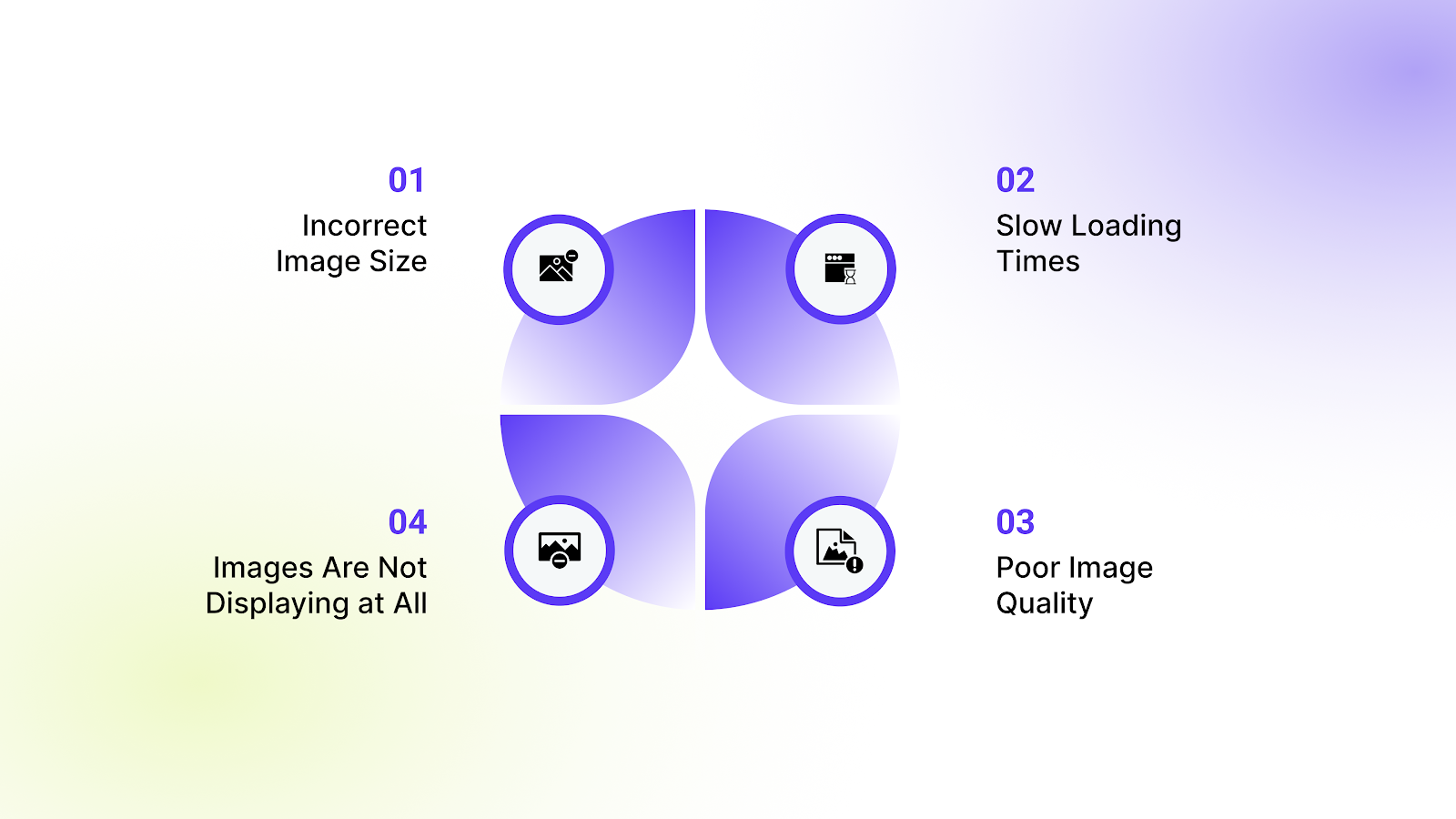
Even well-designed Shopify stores can run into image-related issues. Below are the most common problems merchants face, along with clear, actionable fixes.
1. Incorrect Image Size
Images appear stretched, squished, or cropped awkwardly across different devices. This usually happens when the uploaded image doesn’t match the theme’s required aspect ratio.
Solution: Re-export the image using Shopify-recommended dimensions and aspect ratios. Preview the image on both desktop and mobile within the theme editor before publishing.
2. Slow Loading Times
Pages take too long to load, especially on mobile or slower connections. Oversized or uncompressed images are often the main cause of poor Shopify performance.
Solution: Compress images before uploading and switch to modern formats like WebP where possible. Reduce oversized banners and ensure images align with proper Shopify banner size limits.
3. Poor Image Quality
Images look blurry, pixelated, or soft when viewed on larger screens. This typically happens when low-resolution files are stretched by the theme layout.
Solution: Upload higher-resolution source images that match Shopify’s display requirements. Avoid upscaling small images and always export at the correct pixel dimensions.
4. Images Are Not Displaying at All
Images fail to load, show as broken, or disappear in certain sections. This may be caused by unsupported file formats or corrupted uploads.
Solution: Confirm the image file type is supported by Shopify and the active theme. Re-upload the asset and clear the theme or browser cache before retesting.
Also Read: How to Add Alt Text to Images: A Beginner's Guide
Next, let's see how StarApps Studio tools can help you implement these image strategies effectively, enhancing both visuals and conversions in your Shopify store.
Turn Perfect Image Sizing Into Higher Conversions with StarApps Studio
Once you’ve nailed the right dimensions, formats, and Shopify banner size best practices, you need to make sure every variant, image, and detail shows up clearly, consistently, and conversion-ready. That’s exactly where StarApps Studio helps merchants turn image optimization into real revenue gains.
Color Swatch King: Variants
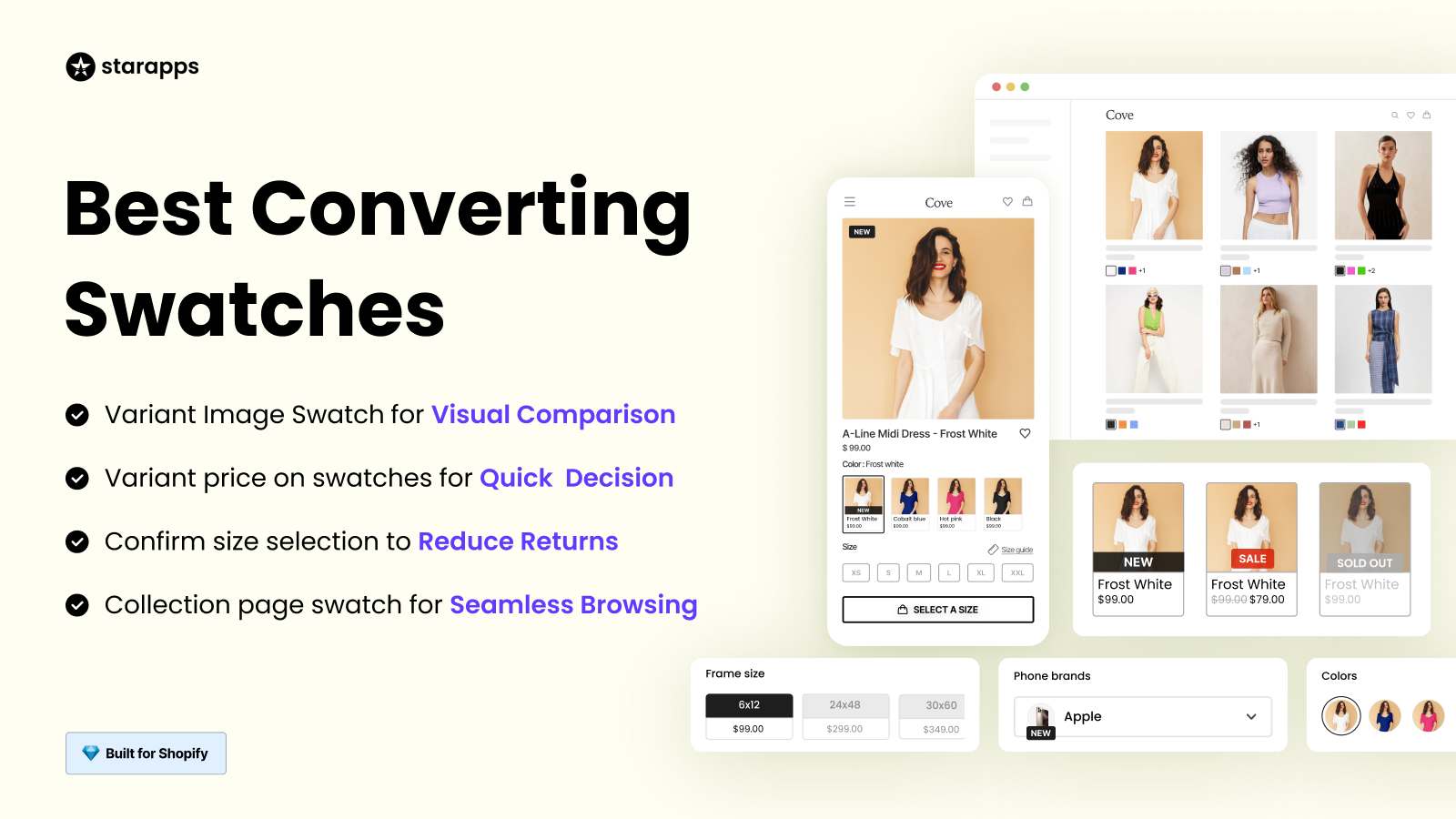
Display variant options such as colors, sizes, or styles visually using swatches or images, making it easy for customers to compare choices at a glance. This allows shoppers to quickly select the right variant without leaving the page, improving their experience and reducing decision friction.
- Visual Variant Comparison: Show colors, sizes, or styles as swatches or images for faster, easier selection.
- Automatic Out-of-Stock Hiding: Prevent overselling by hiding unavailable variants in real time.
- Flexible Display Styles: Choose between swatches, buttons, or dropdowns to match your store design.
- Bulk & Automated Setup: Upload swatches in bulk and automate creation to save time managing variants.
SA Variant Image Automator
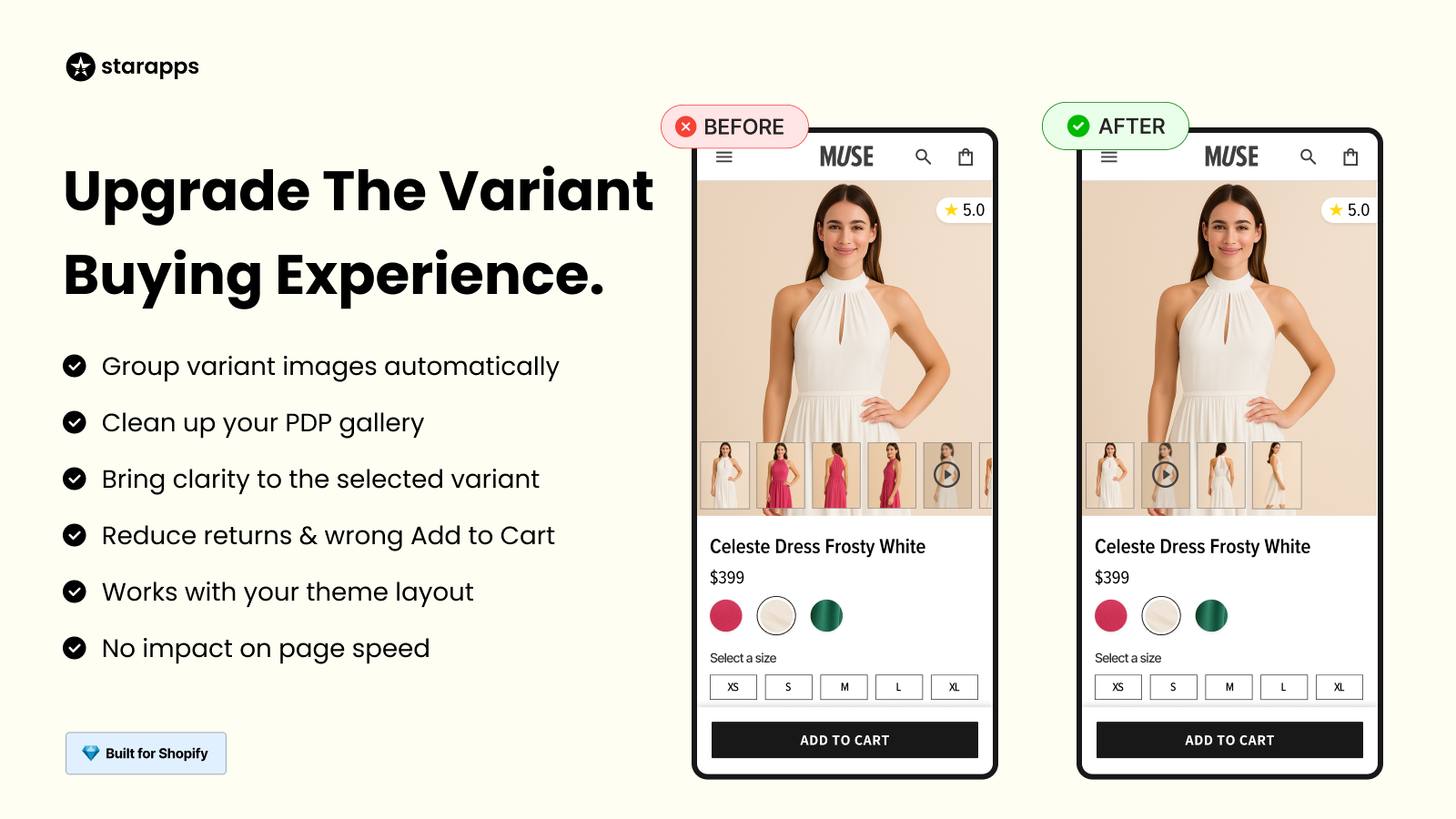
Automatically assign the correct images to each variant, keeping galleries organized and consistent with Shopify image size recommendations. Customers instantly see multiple images per variant, enhancing product visualization and boosting confidence in their purchase.
- Automatic Image Assignment: Attach multiple images to each variant without manual tagging.
- Clean Variant Galleries: Show only relevant images based on the selected variant.
- Advanced Media Support: Enable 3D views, zoom, and videos for richer product visualization.
- Seamless Theme Integration: Works with any Shopify theme without impacting performance.
SA Variants: Combined Listings
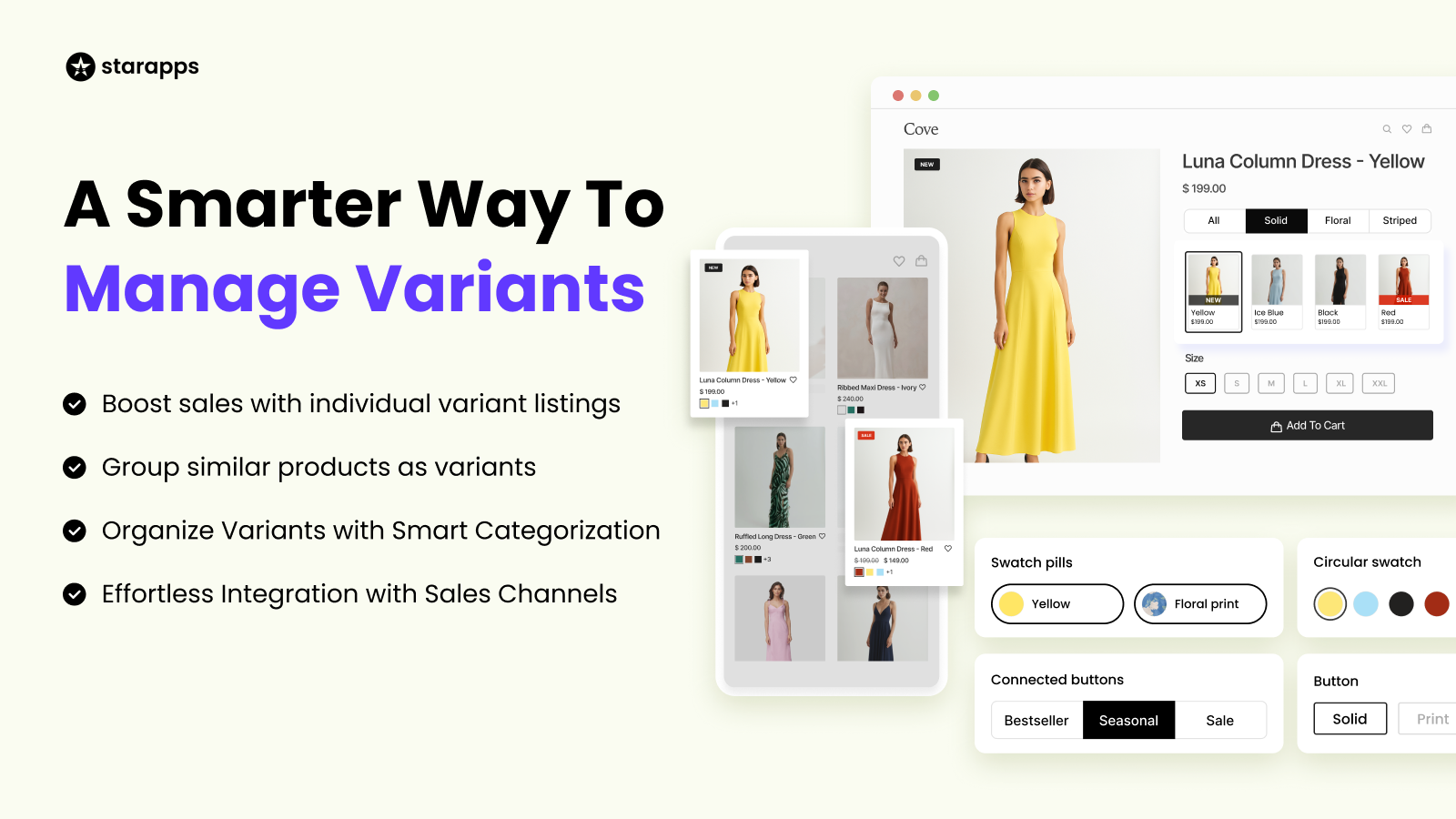
Display each variant as its own listing with unique images, titles, and URLs, improving discoverability and SEO performance. Customers can view all available options in one place, making it easier to browse, compare, and select their preferred product variant.
- Variant-Level Collection Display: Show all product variants directly on collection pages.
- SEO-Optimized Variant URLs: Assign unique titles and URLs to improve search visibility.
- Visual Variant Comparison: Use swatches and images to help customers compare options quickly.
- Advanced Filtering & Sorting: Allow filtering by variant-specific attributes like color or size.
Variant Alt Text King: SEO
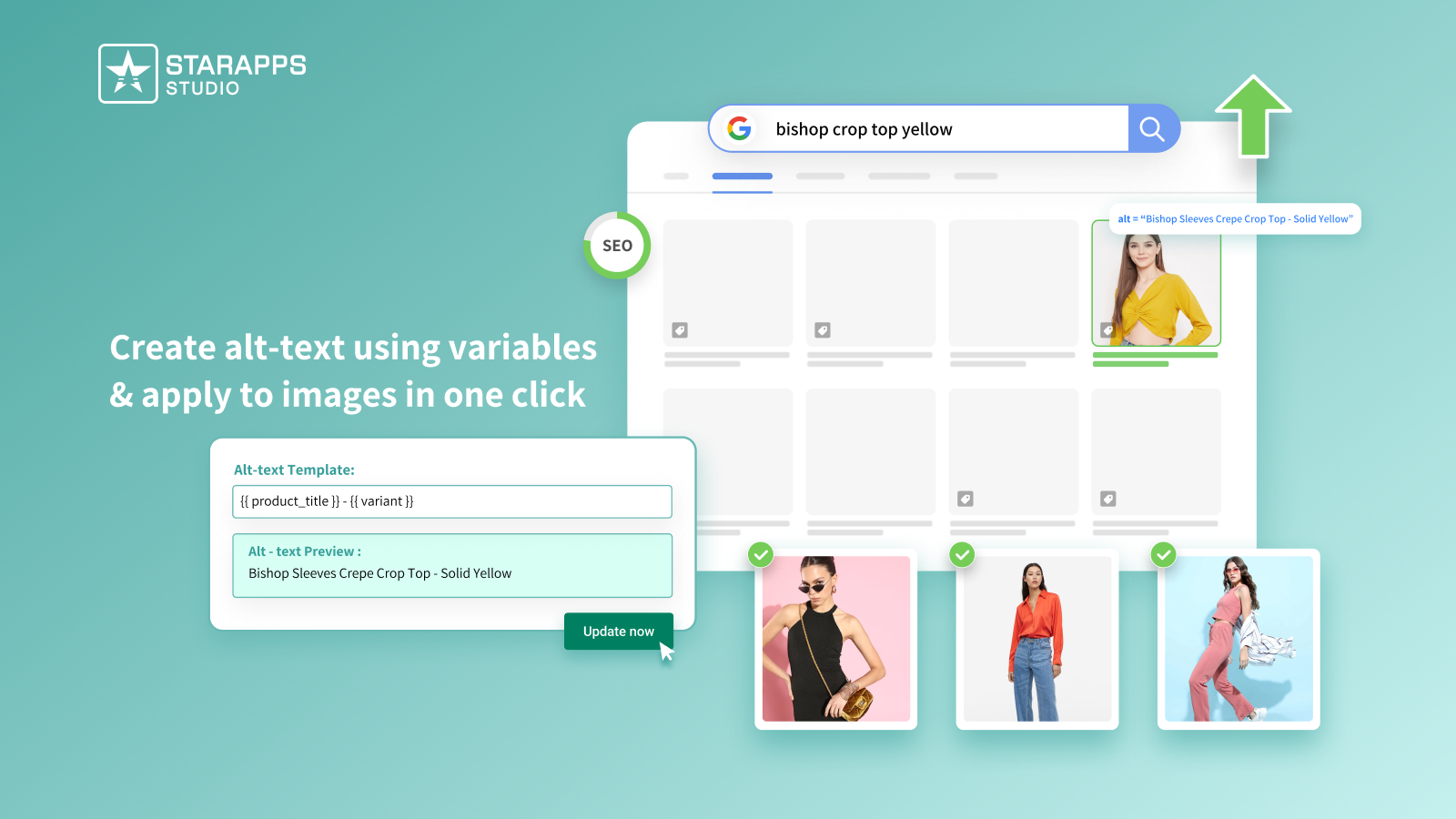
Automatically generate optimized ALT text for every variant image, improving search engine visibility while enhancing accessibility. Well-described images help search engines index your content and make your store inclusive for customers using assistive technologies.
- Google Image Search Visibility: Improve chances of ranking in image search results.
- Automatic Daily ALT Updates: Keep new variant images optimized without manual effort.
- Dynamic ALT Variables: Use personalized SKU, color, product type, and other attributes.
- Accessibility Enhancement: Support screen readers and meet accessibility standards.
Variant Title King: Color, SKU
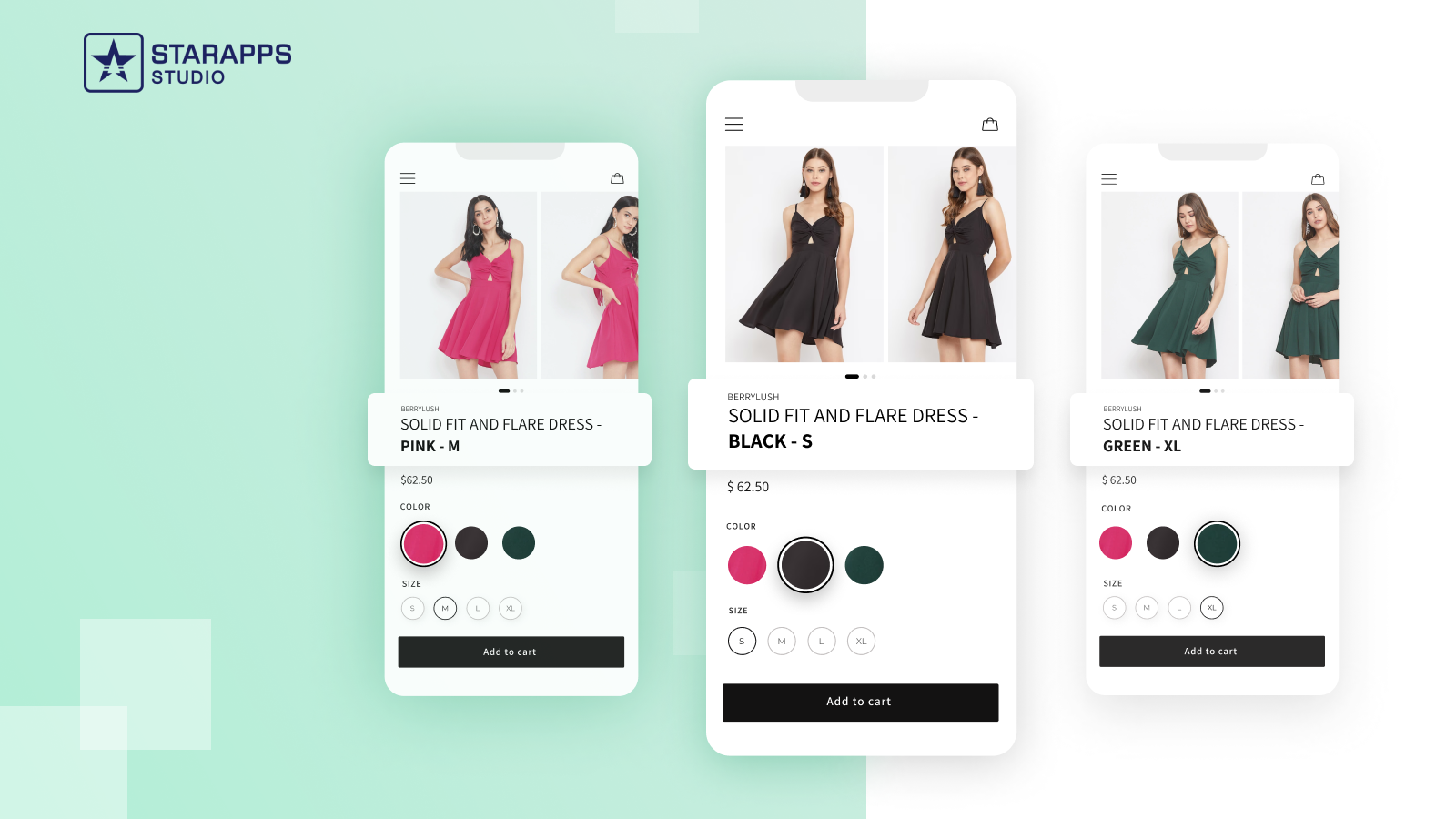
Dynamically update product titles based on the selected variant to give customers clear and accurate information about their choice. This makes it easy for shoppers to identify exactly what they are buying, reducing confusion and potential returns.
- Dynamic Variant Titles: Automatically show color, SKU, or vendor in the product title.
- Theme & App Compatibility: Works seamlessly with all Shopify themes and StarApps tools.
- Improved Inventory Clarity: Make variant-level tracking easier for your team.
- Custom Title Templates: Match titles to your brand and merchandising strategy.
Variant Descriptions King
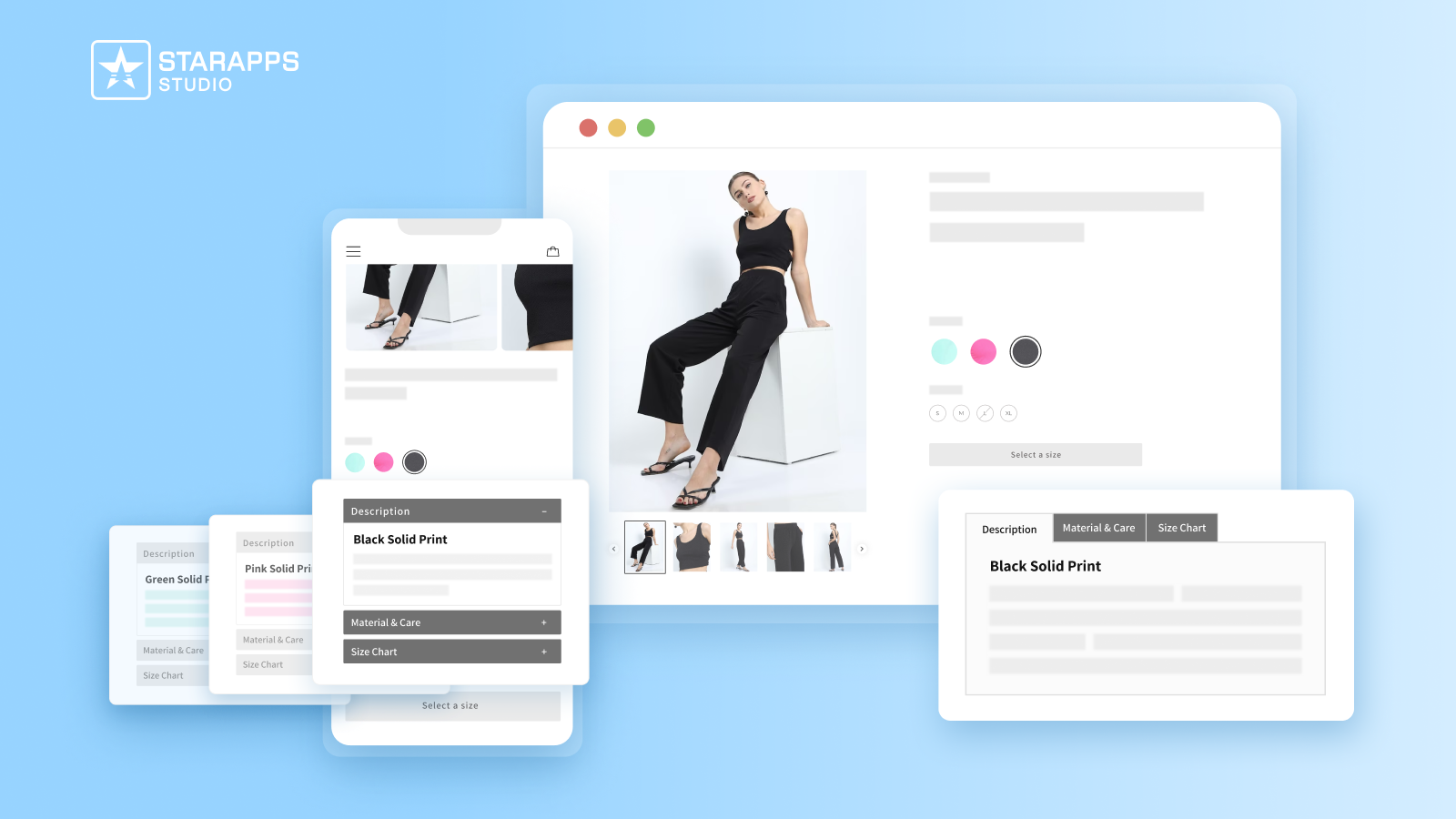
Provide detailed, variant-specific descriptions in a clean, organized layout to help customers make informed purchase decisions. Tabs or accordions keep pages readable and mobile-friendly while reducing returns and support inquiries.
- Variant-Specific Information: Add unique details for size, color, materials, or care.
- Organized Content Layouts: Use tabs or accordions for better readability on all devices.
- Multi-Page Reusability: Apply descriptions across product pages, FAQs, and policies.
- Reduced Returns & Support: Align visuals with detailed information to build trust.
StarApps Studio helps Shopify brands go beyond correct image sizes and build product experiences that are faster, clearer, and easier to buy from, which is exactly what modern shoppers expect in 2026.
Conclusion
Images shape how shoppers perceive your Shopify store before they read a single word. Achieving success on Shopify in 2026 will require striking a balance between visual quality, performance, and device consistency. Using the right dimensions, formats, and optimization strategies helps your store load faster, rank better, and convert more visitors into customers.
When you follow recommended dimensions and respect Shopify banner size best practices, you reduce friction and create a smoother shopping experience. Treat image sizing as part of your growth plan, rather than simply a design task, and your Shopify store will be ready to compete in the years ahead.
Correct image sizing works best when shoppers see only the images that matter at the right moment. With StarApps Studio, tools like SA Variant Image Automator ensure only variant-specific images appear when a selection is made. Paired with Color Swatch King: Variants, shoppers are visually guided to the right option without distraction. These tools ensure images stay relevant, galleries remain clean, and selections align perfectly with your image size standards.
Contact StarApps Studio today for expert guidance on optimizing your Shopify images and variants.
FAQs
1. Do Shopify image sizes affect conversion rates directly?
Yes. Clear, fast-loading images reduce friction, improve product understanding, and build trust, which directly impacts add-to-cart rates and checkout completion.
2. Should image sizes change when switching Shopify themes?
Often, yes. Each Shopify theme defines its own section widths and aspect ratios, so images optimized for one theme may crop incorrectly in another.
3. How do image sizes impact Shopify apps like filters and quick view?
Improperly sized images can break layout consistency in product grids, causing misalignment or slower rendering in apps that rely on uniform image dimensions.
4. Is it better to upload maximum-size images and let Shopify resize them?
No. Oversized uploads increase processing time and storage usage. Uploading images close to the required display sizes improves performance and visual stability.
5. Can incorrect image sizing affect Shopify checkout performance?
Indirectly, yes. Large images increase overall page weight, which can slow checkout loading on mobile and reduce successful payment completions.
Heading

End-to-end traceability
To ensure regulatory compliance, you must have a complete overview of your products from production to shipping. Book a demo to see how Katana can give you full visibility of your operations.



.png)

.svg)

.svg)

.svg)
.png)