
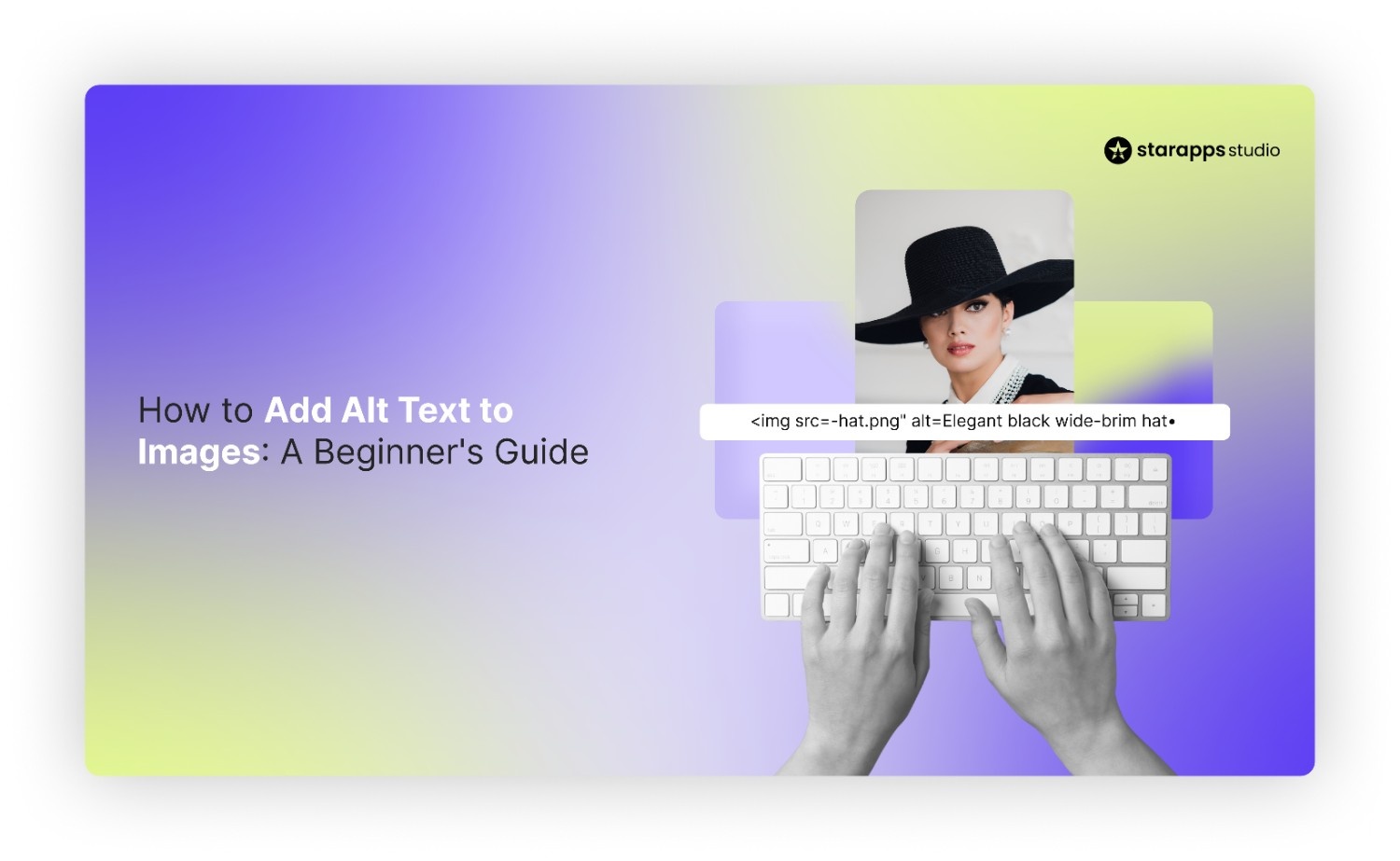

Learn how to add alt text to images for better SEO and accessibility. Follow our beginner's guide with a simple framework and tools for automating descriptions.
You spend hours perfecting your product photography, ensuring every angle highlights the quality and detail of your inventory. Yet, despite having beautiful visuals, your store might be invisible to search engines and inaccessible to visually impaired shoppers. This disconnect happens because Google cannot "see" your images the way a potential customer does, leading to lost traffic and revenue.
Missing alternative text creates a significant gap in your SEO strategy and alienates a portion of your audience relying on screen readers. In fact, missing ALT text accounts for 61% of homepage accessibility errors. It forces search engines to guess the context of your images, which often results in poor rankings for your key products.
In this guide, we will break down exactly how to add alt text to images so you can improve your store's visibility and inclusivity.
An Overview
- Alt text acts as a translator, helping search engines understand and index your visual content correctly.
- It is the primary tool for visually impaired users to understand product details via screen readers.
- Missing alt text accounts for 61% of homepage accessibility errors, making it a top priority for an inclusive site.
- Good alt text describes the specific image content rather than just repeating the product title.
- Optimized descriptions directly influence your ranking in Google Images, a major source of e-commerce traffic.
- Keep descriptions concise (under 125 characters) to ensure they are fully read by accessibility tools.
Why Image Alt Text is the Most Important SEO and Accessibility Tag
While many merchants focus on meta titles, alt text serves a dual purpose that is critical for modern e-commerce success. It functions as both a technical descriptor for algorithms and a vital usability feature for human visitors.
Ignoring this tag means missing out on a fundamental layer of website optimization that affects performance and legal compliance. Here is why prioritizing this small piece of HTML code is non-negotiable for your online store:
1. Web Accessibility Compliance
Millions of internet users rely on screen readers to browse the web due to visual impairments or other disabilities. These tools read the alt text aloud, allowing these users to visualize your products and navigate your store confidently. Without it, your site becomes a frustrating barrier, potentially violating ADA (Americans with Disabilities Act) standards.
2. Fallback for Loading Errors
Internet connections are not always stable, and sometimes images fail to load due to server issues or slow speeds. When an image breaks, the alt text displays in its place, explaining what should be there. This ensures the user experience remains intact even when the visual elements of your page are compromised.
3. Context for Search Crawlers
Search engine bots are sophisticated, yet they still struggle to interpret the nuances of pixel-based data within photographs. Alt text provides the necessary context, telling Google exactly what is in the image so it can index it correctly. This clarity helps search engines match your products with relevant user queries more accurately.
Understanding the "why" sets the foundation, but the real value lies in how this text influences your traffic.
Don't risk compliance issues or exclude customers. StarApps Studio’s Variant Alt Text King automates accessibility for all your images instantly. Install the app now.
Also read: Cyber Monday vs Black Friday: 9 Expert Tips for Shopify Stores to Crush BFCM 2026
How Alt Text Drives Organic Traffic and Search Rankings
Search engines reward websites that provide clear, accessible, and relevant content across all media types, including images. By effectively labeling your visuals, you open up new pathways for potential customers to discover your brand through organic search.
This optimization strategy goes beyond simple keywords; it is about creating a comprehensive semantic profile for your product pages.
Optimizing your image descriptions directly influences your SEO performance in the following ways:
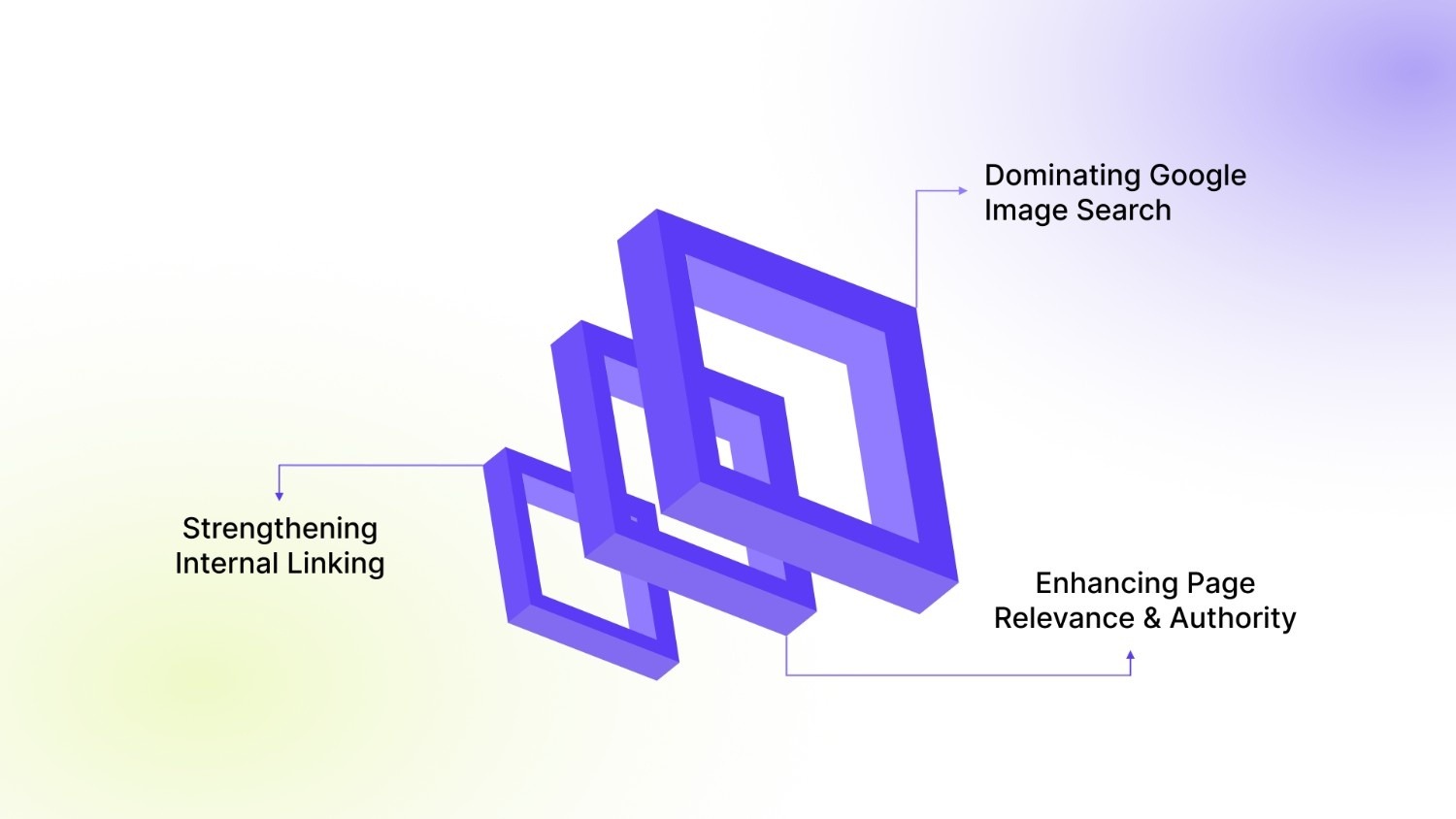
1. Dominating Google Image Search
Google Images is a significant search engine in its own right and drives substantial traffic to e-commerce sites, especially for fashion and home goods. Descriptive tags help your product photos appear in image search results, leading potential buyers directly to your product pages. A well-optimized image acts as a visual entry point for high-intent shoppers.
Example: Gymshark, Revolve: A customer searches Google Images for "high-waisted seamless leggings blue." If the alt text for a specific product photo is "Gymshark Seamless Training Leggings in Coastal Blue, size medium," that image has a high probability of appearing.
2. Enhancing Page Relevance and Authority
Using relevant keywords in your image descriptions reinforces the topic of the surrounding content on the page. This signals to search engines that your page is authoritative and highly relevant to specific search queries or product types. It helps Google connect the dots between your text content and your visual assets.
Example: Burrow, AllModern: A product page is titled "Mid-Century Walnut Coffee Table." The alt text for the main image, set as "Round Walnut Wood Coffee Table with Tapered Legs," reinforces that key information.
3. Strengthening Internal Linking
If you use an image as a link to another page, the alt text functions similarly to anchor text for that link. This helps Google understand the destination page's content, which can pass authority and improve the ranking of linked pages. It turns your navigation images into powerful SEO signals that guide crawlers through your site structure.
Example: Tatcha, ColourPop: On the homepage, a large banner image links to the "Hydrating Serums" category page. Setting the banner's alt text as "Shop the full collection of anti-aging hydrating face serums" is vital.
Now that the strategic value is clear, we need to establish the rules for writing effective descriptions.
Also read: How to Add and Optimize Image Alt Text on Shopify
The Three Core Rules for Writing Perfect Alt Text
Writing effective descriptions requires striking a balance between being informative and keeping the text brief and natural. You want to provide enough detail to be useful without overwhelming the user or triggering spam filters with keyword stuffing.
These guiding principles ensure your text serves both accessibility needs and search engine requirements perfectly. Your descriptions should always adhere to these three fundamental rules to be effective:
1. Be Specific and Descriptive
The text must describe exactly what is happening in the image or what the product looks like in detail. Vague descriptions fail to provide value, while specific details help users visualize the item without seeing it.
- Avoid: "Red shoe"
- Use: "Women's red leather running shoe with white laces and rubber sole"
2. Keep It Concise
Screen readers can cut off long descriptions, so it is best to keep your text short and direct. Aim for around 125 characters or fewer to ensure the entire message is conveyed efficiently without pausing.
- Tip: Focus on the most important visual elements first.
- Action: Edit your descriptions to remove filler words like "very" or "beautiful."
3. Use Keywords Naturally
Include your main keyword naturally within the description to help search engines understand the image context and relevance. However, avoid "keyword stuffing," which looks spammy and can actually harm your search rankings and user experience.
- Goal: Describe the image honestly while including the product name.
- Warning: Do not list keywords; write a coherent sentence.
With the rules in place, let us look at the practical steps for adding this text to your files.
Also read: How to Add Alt Text to Background Images for Accessibility
Step-by-Step Guide for Beginners: How to Add Alt Text to Your Images
Understanding the theory is great, but you need to know exactly where to click to implement these changes. This process is generally similar across most website builders and content management systems, making it a universal skill.
By following these steps, you ensure that every image you upload is ready to work for your SEO strategy.
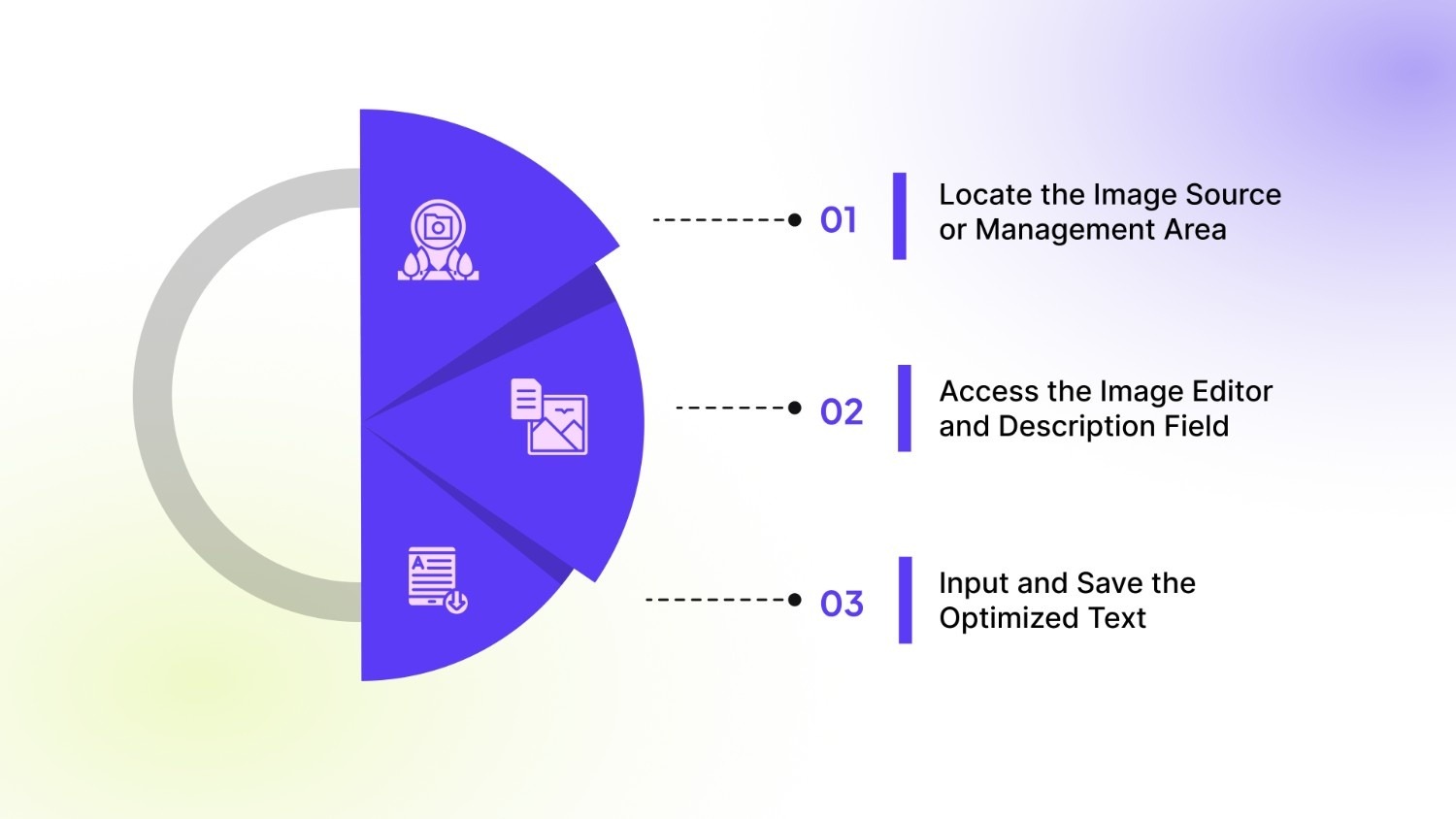
Follow this simple workflow to manually add alt text to your images on any platform:
Step 1: Locate the Image Source or Management Area
You must first identify where your website stores and manages its images, whether in a Content Management System (CMS) or raw code. Accessing the correct management area is crucial for applying the description to the image file itself rather than just the page layout.
- Log in to your website's backend dashboard.
- Navigate to your "Media Library," "File Manager," or the specific page editor where the image resides.
Step 2: Access the Image Editor and Description Field
Most platforms provide a simple editor interface where you can insert the necessary alternative text without touching code. Clicking on the image file will usually bring up a detail window with a dedicated input box for descriptions or "Alt Text."
- Click on the specific image you want to edit to open its details or settings panel.
- Look for a field labeled "Alt Text," "Alternative Text," or "Image Description."
Step 3: Input and Save the Optimized Text
The final action is to type your carefully crafted description and confirm the changes to update the live site. Always remember that this text will be read aloud by accessibility tools and indexed by search crawlers immediately after saving.
- Type your descriptive sentence into the box, ensuring it follows the core rules we discussed.
- Click the "Save," "Update," or "Insert" button to finalize your changes.
Scale Your Image SEO with StarApps' Variant Alt Text King
Managing a growing store with hundreds or thousands of SKUs often means dealing with an overwhelming number of product images. Manually writing unique, keyword-rich descriptions for every single variant image is incredibly time-consuming and prone to human error. This manual burden often leads to generic or missing alt text, hurting your search rankings and accessibility compliance.
Variant Alt Text King: SEO is the solution designed to eliminate this manual workload while maximizing your search visibility. It automates the optimization process, ensuring every product image on your store has accurate, SEO-friendly descriptions without you lifting a finger.
- One-Click Optimization: Automatically generate and update descriptions for all your product variant images instantly.
- Daily Sync: The app runs a daily check to ensure any new images you upload are immediately optimized.
- Smart Templates: Create custom templates using variables like product title, variant name, and brand to ensure relevance.
- Variant Specificity: Works perfectly with your variant setup to include specific details like color and size in the text.
Automation solves the volume problem, but you must still be aware of common quality pitfalls.
Also read: Understanding Image Alt Text Length for Accessibility & SEO
Common Alt Text Mistakes That Hurt Your SEO and UX
Even with good intentions, it is easy to make simple errors that undermine the effectiveness of your alt text efforts. Identifying these common mistakes early prevents data corruption and ensures your store remains user-friendly for everyone.
Avoiding these traps helps you maintain a professional standard across your entire website and product catalog. Steer clear of these frequent errors when writing or reviewing your image descriptions:
1. Using "Image of" or "Picture of" Phrases
Screen readers announce that an element is an image before reading the text you provide to the user. Phrases like "picture of" or "image of" are redundant and waste valuable character space that could be used for details.
- Fix: Start your description directly with the subject, such as "Blue ceramic coffee mug on table."
2. Stuffing Keywords into Descriptions
Cramming too many keywords into the alt text makes it unreadable for humans and looks suspicious to search engines. This practice, known as keyword stuffing, can lead to penalties and a poor user experience for screen reader users.
- Fix: Write natural sentences that describe the image visually, integrating the main keyword only where it fits logically.
3. Neglecting Decorative Images
Images that are purely for design, such as borders, background patterns, or spacers, do not need descriptive text. Adding text to these elements creates auditory clutter for screen reader users, forcing them to listen to irrelevant information.
- Fix: Leave the alt attribute empty (null) or mark the image as "decorative" in your CMS settings.
Tired of reviewing thousands of images for keyword stuffing or redundant phrasing? Eliminate manual errors and guarantee perfect alt text compliance instantly. Get Variant Alt Text King: SEO now.
Correcting these mistakes sets a solid foundation, allowing you to focus on maintaining your site long-term.
Best Practices for Maintaining Alt Text Across Your Entire Site
The e-commerce environment changes rapidly, and your store structure must be ready to adapt to new inventory and content. Implementing long-term best practices ensures you do not fall behind on your optimization efforts as your business grows. Consistency in your approach will make your store look professional and perform better in search results.
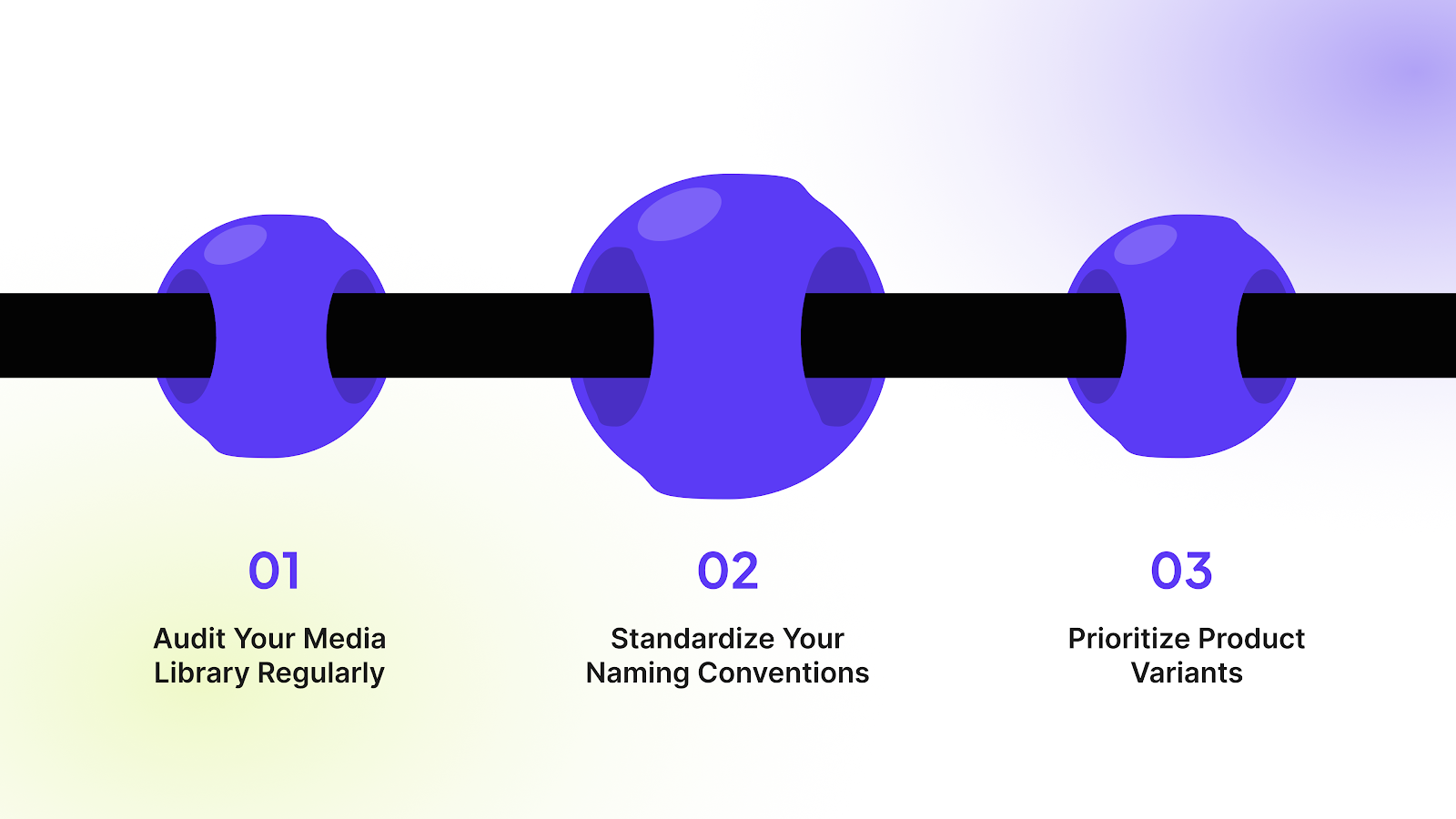
Follow these practices to ensure your alt text strategy remains scalable and effective:
1. Audit Your Media Library Regularly
Schedule a periodic review of your image assets to identify any missing or outdated descriptions across your site. This proactive approach helps you catch gaps in your SEO strategy before they impact your traffic or rankings.
- Pro Tip: Use an SEO audit tool or site crawler to quickly identify all images missing alt tags.
2. Standardize Your Naming Conventions
Create a consistent format for how you describe products, ensuring a uniform experience for users and search engines. This makes it easier for your team to write new descriptions and keeps your data organized.
- Pro Tip: Create a simple style guide for your team, such as "[Brand] [Product Name] in [Color] - [View Angle]."
3. Prioritize Product Variants
Ensure that each specific variant image has unique text describing that exact color, material, or style configuration. This level of detail helps users confirm they have selected the right option and aids in ranking for long-tail keywords.
- Pro Tip: Use automation tools to dynamically insert variant names (e.g., "Red," "Blue") into the alt text automatically.
Also read: How to Complete Shopify Domain Verification in 5 Easy Steps
Conclusion
Adding descriptive alt text is fundamental for building an accessible and high-ranking online store. It connects your visual content with search engines and customers who cannot see it, improving your overall SEO and inclusivity.
For scaling DTC brands, manually managing thousands of image descriptions is unsustainable and inefficient. StarApps Studio provides the necessary storefront enhancement to automate this process.
It keeps your merchandising accurate and fast. If you are ready to automate and ensure your images are always optimized, try Variant Alt Text King: SEO for the precision and speed your store needs to scale.
Ready to improve how you handle image optimization across your store? Reach out to us today and transform how you handle product variants.
FAQs
Q. Does alt text affect page load speed?
No, the alternative text itself is a very small string of descriptive HTML code embedded within the image tag. It is not an image file and does not require extra time for a user's browser to render. Therefore, optimizing your alt text will have no negative impact on your store's speed or page load performance.
Q. Can I use the same text for all variant images?
You should avoid this practice because it confuses both search engines and customers about your specific product offerings. Each variant image (e.g., a "red shirt" vs. a "blue shirt") is a unique asset and should have unique, descriptive text reflecting its distinct color, material, or angle. Using unique alt text helps you rank for specific long-tail keywords.
Q. How often should I update my image descriptions?
You generally only need to update the image descriptions if you replace the image file with a new one or if you decide to target new, highly relevant keywords for that specific product. If you use an automated tool like Variant Alt Text King, it will automatically check and sync new product images daily, ensuring they are always optimized upon upload.
Q. Is there a character limit for these descriptions?
While the HTML specification does not enforce a strict character limit, most screen readers start cutting off the text after approximately 125 characters. For optimal accessibility and SEO benefit, it is best practice to keep your alt text concise and to the point, focusing on the most important product details first.
Q. Do I need to add text for background images?
No, purely decorative background images, borders, or spacers that serve no informational purpose should have a null or empty alt attribute (alt=""). This practice ensures that screen reader users are not forced to listen to irrelevant descriptions, allowing them to focus on the essential product and navigation content on your page.
Heading

End-to-end traceability
To ensure regulatory compliance, you must have a complete overview of your products from production to shipping. Book a demo to see how Katana can give you full visibility of your operations.

.png)

.svg)

.svg)

.svg)
.png)