
A Complete Guide to Becoming a Profitable Shopify Partner: 5 Easy Steps for Success

Learn how to become a profitable Shopify Partner with our guide. Discover earning models, sign-up steps, and essential tools to scale your agency business.
You have the skills to build great Shopify stores, but turning that expertise into a stable, growing income feels uncertain. You might be unsure where to find clients, how the Partner program actually works, or what tools can make your services more valuable.
Becoming a Shopify Partner provides a structured path to solve these problems. It transforms your technical ability into a sustainable business with multiple revenue streams.
This guide will show you the exact steps to join the program, attract clients, and build a profitable partnership with Shopify. You will learn how the system works and discover tools that make your service offerings more powerful.
Need to Know
- The program is completely free to join with no hidden fees or subscription costs.
- Earn a 20% recurring commission on the monthly subscription fees of stores you launch.
- Create as many development stores as you need to test apps, themes, and code without paying a dime.
- Progress from a standard Member to a Shopify Plus Partner to unlock exclusive enterprise leads.
- Using established apps like StarApps Studio can save hundreds of development hours and impress clients instantly.
- Displaying the Partner badge builds immediate trust with potential merchants.
What the Shopify Partner Program Is and Why It Matters
A Shopify Partner is an individual or business that helps merchants build, design, market, or optimize their e-commerce stores. It is not an employment contract but a strategic business relationship where you act as a third-party expert within the Shopify ecosystem.
The Shopify Partner Program is the framework that manages this relationship. It provides you with a dashboard to manage clients, a portal to learn new skills, and a banking system to receive your commissions.
Prioritizing this partnership is essential for any serious e-commerce professional for several reasons:
- Ecosystem Access: You get early access to beta features and product roadmaps before the general public.
- Revenue Sharing: It opens up passive income streams that continue to pay you long after a project is finished.
- Lead Generation: High-performing partners are listed in the Partner Directory, bringing clients directly to you.
- Certification: You gain access to the Partner Academy to earn certifications that validate your expertise.
Once you understand the basic definition, you need to look at the specific benefits that will drive your business forward.
Also read: Understanding Shopify Variants vs Options: Key Differences Explained
Advantages of Becoming a Shopify Partner
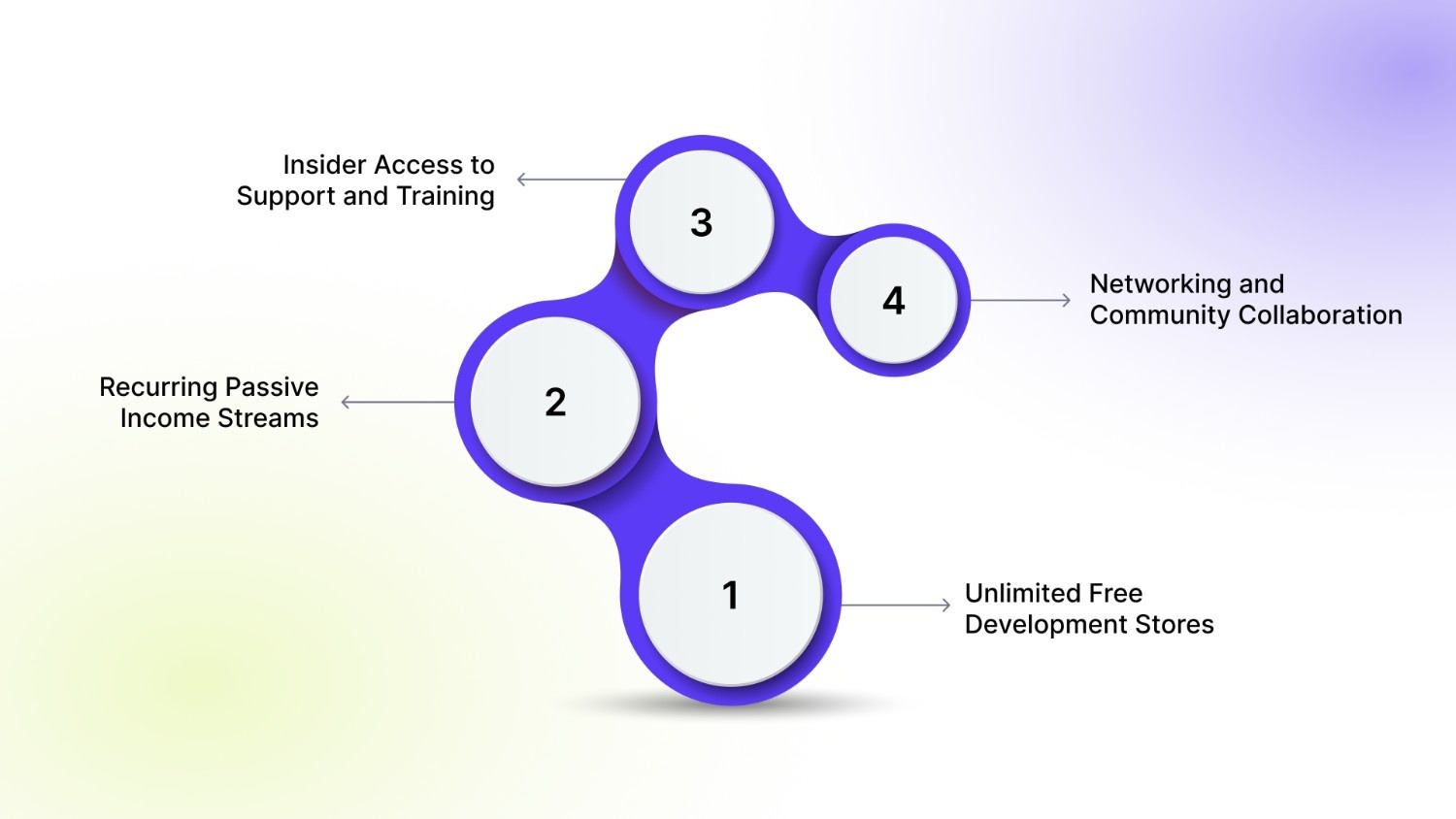
The program offers tangible resources that reduce your overhead costs and increase your earning potential significantly. These benefits allow you to focus on delivering quality work rather than worrying about logistics or subscription fees.
Here are the primary advantages you will enjoy immediately upon joining:
1. Unlimited Free Development Stores
You can create as many test stores as you need to build themes, test apps, or demo concepts for clients. These stores are free of charge for an unlimited duration, meaning you never pay for a subscription until the store is handed over to a paying client.
2. Recurring Passive Income Streams
Unlike standard freelance work, where you trade time for money once, this program offers recurring commissions. As long as the merchant remains a Shopify customer on the store you built, you receive a monthly percentage of their subscription fee.
3. Insider Access to Support and Training
Partners receive priority support through 24/7 live chat and email, ensuring your technical blockers are resolved quickly. You also get free access to the Shopify Partner Academy, which offers courses on business fundamentals, product development, and theme design.
4. Networking and Community Collaboration
You join a global community of experts, agencies, and app developers who share code snippets, strategies, and referrals. This network is invaluable for finding subcontractors for niche tasks or partnering with others on large enterprise projects.
Stop building custom variant solutions from scratch. Add the entire StarApps Studio suite to your client toolkit and cut your development time in half. Download the apps here.
Understanding the benefits is the first step; next, you must identify where you fit within this vast ecosystem.
Also read: How to Change Image Based on Shopify Variant Selection
Breaking Down the Different Types of Shopify Partners
Shopify recognizes that "partnership" looks different for a designer compared to a marketer or a developer. The program categorizes partners based on the services they provide, ensuring you get the right resources for your business model.
Here is a breakdown of the specific partner types available to you:
With your path selected, it is time to take action and set up your account.
Also read: Shopify API for Product Variants: Everything You Need to Know
The Ultimate Step-by-Step Workflow to Become a Shopify Partner
Becoming a partner is a straightforward process, but setting up your account correctly from day one is crucial for getting paid and managing clients effectively. This workflow will take you from zero to a fully functional partner dashboard in less than an hour.
Follow these steps to launch your partner journey:
1. Register for a Free Account
Navigate to the Shopify Partner Program landing page and click the "Join Now" button. You will be asked to enter your business email address; avoid using a personal email to maintain professionalism.
- Use a dedicated business email.
- Choose a strong password and enable two-factor authentication immediately.
2. Complete Your Business Profile
Shopify requires details about your business to tailor your dashboard experience. You will need to select your primary business goal, such as "Building new Shopify stores for clients" or "Building Shopify apps."
- Be honest about your current size and goals.
- Select the specific platforms you currently use (e.g., WordPress, Magento) if asked.
3. Explore Your Partner Dashboard
Once logged in, you will see your central command center. Familiarize yourself with the "Stores" tab, where you will manage client sites, and the "Payouts" tab, where your earnings will appear.
- Bookmark the "Education" tab for later study.
- Locate your unique Affiliate Referral link on the dashboard.
4. Create Your First Development Store
Go to the "Stores" section and click "Add store." Select "Development store" to create a sandbox environment where you can start building immediately without a credit card.
- Choose a store name (e.g., "client-name-dev").
- Select "Developer Preview" if you want to test beta features.
5. Get Certified in the Academy
Before pitching clients, spend time in the Partner Academy. Complete the "Business Fundamentals" and "Product Fundamentals" courses to earn badges that you can display on your LinkedIn profile or portfolio website.
- Set a goal to complete one course per week.
- Download your certification badges immediately upon completion.
Now that you are set up, let us discuss the financial incentives that make this program so attractive.
Also read: How to Add Shopify Variants to Collection Pages Easily?
How Shopify Partners Get Paid: Understanding Commission Structures
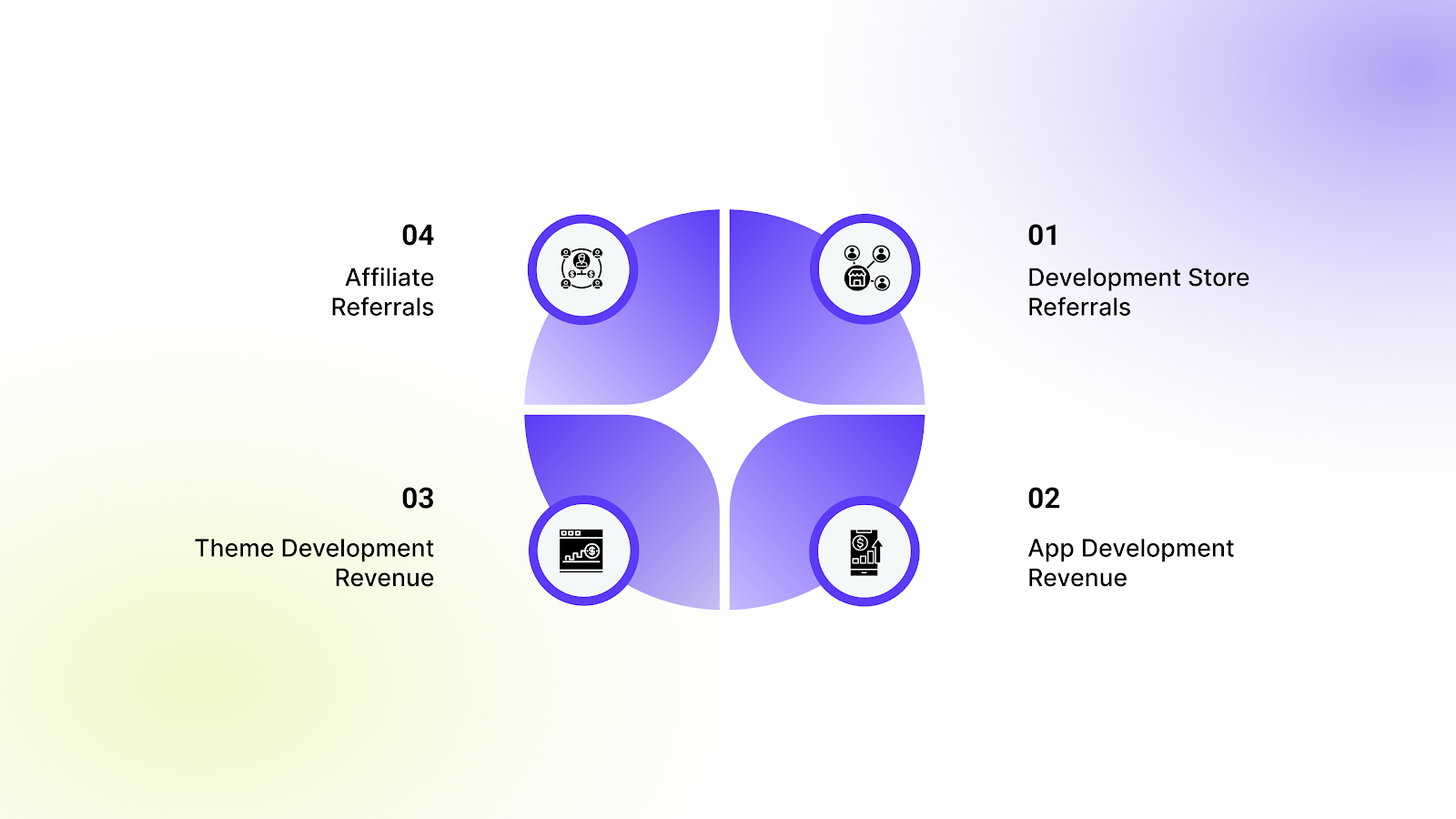
The revenue model is one of the strongest selling points of the program, but it varies depending on the type of work you do. Understanding these figures helps you forecast your agency's revenue and decide which services to prioritize.
Here is how the commission structure breaks down for different activities:
1. Development Store Referrals
When you build a store for a client in your development environment and transfer ownership to them, you earn a recurring commission. This is typically 20% of the merchant's monthly subscription fee for as long as they remain a Shopify customer.
2. App Development Revenue
If you build an app and list it on the Shopify App Store, you keep 100% of the first $1,000,000 USD in revenue you earn each year. After you cross the $1 million mark, you pay a 15% revenue share to Shopify, keeping 85% of earnings above that threshold.
3. Theme Development Revenue
Similar to apps, theme developers keep 100% of the first $1,000,000 USD in revenue annually. Once your theme sales exceed this amount, the revenue share shifts to 85% for you and 15% for Shopify on the earnings above the limit.
4. Affiliate Referrals
If you are strictly referring merchants via a link rather than building the store yourself, you earn a fixed bounty payment. This amount varies based on the merchant's location and the plan they select, often paid out two months after the merchant pays their bill.
Also read: Change Shopify Variant Option Names Easily
Money is a great motivator, but many partners stumble early on due to avoidable errors.
Common Mistakes New Shopify Partners Make and How to Avoid Them
Excitement often leads to oversight, and many new partners damage their reputation or lose revenue by ignoring best practices. Identifying these pitfalls early ensures you build a sustainable business rather than a "churn and burn" operation.
Avoid these specific errors to ensure long-term success:
1. Handing Over Credentials Instead of Transferring Ownership
New partners often create a store using the client's email and password instead of a development store. This mistake means you miss out on the 20% recurring commission entirely.
- Solution: Always build in a development store first, then use the "Transfer Ownership" button in your dashboard to hand it over.
2. Overpromising Custom Functionality
Promising a client that Shopify can "do anything" without checking app capabilities leads to project failure. Hard-coding complex features often breaks when themes update.
- Solution: Rely on established apps for complex features and clearly scope out what is native to Shopify versus what requires third-party tools.
Overpromising on functionality is the fastest way to lose a client. Guarantee perfect variant merchandising every time. Build Your Next Client Store with StarApps Studio Tools. Get in touch now.
3. Ignoring the Partner Academy
Skipping the free training leads to inefficient coding practices and a lack of knowledge about the platform's full capabilities.
- Solution: Treat the Academy as mandatory onboarding for yourself and any team members you hire.
4. Failing to Niche Down
Trying to be a "generalist" partner for every industry makes it hard to market your services.
- Solution: specialize in a vertical like "Fashion DTC" or "B2B Electronics" to become the go-to expert in that space.
To avoid overpromising on functionality, you need a toolkit of reliable apps that solve complex problems instantly.
Also read: Customize Your Shopify Store with Color Swatches Using Liquid
Essential Tools and Resources for Partner Success
As a partner, your time is your most valuable asset. Coding every feature from scratch is inefficient and often results in a buggy storefront. Instead, smart partners use StarApps Studio tools to solve complex merchandising challenges quickly.
These apps are reliable, speed-optimized, and theme-compatible, making you look like a hero to your clients.
Here are the essential tools you should integrate into your client builds:
Color Swatch King: Variants
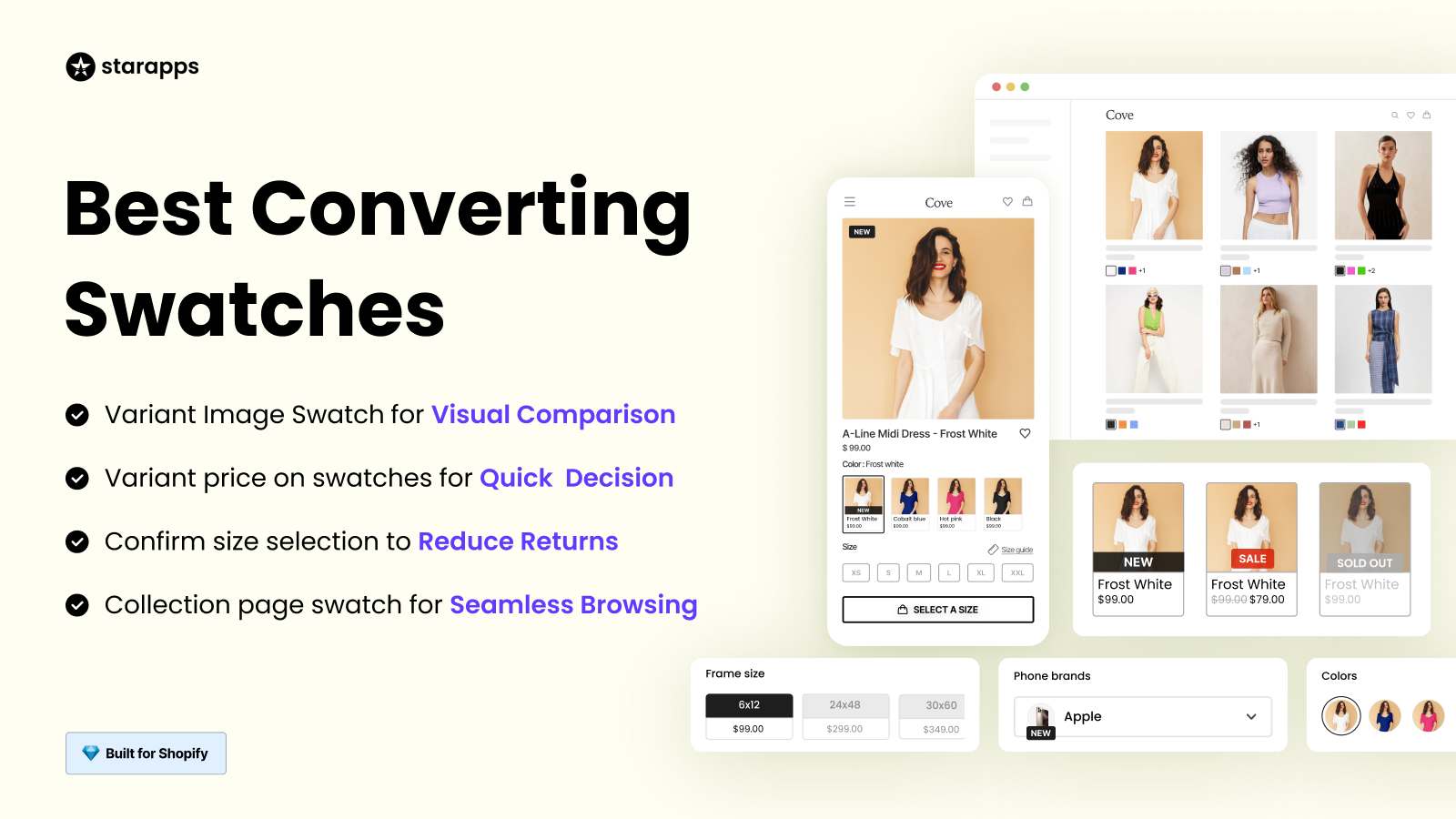
This tool replaces boring dropdown menus with visual swatches, making it easier for shoppers to compare colors and styles.
Key Features:
- Quick Comparison: Displays product options using clear images or color hex codes.
- Seamless Browsing: Allows swatch selection directly on collection pages.
- Automated Swatches: Generates swatches automatically to save setup time.
- Bulk Upload: Supports CSV uploads for managing massive variant lists.
SA Variant Image Automator
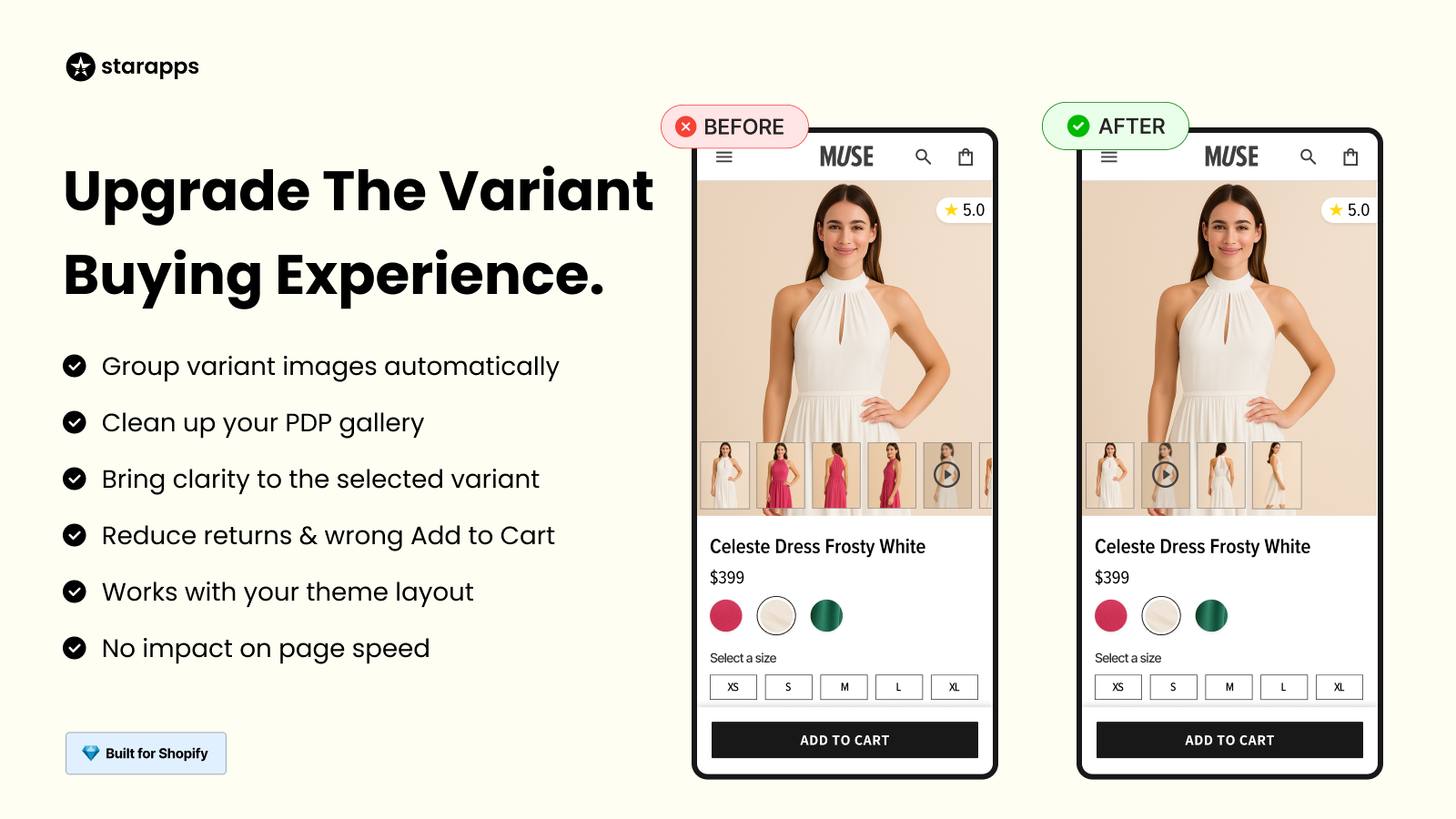
This app cleans up product galleries by showing only the images relevant to the selected variant, preventing customer confusion.
Key Features:
- Auto-Assign: Automatically links images to variants without manual tagging.
- Clean Gallery: Hides irrelevant photos when a specific color is selected.
- Boosts UX: Instantly displays multiple angles for the chosen variant.
- Theme Integration: Works directly with existing themes without slowing down the site.
SA Variants: Combined Listings
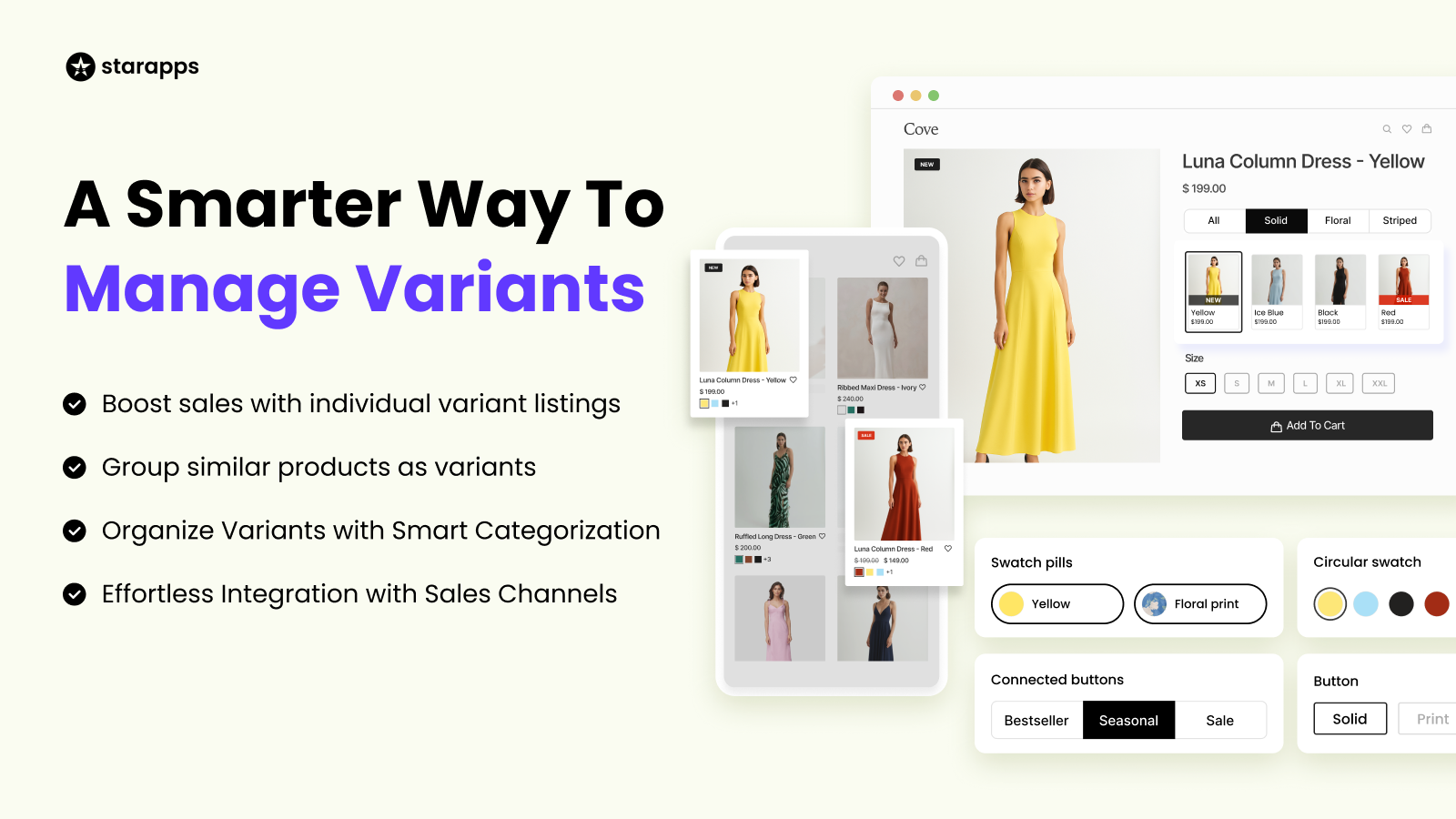
This helps you split product variants into separate listings on collection pages for better SEO and discoverability.
Key Features:
- Split Products: Shows all colorways as individual products on collection pages.
- Rich Listings: Gives each variant its own unique URL and description.
- Enhanced SEO: Increases the number of indexable pages for search engines.
- Combined Navigation: Keeps variants linked so users can switch easily.
Variant Alt Text King: SEO
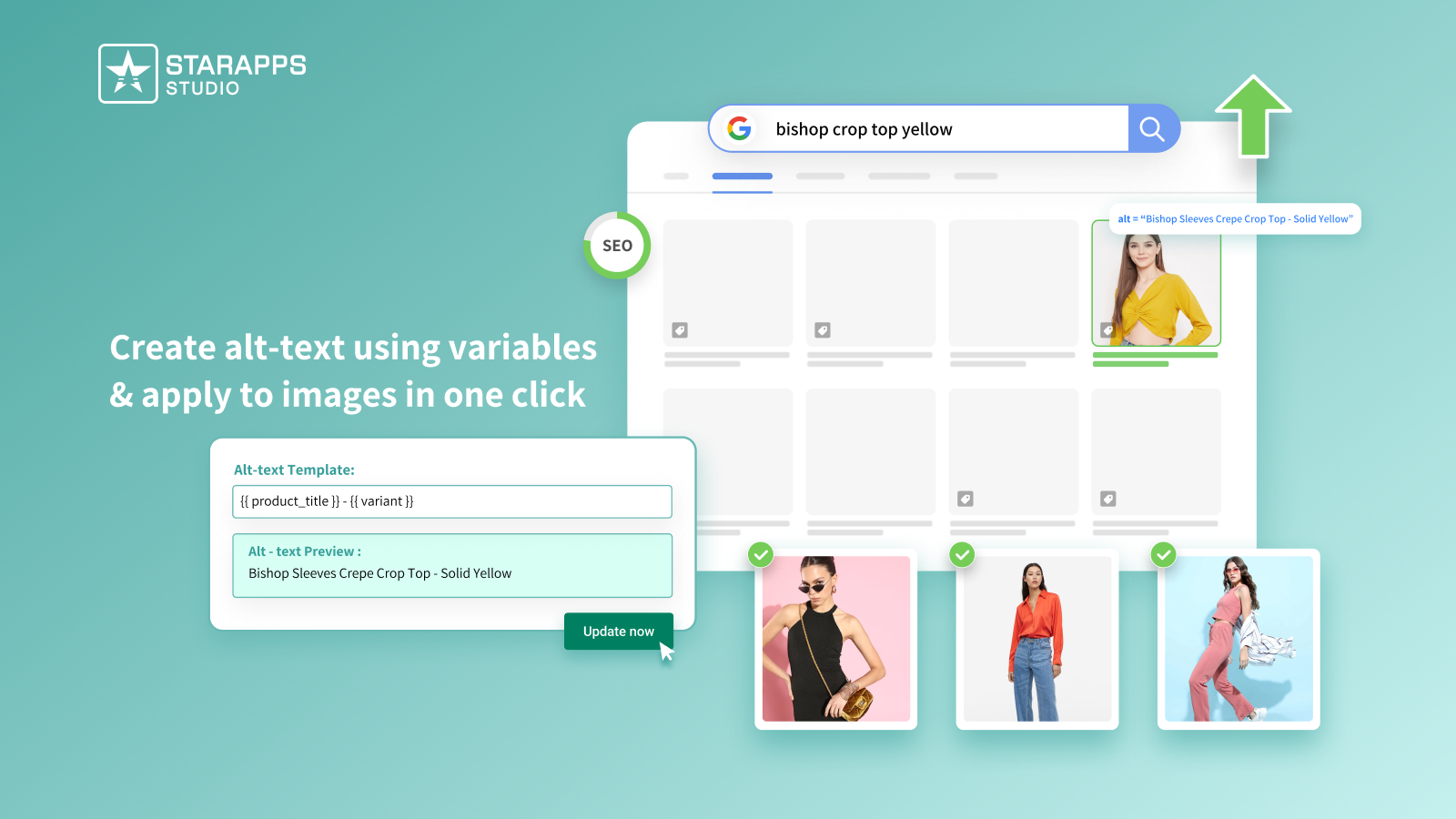
This tool automates the tedious task of adding alt text to thousands of images, ensuring accessibility and search ranking.
Key Features:
- One-Click Optimization: Updates all variant images instantly.
- Daily Sync: Automatically processes new images as they are uploaded.
- Customizable Variables: Uses product titles and tags to create smart descriptions.
- Accessibility: Helps clients meet ADA and WCAG standards effortlessly.
Variant Title King: Color, SKU
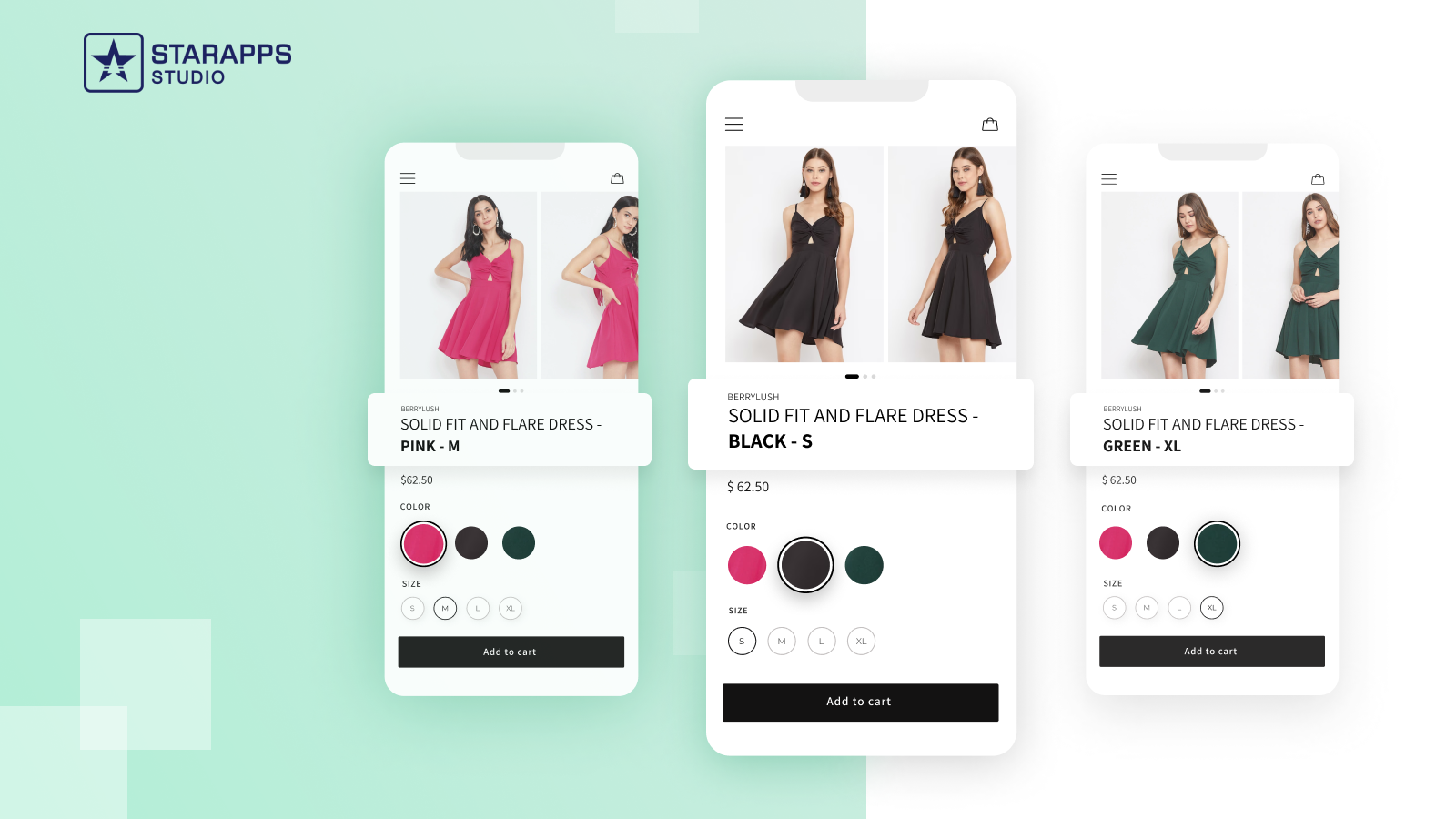
This app dynamically updates product titles based on user selection, reducing cart confusion.
Key Features:
- Dynamic Titles: Changes the title to include "Red" or "Size M" when selected.
- SKU Display: Visible SKUs help with inventory tracking and B2B orders.
- Custom Templates: Define exactly what info appears in the title.
- Theme Compatible: Fits seamlessly into any store design.
Variant Descriptions King
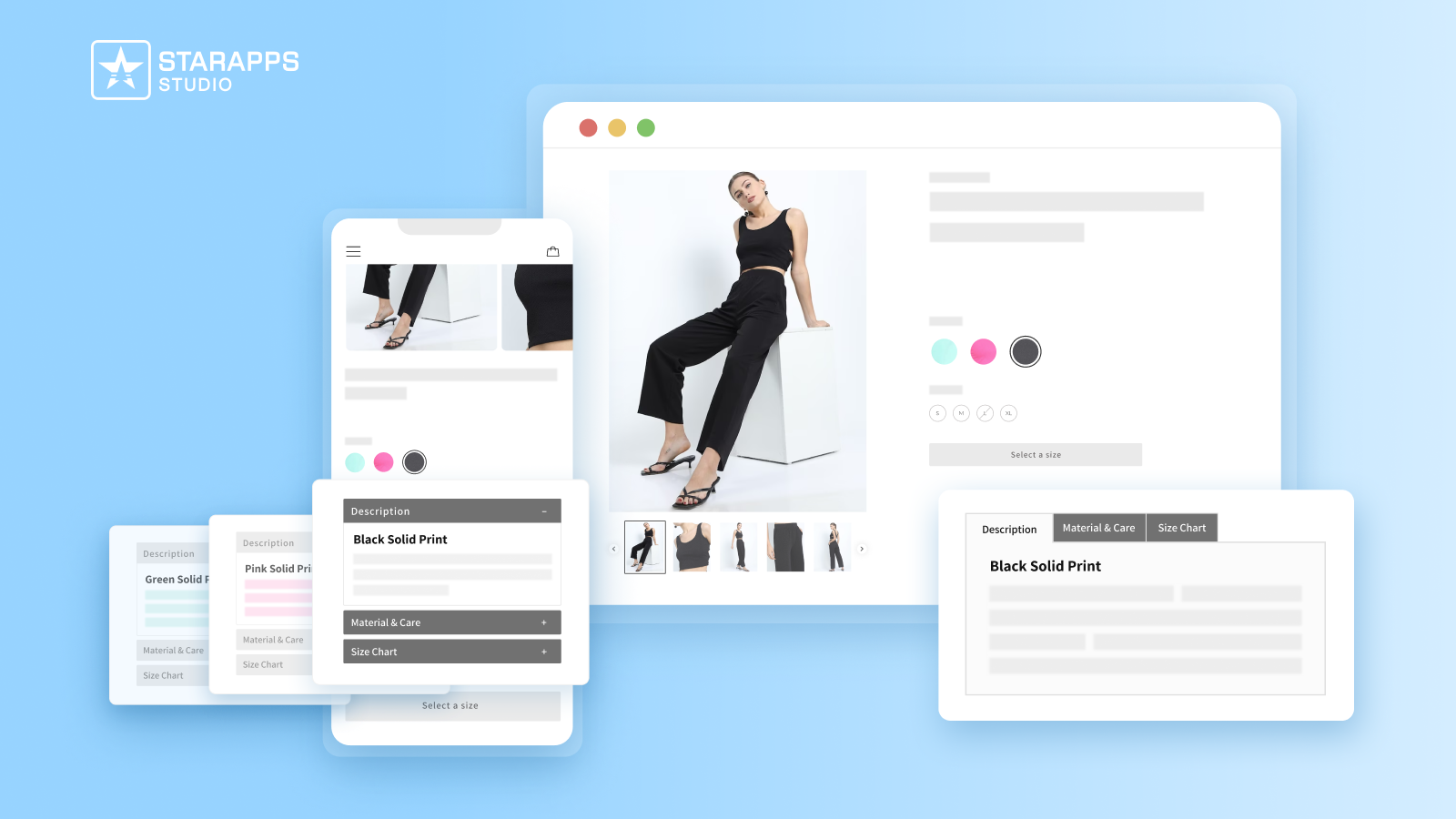
This tool organizes dense product information into clean tabs or accordions, improving readability.
Key Features:
- Unique Descriptions: Show specific sizing or care info for different variants.
- Tabs & Accordions: Collapses long text to keep the UI clean.
- Mobile Friendly: Automatically switches to accordions on smaller screens.
- Versatile Use: Great for FAQ pages, shipping policies, and size charts.
With your toolkit ready, the final piece of the puzzle is actually getting clients to pay you.
Also read: How to Create a Shopify App with More Than 3 Product Options
Best Practices for Finding and Closing Your First Shopify Client
The technical skills are useless if you cannot find merchants who need them. Finding your first client requires a mix of strategic positioning and active outreach. You must move from being a "service provider" to a "business consultant" who solves revenue problems.
Implement these strategies to secure your first win:
1. Build a Portfolio on a Development Store
Do not wait for a client to build your portfolio. Create a fully functional demo store using a free development sandbox that showcases your design and coding skills.
- Visual Proof: It gives potential clients something tangible to interact with.
- Testing Ground: It proves you can handle complex setups like variant swatches.
- Template: You can use this base build to speed up future client projects.
2. Content Marketing for a Specific Niche
Write blog posts or create videos that solve specific problems for a niche audience (e.g., "How to optimize images for fashion stores").
- Trust Authority: positions you as an expert rather than a generic freelancer.
- Inbound Leads: bring merchants to you who are already looking for solutions.
- SEO Value: helps your agency website rank for relevant search terms.
3. Audit Existing Shopify Stores
Reach out to existing merchants with a brief, value-packed video audit pointing out 2-3 quick fixes on their site.
- Value First: demonstrates your expertise before asking for money.
- Low Friction: It is easier to sell a small "fix" package than a full rebuild.
- Relationship: A small initial job often leads to a long-term retainer.
Also read: How to Easily Add a Size Chart in Shopify
Conclusion
Becoming a Shopify Partner is one of the most effective ways to build a scalable, profitable business in the e-commerce space. It offers you the infrastructure, tools, and revenue models needed to grow from a solo freelancer into a full-service agency.
However, success requires more than just signing up. You need to leverage powerful tools like StarApps Studio to deliver high-quality storefronts efficiently. Their suite of apps handles the complex logic of variants, images, and SEO, allowing you to focus on design and strategy.
Ready to integrate StarApps Studio tools into your next build? Reach out to us today to watch your development time decrease while your client satisfaction soars.
FAQs
Q. How much does it cost to join the Shopify Partner Program?
It is free to join the Shopify Partner Program. There are no upfront fees or membership costs to become a partner and access the dashboard, development stores, and resources.
Q. How long does it take to get your first payout as a partner?
Payout timing depends on the revenue source. Commissions from merchant referrals are recurring. For app developers, payout for a recurring subscription charge can take up to 37 days from when a merchant agrees to the charge.
Q. What's the difference between a Service Partner and a Technology Partner?
A Service Partner is typically an agency or freelancer who earns money by providing services (like store development) to merchants and earns commissions on their subscriptions. A Technology Partner is an app or theme developer who earns revenue through the Shopify App or Theme Store. The Service track is open, while the Technology track is currently invitation-only.
Q. Can I be both a Service Partner and an App Developer?
Yes. Many partners operate hybrid businesses. You can have a partner account, build client stores as a Service Partner, and also develop and publish your own apps as a Technology Partner, provided you meet the requirements for the app store.
Q. How do I move up to a higher partner tier (like Plus or Premier)?
You progress through tiers by meeting specific commercial and performance benchmarks. For Service Partners, this involves generating a required amount of attributed Shopify revenue and successfully completing a number of qualifying projects, with complexity and scale increasing for higher tiers.
Heading

End-to-end traceability
To ensure regulatory compliance, you must have a complete overview of your products from production to shipping. Book a demo to see how Katana can give you full visibility of your operations.

.png)

.svg)

.svg)

.svg)
.png)