
Alt Text for Images: Importance, Characteristics & Best Practices

Optimize image SEO using this guide. Learn the importance of alt text for images, detailed best practices, and simple steps for accessibility compliance.
You spend countless hours selecting the perfect product photography to showcase your brand’s unique style and quality. Today, nearly 18.6% of Google's SERPs show images, indicating a huge potential traffic source.
However, search engines like Google cannot "see" your images the way potential customers do when browsing your store. This invisibility gap often results in missed organic traffic and inaccessible content for shoppers using screen readers.
In this guide, we will break down exactly how to master alt text for images to improve your store's performance.
Key Takeaways
- Alt text primarily helps visually impaired users understand your content through screen readers.
- Nearly 18.6% of Google Search Results Pages (SERPs) feature images, opening a crucial organic traffic source.
- Search engines rely on alt text to index images and return them in relevant search results.
- Describe the specific image content rather than stuffing keywords blindly into the tag.
- Ideally, keep your descriptions under 125 characters to ensure they are fully read.
- Do not start descriptions with "image of" or "picture of" as tools already announce this.
What is Alt Text
Alt text, or alternative text, is a short written description embedded in the HTML code of an image. It appears on the screen if an image fails to load due to slow internet connections.
More importantly, it describes the visual content to search engine crawlers and tools used by visually impaired individuals. This simple string of text ensures everyone and every bot understands the purpose of visual elements on your site.
Understanding the definition is the first step, but knowing why it matters changes how you manage your store.
Also read: How to Add and Optimize Image Alt Text on Shopify
Why is Image Alt Text Important
Adding descriptive text to your visuals is not just a technical requirement but a strategic move for growth. It serves multiple functions that directly influence user satisfaction and the overall reach of your online business.
Here are the primary reasons you should prioritize accurate image descriptions:
1. Web Accessibility
Millions of internet users rely on screen readers to browse the web due to visual impairments. These tools read the alt text aloud, allowing these users to visualize your products and navigate your store confidently.
2. Improved User Experience
Sometimes images fail to load because of weak internet signals or temporary server issues on the customer's end. When this happens, the text displays in place of the image, providing context so the user is not confused.
3. Search Engine Crawling
Search engines use bots to crawl websites, but these bots cannot interpret pixel data within a photograph. Descriptive text acts as a translator, telling Google exactly what is in the image so it can index it correctly.
While accessibility is vital, the impact of these descriptions on your search rankings deserves a closer look.
Also read: How to Add Alt Text to Background Images for Accessibility
From Invisible to Indexed: How Alt Text Affects SEO
Search engine optimization relies heavily on text to understand the relevance and quality of web pages. Proper image descriptions provide search engines with the context they need to rank your products higher in results.
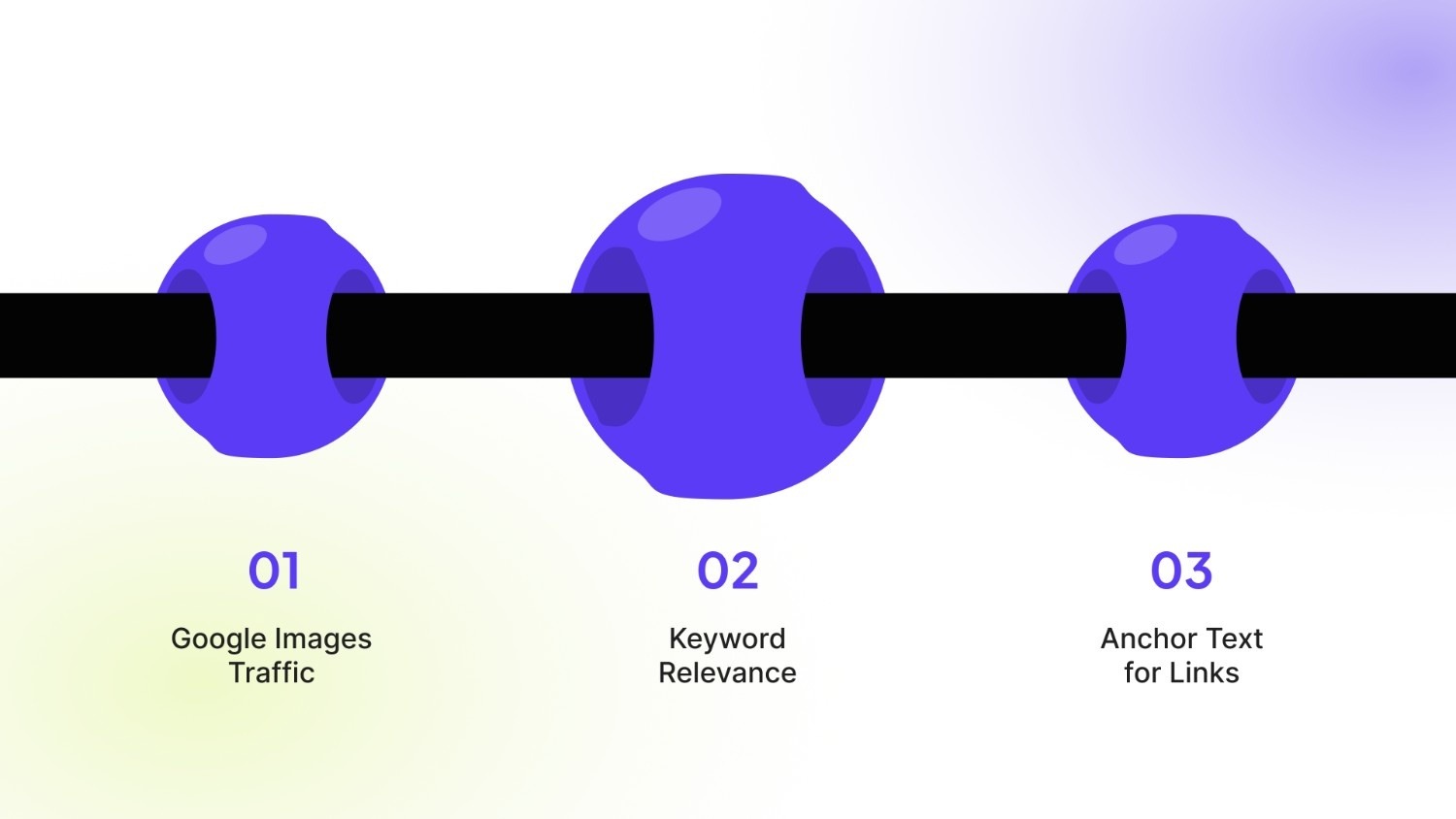
Here is how optimizing your image text directly influences your SEO performance:
1. Google Images Traffic
Google Images is a significant search engine in its own right and drives substantial traffic to e-commerce sites. Descriptive tags help your product photos appear in image search results, leading potential buyers directly to your product pages.
2. Keyword Relevance
Using relevant keywords in your image descriptions reinforces the topic of the surrounding content on the page. This signals to search engines that your page is authoritative and relevant to specific search queries or product types.
3. Anchor Text for Links
If you use an image as a link to another page, the alt text functions as anchor text. This helps Google understand the destination page's content, which can pass authority and improve the ranking of linked pages.
Managing alt text for hundreds of product variants manually is unsustainable. StarApps Studio’s Variant Alt Text King: SEO automates this entire process, generating and syncing accurate, keyword-rich descriptions for every variant image. Ensure consistency and save hours!
Now that the SEO benefits are clear, we need to define what makes a description effective or ineffective.
Also read: Image Alt Text vs Title Text Explained
3 Key Characteristics of Alt Text
Writing effective descriptions requires striking a balance between being informative and keeping the text brief. You want to provide enough detail to be useful without overwhelming the user or the search engine crawlers.
Your descriptions should always possess the following qualities to be effective:
1. Specificity and Accuracy
The text must describe exactly what is happening in the image or what the product looks like. Vague descriptions fail to provide value, while specific details help users visualize the item without seeing it.
2. Conciseness
Screen readers can cut off long descriptions, so it is best to keep your text short and direct. Aim for around 125 characters or fewer to ensure the entire message is conveyed efficiently.
3. Keyword Integration
Include your main keyword naturally within the description to help search engines understand the image context. However, avoid "keyword stuffing," which looks spammy and can actually harm your search rankings and user experience.
Also read: Understanding Image Alt Text Length for Accessibility & SEO
With the theory covered, it is time to look at the practical steps for implementation in your store.
4 Simple Steps to Add Alt Text to Your Images
The method for adding alt text depends on the platform or code you are using. The core principle is the same: you need to edit the HTML alt attribute for each image. The interface for doing this will vary.
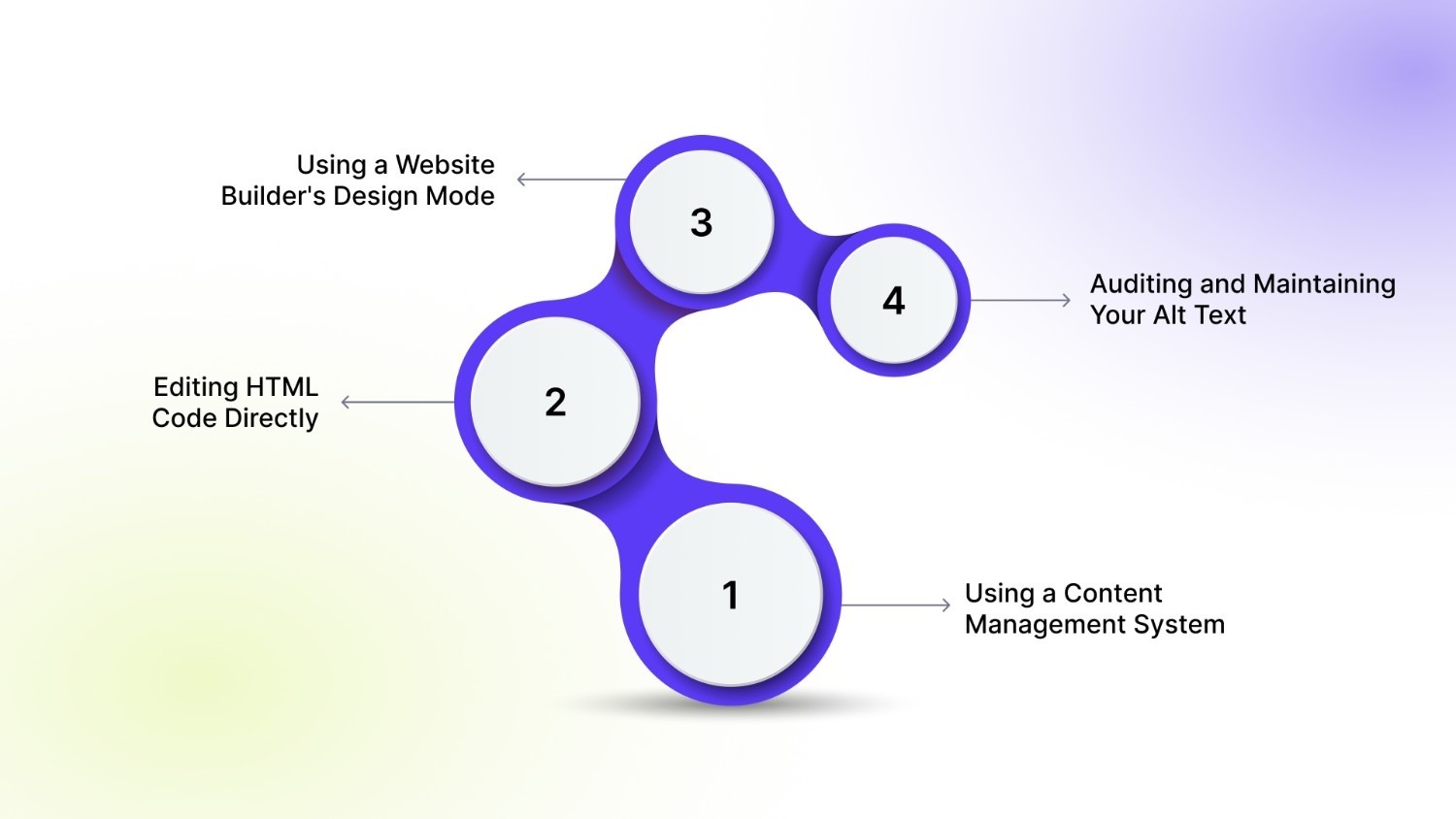
Here is your step-by-step guide for common scenarios:
1. Using a Content Management System (CMS)
Most platforms like WordPress, Shopify, or Wix provide a user-friendly editor. You add alt text in the image settings panel without touching code.
- Action Steps:
- Upload or select the image within your page or post editor.
- Click on the image to open its settings or details panel.
- Look for a field labeled "Alt Text," "Alternative Text," or "Image Description."
- Enter your descriptive phrase directly into this field and save.
2. Editing HTML Code Directly
If you are editing a website's source code, you add the alt attribute inside the <img> tag. This is the foundational method all platforms use behind the scenes.
- Action Steps:
- Locate the <img> tag in your HTML document. It will look like: <img src="image.jpg">.
- Insert the alt attribute followed by your description in quotes: <img src="image.jpg" alt="your description here">.
- Ensure the description is enclosed within the quotation marks.
- Save the HTML file to apply the change.
3. Using a Website Builder's Design Mode
Builders often let you edit element settings directly on the page. Instead of navigating a separate media library, you can simply click on any image on your live page within the editor to access its properties.
- Action Steps:
- Enter the editor's design or edit mode for your webpage.
- Click directly on the image you want to edit on the canvas.
- A settings panel for that image element should appear, often in a sidebar.
- Find the "Alt Text" field within this panel, input your text, and save the page.
4. Auditing and Maintaining Your Alt Text
Regardless of your platform, you need a process to check and update alt text across your site. Consistency is key for accessibility and SEO.
- Action Steps:
- Use a free online SEO audit tool or a browser extension to scan your live site for missing alt text.
- Review the audit report and prioritize key pages like product listings or blog posts.
- Schedule time monthly or quarterly to update alt text for new images and refine descriptions for existing ones.
It is equally important to recognize common mistakes so you can avoid them in your own listings.
Also read: How To Add Variant Images on Shopify
Good vs. Bad Examples
Comparing strong descriptions against weak ones highlights the difference between helpful content and missed opportunities. The table below illustrates how small changes in wording can significantly improve clarity and SEO value.
Here is a comparison of how to approach your image descriptions:
Knowing what to write is half the battle, but following established standards ensures consistency across your site.
Manually writing alt text for thousands of variant images drains resources and leads to inconsistency. StarApps Studio’s Variant Alt Text King: SEO solves this. Download the app now.
Best Practices to Write the Right Alt Text for Images
Adhering to industry standards ensures your site remains accessible and compliant while maximizing search potential. Consistency in how you approach these descriptions will make your store look professional and perform better.
Follow these best practices to ensure your images work hard for your business:
1. Avoid "Image of" Phrases
Screen readers announce that an element is an image before reading the text you provide. Phrases like "picture of" or "image of" are redundant and waste valuable character space that could be used for details.
How it helps:
- Maximizes Character Count: You save valuable space that can be used for more descriptive and unique product details.
- Improves User Clarity: The redundant phrasing avoids annoying users who rely on accessibility software.
- Professionalizes Descriptions: Descriptions sound much cleaner and more direct to both people and search engines.
2. Don't Neglect Decorative Images
Images that are purely for design, such as borders or background patterns, do not need descriptive text. For these, leave the alt attribute empty (null) so screen readers skip them and focus on important content.
How it helps:
- Enhances User Experience: Screen readers quickly skip irrelevant visuals, allowing users to focus on core product information.
- Prevents Auditory Clutter: Users are not forced to listen to unnecessary text describing simple design elements.
- Saves Manual Effort: You avoid the time-consuming process of trying to describe elements that hold no informational value.
3. Use Natural Language
Write your descriptions as if you are explaining the image to a friend over the phone. This approach ensures the text flows naturally and provides genuine value rather than sounding like a robotic list of keywords.
How it helps:
- Increases SEO Value: Search engines favor natural, contextually rich language over simple, stuffed keywords.
- Improves Readability: Descriptions are easily understood by both humans and advanced screen-reading technologies.
- Drives Customer Trust: Clear, honest descriptions reduce customer confusion and build confidence in the product selection.
Writing thousands of these descriptions manually is a massive task, but there is a smarter way.
Also read: Fixing Missing Alt Text for Shopify Images
Write Effective Alt Text with StarApps Studio
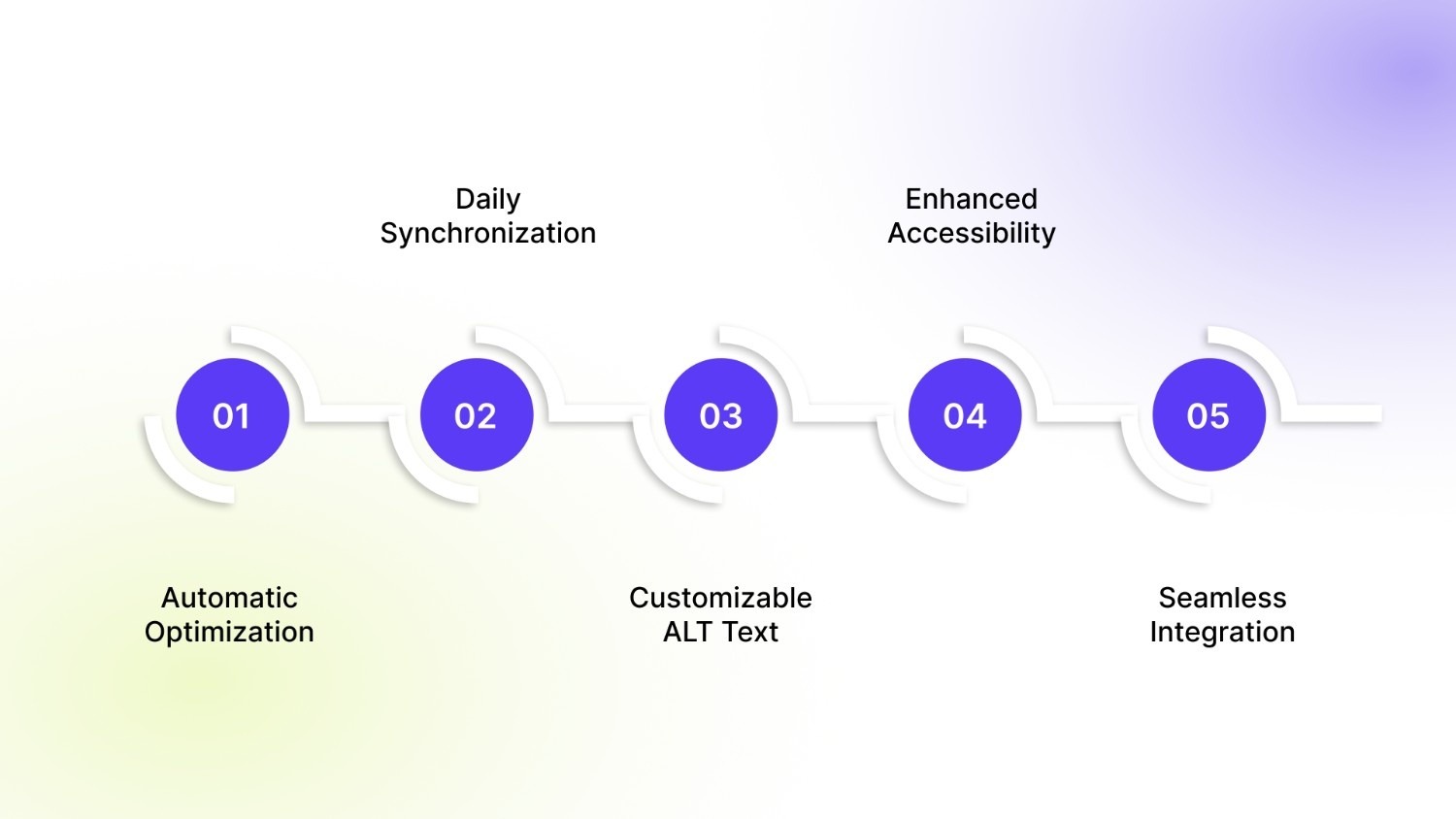
When it comes to optimizing alt text for images, StarApps Studio provides powerful tools that make the process seamless and efficient. One of their standout solutions is the Variant Alt Text King: SEO, designed to eliminate this manual burden while maximizing your search visibility.
It automates the optimization process, ensuring every product image on your store has accurate, SEO-friendly descriptions without you lifting a finger.
Key features include:
- Automatic Optimization: Generate SEO-friendly alt text for all variant images with one click, using variables like product title, variant name, and color.
- Daily Synchronization: The app auto-updates alt texts daily. Any new images you add are optimized without you lifting a finger.
- Customizable ALT Text: You can create ALT text for your images using simple variables like product variant names, image names, product titles, types, tags, and brand names.
- Enhanced Accessibility: By including accurate variant information in your ALT texts, the app makes your images more accessible to customers with disabilities.
- Seamless Integration: Works perfectly with our Variant Image Automator and your existing theme, ensuring a unified and high-performing storefront.
Automating this process ensures your store's imagery works hard for your SEO and provides an inclusive experience for every customer.
Conclusion
Mastering alt text for images is a fundamental step in building a high-performing and accessible online store. It bridges the gap between your visual content and the customers or search engines that cannot see it.
By implementing clear, descriptive, and keyword-relevant text, you increase your SEO rankings and ensure an inclusive shopping experience for everyone.
StarApps Studio provides essential storefront enhancements, and Variant Alt Text King: SEO specifically addresses this challenge. It is one of the reliable tools in the StarApps suite designed to keep your merchandising accurate and fast.
Reach out to us today to ensure your Shopify alt texts are fully optimized.
FAQs
Q. Does alt text affect page load speed?
No. Alt text is a simple text string in your website's code. It does not increase file size or affect how quickly your images and pages load.
Q. Can I use the same text for all variant images?
Avoid this. Using identical text for different variants (like a blue shirt and a red shirt) fails to describe each image accurately. It provides a poor experience for screen reader users and misses SEO opportunities for each unique variant.
Q. How often should I update my image alt text?
Only update alt text if the image itself changes significantly or if you refine your keyword strategy for that specific product. For minor updates, it is not necessary to change the existing, accurate description.
Q. Is there a character limit for alt text?
There is no official limit, but the best practice is to keep it under 125 characters. Screen readers may truncate longer descriptions, so conciseness ensures your full message is communicated.
Q. Do I need alt text for background images?
No. Purely decorative background images added via CSS do not require alt text. They should be implemented so that assistive technologies ignore them, as they do not convey important content.
Heading

End-to-end traceability
To ensure regulatory compliance, you must have a complete overview of your products from production to shipping. Book a demo to see how Katana can give you full visibility of your operations.

.png)

.svg)

.svg)

.svg)
.png)