


Learn how the Shopify variant inventory policy manages product variants, optimizes stock, prevents overselling, and boosts efficiency for your online store.
Managing inventory is one of the most essential aspects of running a Shopify store. If you sell multiple product variants, different sizes, colors, or configurations, it can get complex quickly. The Shopify variant inventory policy feature lets you control how your store handles stock at a granular level, ensuring customers can purchase the right items without running into overselling issues.
In fact, merchants selling across multiple channels can see up to 190% higher revenue compared to single-channel sellers, which also means inventory accuracy and synchronization become significantly harder to manage. Without clear variant-level inventory rules, growth often leads to stock mismatches, canceled orders, and frustrated customers.
If you’re a new Shopify merchant or running an established store, a strong grasp of Shopify’s variant inventory policy can prevent lost sales, improve customer satisfaction, and simplify your backend management.
In this guide, we’ll explore what Shopify’s variant inventory policy is, how it works, its benefits, and practical ways to implement it across different scenarios, while sharing optimization tips to make the most of it.
Key Takeaways
- Shopify’s variant inventory policy provides granular control for individual product variants across all sales channels.
- Overselling prevention and pre-order management enhances customer experience and trust.
- Seasonal, pre-order, and multi-channel strategies are easier to implement with per-variant settings.
- Regular audits, low-stock alerts, and automation improve efficiency and operational accuracy.
- Optimized variant inventory directly supports revenue growth and reduces fulfillment errors.
What Is Shopify's Variant Inventory Policy?
The Shopify variant inventory policy is a system that governs how each product variant, like a blue T-shirt size M or a 32GB smartphone, handles inventory, purchasing, and availability. Shopify allows merchants to manage stock for individual variants instead of just treating products as a single entity.
Example 1:
A clothing store sells a hoodie in three colors and five sizes. If the Black / Large variant sells out, Shopify automatically disables checkout for only that variant while keeping all other size and color combinations available.
Example 2:
An electronics store sells a phone in 64GB and 128GB variants. If the 128GB model is available for pre-order but the 64GB version is in stock, Shopify allows different inventory rules for each variant without affecting the other.
Key points about the Shopify variant inventory policy:
- Variant-Level Control: Each product variant can have its own stock count, price, and fulfillment rules.
- Backorder and Overselling Options: You can decide whether to allow sales of variants that are out of stock.
- Multi-Channel Coordination: The policy works across Shopify’s online store, POS, and integrated sales channels.
- Pre-Order Management: Specific variants can be set up for pre-orders without affecting other available variants.
By giving you control at the variant level, Shopify makes it easier to run a business with multiple SKUs while preventing confusion for both customers and your team.
Also Read: Shopline vs Shopify: Find the Best Fit for Your Online Store in 2025
Now that we know what it is, let’s explore how Shopify’s variant inventory policy actually functions in your store.
How Does the Shopify Variant Inventory Policy Work?
Managing inventory at the variant level is essential for Shopify stores that sell products with multiple options like sizes, colors, or configurations. The Shopify variant inventory policy gives merchants precise control over how each variant behaves when stock runs low or is sold across multiple channels. Understanding how it works helps you prevent overselling, manage pre-orders, and optimize your store’s operations.
Inventory Tracking Methods
Shopify lets you choose how to track stock for each variant. There are two main methods:
1. Shopify Tracks Inventory
- Shopify automatically counts every sale and adjusts inventory levels in real-time.
- Stock is reduced immediately when an order is placed, ensuring accurate availability.
- Merchants can set low-stock alerts to restock before items run out.
- This method is ideal for physical products where precise inventory management is essential.
2. Shopify Does Not Track Inventory
- Suitable for digital products, services, or items without stock limits.
- The system allows unlimited sales since inventory levels are not monitored.
- You can combine this with a variant inventory policy to prevent overselling if needed.
- This method keeps your store simple when stock tracking isn’t necessary.
Variant Inventory Policies
Once inventory tracking is enabled, Shopify gives you options for how variants behave when stock reaches zero. These policies are configured per variant:
- Deny
- Customers cannot purchase a variant when stock reaches zero.
- The “Buy” button is disabled or replaced with a “Sold Out” label.
- Prevents overselling, making it perfect for limited-edition or high-demand products.
- Ensures that stock reflects reality and avoids customer disappointment.
- Continue Selling
- Allows customers to purchase even when the variant is out of stock.
- Shopify accepts backorders automatically and adjusts inventory when new stock arrives.
- Useful for pre-orders or items with flexible fulfillment timelines.
- Keeps sales flowing even if inventory is temporarily depleted.
Advanced Multi-Fold Control Features
Shopify also offers advanced options that give merchants even more control over variants:
- Per Variant Fulfillment Rules: Assign specific fulfillment methods or timelines for different variants, useful for products that ship from multiple warehouses.
- Low Stock Alerts: Receive notifications for variants when stock drops below a set threshold, so restocking can happen proactively.
- Automated Inventory Updates: Sync stock automatically across Shopify and connected third-party systems to ensure accurate, real-time data.
- Channel-Specific Policies: Set different inventory rules for POS, online store, and marketplaces to manage stock accurately across all sales channels.
Also Read: Shopee vs Shopify: Which Platform Will Skyrocket Your Sales in 2025
Knowing how it works helps highlight the key advantages it brings to your store and workflow.
6 Benefits of Shopify's Variant Inventory Policy
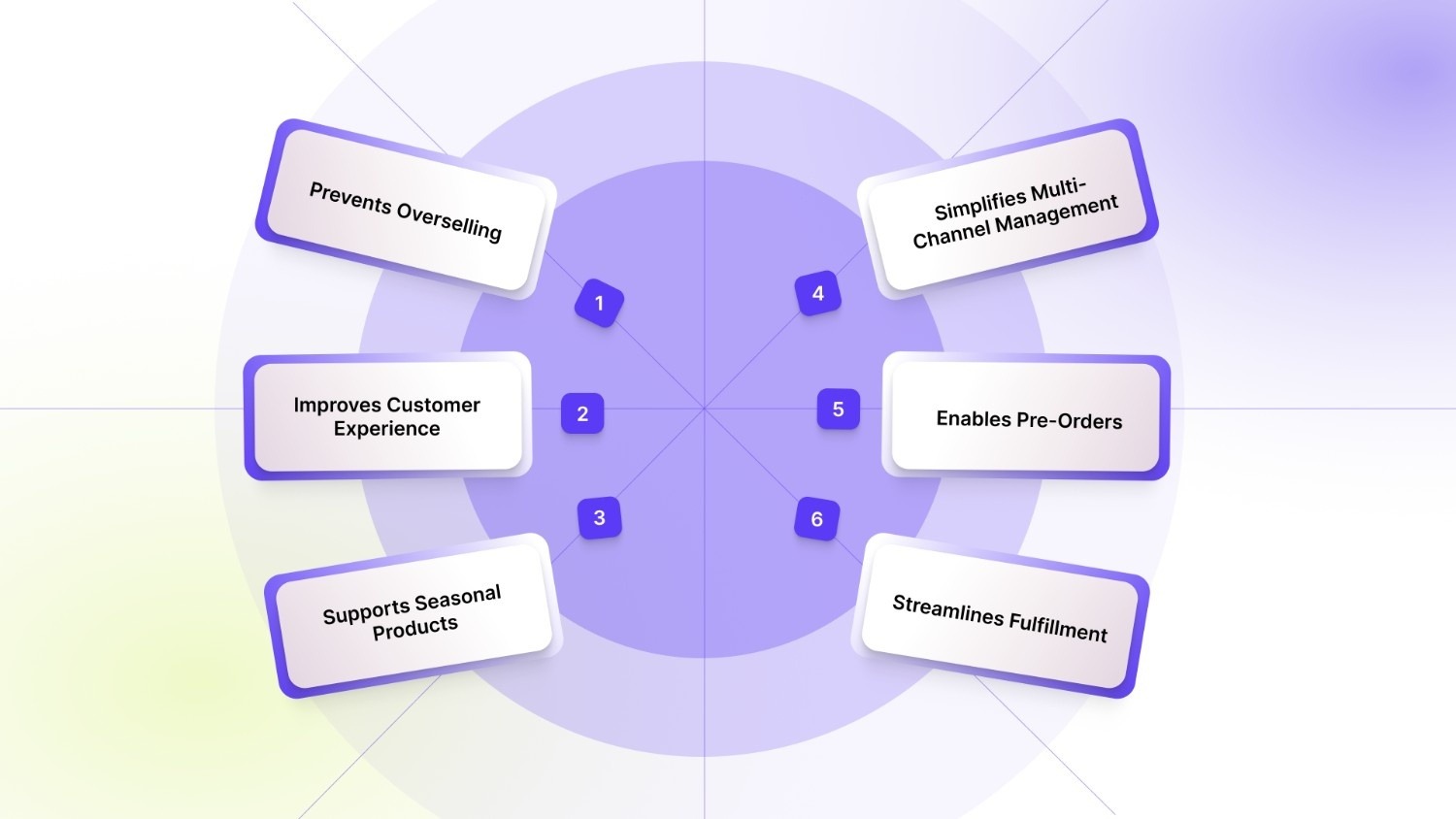
Implementing a well-planned Shopify variant inventory policy brings multiple advantages for merchants, large or small. Each benefit impacts sales, customer experience, and operational efficiency in tangible ways.
1. Prevents Overselling
Overselling frustrates customers and can result in cancellations, chargebacks, or negative reviews. By tracking inventory at the variant level, Shopify ensures you only sell what’s available. This protects your brand reputation and avoids unnecessary customer service headaches.
2. Improves Customer Experience
Customers see accurate availability for the exact variant they want, such as size, color, or configuration. Accurate stock levels build trust and make purchasing decisions faster and easier. Shoppers are more likely to return to a store that consistently reflects real inventory.
3. Supports Seasonal Products
During seasonal campaigns or limited-time promotions, certain variants may sell faster than others. Shopify’s variant inventory policy allows you to control availability for specific items, ensuring high-demand variants don’t oversell while maximizing revenue opportunities.
4. Simplifies Multi-Channel Management
If you sell on multiple channels like Shopify Online Store, POS, Amazon, or Instagram Shop, variant-level tracking automatically updates inventory across all platforms. This reduces errors, prevents conflicting orders, and ensures stock availability is always accurate.
5. Enables Pre-Orders
For new launches or items not yet in stock, variants can be set to continue selling even when inventory is zero. This makes pre-order management seamless, allows you to generate revenue ahead of stock arrival, and improves planning for fulfillment.
6. Streamlines Fulfillment
Variant-specific inventory tracking helps warehouse and fulfillment teams work efficiently by providing clear instructions for picking and packing. It reduces mistakes, ensures the right variant goes to the right customer, and saves time in busy periods.
Managing multiple product variants can get complex, especially when tracking Shopify variant inventory across sizes, colors, or styles. StarApps Studio offers tools like Color Swatch King: Variants help display all available options clearly while hiding out-of-stock items automatically, and Urgency King – Low Stock Alert reinforces accuracy by signaling real-time scarcity. Together, they ensure customers only see what’s truly available, reducing confusion and potential order issues while keeping variant listings accurate and easy to manage.
With the benefits in mind, here’s how you can apply these policies effectively to different product types.
How to Use Shopify's Variant Inventory Policy
Applying a variant inventory policy depends on your products and business strategy. Shopify gives you the flexibility to configure policies that match your sales approach, be it seasonal, pre-order, or everyday items.
Seasonal Goods
- Set inventory policies to deny sales when stock runs out for seasonal or limited editions. This ensures that you don’t oversell rare items.
- Highlight remaining quantities to create urgency and encourage faster purchases.
- Update your policies each season to reflect changing stock levels and product availability across all variants.
Pre-Order Sales
- Use 'continue selling' for variants that aren’t yet available in your warehouse.
- Clearly communicate pre-order timelines, expected shipping dates, and delivery expectations in product descriptions.
- Sync inventory automatically so that when new stock arrives, variant availability is updated across your store and channels.
Individual Products
- Track each variant separately to maintain accurate stock levels for sizes, colors, or other options.
- Set low stock alerts to notify you when a specific variant is running out, ensuring timely restocking.
- Manage fulfillment rules per variant to prevent shipping the wrong item to a customer, reducing returns and complaints.
Management of Multi-Channel Sales
- Shopify automatically updates variant inventory across all connected sales channels, preventing overselling.
- Configure channel-specific policies if certain marketplaces or POS locations have different stock levels.
- Ensure your variant inventory is consistent across Shopify, POS, and integrated marketplaces for a seamless customer experience.
By using these approaches, merchants can benefit from the Shopify variant inventory policy to keep stock accurate, streamline operations, and enhance customer satisfaction.
Also Read: How to Do Shopify Admin Login in 6 Easy Steps
Once implemented, these practical tips will help you get the most out of your inventory setup.
7 Tips for Optimizing Your Store with Shopify's Variant Inventory Policy
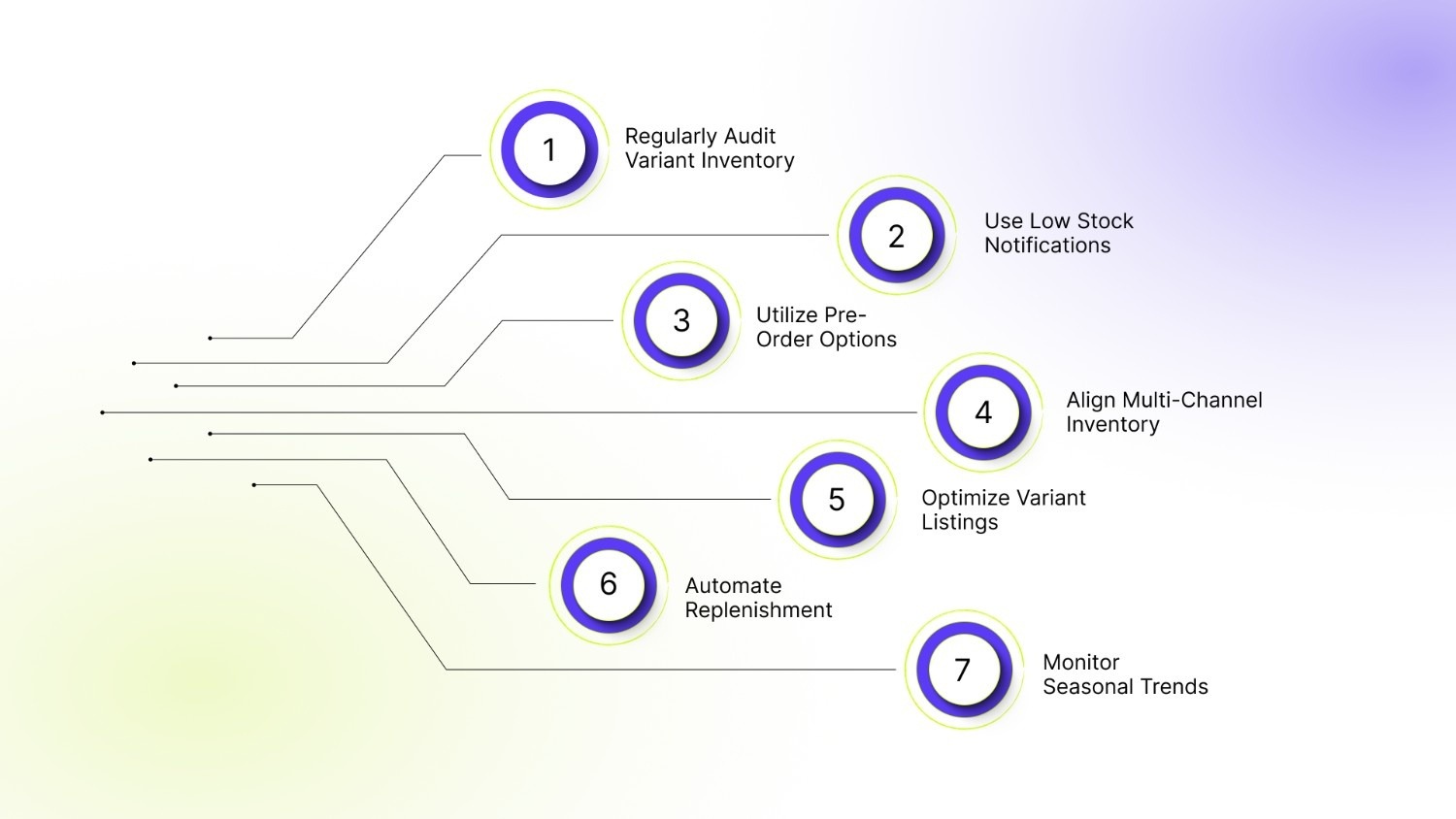
To maximize the value of Shopify’s variant inventory system, consider these actionable strategies for operational efficiency and improved sales.
1. Regularly Audit Variant Inventory
Conduct weekly or monthly inventory audits to confirm that stock counts in Shopify match your actual warehouse levels. This prevents overselling and ensures accurate reporting for high-demand variants.
2. Use Low Stock Notifications
Set alert thresholds for popular or high-value variants. Shopify can notify you automatically when stock is running low, helping you reorder on time and avoid missed sales.
3. Utilize Pre-Order Options
For upcoming product launches, configure variants to continue selling even when inventory is zero. This allows you to generate early revenue while marketing the product in advance.
4. Align Multi-Channel Inventory
Ensure POS, online store, and marketplace integrations respect the same variant inventory policy. Synchronizing stock across channels prevents conflicting sales and ensures customers see accurate availability.
5. Optimize Variant Listings
Include high-quality images, clear descriptions, and stock status for each variant. Customers are more likely to buy when they understand exactly what is available and can easily compare options.
6. Automate Replenishment
Use Shopify apps or built-in tools to automatically reorder items when stock hits predefined thresholds for key variants. Automation reduces human error and helps maintain optimal inventory levels.
7. Monitor Seasonal Trends
Adjust variant inventory policies during peak periods such as holidays, back-to-school season, or sales events. Proactively managing seasonal inventory ensures you don’t run out of top-selling variants.
By combining these strategies with Shopify’s built-in variant inventory policy, you can create a system that scales, keeps your customers happy, and supports growth effectively.
Also Read: How to Complete Shopify Domain Verification in 5 Easy Steps
To make managing variants even easier, StarApps Studio provides tools designed to streamline inventory and improve the shopping experience.
Master Your Variant Inventory with StarApps Studio
Managing multiple product variants on Shopify can get overwhelming, especially when it comes to inventory, pre-orders, and multi-channel sales. StarApps Studio offers tools that simplify variant management, improve customer experience, and optimize your store’s performance.
By aligning your setup with Shopify’s variant inventory policy, these tools help ensure accurate stock control, prevent overselling, and support flexible selling scenarios. Be it displaying the right variants, automating images, or enhancing SEO, these apps make your variant inventory workflow seamless and efficient.
Urgency King – Low Stock Alert
Support your Shopify variant inventory policy by clearly signaling real-time stock availability to shoppers. Urgency King displays low stock alerts based on variant-level inventory, helping prevent overselling while encouraging timely purchase decisions.
- Real-Time Low Stock Alerts: Automatically trigger alerts as variant inventory drops, keeping customers informed and aligned with actual stock levels.
- Customizable Urgency Messaging: Highlight scarcity with tailored messages that drive action without disrupting the shopping experience or misrepresenting inventory.
- Variant-Level Inventory Tracking: Ensure alerts reflect accurate availability across sizes, colors, or styles for reliable stock communication.
- Conversion-Focused Urgency: Increase sales while maintaining inventory integrity and customer trust.
Color Swatch King: Variants
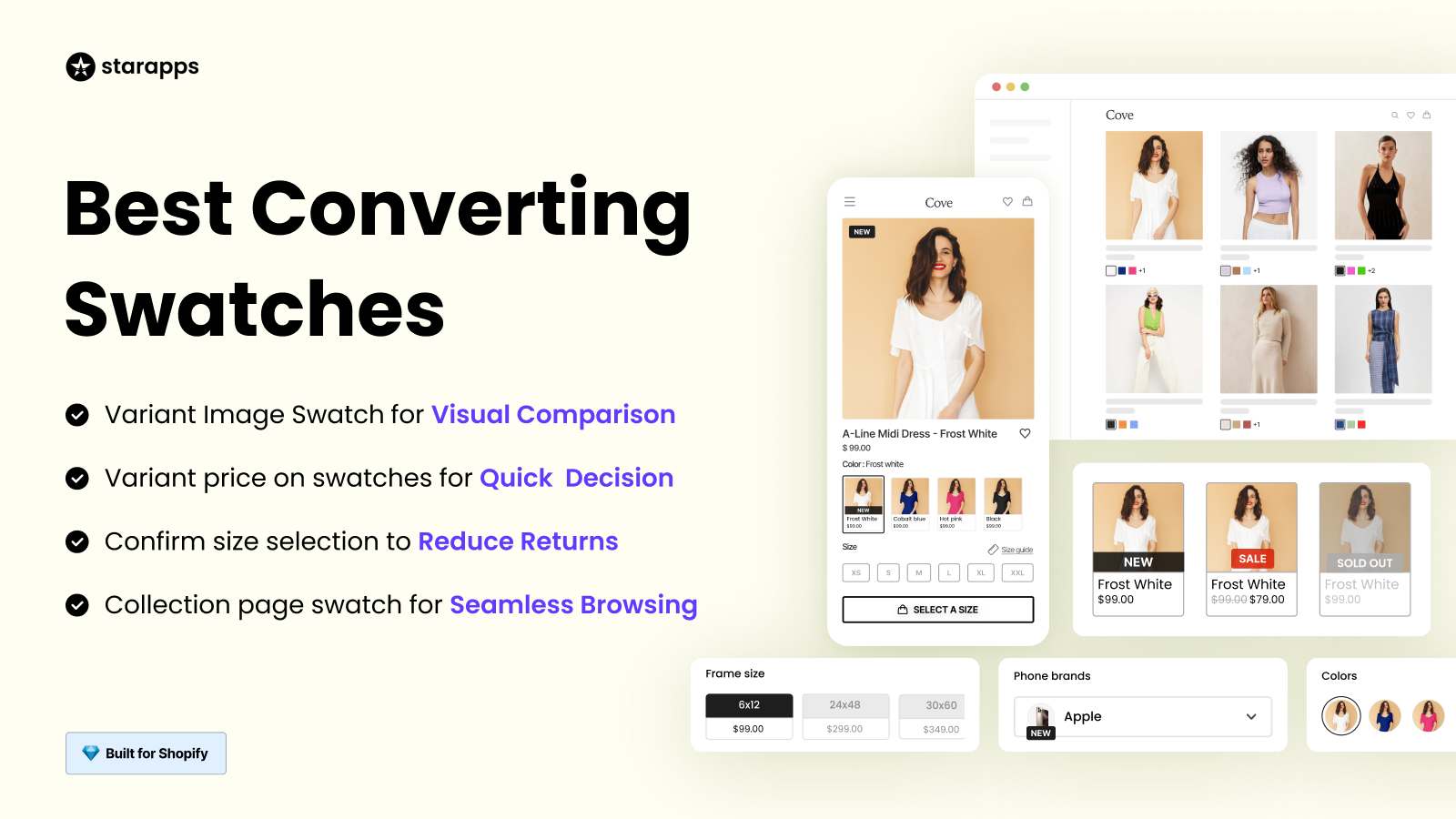
Quickly display color, size, or style options with swatches or images, hide out-of-stock variants, and let customers compare and choose the right product easily.
- Quick Variant Comparison: Enable faster decision-making by visually presenting all available options at a glance.
- Automatic Out-of-Stock Hiding: Prevent overselling by removing unavailable variants from customer view.
- Customizable Variant Display: Match your store design with swatches, buttons, or dropdowns.
- Bulk & Automated Swatch Creation: Save time managing multiple variants with CSV uploads and automation.
SA Variant Image Automator
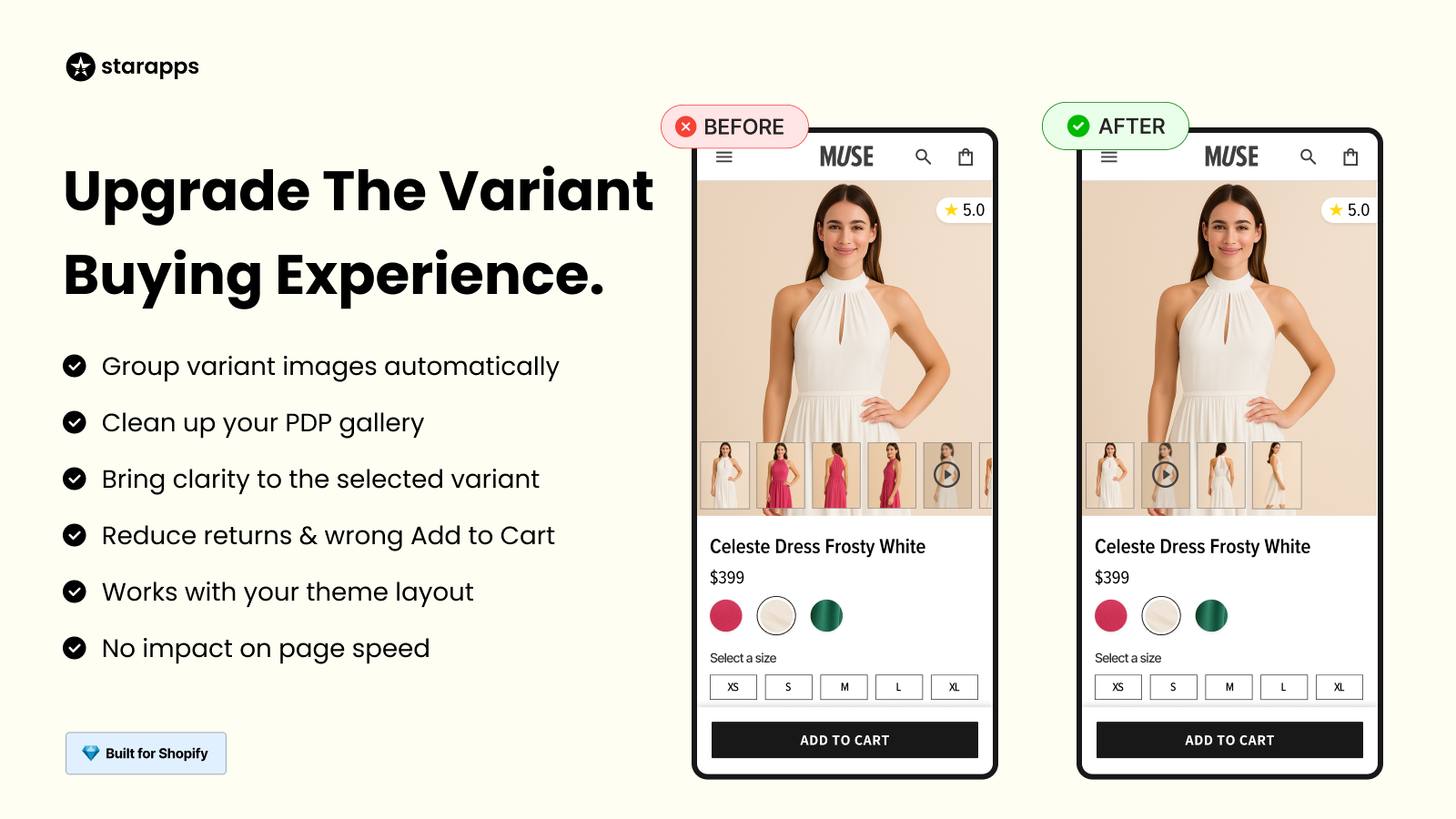
Automatically assign relevant images to each variant, keeping galleries organized, enhancing the shopping experience, and reducing manual tagging efforts.
- Automatic Image Assignment: Auto-assign multiple images to each variant without manual tagging.
- Clean Variant Galleries: Show only relevant images based on the selected variant.
- Advanced Media Support: Enable videos, 3D views, and zoom for a richer product experience.
- Seamless Theme Integration: Works smoothly with any Shopify theme or third-party apps.
SA Variants: Combined Listings

Show all variants on collection pages with unique titles, images, and URLs, improving discoverability, SEO, and making it easy for customers to find the exact variant.
- Variant-Level Collection Display: Split products and show all variants directly on collection pages.
- SEO-Optimized Variant Listings: Assign each variant a dedicated title, URL, and description.
- Enhanced Search & Filtering: Improve discoverability with more accurate search and filter results.
- Visual Variant Comparison: Use color swatches and image previews for faster selection.
Variant Alt Text King: SEO
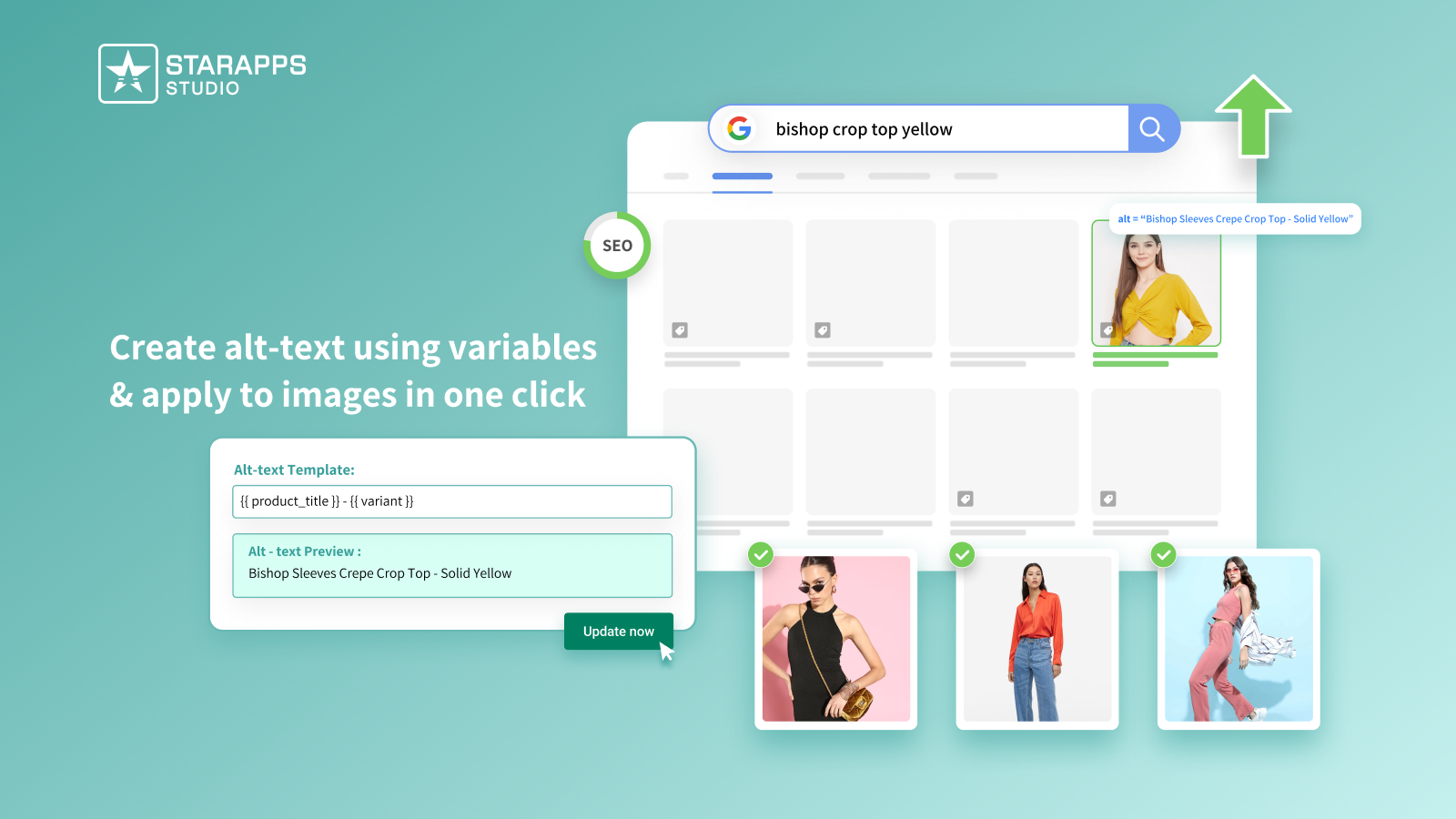
Optimize ALT text for all variant images automatically, improving search engine visibility while ensuring accessibility for all shoppers.
- Automatic Daily ALT Sync: Keep new variant images optimized without manual updates.
- Dynamic ALT Variables: Use variant names, SKUs, product types, and more.
- Accessibility Enhancement: Support visually impaired customers with descriptive ALT text.
- Improved Image Search Rankings: Increase visibility in Google Image Search.
Variant Title King: Color, SKU
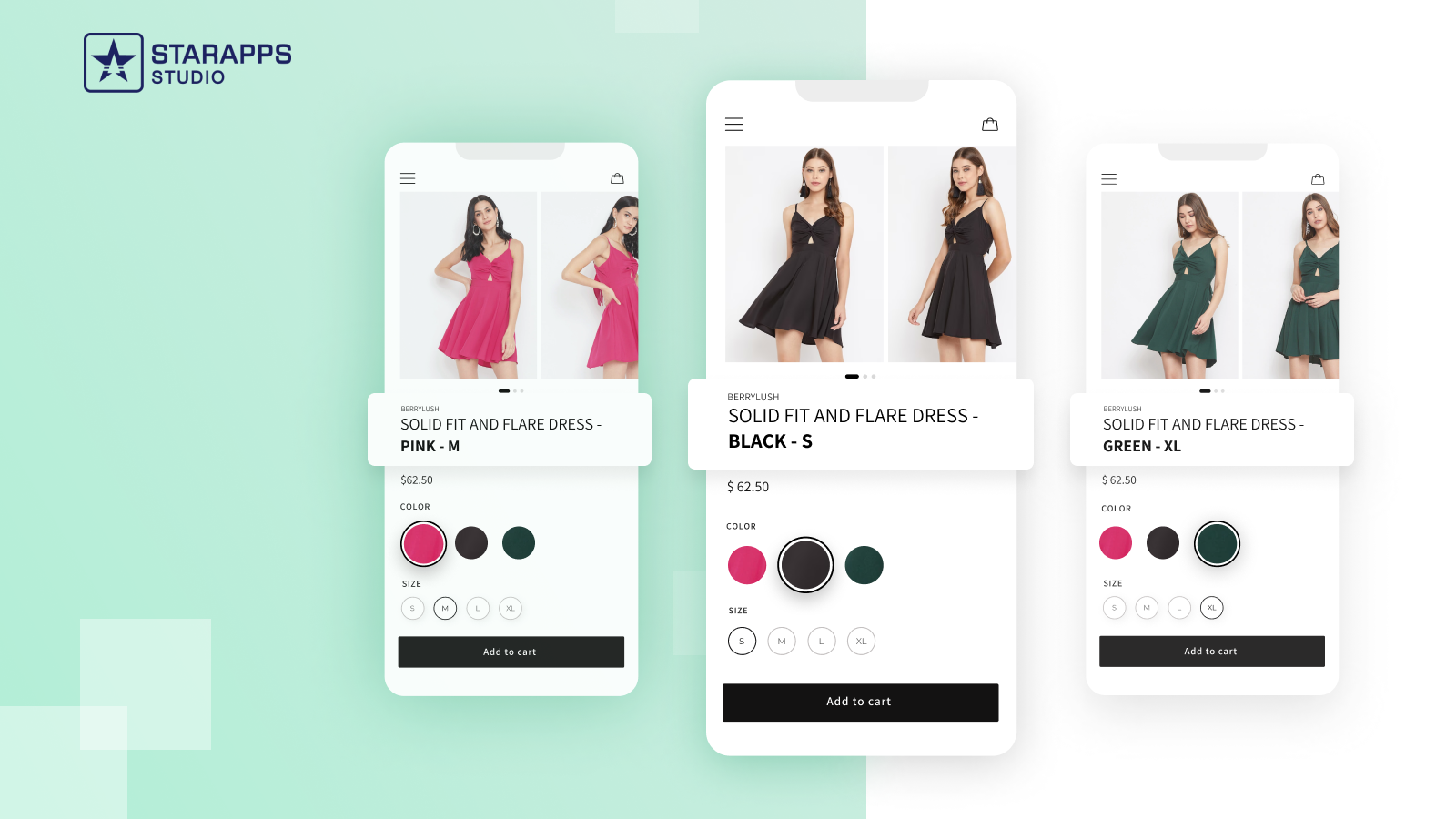
Automatically update product titles based on selected variants, displaying color, SKU, or vendor information to improve clarity and shopping confidence.
- Dynamic Variant Titles: Show selected color, SKU, or vendor automatically.
- Custom Title Templates: Tailor product titles to match your store’s structure.
- Theme & App Compatibility: Works seamlessly with all Shopify themes and variant tools.
- Clearer Product Information: Reduce confusion and improve conversion rates.
Variant Descriptions King
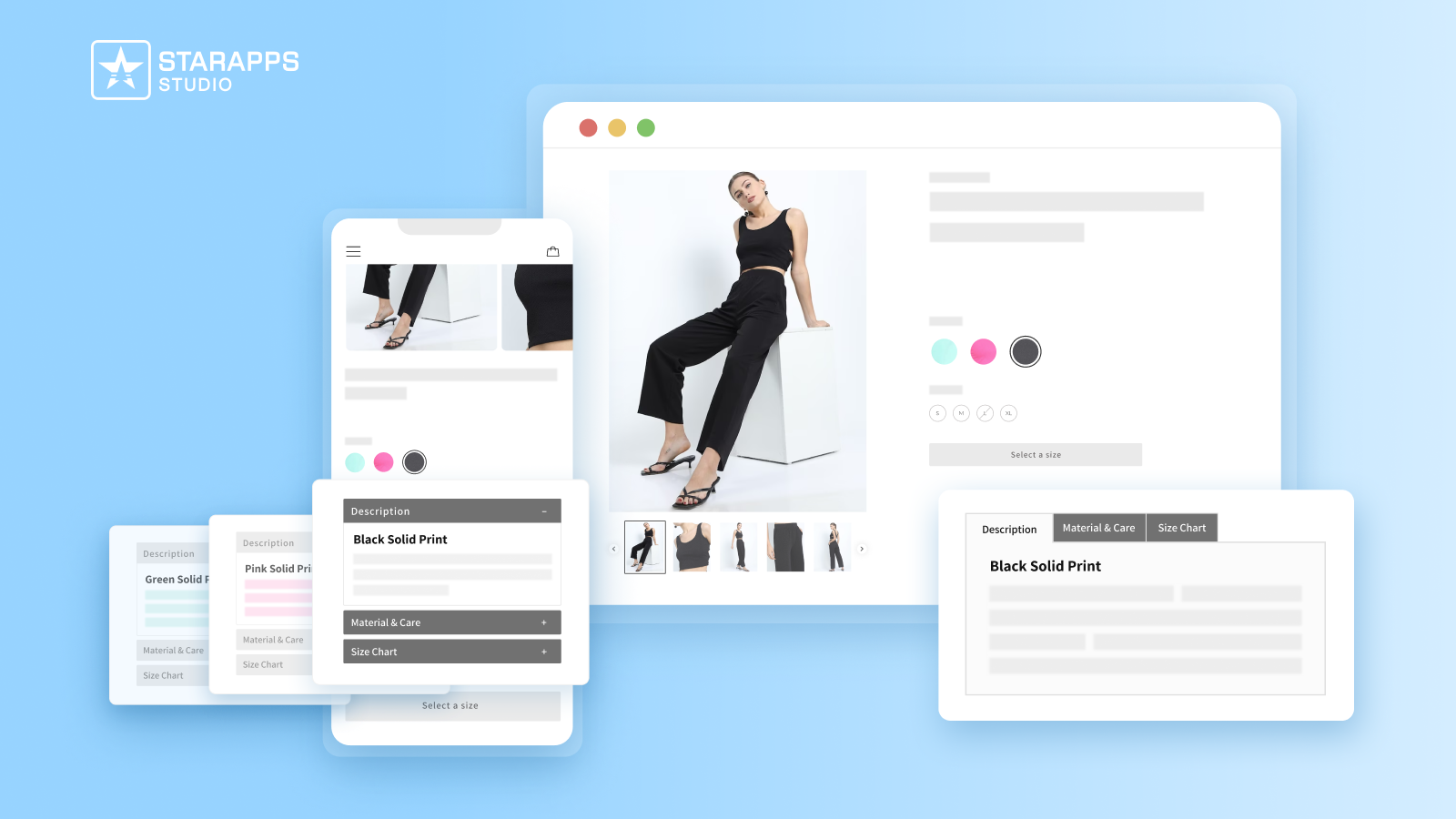
Present detailed variant-specific descriptions in tabs or accordions, reducing returns and support inquiries while keeping your product pages clean and user-friendly.
- Variant-Specific Content: Add unique details for size, color, materials, or care instructions.
- Organized Layouts: Use tabs or accordions for better readability and mobile usability.
- Multi-Page Flexibility: Apply descriptions to product pages, FAQs, shipping info, or policies.
- Reduced Returns & Support Tickets: Help customers buy confidently with clear information.
By aligning Shopify’s variant inventory policy with StarApps Studio’s purpose-built tools, you gain precise stock control, prevent overselling, and create a smoother, more confident shopping experience at scale.
Conclusion
The Shopify variant inventory policy is a powerful tool that allows merchants to manage stock, prevent overselling, and provide a seamless shopping experience across multiple variants and sales channels. From seasonal goods to pre-order items, its flexibility supports a wide range of business strategies.
By implementing proper inventory policies, tracking each variant, and aligning your store’s operations across channels, you can reduce errors, enhance customer satisfaction, and increase sales. Regular audits, optimized variant listings, and low-stock alerts help maximize the system’s potential.
Keeping variant images and details organized is essential for enforcing a reliable Shopify variant inventory policy and preventing overselling. With StarApps Studio, tools like SA Variant Image Automator, Color Swatch King: Variants, and Urgency King – Low Stock Alert work together to show only in-stock, variant-specific options while clearly communicating low stock status. This alignment keeps inventory data accurate, maintains clean product galleries, and builds customer confidence at every step.
Start using StarApps Studio to organize variant inventory or optimize your product listings to streamline your store’s variant workflow.
FAQs
1. Can Shopify alert me when a variant is oversold on multiple channels?
Yes. Shopify can send notifications for low stock variants across online stores, POS, and integrated marketplaces, helping you prevent overselling and maintain accurate inventory control.
2. How does Shopify handle inventory for bundled or grouped variants?
Bundled or combined variants adjust individual stock levels automatically, ensuring that sales of a bundle reduce stock of each component accurately without manual updates.
3. Can I restrict certain variants from selling in specific countries?
Yes. Shopify allows channel- and location-specific inventory policies, so you can prevent certain variants from being purchased in regions where stock is unavailable.
4. Does Shopify allow different fulfillment timelines per variant?
Yes. You can assign variant-specific fulfillment rules, enabling faster shipping for some variants while allowing longer lead times for others without disrupting inventory tracking.
Heading

End-to-end traceability
To ensure regulatory compliance, you must have a complete overview of your products from production to shipping. Book a demo to see how Katana can give you full visibility of your operations.



.png)

.svg)

.svg)

.svg)
.png)