

Explore 25 recommended Shopify apps to enhance product display, SEO, speed, and conversions for your DTC store in 2026. Get ahead of the competition.
Shopify gives you thousands of ways to build the store you want. With over 8,000 apps available, choosing the right ones can feel confusing. Some apps help your store load faster, improve product views, or support conversions. Others add clutter or slow things down.
Stores with many variants face bigger challenges. You deal with heavy images, busy product pages, and constant updates across colors, sizes, and styles. You want apps that stay fast, work well with your theme, and keep the experience clear for shoppers.
This guide highlights the recommended Shopify apps that bring strong results for DTC brands in 2025. Each pick supports product display, store speed, and smoother browsing. As you go through the list, note the apps that match your goals and test them on a small part of your catalog first.
Key Takeaways:
- Pick apps with intent: Install tools only when they serve a clear goal, not because they’re popular.
- Keep your stack clean: Fewer apps with stronger focus support faster pages and smoother edits.
- Test before scaling: Try new apps on a few products to avoid sudden changes across your catalog.
- Watch theme behavior: Even small widgets can shift layouts, so review pages after each install.
- Start with StarApps: Their tools give variant-heavy stores a direct path to cleaner product pages.
How to Choose the Right Shopify Apps in 2025
The right app should support your store without slowing it down or confusing shoppers. A simple set of checks can help you pick tools that fit your catalog and traffic levels. Here’s what to look for:
- Speed impact: The app should load fast and avoid heavy scripts.
- Theme fit: It should work smoothly with your current layout.
- Scalability: It must handle large catalogs and variant-heavy products without slowing down.
- Support quality: You should get fast replies from a team that understands product-focused stores.
- Clear code: The app should avoid extra blocks or features your store does not need.
- Mobile experience: Product pages should stay clean and simple on small screens.
- Ease of setup: You should be able to use the core features soon after installation.
- Stability while growing: The app should stay reliable as your traffic and catalog expand.
With the key checks in place, you can start reviewing recommended Shopify apps that match the needs of stores with many variants.
25 Must-Have Shopify Apps for 2025
Choosing the right apps helps your store present products clearly, support repeat visits, and maintain steady performance across busy periods. The categories below group the best tools for stores with many variants, large catalogs, and mid-to-high traffic.
Store Design & Product Display
1. Section Store
A library of drop-in sections for homepages, product pages, and landing pages.
Why you should use it: You can refresh layouts without hiring a developer or editing your theme.
2. Color Swatch King
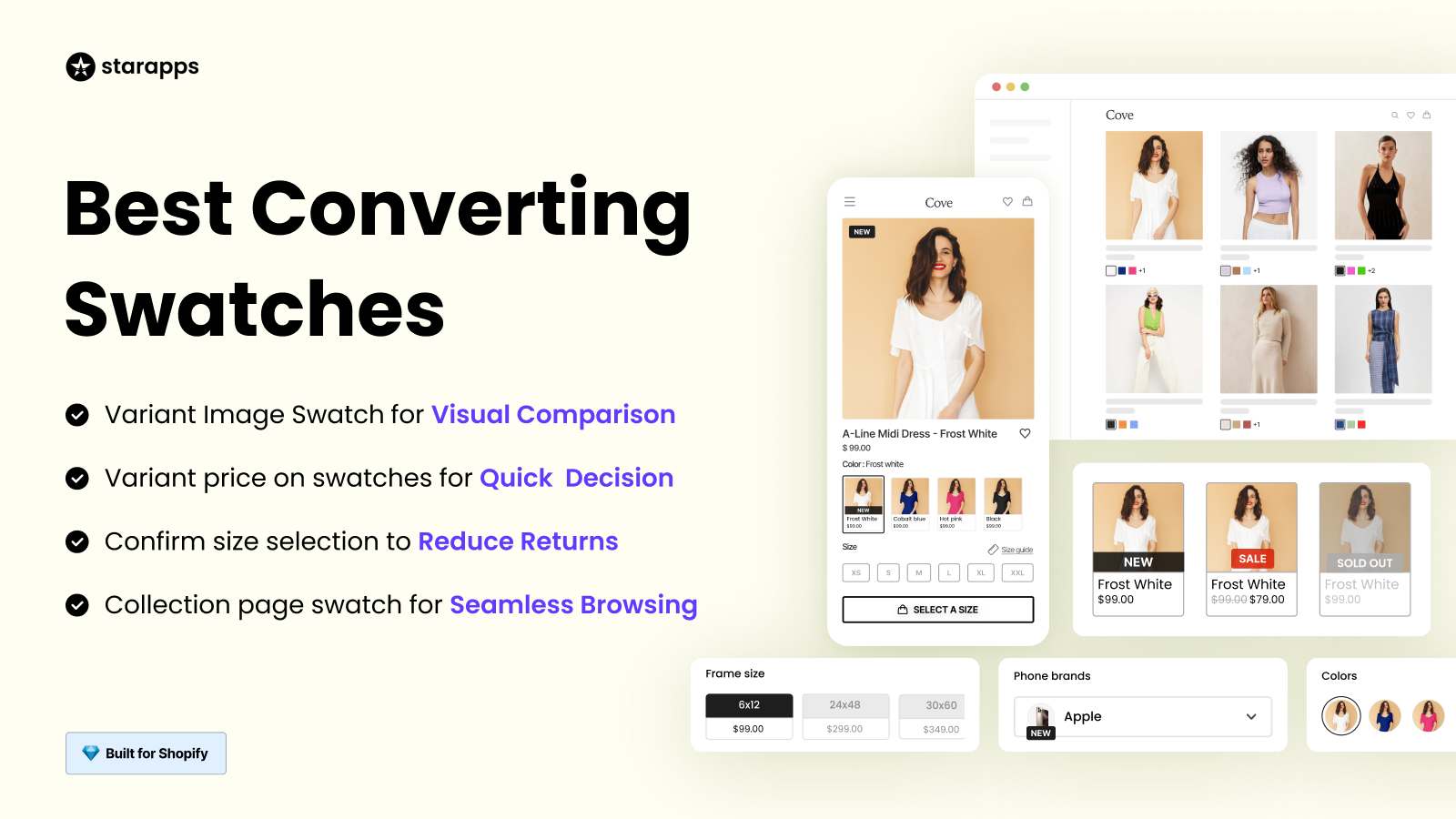
Color Swatch King simplifies the shopping experience by adding color swatches, variant image swatches, and custom images to product and collection pages. With bulk upload options and automatic variant image assignments, this tool makes it easier for customers to select their preferred variant. Out-of-stock variants can be hidden to keep the store organized.
Why you should use it: It helps customers compare options more quickly and makes browsing more intuitive, boosting conversions on product pages.
3. StarApps Variant Image Automator
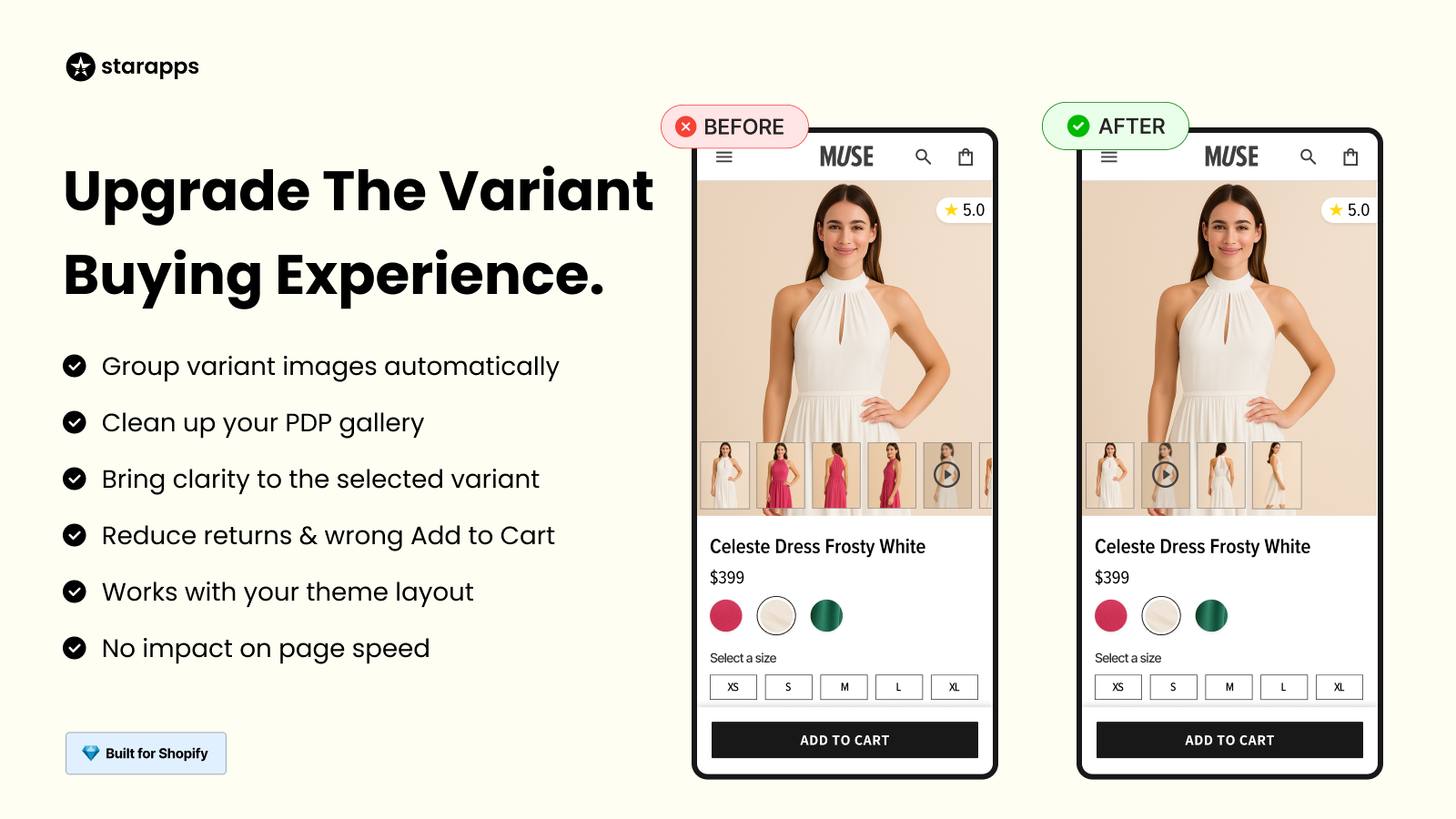
This app automatically assigns the correct variant images, removing the need for manual setup. It integrates with your store’s theme to ensure the right images appear when a variant is selected, maintaining the layout without slowing down the page. It works with various theme styles and custom themes.
Why you should use it: It saves time by automating image assignments, ensuring the right visuals show up instantly when customers choose a variant.
4. StarApps Variants: Combined Listings
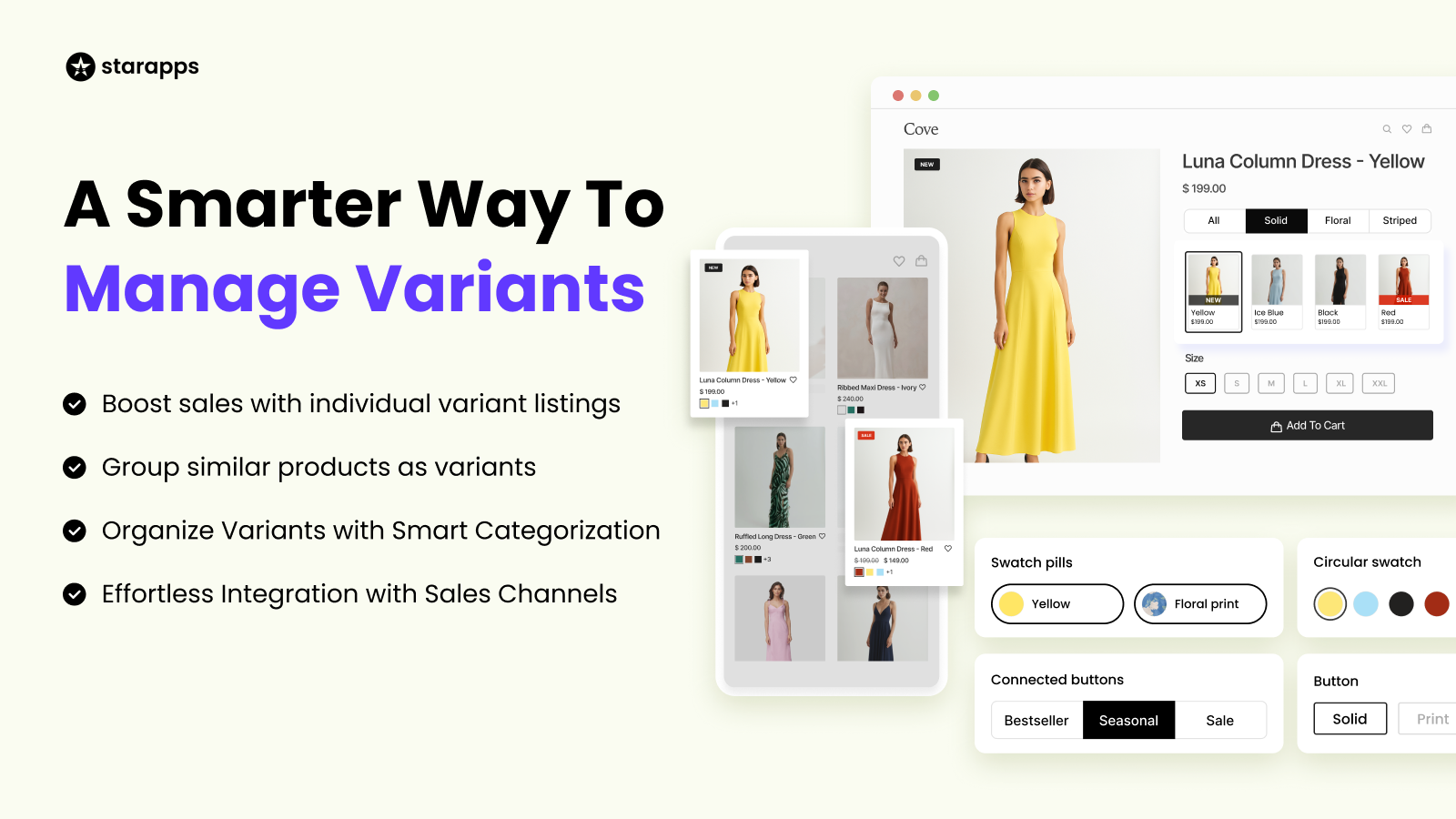
SA Variants: Combined Listings allows product variants to be displayed as separate listings, complete with unique titles, images, and URLs. This method improves search results and enhances visibility. It helps customers find and compare variants directly on the collection page, increasing sales.
Why you should use it: It makes variants easier to discover and compare, improving the overall shopping experience and search results.
5. GemPages
A drag-and-drop builder that helps you design custom layouts.
Why you should use it: It gives you control over page structure when launching campaigns or new collections.
SEO & Speed
6. StarApps Variant Alt Text King: SEO
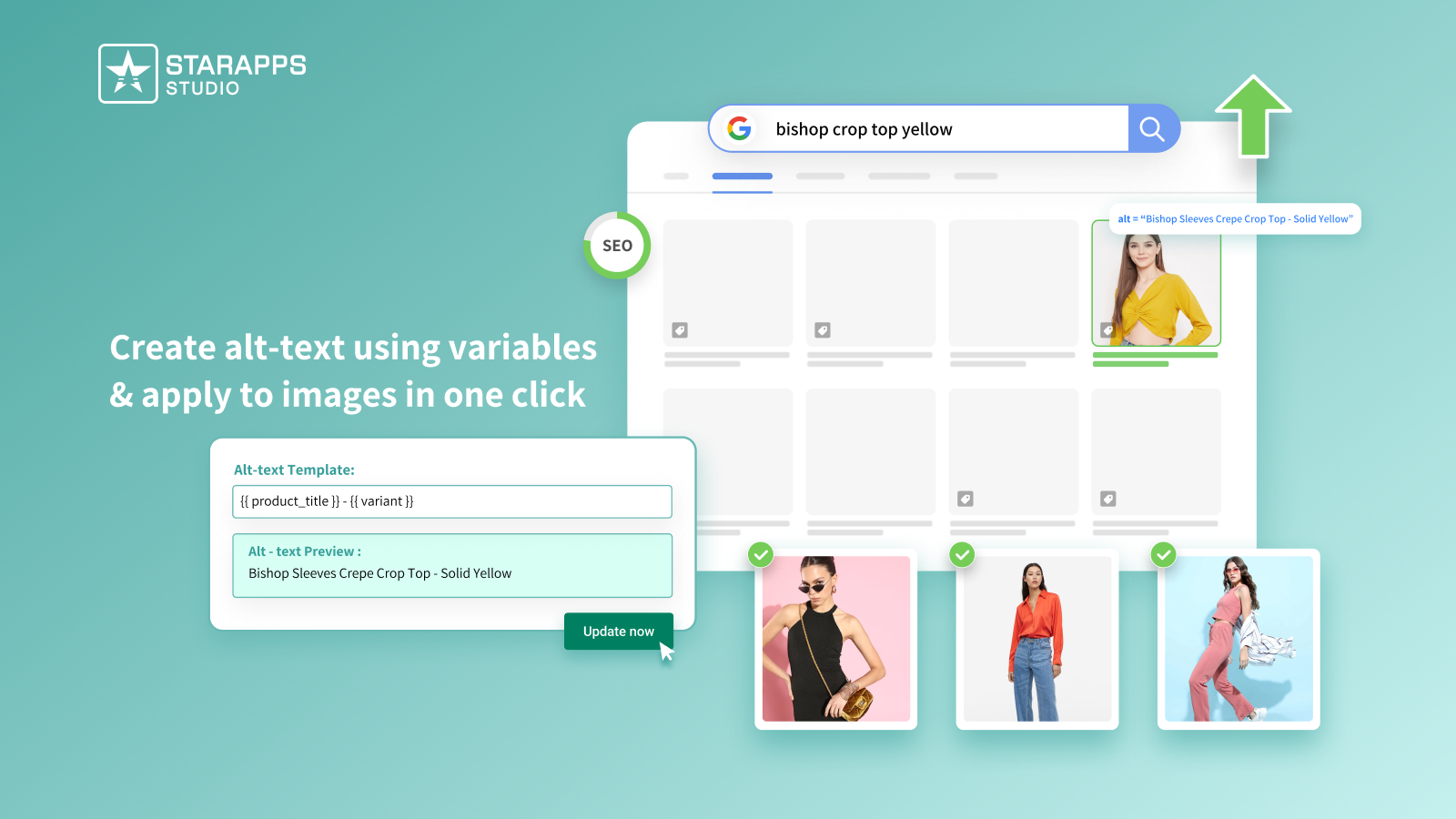
Variant Alt Text King automatically generates and updates alt text for all product variant images, helping improve SEO and accessibility. The app syncs daily to ensure that all new images include accurate alt text, helping your products rank better in Google Image Search.
Why you should use it: It ensures that all variant images are optimized for search engines, helping your store get noticed and accessible to a wider audience.
7. TinyIMG
A tool for image compression, structured data, and link checks.
Why you should use it: It helps your pages load faster, which supports better browsing.
Reviews & Social Proof
8. Judge.me
A review platform with photo reviews, Q&A, and automated requests.
Why you should use it: It helps you gather more reviews and display them in clear widgets.
9. Yotpo
A system for text, photo, and video reviews.
Why you should use it: It supports deep review formats that shoppers trust, especially for fashion and beauty.
10. Loox
A visual review tool centered on photo and video submissions.
Why you should use it: Visual reviews help shoppers compare styles and colors before purchasing.
Conversion Boosters
11. Essential
A set of trust badges and icons for product and checkout pages.
Why you should use it: These badges help reassure shoppers during steps like “Add to Cart” and checkout.
12. Kaching
A tool that adds simple prompts and messages on product and cart pages.
Why you should use it: Small cues help shoppers finish purchases with more clarity.
13. Alia
An app that creates interactive popups for email and SMS signups.
Why you should use it: It helps you grow your audience with tailored prompts.
14. Kbite Back in Stock
A restock alert tool for products and variants.
Why you should use it: It helps you recover sales by notifying shoppers when items return.
Loyalty & Retention
15. BON Loyalty
A rewards system with points, referrals, and VIP levels.
Why you should use it: It stays easy for shoppers to join, earn, and redeem rewards.
Email, SMS & CRM
16. Klaviyo
A marketing platform for email, SMS, and automated flows.
Why you should use it: Messages adapt to each shopper based on browsing and purchase history.
Tracking & Shipping
17. Parcel Panel
A branded tracking page for order updates.
Why you should use it: Shoppers get clear status updates without contacting support.
18. Trusted Help Center
A tool for building help centers with articles and FAQs.
Why you should use it: It answers questions fast and reduces support load.
Profitability & Data Management
19. TrueProfit
A profit tracking tool that accounts for product costs, shipping, and ad spend.
Why you should use it: It shows which items bring the highest returns across your catalog.
20. Matrixify
A bulk data manager for imports, exports, and catalog updates.
Why you should use it: It saves time by handling large updates without manual edits.
Affiliate & UGC
21. UpPromote
A platform for affiliate and referral programs.
Why you should use it: It helps you attract new customers through partners and creators.
Dropshipping
22. DropCommerce
A dropshipping platform with suppliers mainly in the USA and Canada.
Why you should use it: Shorter delivery times help reduce returns and support tickets.
Compliance
23. TinyCookie
A cookie consent banner for GDPR, CCPA, and other regional policies.
Why you should use it: It keeps your store ready for privacy requirements across markets like the USA, UK, EU, Canada, and Australia.
Product Clarity & Variant Communication
24. StarApps Variant Title King: Color, SKU
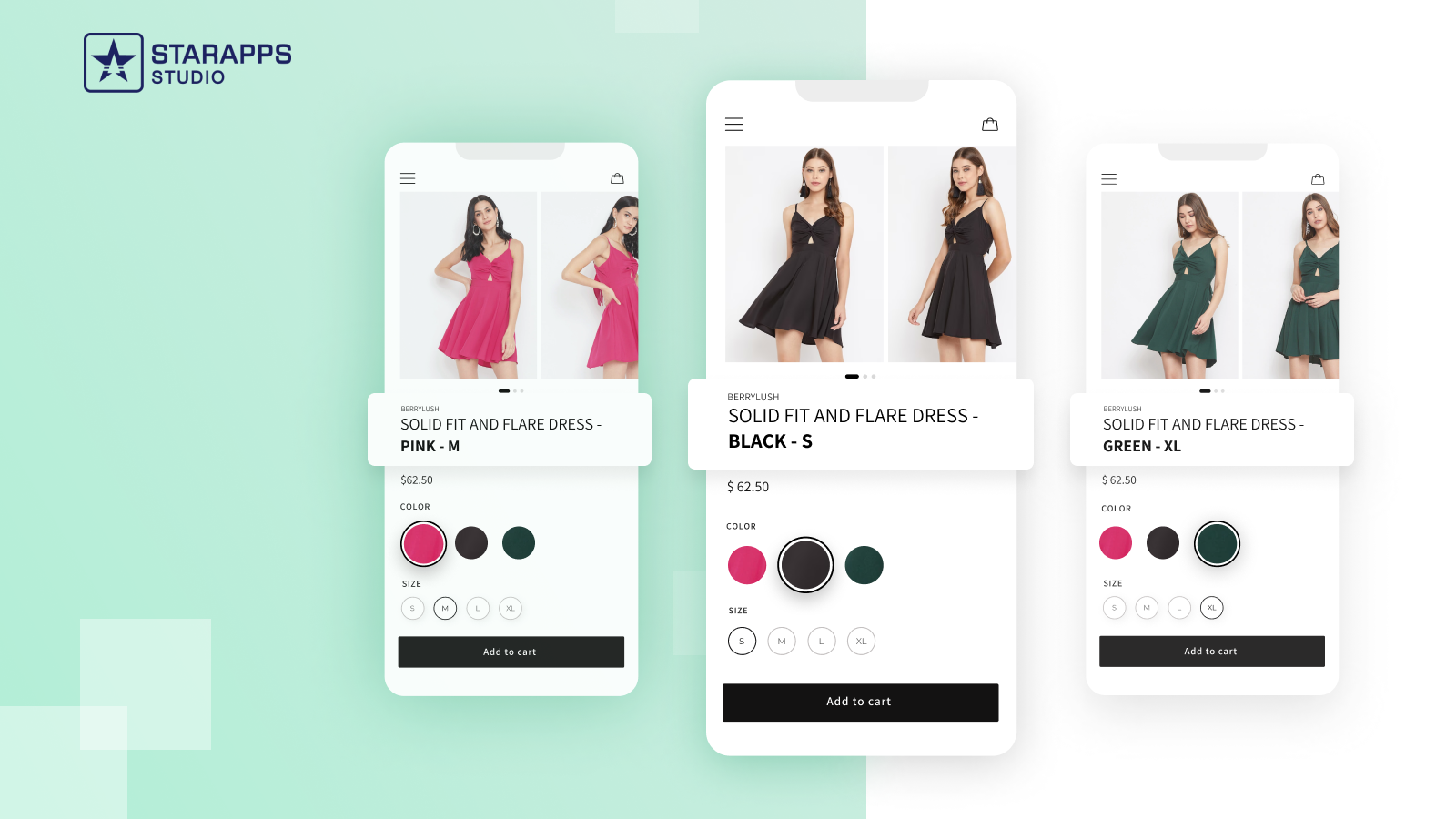
Variant Title King updates product titles with variant-specific information such as color, SKU, and vendor. This keeps the selected variant clear for customers and prevents confusion, offering a better shopping experience.
Why you should use it: It helps customers quickly see which variant they are selecting by adjusting the product title based on their choice.
25. StarApps Variant Descriptions King
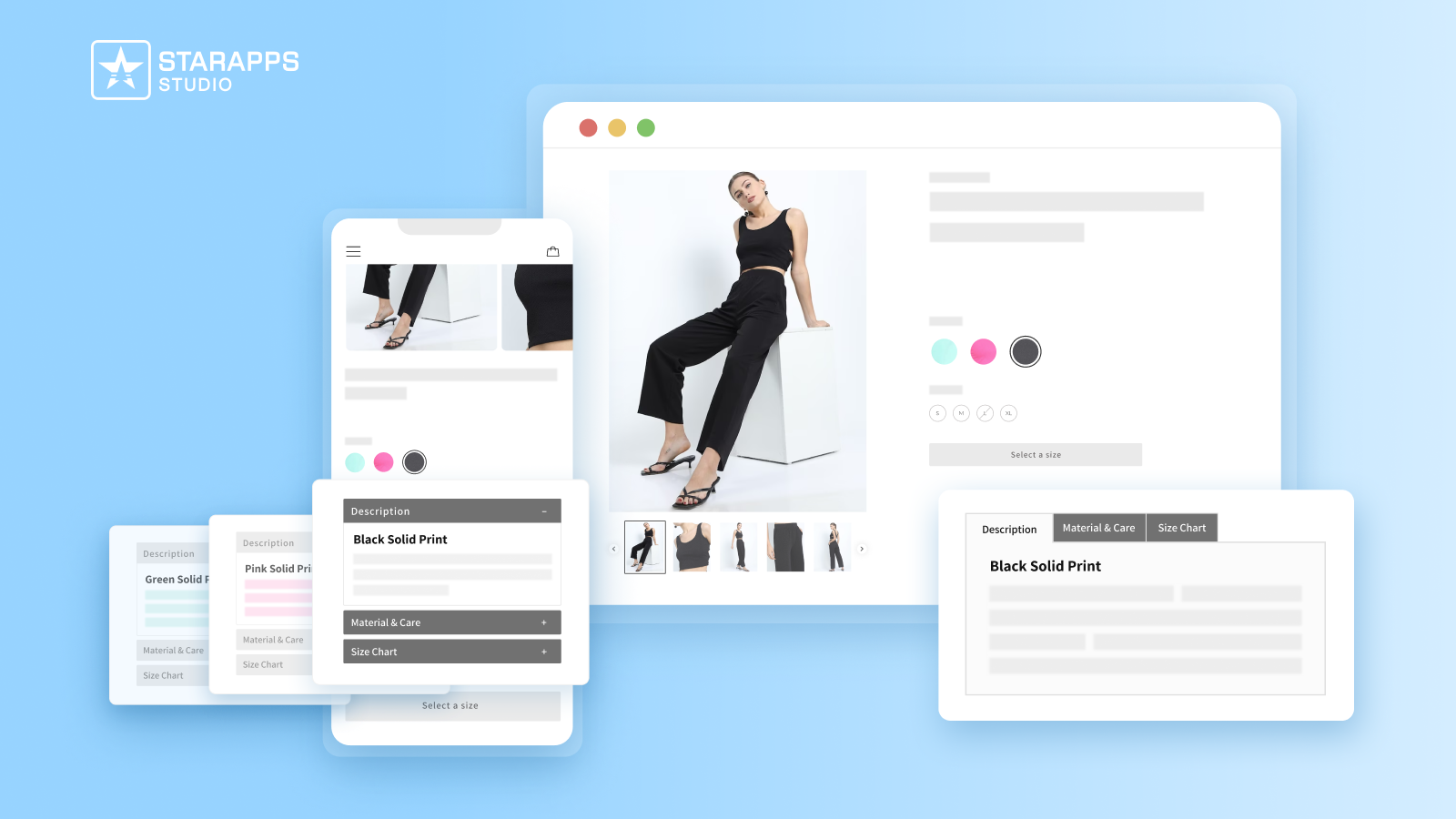
Variant Descriptions King allows you to show unique descriptions for each variant, such as care instructions or size guides. It uses tabs or accordion layouts to keep the page organized, especially on mobile devices. It can be applied to any page or section of your store.
Why you should use it: It offers a more organized way to display variant-specific information, helping customers make informed decisions and reducing returns.
Once you shortlist the apps you want, a careful setup process helps you protect your theme and maintain smooth browsing.
Implementation Tips for a Smooth Setup
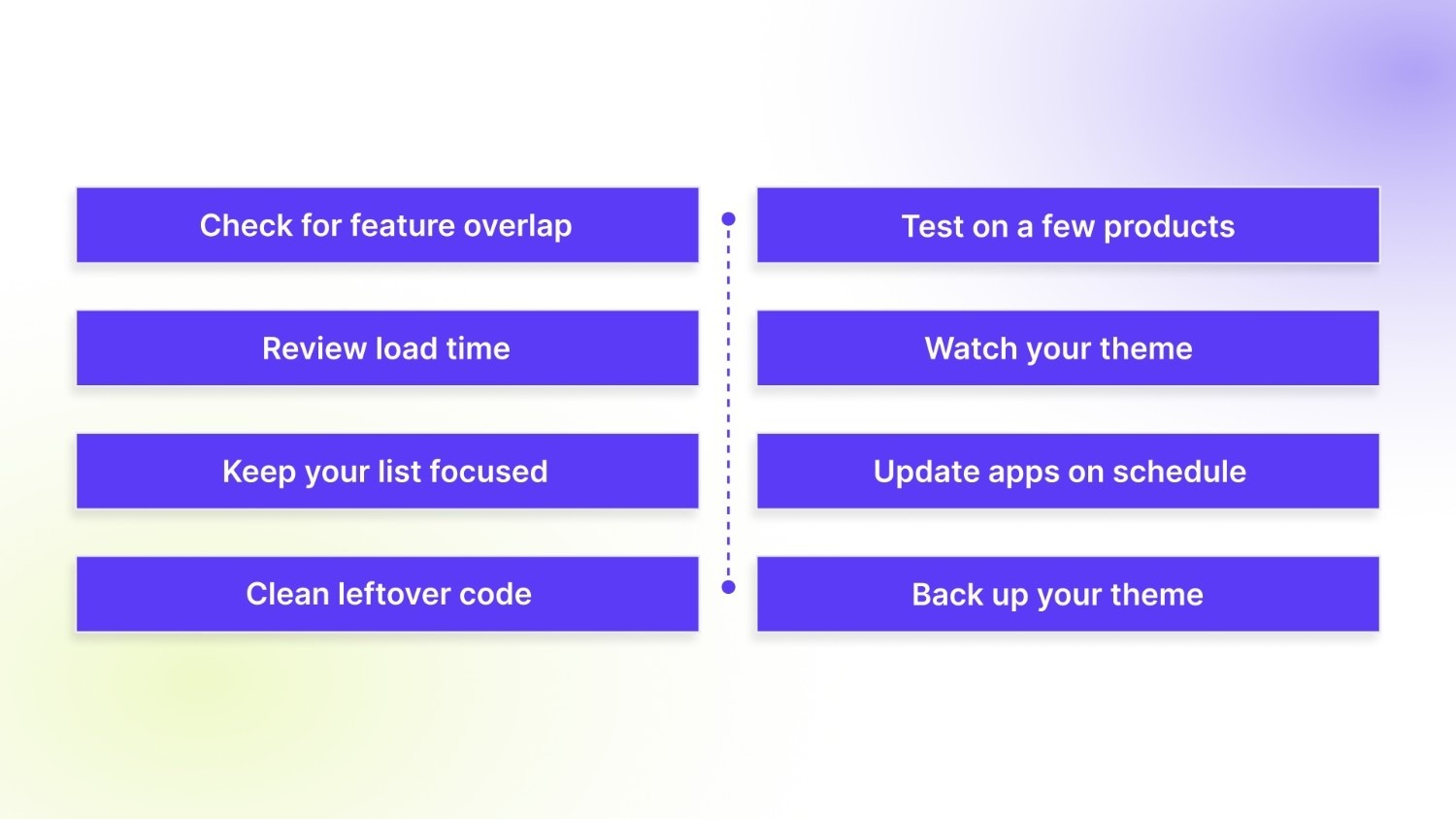
Adding new apps should support your store without creating extra steps for your team. A simple approach helps you keep pages fast, avoid conflicts, and stay in control of your catalog. Use the points below as a quick setup guide.
Here are the steps that help you install apps with confidence:
- Check for feature overlap: Remove apps that do similar work before adding new ones.
- Test on a few products: Preview layout changes before rolling out widely.
- Review load time: Check performance on mobile data to understand real conditions.
- Watch your theme: Look for spacing issues, missing elements, or broken buttons.
- Keep your list focused: Add apps that support clear goals like speed, display, or retention.
- Update apps on schedule: New versions often bring fixes.
- Clean leftover code: Some apps leave scripts behind. Remove old snippets where possible.
- Back up your theme: Save a copy before major changes.
After setting up your app stack with care, you can focus on fine-tuning your store and choosing tools that support long-term goals.
Conclusion
The right combination of apps helps your store stay clear, fast, and easy to browse. Each category in this guide supports a key part of the shopper journey, from variant selection to delivery updates. Start with a few apps that match your goals and test them carefully.
If product display, variant clarity, or image control are your main priorities, look at the StarApps suite. Their tools help you present colors, styles, and images in a way that feels natural for shoppers and simple for your team.
Try the StarApps and see how your store feels with sharper presentation and smoother browsing.
FAQs
1. How can I detect if a specific app is hurting my Shopify store’s load time?
Run performance audits using tools like Google PageSpeed Insights or GTmetrix after installing a new app. Compare load times and Core Web Vitals before and after installation to spot large delays or render‑blocking scripts. If the app significantly increases load time, especially on mobile, consider disabling or replacing it.
2. Do apps that don’t change storefront appearance still affect performance?
Yes. Even “backend” apps can inject JavaScript or CSS globally, which may slow page renders or add unnecessary requests. Several Shopify community threads warn that unused scripts can remain after uninstalling an app, continuing to affect performance until manually cleared.
3. Is there a maximum limit on how many apps (custom or otherwise) I can have on my store?
For most public apps, there is no hard cap on number of installations reported by Shopify. Custom apps for a development account may run into quotas depending on store type or Shopify's internal rules.
4. What happens if I uninstall an app but don’t clean up its leftover code?
Leftover code (scripts, snippets, CSS references) may remain in theme files, causing extra requests or rendering delays with each page load. This hidden bloat can degrade performance gradually, even if the app is no longer active. Cleaning the theme code after uninstalling apps helps avoid this issue.
5. Will store size (number of products and variants) impact how many apps I can safely run?
Not directly. You can have thousands of products on Shopify without a performance slowdown. Performance issues mostly stem from app scripts, large images or inefficient themes. But heavy catalogues plus many variant‑handling apps can increase image/data loading burden, so monitor site speed if you combine both.
Heading

End-to-end traceability
To ensure regulatory compliance, you must have a complete overview of your products from production to shipping. Book a demo to see how Katana can give you full visibility of your operations.



.png)

.svg)

.svg)

.svg)
.png)