
Shopify Default Variant Explained: Setup, Tips, and Errors (2026 Guide)


Learn how Shopify default variants work, how to set them up, common mistakes to avoid, and best practices for improving product discovery and conversions.
Every product page makes a first impression. If shoppers land on an out-of-stock color, an unpopular size, or the wrong variant, that experience can create unnecessary friction. The stakes are higher than many merchants realize: 87% of shoppers say product content is extremely or very important when deciding what to buy.
In this article, you will learn how Shopify default variants work, how to choose the right one, and which mistakes to avoid.
A quick snapshot:
- A Shopify default variant is the option shoppers see when they first land on a product page. It influences the initial images, pricing, availability, and product details they encounter.
- Choosing the right default variant can reduce friction and improve product discovery. Best-selling, in-stock, and visually appealing options often make the strongest starting point.
- Default variant settings affect more than product pages alone. Variant ordering, URLs, and catalog structure can all influence what shoppers see first.
- Common default variant mistakes include leading with out-of-stock options, inconsistent ordering, and poor mobile experiences. These issues can create confusion and slow purchase decisions.
- StarApps helps improve the entire variant selection experience. Color Swatch King and Variant Image Automator make options easier to browse, compare, and understand, helping shoppers find the right product faster.
What Is a Shopify Default Variant?

A Shopify default variant is the product variation selected when a shopper first lands on a product page. It determines the starting point of the shopping experience and influences how customers interact with your variant selector.
Here is why it matters:
- It Controls the Initial Selection: Before shoppers click anything, one variant is already selected. This determines the size, color, style, or other option displayed by default.
- It Influences the Variant Selector: The default variant determines which option appears active when the page loads. Customers often use this as a starting point when exploring other choices.
- It Affects Product Information: Images, pricing, inventory availability, and variant-specific details can change based on the selected variant. The default variant often controls the information shoppers see first.
- It Shapes the Buying Journey: Customers begin evaluating the product before interacting with the page. A strong default variant can help them move toward a purchase, while a poor choice can create friction.
- It Impacts Product Discovery: When products have many variants, the default selection can influence which options shoppers notice first. This becomes increasingly important as catalogs grow more complex.
Understanding how default variants work is the first step. Next, let us look at how Shopify handles default variants behind the scenes and what that means for your store.
Suggested Read: How Do You Build Flexible Catalogs With Shopify Custom Code Variants?
How Shopify Handles Default Variants
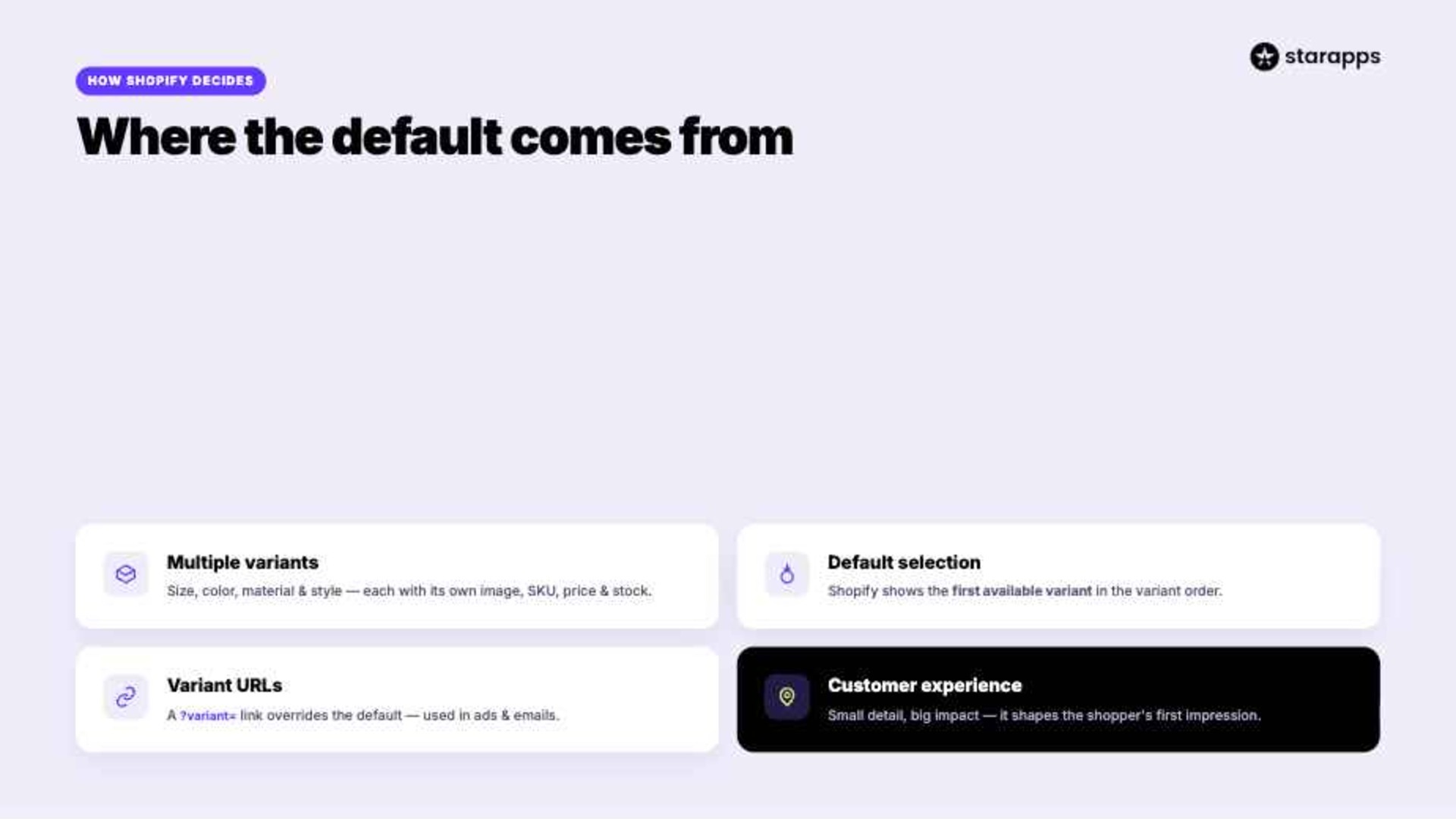
Understanding how Shopify determines and displays default variants can help you create a smoother shopping experience. A few behind-the-scenes settings can influence what customers see when they first arrive on a product page.
1. Multiple Variants
When products have several options:
- Products can include variants based on size, color, material, style, and more.
- Each variant can have its own image, inventory level, SKU, and price.
- Shopify needs a starting variant to display when the page loads.
2. Default Selection
The first variant shoppers see:
- Shopify generally displays the first available variant in the variant order.
- This variant becomes the default selection on the product page.
- Images, pricing, and inventory information update based on this choice.
3. Variant URLs
Links can change the default:
- Variant URLs allow merchants to link directly to a specific variant.
- Clicking one of these URLs overrides the standard default selection.
- They are commonly used in ads, emails, and marketing campaigns.
4. Customer Experience
Small detail, big impact:
- The default variant shapes a shopper's first impression of the product.
- A relevant option can help customers engage more quickly.
- An unavailable or unpopular variant may create unnecessary friction.
Understanding how Shopify selects and displays default variants is only half the equation. Next, let us look at how to change your default variant and make sure shoppers see the right option first.
Suggested Read: What Is The Shopify Variant Inventory Policy?
How to Change the Default Variant in Shopify
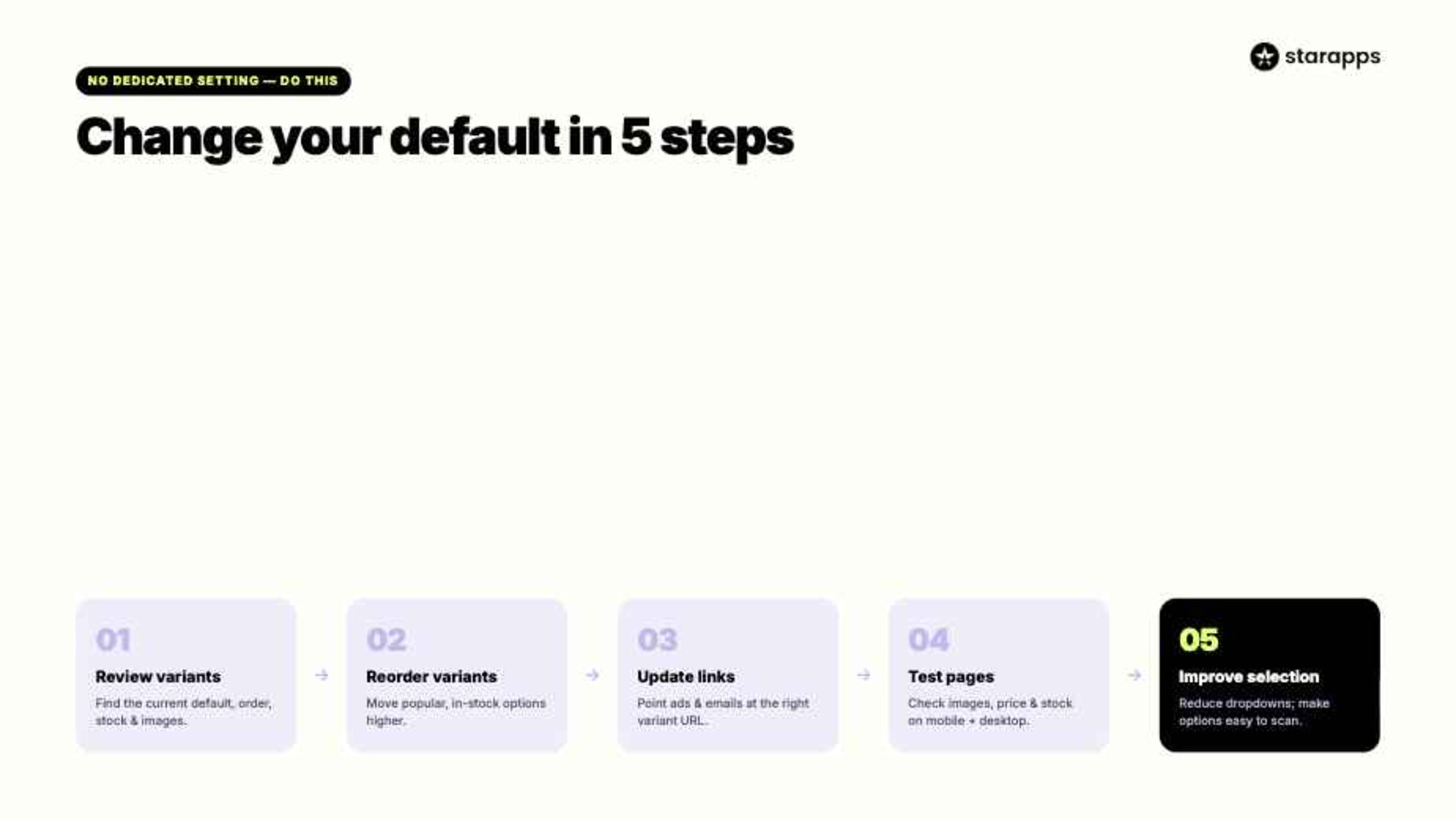
Changing the default variant is not as simple as selecting a dedicated setting. In most cases, Shopify determines the default based on variant order and the links customers use to access the product.
"Although more choices may have many benefits to the consumers, recent studies on choice overload have found that choosing from large alternatives may lead to negative consequences."
A few adjustments can help ensure shoppers see the right option first.
1. Review Variants
Start by reviewing how your variants are currently organized. The first available variant often becomes the default selection customers encounter.
Use this checklist:
- Identify your current default variant
- Review variant ordering
- Check inventory availability
- Verify variant images
- Confirm pricing accuracy
2. Reorder Variants
Changing the order of your variants can influence which option Shopify displays first. This is often the simplest way to change the default experience.
Focus on these areas:
- Move popular variants higher
- Prioritize in-stock options
- Review size sequencing
- Review color sequencing
- Save and test changes
3. Update Product Links
Variant URLs can override Shopify's standard default selection. This is useful when directing customers to specific variants from ads or campaigns.
Consider updating:
- Paid advertising links
- Email campaign links
- Social media links
- Collection page links
- Internal product links
4. Test Product Pages
Small changes can have a noticeable impact on the shopping experience. Testing helps ensure customers see the intended variant across different devices and traffic sources.
Check the following:
- Product images
- Pricing displays
- Inventory messaging
- Mobile experience
- Desktop experience
5. Improve Selection
The default variant is only part of the experience. Once shoppers arrive, they still need a clear and intuitive way to explore available options.
Look for opportunities to:
- Simplify variant selection
- Improve option visibility
- Reduce dropdown reliance
- Highlight key variants
- Create a consistent experience
As you optimize your default variant, the way shoppers interact with other variants matters just as much. StarApps helps improve variant discovery through apps like Color Swatch King and Variant Image Wizard. These apps reduce clicks, improve variant discovery, and make large catalogs feel easier to shop. Try for free today.
Tips to Choose the Right Default Variant for Your Store
The best default variant is not always the first one you created. It should help shoppers understand the product quickly and move toward a purchase with minimal effort.
When deciding which variant to display first, consider the following:
- Lead With Best Sellers: Your most popular variant has already proven its appeal. Making it the default can help more shoppers engage with a winning option immediately.
- Prioritize Availability: Avoid sending customers to an out-of-stock variant. Showing an available option first creates a smoother shopping experience.
- Match Traffic Sources: Think about how shoppers arrive at the product page. If a campaign promotes a specific color or style, the default variant should align with those expectations.
- Choose Strong Visuals: The default variant often controls the first product image shoppers see. Select an option that showcases the product at its best.
- Keep Variant Logic Consistent: Consistent variant ordering across products makes your catalog easier to navigate. Customers should not have to relearn how options are presented from one product to another.
A well-chosen default variant can improve product discovery and reduce friction. Just as important is knowing what mistakes to avoid when setting up your variant experience.
Suggested Read: Shopify 50000 Variant Limit: Why It Matters and How to Bypass It
Shopify Default Variant Mistakes That Can Cost You Sales

A default variant should guide shoppers toward a purchase, not create confusion. Unfortunately, many stores overlook this setting and miss opportunities to improve the customer experience.
Table showing common mistakes:
Even the right default variant can only do so much if customers struggle to explore the rest of your options. The next step is making variant selection faster, clearer, and more intuitive. In the next section, we look at how the right technology can support your decisions.
Make Variant Selection Easier With StarApps

StarApps builds Shopify apps that help merchants create faster, more intuitive shopping experiences. If your store has multiple sizes, colors, styles, or product options, the right variant presentation can make it easier for shoppers to find exactly what they want.
Its apps help shoppers move from selection to purchase with less effort. Swatch King transforms hard-to-scan dropdowns into intuitive visual swatches, while Variant Image Automator updates product images instantly as customers explore different variants.
Using StarApps can help you:
- Improve Visibility: Display variant options in a format shoppers can scan quickly. This helps customers discover available choices faster.
- Reduce Clicks: Make important options visible immediately instead of hiding them inside dropdown menus. Less searching often leads to a smoother experience.
- Show Relevant Images: Automatically display images associated with the selected variant. Customers can instantly see the product they are considering.
- Support Large Catalogs: Make stores with many variants easier to navigate. This is especially useful for fashion, beauty, home goods, and accessory brands.
- Enhance Mobile Shopping: Simplify variant selection on smaller screens. This reduces friction for mobile-first shoppers.
More than 25,000 active merchants trust StarApps to improve product discovery and variant experiences. The platform also supports over 1,000 Shopify Plus stores, making it a proven choice for brands that need scalable, conversion-focused merchandising tools.
Every First Impression Counts
A poorly chosen default variant can create friction before shoppers even begin exploring your products. Whether it is an out-of-stock option, an unrepresentative image, or a confusing variant experience, small issues can quickly translate into lost sales.
Choosing the right default variant is an important first step, but it is only part of the equation. StarApps helps merchants create a smoother path from discovery to purchase with tools that make variants easier to browse, compare, and understand. The result is a more intuitive shopping experience that helps customers find the right product faster.
Explore StarApps and see how better variant experiences can support higher conversions. Try for free today.
Frequently Asked Questions
1. Can I set a different default variant for different Shopify sales channels?
No. Shopify uses the same default variant configuration across sales channels unless a customer lands on a variant-specific URL.
2. Do default variants affect Shopify SEO?
The default variant itself does not directly impact rankings. However, variant URLs, product images, and the user experience associated with variant selection can influence engagement metrics.
3. Can Shopify automatically select a variant based on a shopper's previous choice?
Shopify does not do this natively. Some themes and third-party apps can remember customer selections or create personalized variant experiences.
4. Should size or color be the default variant option on Shopify?
There is no universal answer. The best choice depends on your products, customer behavior, inventory levels, and which option is most important during the buying decision.
5. What happens if a Shopify product has only one variant?
If a product has a single variant, Shopify automatically displays it and no variant selection is required. This creates a simpler buying experience for shoppers.
Heading

End-to-end traceability
To ensure regulatory compliance, you must have a complete overview of your products from production to shipping. Book a demo to see how Katana can give you full visibility of your operations.
.png)

.svg)

.svg)

.svg)
.png)