
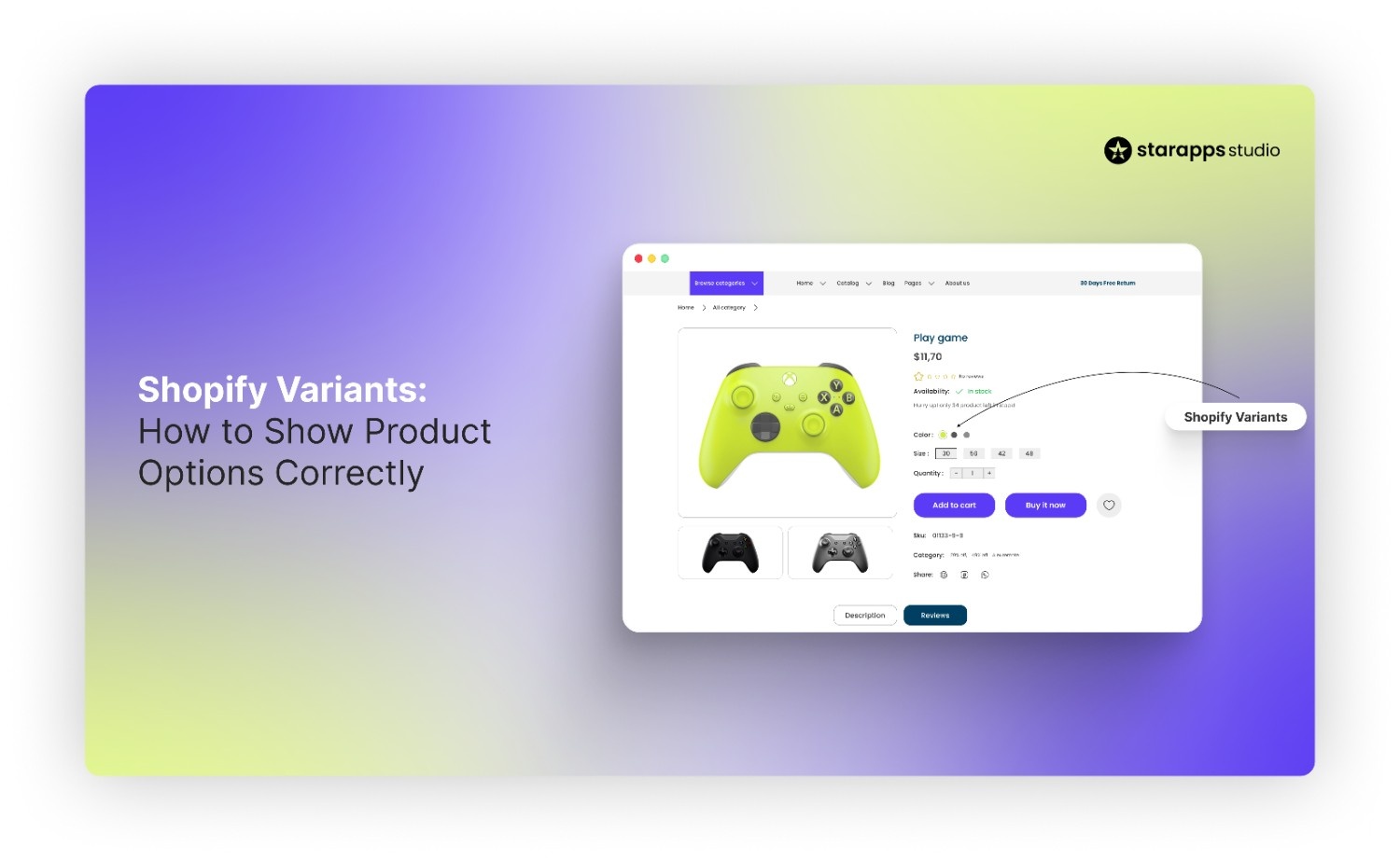

Learn how to set up and show Shopify variants correctly, avoid common display issues, and improve product clarity, UX, and conversions.
Most Shopify stores use product variants to sell items in different colors, sizes, or styles. But while adding variants is simple, showing them clearly is often overlooked. When variants are poorly displayed, shoppers struggle to find the right option, select the wrong item, or leave the store altogether. This often leads to higher returns and lost sales.
Shopify’s default variant setup works well for small catalogs, but problems appear as product ranges grow. This guide explains what Shopify variants are, how to set them up properly, and common mistakes to avoid. We will also share proven methods for displaying and organizing variants to improve the user experience and search visibility.
Quick Overview
- Shopify variants define how customers choose between colors, sizes, and styles, but default dropdowns often hide important visual differences.
- Clean options and option values are the foundation; messy variant setup leads to confusion, wrong selections, and higher returns.
- Showing variants visually with swatches, images, and clear updates helps shoppers decide faster and with more confidence.
- As catalogs grow, organizing variants across product and collection pages becomes essential for browsing, filtering, and SEO.
- When Shopify’s native setup reaches its limits, purpose-built apps can help manage variants clearly without slowing down the store.
What Are Shopify Variants?
Shopify variants represent the different purchasable versions of a product. They allow merchants to offer choices such as color, size, material, length, or finish while keeping everything under one primary product listing.
To understand how variants work, it helps to break the structure down:
- Product: The core item in your catalog, such as a T-shirt.
- Options: Attributes that distinguish one version from another, like color, size, or fabric.
- Variants: The combinations created from those option values. Every variant carries its own SKU, price, barcode, inventory, and media.
For example, a T-shirt available in three colors (red, blue, black) and four sizes (S, M, L, XL) generates 12 variants.
Shopify supports up to 3 options per product and as many as 2,048 variants, giving merchants flexibility to offer broad assortments without splitting products unnecessarily. Because variants are built from option values, thoughtful planning keeps catalogs organized and makes it easier for shoppers to choose the version they want.
What Is an Option Value in Shopify?
An option value in Shopify is the specific choice a customer can select within a product option. To break it down:
- Option name: The category or attribute, such as Color or Size.
- Option values: The actual choices under that category, like Red, Blue, or Black.
Option values combine with other options to create Shopify variants. For example, a T-shirt with the option Color (Red, Blue) and Size (S, M) produces four variants: Red-S, Red-M, Blue-S, and Blue-M.
Clear option values improve customer clarity, help with inventory tracking, and make automation tools more effective. Once option values are set, the next step is creating variants in Shopify using those options.
How to Get Variants in Shopify
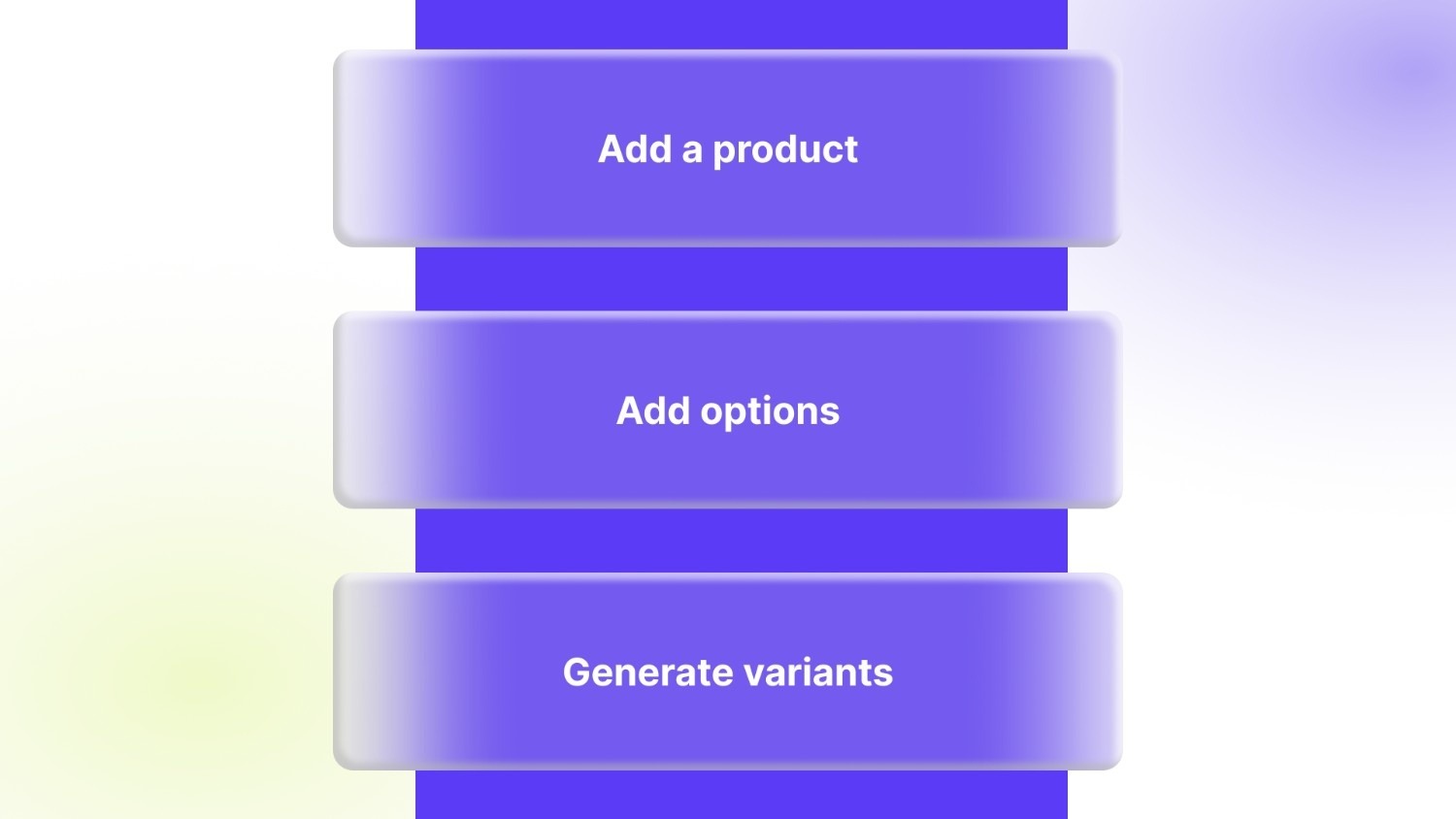
Adding variants in Shopify is straightforward, but proper setup is key to avoiding confusion later. Follow these steps:
- Add a product: Start by creating a new product in your Shopify store. Enter the product title, description, images, and base pricing.
- Add options: Under the Variants section, click Add options. Define the option name (like Color or Size) and enter the available option values (for example, Red, Blue, Black).
- Generate variants: Shopify automatically combines your option values to create individual variants. For instance, a T-shirt with 3 colors and 4 sizes will generate 12 variants.
Many merchants stop at this point, leaving variants displayed in basic dropdowns. Problems appear when catalogs grow, variant images aren’t assigned, or out-of-stock items remain selectable.
Setting up variants is easy. Showing them correctly is where most stores struggle.
You may find our blog on the Best variant image apps for Shopify helpful.
Common Shopify Variant Display Problems
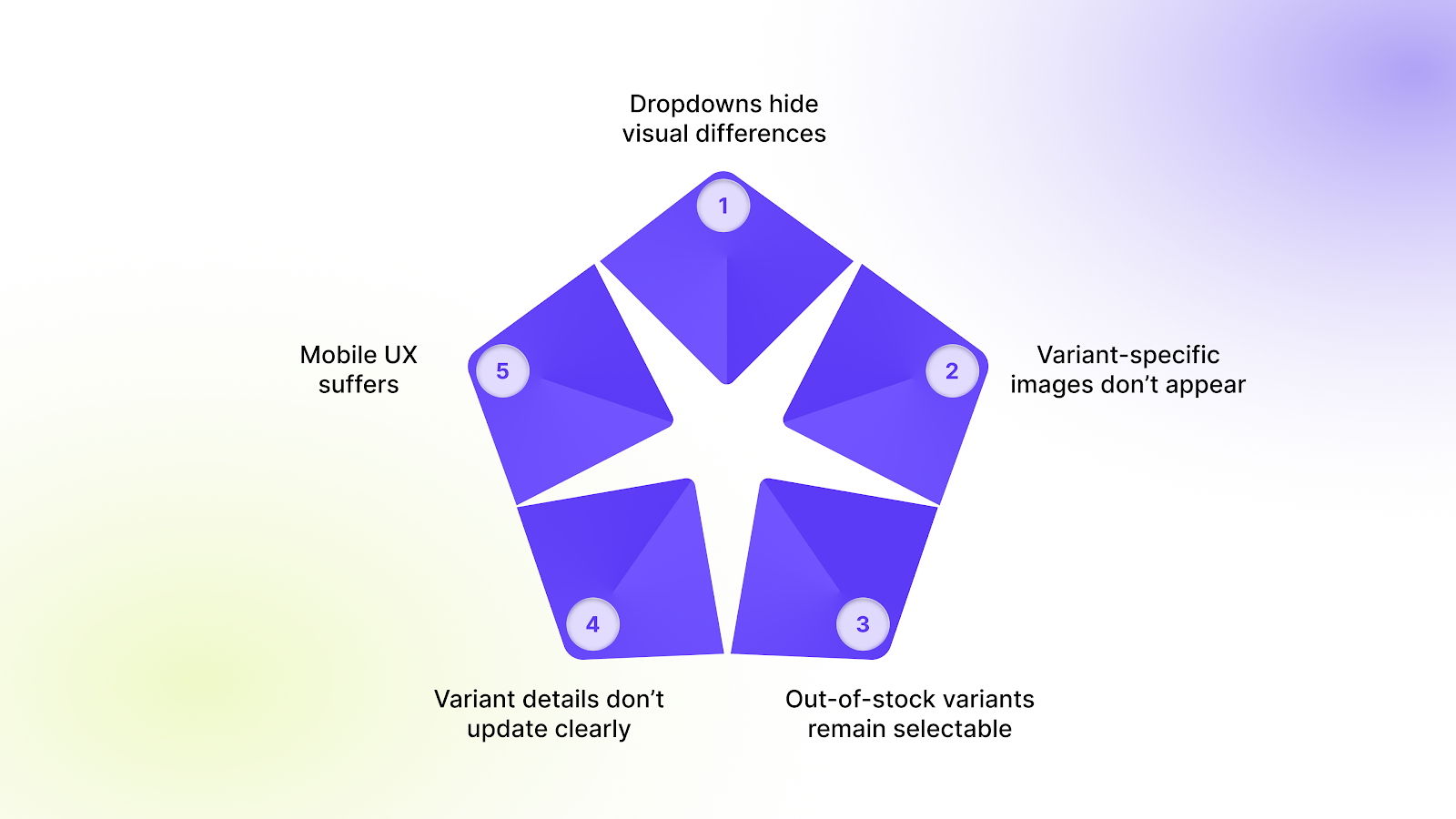
Many Shopify stores struggle with variant display as their product catalog grows. These issues frustrate customers and can reduce conversions. Common problems include:
- Dropdowns hide visual differences: Default dropdown menus make it difficult for shoppers to see colors, styles, or patterns at a glance. Customers may have to click through each option to find the one they want.
- Variant-specific images don’t appear: When images aren’t linked to the correct variant, shoppers can’t see how a product looks in their chosen color, size, or style, which can cause hesitation or abandoned carts.
- Out-of-stock variants remain selectable: Displaying unavailable options leads to frustration and wasted time, and increases the likelihood of returns.
- Variant details don’t update clearly: Changes in price, SKU, or description may not appear when a customer selects a different variant, creating confusion and reducing trust.
- Mobile UX suffers: On smaller screens, dropdowns and cluttered variant layouts make browsing slow and cumbersome, making it harder for mobile shoppers to complete a purchase.
These issues highlight why proper variant display matters and what needs to be fixed. The next step is applying proven methods to show Shopify product variants clearly and effectively.
How to Show Shopify Product Variants Correctly
Displaying Shopify variants effectively improves the shopping experience, reduces errors, and can increase conversions. Instead of relying solely on default dropdowns, merchants can use visual cues, optimized images, and clean inventory management to make options clear and easy to select. Here are three key strategies.
1. Use Visual Variant Selectors Instead of Dropdowns
Dropdown menus often make it hard for shoppers to quickly identify colors, sizes, or styles, which can slow decisions or cause mistakes. Replacing dropdowns with visual selectors helps customers compare options at a glance.
- Color swatches: Display all available colors directly on the product or collection page, allowing shoppers to click their preferred option without opening a dropdown.
- Image swatches: Show a small image for each variant, perfect for patterned or design-heavy products, so customers can see exactly what they’ll receive.
- Buttons for sizes or styles: Simple clickable buttons make selections faster and more intuitive.
You can also use tools like Color Swatch King that let stores create swatches and buttons easily. It automatically links colors or images to the right variant, saving time and ensuring consistency across product and collection pages.
2. Show the Right Images for the Selected Variant
Shoppers often rely on product images to make buying decisions. When the image doesn’t update according to the variant selected, it can create confusion and lead to abandoned carts. Displaying the correct images instantly improves clarity and confidence.
- Auto-assign variant images: Ensure the gallery only shows images relevant to the selected variant.
- Highlight multiple angles: Allow customers to see all views of a specific color or style, including zoom or 3D views.
- Keep the gallery organized: Avoid clutter by hiding irrelevant images for other variants.
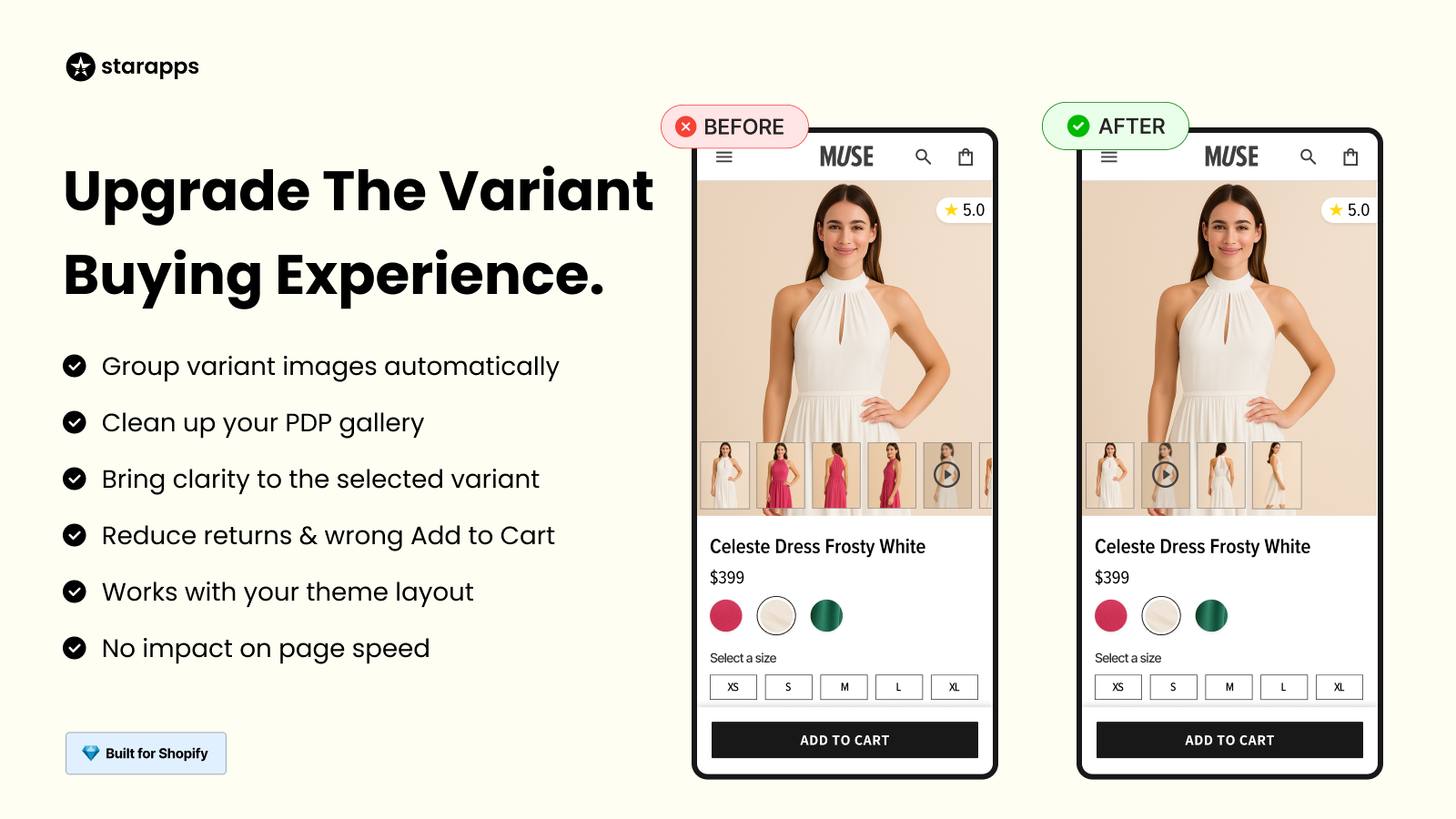
Apps like Variant Image Automator automatically link images to the right variant, so when a shopper selects a color or size, the gallery updates instantly. This reduces errors and lets customers see exactly what they are buying without scrolling through unrelated images.
3. Hide or Disable Out-of-Stock Variants
Showing options that are unavailable can frustrate shoppers and increase abandoned carts. Removing or disabling out-of-stock variants creates a cleaner, faster shopping experience.
- Remove unavailable options from selection: Prevents shoppers from clicking items they can’t purchase.
- Maintain clean page layout: Keeps the product page tidy and easy to navigate, even for stores with many variants.
- Improve decision-making speed: Shoppers can focus only on options they can buy.
StarApps Studio tools allow merchants to move past Shopify’s default inventory rules and control how variants appear based on availability. This reduces the need for constant manual edits and helps keep product pages focused on options customers can actually purchase.
Also Check: Shopify 50000 Variant Limit: Why It Matters and How to Bypass It.
How to Organize Shopify Variants at Scale
As product catalogs grow, managing and displaying multiple variants can become overwhelming. Without proper organization, collection pages look cluttered, shoppers struggle to find the right option, and store navigation slows down.
Grouping and structuring variants effectively makes products easier to browse and improves the overall shopping experience.
- Group similar variants: Combine related options, such as colors or sizes, to reduce clutter and make selection easier.
- Avoid bloated product pages: Display only relevant variants per product, keeping pages clean and readable.
- Improve collection page browsing: Allow shoppers to see multiple variants directly on the collection page, helping them compare and choose quickly.
- Make variants easier to find: Use clear titles, images, and structured layouts so each variant is easy to identify.
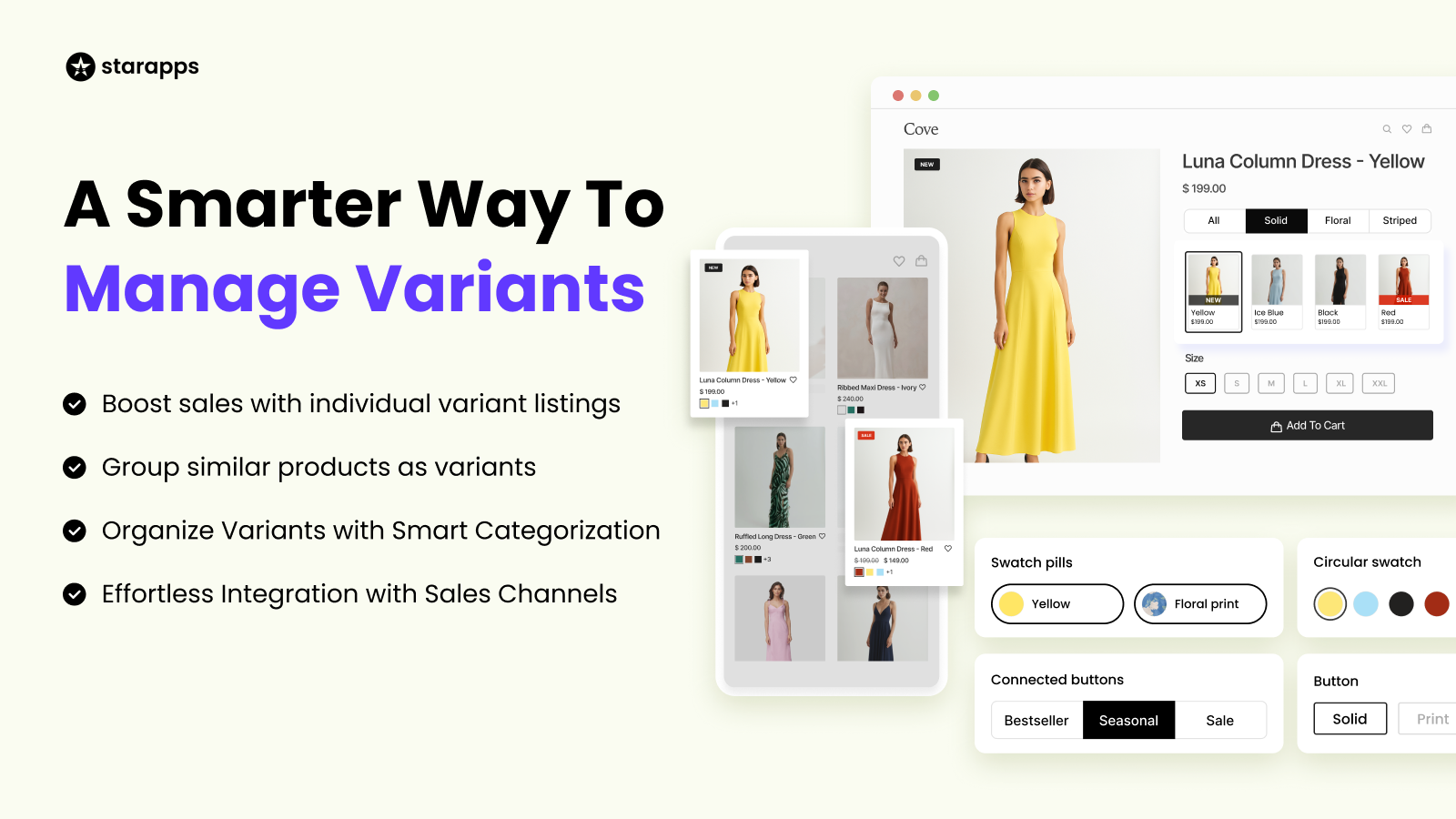
For stores with large catalogs or fashion-oriented products, tools like SA Variants: Combined Listings help organize variants more effectively. This app can display each variant as its own listing, complete with unique images, titles, and descriptions.
By doing so, it not only improves browsing and comparison but also enhances SEO and filtering, making it easier for customers to find exactly what they want. While not mandatory for smaller stores, this approach is ideal for scaling catalogs and maintaining a clean, navigable shop.
SEO & Accessibility Considerations for Shopify Variants
Well-structured variants improve product clarity, support accessibility requirements, and help search engines understand your catalog. While variants don’t always behave like standalone pages in terms of indexing, they still play a meaningful role in how shoppers discover products.
SEO: Variant URLs vs. Indexable Pages
Shopify can create links that load a product with a specific variant preselected (typically via a variant parameter). These links are helpful for sharing or for directing shoppers to a certain color or size. However, you need to be aware of the following:
- Shopify sets the canonical URL to the main product page. Even if a link includes a variant parameter, Shopify tells search engines to treat the base product page as the primary URL.
- Variant-parameter URLs aren’t meant to rank as separate pages: Search engines usually ignore them as standalone results because Shopify signals that the product page is the correct version.
- Separate SEO visibility for each variant requires dedicated pages: If a store needs each color or style to rank on its own (for example, “red cotton shirt” vs. “blue cotton shirt”), the variant must have:
- its own URL,
- its own title and description,
- its own images,
- and content that search engines can index independently.
This usually means restructuring your catalog so each variant functions like its own product page.
SA Variants: Combined Listings supports this setup by giving every variant a dedicated, indexable product page with variant-specific media and details, while still grouping all variants together so the shopper experiences them as a single product family.
Image ALT Text for SEO & Accessibility
ALT text helps search engines interpret your images and improves visibility in Google Image Search. It also supports accessibility by allowing screen readers to describe important variant attributes such as color, pattern, finish, or material.
Screen-Reader Accessibility
Variant-specific information, such as color names, sizes, materials, measurements, and style attributes, should be readable by assistive technologies to meet ADA and WCAG guidelines. Clear variant labeling helps all users understand product differences.
Google Image Search Visibility
When variant images use descriptive, relevant ALT text and match search intent (e.g., “blue linen shirt”), they’re more likely to appear in Google Image Search, bringing in additional organic traffic.
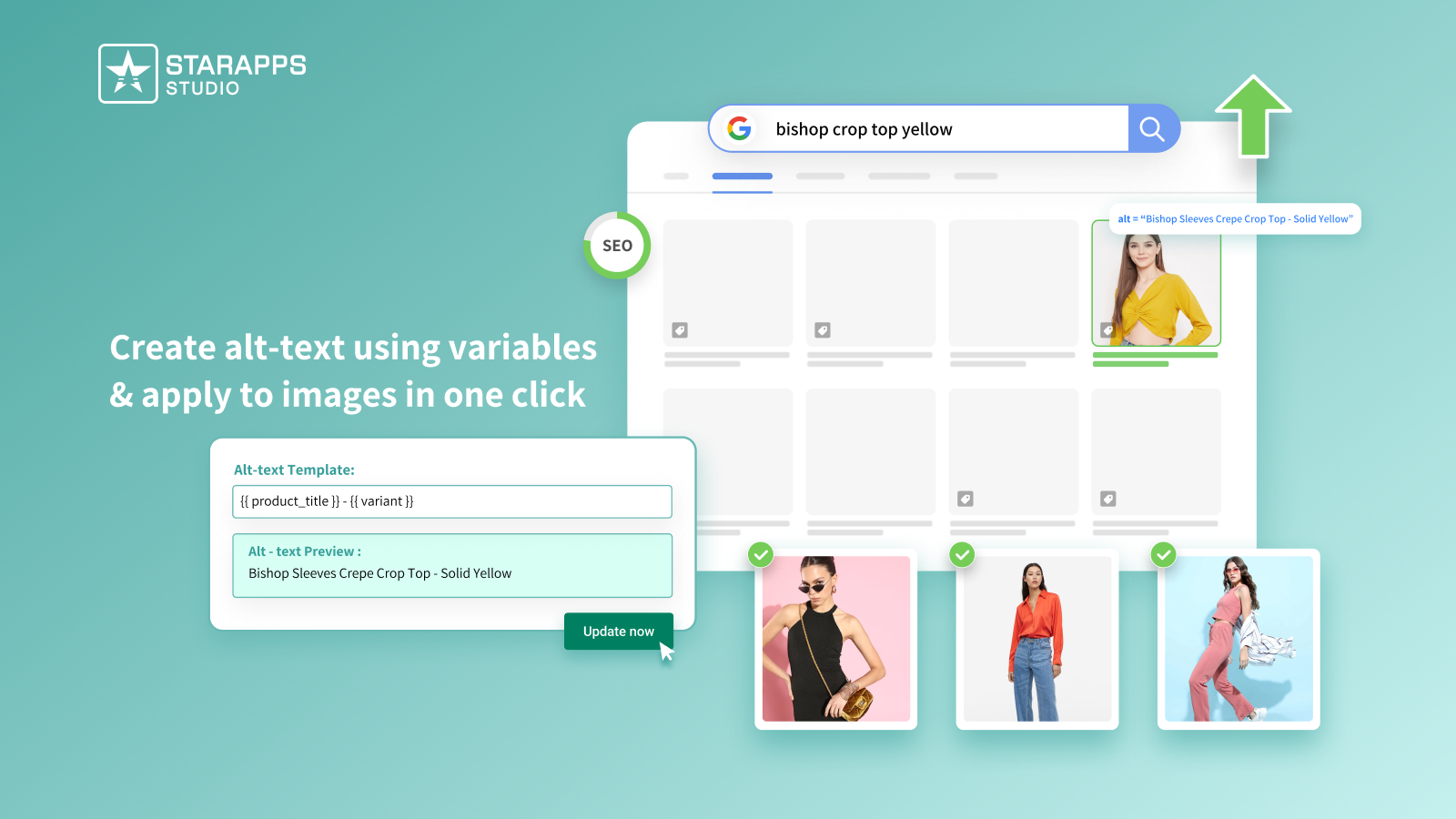
For stores with large catalogs, Variant Alt Text King: SEO automates ALT text creation for all variant images. It helps include relevant variant details in each ALT tag, ensuring products are discoverable, accessible, and compliant with accessibility standards.
When You Need More Than Shopify’s Native Variant Setup
Shopify’s built-in variant tools work for smaller catalogs, but growing stores often encounter limitations. Large catalogs, complex product options, and busy stores can make default dropdowns confusing for shoppers.
Key challenges include:
- Growing catalogs: Hundreds of variants can overwhelm dropdowns and slow product selection.
- International markets: Multiple languages, currencies, or region-specific options add complexity.
- High traffic: Fast-loading variant displays are essential to prevent slowdowns and abandoned carts.
- Theme limitations: Some themes do not fully support advanced variant layouts or visual selectors, restricting design flexibility.
At this stage, many Shopify merchants rely on purpose-built apps to handle variants without compromising speed or design. StarApps Studio offers solutions for visual selectors, automated variant images, organized listings, and SEO-friendly variant management, helping merchants maintain clarity and performance as their stores scale.
Final Thoughts
Variants shape how customers interact with your products. A clean, organized setup helps shoppers find exactly what they want, reducing confusion, returns, and abandoned carts.
For stores with expanding catalogs or complex variant setups, StarApps Studio supports over 25,000 active merchants, including 1,000+ Shopify Plus stores, with a 4.9★ average rating across six focused apps. Their tools help automate variant images, improve how options are displayed, organize listings, and maintain SEO-friendly structure, making it easier to keep large storefronts clear and manageable.
When you’re ready to improve how your variants work, connect with us for solutions tailored to your store’s needs.
FAQs
1. How many variants can you have in Shopify?
Shopify supports up to 2,048 variants per product and up to 3 options (like size, color, or material). If a catalog needs more flexibility or separate pages for each style, merchants often use split products or combined-listing apps to manage them cleanly.
2. What is an option value in Shopify?
An option value is the specific choice within a product option. For example, if the option name is Color, the option values could be Red, Blue, or Black. Option values combine with other options to create variants, and keeping them clear and consistent helps customers select the right product.
3. Why do Shopify variant images not change properly?
Sometimes images don’t update when a customer selects a variant because they aren’t linked correctly to that option. Manual management can be time-consuming and error-prone. Tools like Variant Image Automator automatically assign the right images to each variant, ensuring a smooth, clear visual experience for shoppers.
4. Can Shopify variants help with SEO?
Yes. Each variant can have a unique URL and descriptive images, which improves indexing and visibility on Google, including Google Image Search. Optimizing ALT text for each variant ensures search engines understand your products and supports accessibility. Apps like Variant Alt Text King automate this process, saving time while boosting discoverability.
5. When should I use apps to manage Shopify variants?
Apps become helpful when your catalog grows, variants become complex, or your theme doesn’t support advanced layouts. They can automate image assignment, improve visual clarity, enhance SEO, and simplify navigation.
Heading

End-to-end traceability
To ensure regulatory compliance, you must have a complete overview of your products from production to shipping. Book a demo to see how Katana can give you full visibility of your operations.



.png)

.svg)

.svg)

.svg)
.png)