

Explore SpiceGems features, pricing, strengths, and limitations to see if it fits your Shopify store and supports growth in 2026.
If you’re looking at SpiceGems features and pricing, it usually means you’re planning something big. You’re trying to understand whether your store can offer a clearer, more visual way for customers to choose product variants without adding extra complexity or multiple apps. This often becomes relevant when Shopify’s default variant options start feeling limited for stores with multiple colors, sizes, or style-based choices.
SpiceGems offers a set of Shopify tools focused on improving product presentation and storefront experience. One of its apps, Easy Variation Swatches, currently holds a 5.0 rating from 23 reviews on the Shopify App Store. While this reflects positive merchant feedback, it doesn’t fully show how the app performs across different store setups or scaling needs.
In this article, we’ll break down the key features, pricing, strengths, and limitations of Easy Variation Swatches so you can decide whether it fits your store or if a different approach makes more sense as you grow.
Overview
- SpiceGems Easy Variation Swatches is best suited for Shopify stores that need a clearer and more visual way to handle variant selection, especially for products with multiple colors, styles, or similar options.
- Its strongest value lies in simplifying decision-making on product and collection pages, allowing customers to compare and choose variants faster without relying on dropdowns.
- The app is easy to adopt, with pricing tied to Shopify plans and a 21-day free trial. This makes it straightforward for smaller stores to test without upfront complexity.
- SpiceGems focuses only on the visual selection layer, so it does not support advanced product customization, conditional logic, or complex configuration workflows.
- StarApps Studio becomes relevant when the challenge shifts beyond selection to improving image clarity, variant browsing, and overall storefront experience across product and collection pages.
SpiceGems Overview: Key Features and Product Breakdown
SpiceGems offers a set of Shopify apps designed to improve specific parts of a storefront, such as product variant presentation, swatch-based selection, combined product listings, and basic product page enhancements. Instead of operating as a single unified system, it provides separate apps that merchants can choose based on their store requirements.
Each app focuses on a clearly defined storefront function, helping store owners enhance specific areas of the shopping experience without requiring complex setup or extensive configuration.
What SpiceGems is Made For
SpiceGems Easy Variation Swatches is built for Shopify merchants who want a more visual way to present product variants instead of relying on standard dropdown selectors. It focuses on improving how product options such as color, size, or style are displayed and selected on product and collection pages.
For example, a store can use SpiceGems Easy Variation Swatches to:
- Replace dropdown variants with image, color, or button-based swatches.
- Display variant images as selectable swatches for visual comparison.
- Link related products as combined listings through swatches.
- Show swatches on collection pages for easier browsing.
- Create variant-specific descriptions for clearer product information.
- Hide out-of-stock variants and optionally display low-stock alerts.
This makes Easy Variation Swatches a practical option for merchants focused on improving how product variants are presented. It makes option selection more visual and structured within the storefront experience.
Key Features of SpiceGems Easy Variation Swatches
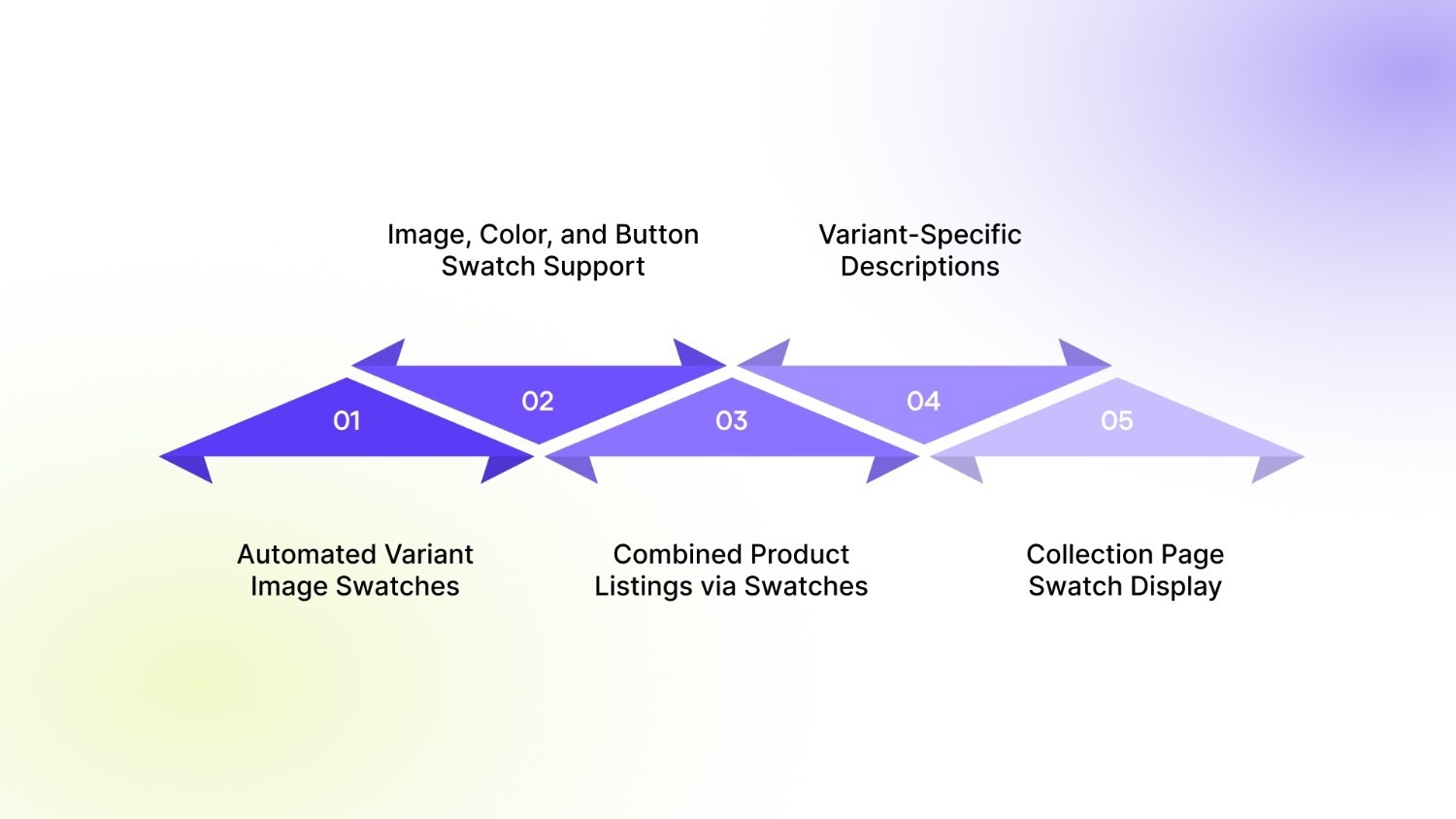
1. Automated Variant Image Swatches
The app automatically displays variant images as swatches, helping merchants present product options in a visual format instead of dropdown selectors.
2. Image, Color, and Button Swatch Support
It allows merchants to configure swatches using images, colors, or buttons, making it easier to represent different product variants like size, color, or style visually.
3. Combined Product Listings via Swatches
The app enables merchants to group related products and display them together as swatches within a single product experience.
4. Variant-Specific Descriptions
SpiceGems Easy Variation Swatches supports creating and displaying custom descriptions for each variant, helping provide clearer information based on selected options.
5. Collection Page Swatch Display
Swatches can be shown directly on collection pages, allowing customers to view and select product variations while browsing product listings.
SpiceGems Easy Variation Swatches Pricing Breakdown
SpiceGems Easy Variation Swatches follows a Shopify plan-based pricing structure. The app plan is automatically assigned based on the store’s existing Shopify subscription during installation. The app also includes a 21-day free trial with access to all features.
The pricing is straightforward for smaller stores, while higher Shopify tiers unlock higher plan limits aligned with scaling storefront needs.
The pricing structure keeps entry-level usage accessible for smaller stores while aligning higher plans with merchants managing larger catalogs and more complex variant presentation needs.
Also Read: How to Manage High-Variant Products in Shopify.
SpiceGems Strengths and Limitations
SpiceGems Easy Variation Swatches is primarily built to improve how shoppers interact with product variants in a visual way. It fits best for stores where customers rely on appearance and quick comparison rather than reading through dropdown selections.
Its role is mainly around refining how variants appear across product and collection pages, keeping the experience more visual and easier to scan.
Where SpiceGems Performs Well
SpiceGems is most effective when a store wants to make variant browsing more visual and less text-heavy.
Key strengths include:
- Turning standard dropdowns into image, color, or button-based swatches.
- Showing variant images in a more direct and selectable format.
- Grouping related products into a single browsing experience.
- Allowing different descriptions based on selected variants.
- Enabling swatch visibility on collection pages.
- Quick setup with minimal configuration effort.
This works well for stores where customers decide based on how products look rather than detailed specifications. For example, shoppers can compare styles or colors instantly without opening multiple product pages.
Where SpiceGems Feels Limited
SpiceGems stays focused on the visual layer of variant selection, which naturally sets some boundaries.
Some limitations include:
- It does not extend into deep product customization workflows.
- Focus remains on swatches and displays rather than complex logic-based configurations.
- Not designed for advanced multi-step personalization flows.
- Its impact is mainly on product and collection page browsing.
- It does not cover broader storefront optimization beyond variant presentation.
This is more about scope than capability. The app is designed to solve a specific part of the shopping experience. It works best when the main challenge is how variants are displayed and not how products are configured behind the scenes.
How StarApps Studio Extends Variant Experience Beyond Swatches
Once swatches are set up, choosing a variant becomes easier. But another issue often comes up. Customers can select an option, but they are not always fully clear on what that selection looks like across the product.
That’s where StarApps Studio becomes useful. SpiceGems Easy Variation Swatches improve how variants are selected. StarApps focuses on how those selections are shown and understood across the store. It works alongside swatches rather than replacing them.
Where StarApps Studio Fits In
StarApps Studio is useful for stores that already have multiple variants but want to make them easier to browse and understand.
This is especially relevant for stores with:
- Products available in multiple colors or styles.
- Several images for each variant.
- Large catalogs where browsing matters.
- A need for consistent presentation across pages.
In these situations, the problem is not adding more options. It is helping customers move through them without confusion.
Color Swatch King for Better Control Over Variant Display
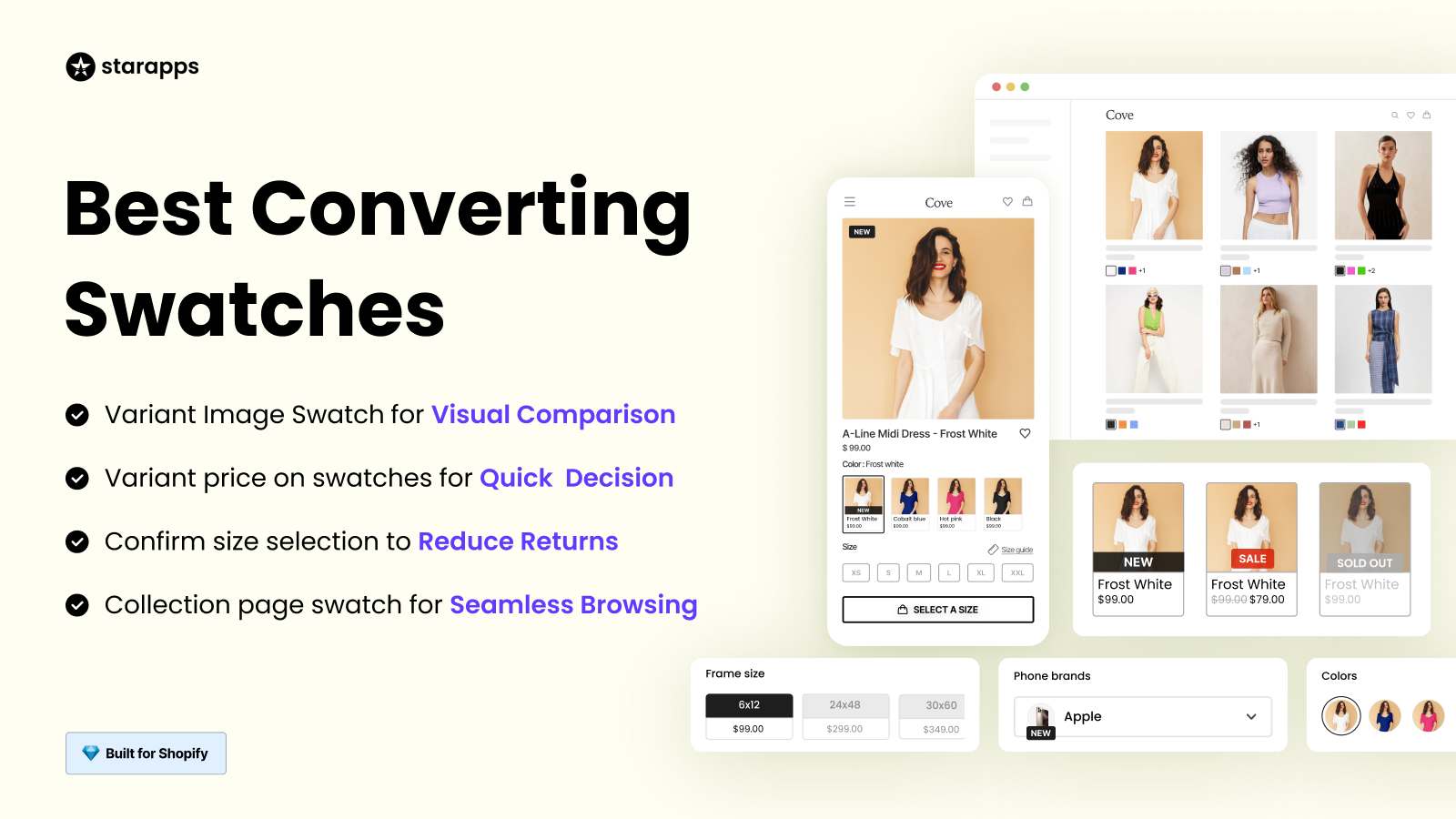
Swatches improve selection, but they can become inconsistent across products. Color Swatch King helps bring more control to how variant options are shown. It allows merchants to manage swatch appearance and behavior across product and collection pages.
This helps when:
- Swatches need to look consistent across the store.
- Variant options are hard to scan.
- The current setup feels uneven across products.
It focuses on improving how existing variant options are presented.
Variant Image Automator for Matching Images to Selection
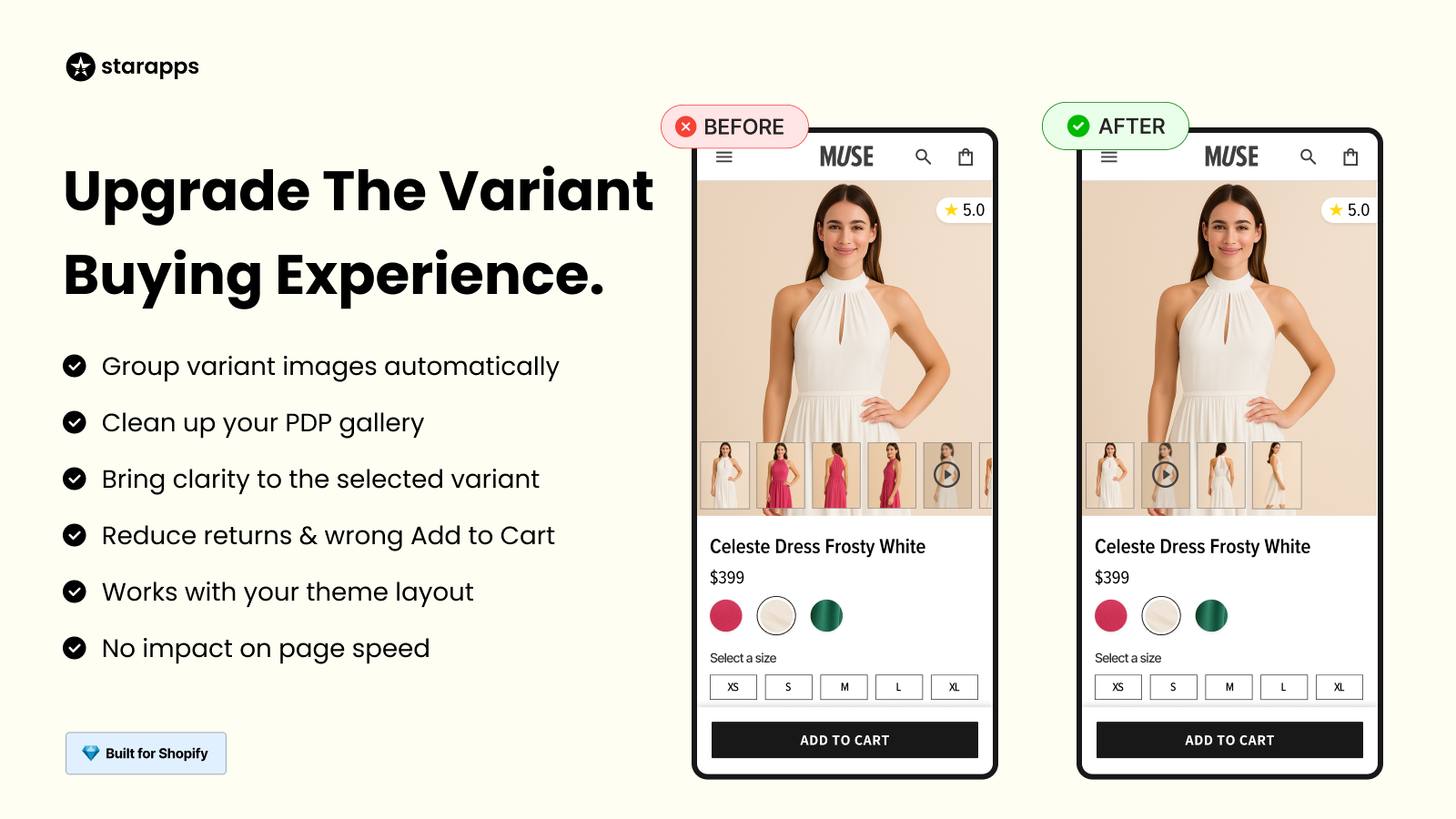
A common issue is when customers select a variant but still see unrelated images. Variant Image Automator ensures that the images shown match the selected variant. This keeps the product gallery aligned with what the customer is viewing.
This is useful when:
- Each variant has multiple images.
- Products have several colors or styles.
- Customers rely on images to confirm their choice.
It reduces confusion without requiring manual image management.
SA Variants: Combined Listings for Easier Browsing
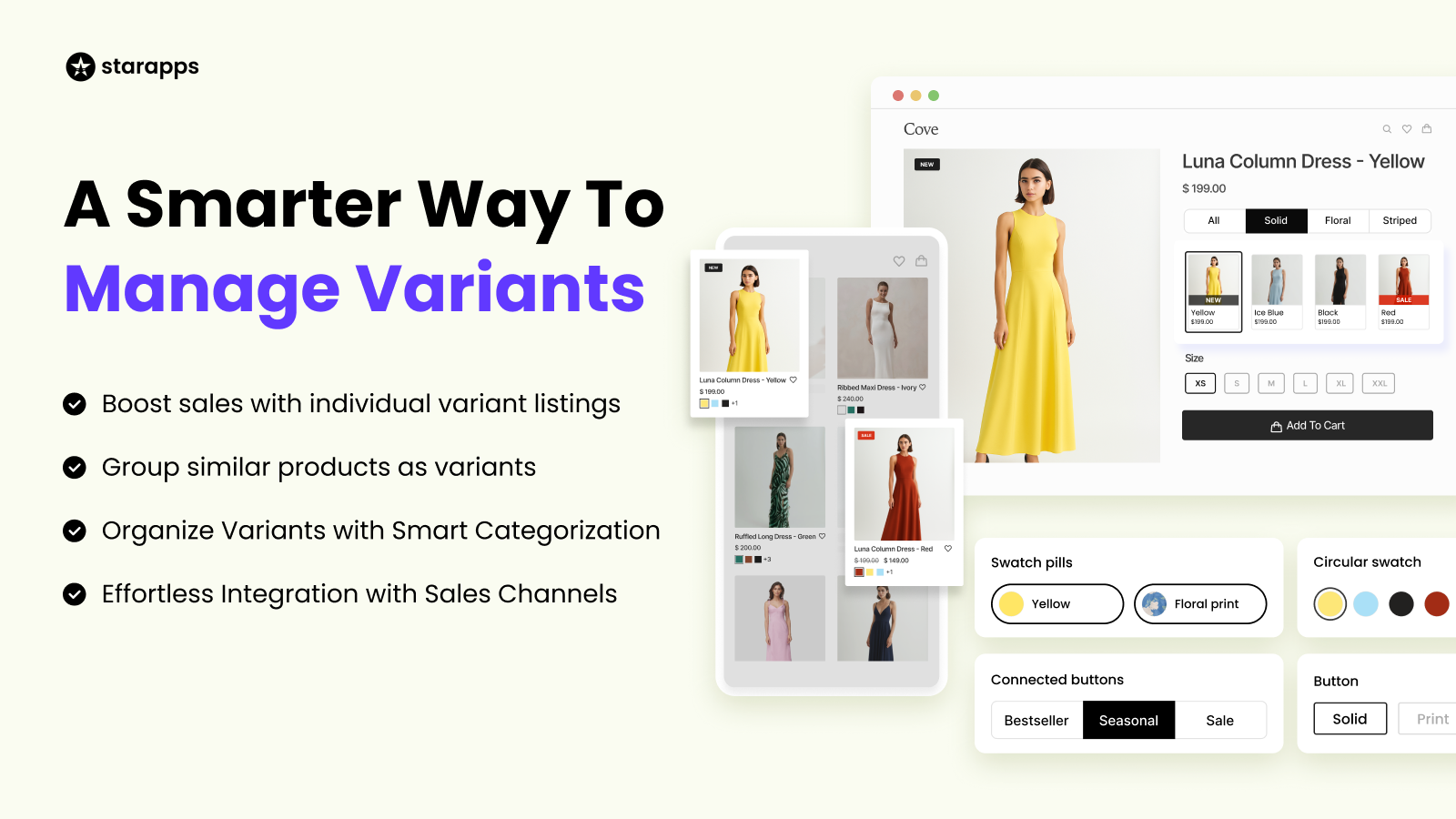
Variants are often hidden inside a single product page. This makes them harder to discover during browsing. SA Variants: Combined Listings helps surface variants more clearly across collection pages. It improves how customers explore different versions of a product.
This helps when:
- Customers browse collections before opening products.
- Variants need more visibility.
- Navigation depends on variant-level discovery.
It improves how products are explored across the storefront.
Why This Matters as Stores Grow
As product catalogs grow, the challenge changes. It no longer stays on offering variants. It is about making them easy to understand and navigate.
This shows up in simple ways:
- Do images match the selected variant?
- Can customers compare options quickly?
- Are variants easy to find while browsing+
Swatches help with selection. StarApps tools help carry that clarity through the rest of the experience so customers can move forward without second-guessing.
How StarApps Studio Compares to SpiceGems Easy Variation Swatches
StarApps Studio and SpiceGems Easy Variation Swatches focus on different parts of the same journey.
SpiceGems improves how variants are selected by replacing dropdowns with visual swatches. It helps customers choose options more easily on product and collection pages.
StarApps Studio comes in when the focus shifts to how those variants are shown and explored across the store. Its tools improve image handling, browsing, and overall variant clarity.
Also Read: BssCommerce Features, Price & Review: Is It Worth It in 2026?
Which One Makes More Sense For Your Store?
If your store is trying to solve:
- Replacing dropdowns with visual variant selection
- Making color, size, or style options easier to choose
- Displaying variant images as swatches
- Showing variant options on collection pages
- Adding simple clarity to product option selection
Then SpiceGems Easy Variation Swatches usually align more closely with these needs.
If your store is trying to solve:
- Customers selecting variants but still feeling unsure about what they chose
- Product galleries showing mixed or unrelated images
- Difficulty browsing and comparing variants across collection pages
- Variants are hard to discover while browsing the store
Then StarApps Studio becomes more relevant.
Final Thoughts
SpiceGems Easy Variation Swatches addresses a clear gap in Shopify stores by replacing dropdowns with visual swatches. This makes variant selection faster and easier, especially for products with multiple colors or styles, without adding much setup complexity.
That said, selection is only one part of the experience. As catalogs grow, issues often shift to image clarity, consistent presentation, and how easily customers can browse variants across collection pages.
In those cases, tools from StarApps Studio become more relevant. They focus on improving how variants are displayed and explored across the storefront. The right choice depends on whether your current challenge is selection or overall variant experience.
FAQs
1. When should you use SpiceGems Easy Variation Swatches?
SpiceGems Easy Variation Swatches are useful when customers struggle with dropdown-based variant selection. It works best for stores with multiple colors, styles, or sizes where visual selection can make the buying process faster and clearer.
2. Does SpiceGems support variant images for each option?
Yes, SpiceGems allows merchants to display variant images as swatches. This helps customers visually identify options like colors or styles before making a selection.
3. Can SpiceGems show variant options on collection pages?
Yes, the app supports displaying swatches on collection pages. This allows customers to view and interact with product variants while browsing, without opening each product page.
4. How is StarApps Studio different from SpiceGems?
SpiceGems focuses on improving how variants are selected through swatches. StarApps Studio focuses on how those variants are displayed, including image handling, browsing experience, and overall storefront presentation.
5. When should I use StarApps instead of SpiceGems?
You may consider StarApps Studio when your store needs better image clarity, cleaner product galleries, or improved browsing across collection pages. It becomes relevant when the challenge goes beyond variant selection.
Heading

End-to-end traceability
To ensure regulatory compliance, you must have a complete overview of your products from production to shipping. Book a demo to see how Katana can give you full visibility of your operations.



.png)

.svg)

.svg)

.svg)
.png)