

A complete guide to managing multiple Shopify stores, optimizing workflows, syncing inventory, and scaling your eCommerce business with ease
As your ecommerce business grows, one Shopify store may no longer cover everything, especially when expanding into new regions, running multiple brands, or managing wholesale and D2C separately.
A well-structured multi-store approach gives you cleaner control, localized customer experiences, and room to scale. But without the right systems, juggling multiple stores can quickly get overwhelming.
This guide walks you through building an efficient multi-store strategy so you can scale smoothly, stay organized, and maintain a consistent customer experience across every storefront.
Key Highlights
- Multiple Shopify stores help brands manage regions, currencies, languages, and separate business models (B2B/B2C) without friction.
- Every store works independently, admin, products, checkout, analytics, giving complete customization and clear operational control.
- Efficient management requires centralized workflows for inventory, orders, product data, branding, SEO, and compliance.
- Tools like inventory sync apps, automation systems, and unified reporting help reduce errors, manual work, and data silos across stores.
- StarApps Studio enhances multi-store operations with powerful apps for variants, UX consistency, and scalable product management, ideal for growing multi-store brands.
What Does It Mean to Have Multiple Shopify Stores?
Having multiple Shopify stores means running more than one independent Shopify storefront, each with its own admin dashboard, settings, products, and checkout experience. These stores can operate under the same brand or different brands, target different regions, or support different business models such as wholesale and direct-to-consumer.
Unlike managing multiple domains within a single store, each Shopify store functions as a separate environment. This allows businesses to fully customize how each store looks, operates, and serves its specific audience.
- Separate storefronts vs. multiple domains: Multiple stores are not the same as using multiple domains on one Shopify store. While multiple domains point traffic to a single backend, multiple stores each have their own storefront, backend, and configuration, offering greater flexibility but requiring more management.
- Independent dashboards and data: Each Shopify store has its own admin dashboard, meaning products, orders, customers, analytics, and apps are managed separately. This independence allows for tailored operations but also requires thoughtful systems to avoid duplicated work.
- When multiple stores make sense: Running more than one store is ideal when your business needs clear separation, such as distinct brands, different regional rules, wholesale pricing, or unique customer journeys that can’t be handled efficiently within a single store.
- Each store typically has separate billing/apps (except some Plus expansion store structures)
In short, multiple Shopify stores provide flexibility and control, but they work best when there’s a clear strategy behind the separation.
Also Read: Alt Text for Images: Importance, Characteristics & Best Practices
Why Create Multiple Shopify Stores?
Creating multiple Shopify stores is often a strategic decision made to support scalability, flexibility, and long-term growth. As a business expands, different markets, audiences, and sales models can require levels of separation that a single store can’t always handle efficiently.
- Targeting different countries or currencies: Separate stores allow businesses to localize pricing, taxes, payment methods, and shipping rules for specific regions. This approach can simplify compliance and create a smoother checkout experience for international customers.
- Managing multiple brands or niches: When a business operates more than one brand or serves distinct niches, separate stores help maintain clear brand identities, messaging, and product positioning without compromise.
- B2B and B2C separation: Wholesale and direct-to-consumer customers have very different needs. Multiple stores make it easier to manage custom pricing, minimum order quantities, gated access, and checkout experiences without exposing wholesale terms to retail shoppers.
- Testing new products or markets: A separate store can be used to experiment with new products, pricing models, or markets without affecting the performance or data of the main store. This reduces risk while encouraging innovation.
- Selling in different languages: For businesses serving global audiences, individual stores can provide fully localized language experiences, content, and support, especially when translation, messaging, or regulations vary significantly by region.
In short, multiple Shopify stores give businesses the structure they need to scale thoughtfully while delivering tailored experiences to different customer segments.
Multiple Shopify Stores vs Shopify Markets: Which Should You Use?
If your goal is international selling (different currencies, languages, and regional storefront experiences), Shopify Markets can often handle this within a single store. Multiple stores are usually better when you need true separation, like different brands, wholesale vs D2C, different legal entities, or fundamentally different catalog/UX rules.
Choose multiple Shopify stores when:
- You run separate brands with different positioning and catalogs
- You need wholesale gating, pricing logic, and workflows separate from D2C
- You need separate legal/compliance setups (tax registrations, payout accounts, policies)
- You need operational isolation (teams, apps, reporting boundaries)
Choose a single store (with Markets) when:
- The catalog is mostly the same, and you mainly need localisation
- You want unified customers, unified inventory logic, and simpler reporting
- You’re trying to reduce app duplication and operational overhead
How to Create Multiple Shopify Stores (Step-by-Step)
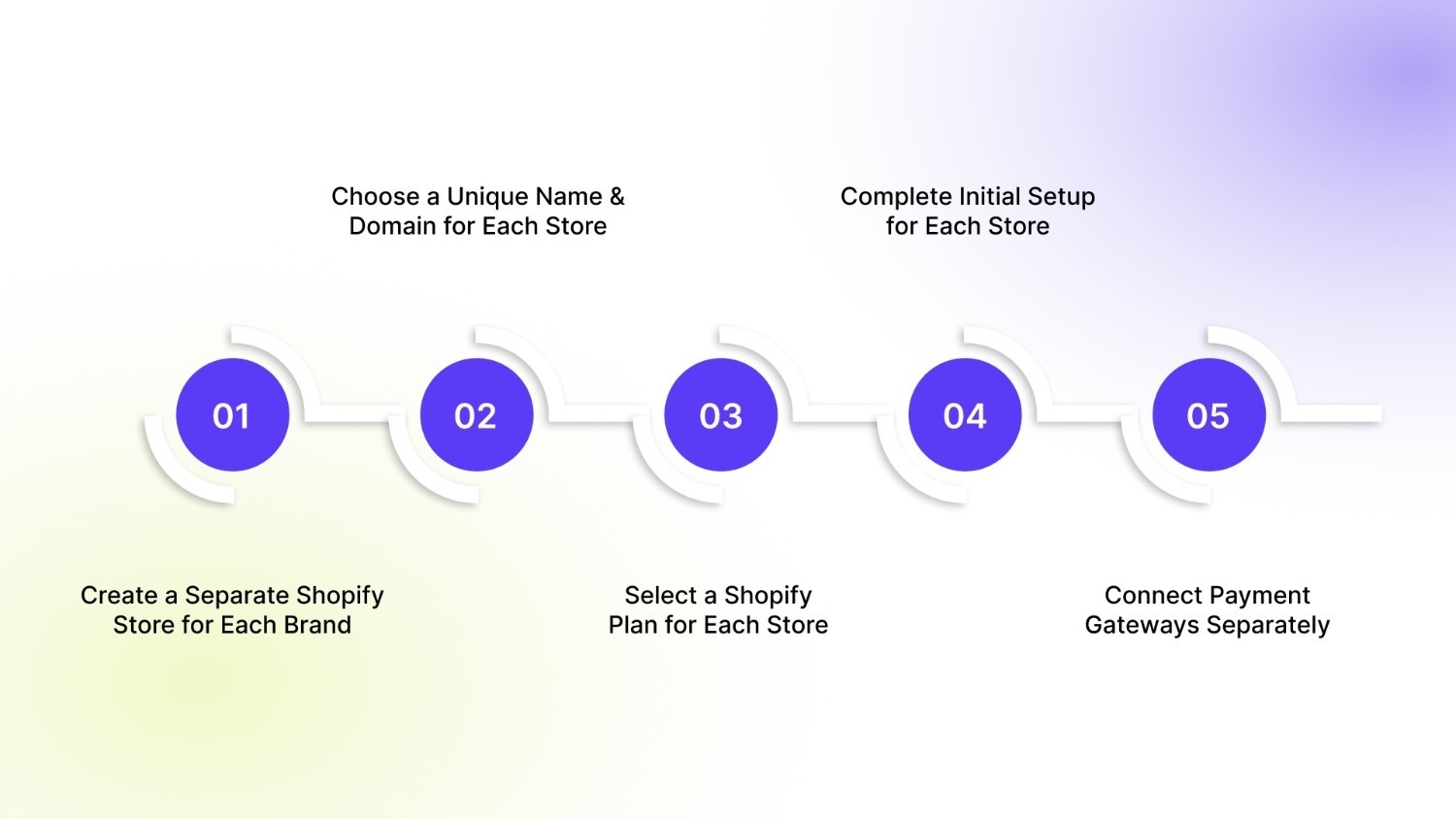
Step 1 — Create a Separate Shopify Store for Each Business or Brand
Shopify treats every store as an independent entity.
- Visit Shopify’s official signup page.
- Create a new store using the same or a different email address.
- Each signup creates a completely separate admin dashboard.
- Repeat the process for every additional store.
Shopify Plus merchants can group stores under one organization, but store creation is still individual.
Step 2 — Choose a Unique Store Name and Domain for Each Store
Each Shopify store must have its own identity.
- Choose a unique store name during signup.
- Every store receives a unique default domain:
storename.myshopify.com - After setup, go to Settings → Domains to:
- Purchase a new domain, or
- Connect an existing external domain
Use subdomains (e.g., uk.brand.com, ca.brand.com) for regional stores to maintain brand consistency.
Step 3 — Select a Shopify Plan for Each Store (Billing Clarity)
Shopify plans and billing are not shared across stores.
What to know:
- Every new store starts with its own free trial.
- After the trial, you must select a plan per store:
- Basic
- Shopify
- Advanced
Billing realities:
- Each store has separate subscription fees
- Apps are billed per store
- Transaction fees apply individually
Shopify Plus note:
Some Plus contracts include expansion stores, but:
- Each storefront still requires its own configuration
- App costs and operational overhead still apply
Step 4 — Complete Initial Setup for Each Store
Each store must be configured individually.
Key setup areas include:
- Business details (currency, time zone, address)
- Shipping zones and tax rules
- Theme selection and customization
- Products, collections, and navigation
Shopify’s setup checklist helps ensure nothing is missed before launch.
Step 5 — Fast Cloning: Duplicate Setup Across Stores
Manually rebuilding every store creates unnecessary friction. Most merchants use a clone-first approach to maintain consistency.
Duplicate Themes
- Export the theme from an existing store
- Upload it to the
- new stores
- This preserves branding, layouts, and design elements
Recreate Navigation & Menus
- Menus do not sync automatically
- Use the same structure across stores for consistency
- Adjust links only where regional or catalog differences exist
Product Export & Import Workflow
- Export products from one store
- Import them into other stores
- Review:
- Pricing
- Currency
- Shipping rules
- Tax settings
This workflow dramatically reduces setup time when launching similar catalogs.
Step 6 — Connect Payment Gateways Separately for Each Store
Payment settings do not sync between stores.
For each store:
- Go to Settings → Payments
- Enable Shopify Payments (if supported in your country)
or - Add third-party gateways (PayPal, Stripe, etc.)
- Configure payouts, tax information, and bank accounts
Always place test orders before going live to confirm payment and payout flows.
Step 7 — Set Up Inventory & Operations Management
Managing inventory across multiple Shopify stores requires a deliberate system. Shopify does not automatically sync stock, orders, or fulfillment between storefronts.
What to know before scaling:
- Inventory is tracked independently per store
- Orders do not share stock data across stores
- Fulfillment workflows operate separately for each storefront
Risks of skipping this step:
- Overselling the same SKUs across multiple stores
- Inventory mismatches that cause fulfillment delays
- Increased manual work that does not scale
If multiple stores sell from a shared inventory pool, implement a centralized inventory or operations management system before launching additional storefronts. This ensures accurate stock levels, smoother fulfillment, and consistent customer experience as you scale.
Also Read: How to Complete Your Shopify Signup in 7 Quick Steps
How to Manage Multiple Shopify Stores Efficiently
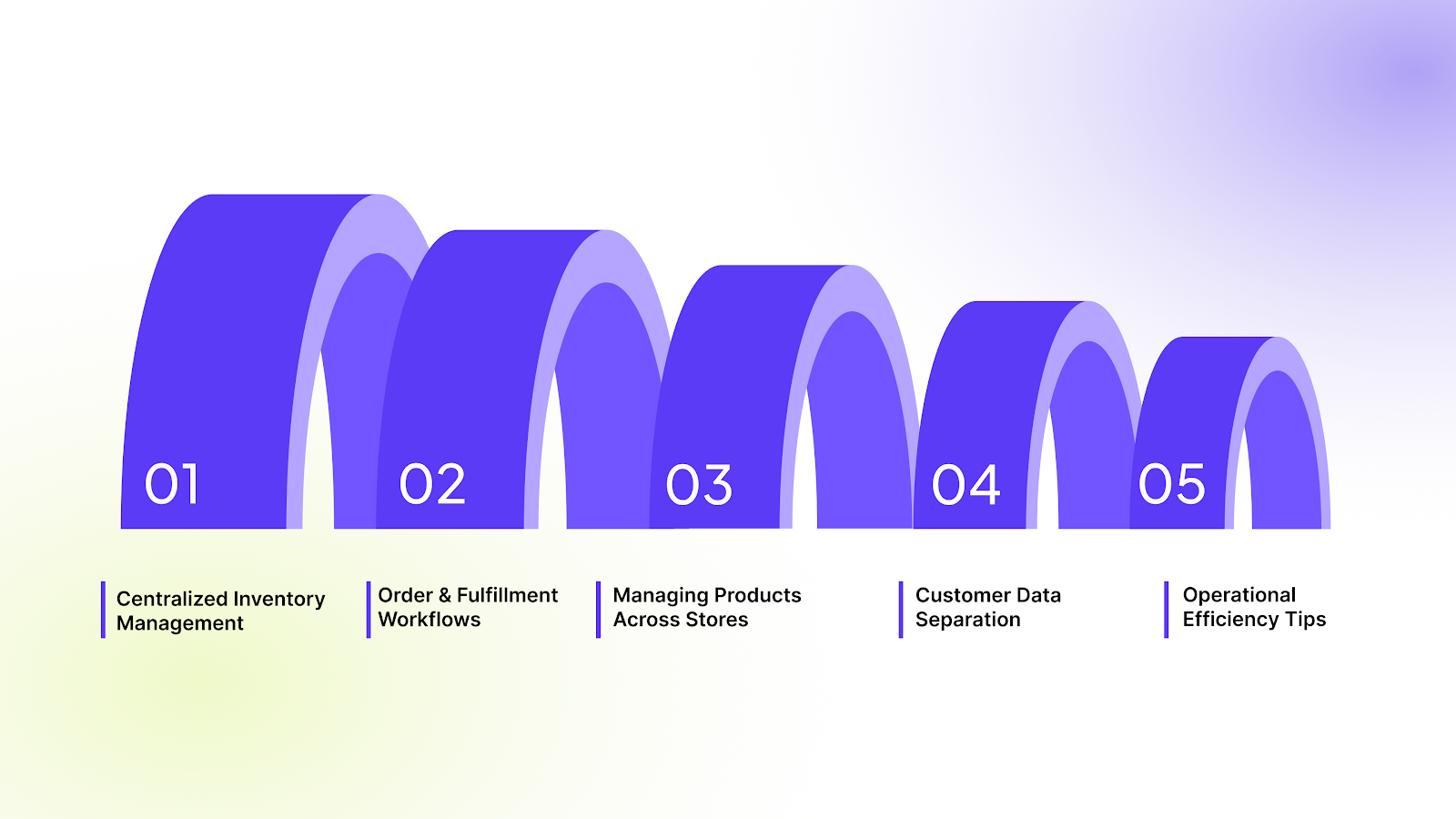
Managing multiple stores on Shopify can quickly become complex if systems are not organized from the start. This section focuses on reducing manual work, avoiding errors, and maintaining operational clarity as you scale.
1. Centralized Inventory Management
By default, Shopify treats inventory separately for each store. Without a centralized system, businesses risk overselling, stock mismatches, or excessive manual updates.
Best practices:
- Use inventory-sync or ERP integrations to keep stock levels aligned across stores.
- Assign a single “source of truth” inventory location (warehouse or fulfillment center).
- Automate stock updates whenever an order is placed in any store.
For businesses on Shopify Plus, inventory can be coordinated more easily through integrations and organization-level tools. For non-Plus users, third-party inventory management apps are typically required.
2. Order and Fulfillment Workflows
Each Shopify store processes orders independently, which can increase fulfillment complexity when operating multiple storefronts.
Efficient workflow strategies:
- Route all orders from different stores to a centralized fulfillment system or 3PL.
- Standardize fulfillment rules (shipping methods, carriers, packaging).
- Use automation tools to reduce manual order handling.
Clear workflows ensure faster shipping, fewer fulfillment errors, and a consistent customer experience across stores.
3. Managing Products Across Stores
Products are not shared automatically between Shopify stores. Each store maintains its own product catalog unless external tools are used.
Recommended approaches:
- Maintain a master product catalog outside Shopify (ERP or PIM system).
- Sync product data (titles, SKUs, pricing, images) to each store.
- Adjust pricing, language, or availability per store based on region or brand strategy.
This approach helps maintain consistency while allowing store-specific customization.
4. Customer Data Separation and Compliance
Shopify enforces strict customer data separation between stores.
Key considerations:
- Customer accounts, order history, and personal data do not sync across stores.
- Each store must comply independently with data protection laws (GDPR, CCPA, etc.).
- Shared login or unified customer profiles require external customer-data platforms.
This separation helps with legal compliance, but requires planning if you want a unified customer experience.
5. Automation, Access Control, and Governance
As store count increases, operational consistency becomes more important than flexibility.
Efficiency and control best practices:
- Standardize SKU formats, naming conventions, and category structures.
- Reuse themes, templates, and UI components wherever possible.
- Automate repetitive admin tasks (alerts, tagging, reporting, fraud checks).
- Limit staff access by role and store, avoid global admin permissions.
- Document SOPs for inventory updates, launches, and incident handling.
If a process isn’t documented or automated, it will eventually break at scale.
Branding, Marketing, Payments, and Compliance in a Multi-Store Shopify Setup
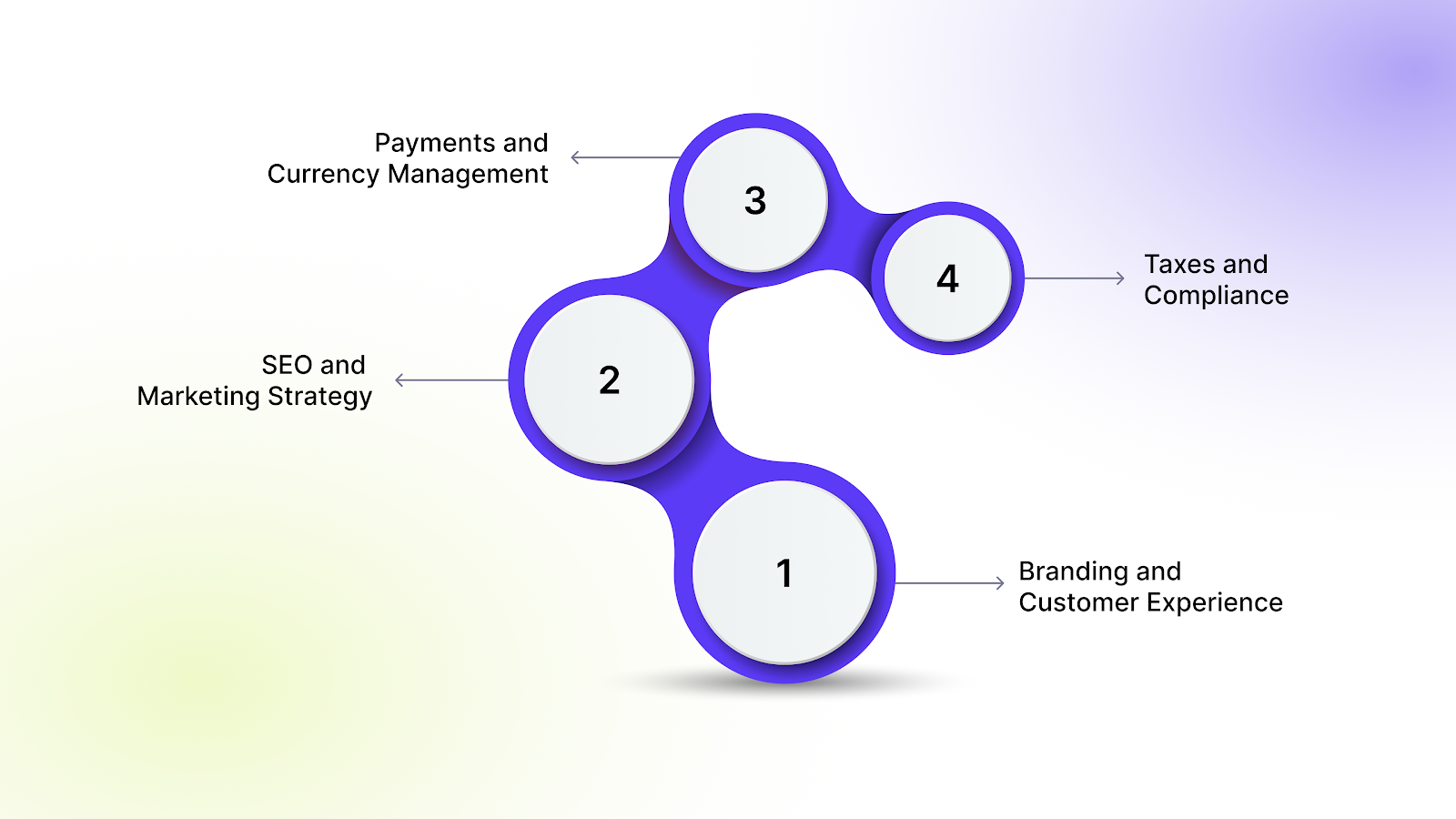
Managing multiple stores on Shopify requires more than operational efficiency. Branding, marketing, payments, and compliance must be aligned to avoid customer confusion, SEO conflicts, and legal or financial risks.
a. Branding and Customer Experience
A consistent brand builds trust, while controlled customization ensures relevance for different audiences or regions.
- Maintain consistent logos, colors, typography, and brand voice
- Customize messaging, offers, and positioning per store or market
- Localize language, currency display, and UX where required
- Keep customer support standards consistent across all stores.
b. SEO and Marketing Strategy
Each store should be discoverable without competing with your own ecosystem.
- Choose a clear domain strategy (subdomains vs separate domains)
- Avoid duplicate content by localizing pages and product descriptions
- Optimize SEO separately for each store and target audience
- Segment paid ads by store, region, or customer group.
c. Payments and Currency Management
Payment setup must match customer expectations and regional availability.
- Enable region-appropriate payment gateways per store.
- Support multiple currencies where required.
- Configure payouts and settlement accounts per store.
d. Taxes and Compliance
Tax and legal compliance must be handled independently for each store.
- Apply country- or region-specific tax rules.
- Configure GST, VAT, or sales tax correctly per store.
- Maintain store-specific legal pages and policies.
- Ensure privacy and data protection requirements are met locally.
A successful multi-store setup depends on consistent branding, clear SEO and marketing separation, localized payments, and store-level compliance. Keeping these aligned ensures scalability without operational or legal risk.
Also Read: How to Complete Shopify Domain Verification in 5 Easy Steps
5 Best Apps and Tools for Managing Multiple Shopify Stores
Successfully running more than one Shopify store requires smart use of tools that reduce manual work, centralize key operations, and keep data accurate across all storefronts. Below are highly recommended apps and tools designed to help merchants manage multiple Shopify stores efficiently and reliably.
1. StarApps Studio
StarApps Studio offers a suite of Shopify apps that help streamline various store operations, such as product variant handling, UX improvements, and store customization. They focus on boosting conversions and simplifying store management.
Best for: Merchants who want to enhance overall store performance, optimize product setups, and improve user experience across multiple stores.
Key benefits:
- Powerful tools for managing product variants and enhancing UX.
- Helps simplify complex product configurations common in multi-store operations.
- Designed to complement other sync and management tools by improving store efficiency.
2. Multi-Store Sync Power
This app synchronizes products, collections, and inventory across several Shopify stores. It updates stock levels automatically whenever changes occur, such as orders, restocks, or cancellations.
Best for: Brands that want a straightforward solution for keeping product catalogs and inventories in sync without complex setup.
Key benefits:
- Real-time two-way inventory sync.
- Automatic synchronization of product data and collections.
3. Tipo – Multi-Store Sync
Tipo’s Multi-Store Sync app connects multiple Shopify stores and keeps product, inventory, and even order data synchronized. It also supports syncing pages and blogs, offering broader content consistency.
Best for: Merchants who want content sync (not just inventory) between stores.
Key benefits:
- Sync products, collections, blogs, and pages.
- Supports scalable business needs with tiered pricing.
4. Multi‑Admin Multi‑Store Sync (Aggregate Reporting & ERP Integration)
Multi‑Admin Multi‑Store Sync provides a central interface to manage and sync not only inventory and product data but also orders, customers, and site content. It supports ERP and reporting integrations for deeper operational oversight.
Best for: Businesses needing comprehensive multi-store coordination with reporting and ERP connectivity.
Key benefits:
- Consolidated data sync across stores.
- Aggregate reporting and advanced operational tools.
5. Syncio – Multi-Store Inventory & Product Sync
Syncio automatically synchronizes inventory, product information, and order data between Shopify stores in real time. It helps prevent overselling and keeps stock levels aligned across all connected stores.
Best for: Merchants with multiple stores who want automatic syncing of inventory and product details without manual updates.
Key benefits:
- Sync inventory levels instantly across multiple stores.
- Keep product attributes (images, prices, tags, descriptions) consistent.
- Automate order-related updates.
Common Challenges When Managing Multiple Shopify Stores
Running multiple stores on Shopify offers flexibility and growth opportunities, but it also introduces real operational challenges. Understanding these issues early helps businesses plan better systems, avoid costly mistakes, and scale more smoothly.
Also Read: How to Edit Shopify Theme Code for Beginners
StarApps Studio: Tools That Streamline Multi-Store Operations
Managing multiple Shopify stores often means repeating the same product setup, UX tweaks, and optimisation across all storefronts. That's where StarApps Studio fits naturally into a multi-store strategy: it reduces manual effort and helps you maintain a consistent experience as you scale.
Because when you clone stores, variant UX tends to drift over time. StarApps helps you keep variant display consistent across all storefronts.
- Variant Image Automator: Automatically shows the correct images when a customer selects a variant. This removes the need to manage variant images across multiple stores manually and keeps product presentation consistent.
- Swatch King: Let's you customize how color, size, and other option swatches appear on product pages. This helps maintain a uniform UX across stores while still allowing flexibility by brand or region.
- Variant Title King: Dynamically updates product titles based on the selected variant. This improves clarity for shoppers and reduces confusion, especially when similar products are sold across different storefronts.
- Variant Descriptions King: Enables unique descriptions for each variant, which is valuable when the same product performs differently in separate markets or stores and needs tailored messaging.
- Variant Alt Text King: Automatically generates and assigns ALT text to variant images, supporting SEO efforts across large catalogs and multiple stores without manual tagging.
All StarApps Studio tools are built to work seamlessly with Shopify themes, are lightweight to avoid performance issues, and include free trials, making them easy to test and deploy across multiple stores without upfront risk.
Conclusion
Managing multiple Shopify stores gives your business the flexibility to expand globally, run multiple brands, and deliver localized shopping experiences. But as the number of stores grows, so does the complexity; inventory syncing, product management, UX consistency, and operational alignment become more demanding.
That’s where StarApps Studio becomes your competitive advantage. A suite of Shopify apps simplifies variant management, improves product discovery, boosts UX, and helps maintain consistent storefront quality across all your stores, without repetitive manual work.
If you're scaling a multi-store setup and want smoother operations with less effort, StarApps Studio has the tools to get you there.
Contact us today to streamline your multi-store Shopify operations with StarApps Studio.
FAQ
1. Why would a business need multiple Shopify stores?
Businesses create multiple stores to manage different regions, currencies, languages, brands, or B2B vs B2C customers, especially when each audience requires unique pricing, content, or checkout rules.
2. Can Shopify sync inventory across multiple stores automatically?
No. Shopify doesn’t natively sync inventory between stores. You’ll need third-party apps like Multi-Store Sync, Syncio, or ERP/PIM tools to avoid overselling and maintain accurate stock levels.
3. Are Shopify plans shared between stores?
Each store requires its own subscription, billing, and app setup. Even Shopify Plus merchants need separate storefronts, though they gain centralized organizational tools.
4. How do I manage branding across multiple Shopify stores?
Use consistent themes, color palettes, design guidelines, and product presentation. At the same time, localize content, currency, and messaging for each region or customer group.
5. Does SEO get affected when running multiple Shopify stores?
Yes, duplicate content, unclear domain strategies, and unsegmented keywords can harm rankings. Each store should have unique content, localized pages, and a clear domain/subdomain plan.
Heading

End-to-end traceability
To ensure regulatory compliance, you must have a complete overview of your products from production to shipping. Book a demo to see how Katana can give you full visibility of your operations.



.png)

.svg)

.svg)

.svg)
.png)