
Globo Product Options Detailed Review: Is It Worth It for Shopify in 2026?
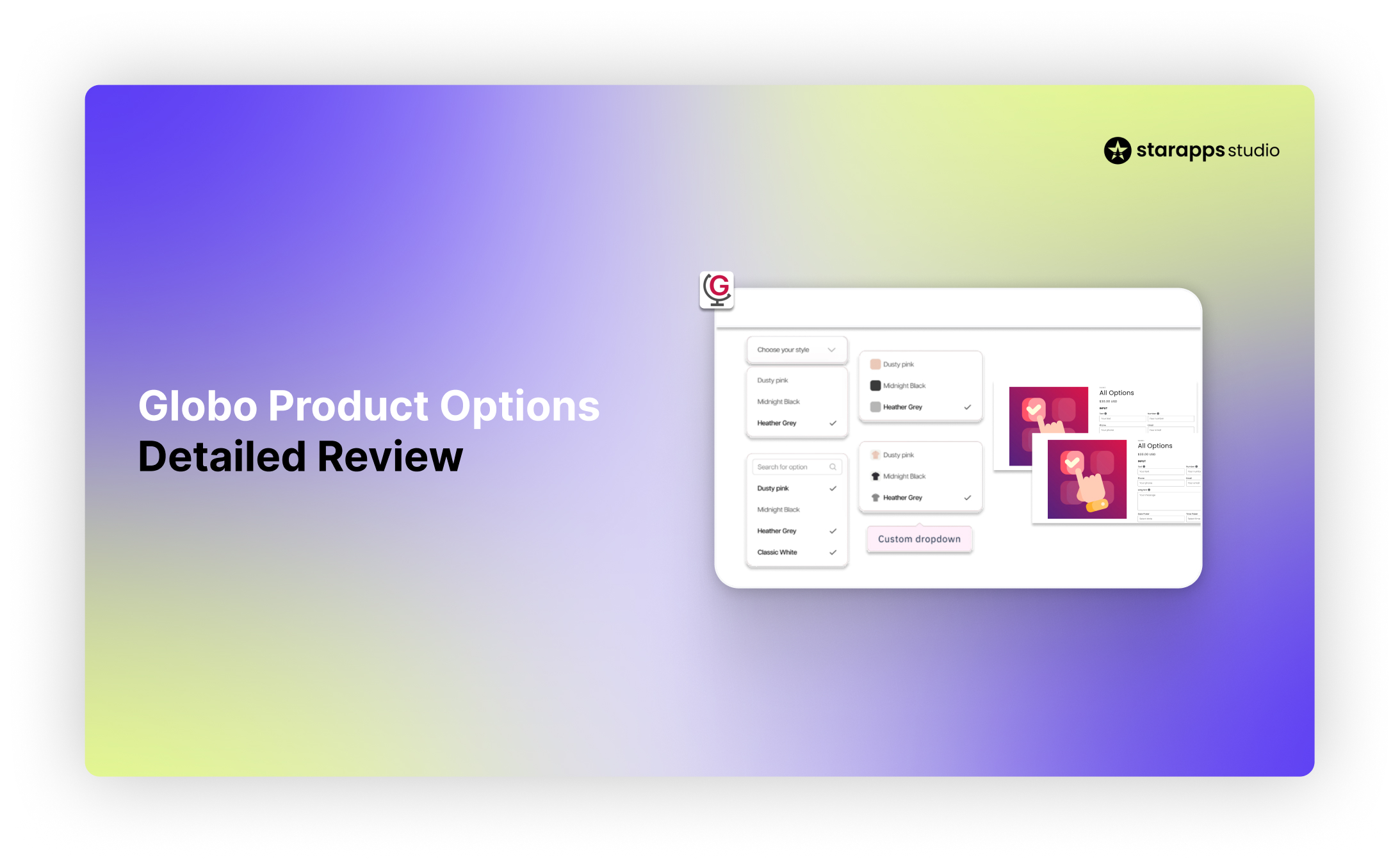

Learn how Globo Product Options works, including features, pricing, and limitations, to decide if it suits your Shopify store in 2026.
Products that rely on customization often run into Shopify’s variant limits sooner than expected.
Once you need inputs like custom text, file uploads, conditional selections, or add-on pricing, managing those options becomes just as important as offering them. The challenge is not only expanding what customers can choose, but keeping that experience structured as your catalog grows.
Globo Product Options is commonly used in these scenarios, especially for stores focused on product personalization. But before installing it, it’s important to understand where it fits well and where its scope becomes more defined.
This article breaks down its features, pricing, strengths, and limitations to help you evaluate the right fit.
At A Glance
- Globo Product Options is built for product customization: Works well when your store needs inputs like text fields, file uploads, conditional logic, and add-on pricing.
- It extends Shopify’s product-page capabilities: Helps you go beyond native variant limits by adding flexible option sets without restructuring your catalog.
- Best suited for personalization-heavy stores: Ideal for made-to-order products where customer input defines the final product.
- Pricing is accessible, but key features are tiered: Core functionality is available early, while advanced features like live preview and higher upload limits come in paid plans.
- Its role is limited to the product page: It does not significantly improve variant presentation, collection-page browsing, or product discoverability.
- StarApps Studio fits when presentation becomes the bottleneck: If your challenge is variant clarity, image relevance, or storefront browsing, StarApps apps help improve how products are explored and understood.
Globo Product Options Overview: Key Features and Pricing Breakdown
Globo Product Options is built for Shopify merchants who need more flexibility on the product page than native variants can offer.
Its role is to expand how you collect customer input before purchase. Instead of relying only on Shopify’s variant structure, you can add layered option sets that reflect how your products are actually sold.
This becomes useful when your buying flow depends on customer input. For example, when a shopper needs to enter custom text, upload a design, choose add-ons, or follow a step-by-step configuration before checkout.
What Globo Product Options Does
At its core, Globo extends the product-page customization layer. It allows you to create flexible option groups and apply them across products, so you’re not rebuilding the same logic repeatedly. This helps standardize how options are presented across your catalog, especially when multiple products follow similar configuration patterns.
Merchants typically use it to:
- Collect personalized inputs like text, images, or instructions
- Add conditional fields that change based on previous selections
- Charge extra for premium options or upgrades
- Offer more structured buying flows for customizable products
This makes Globo a strong fit for stores where the product is not fully defined until the customer interacts with it.
Key Features of Globo Product Options
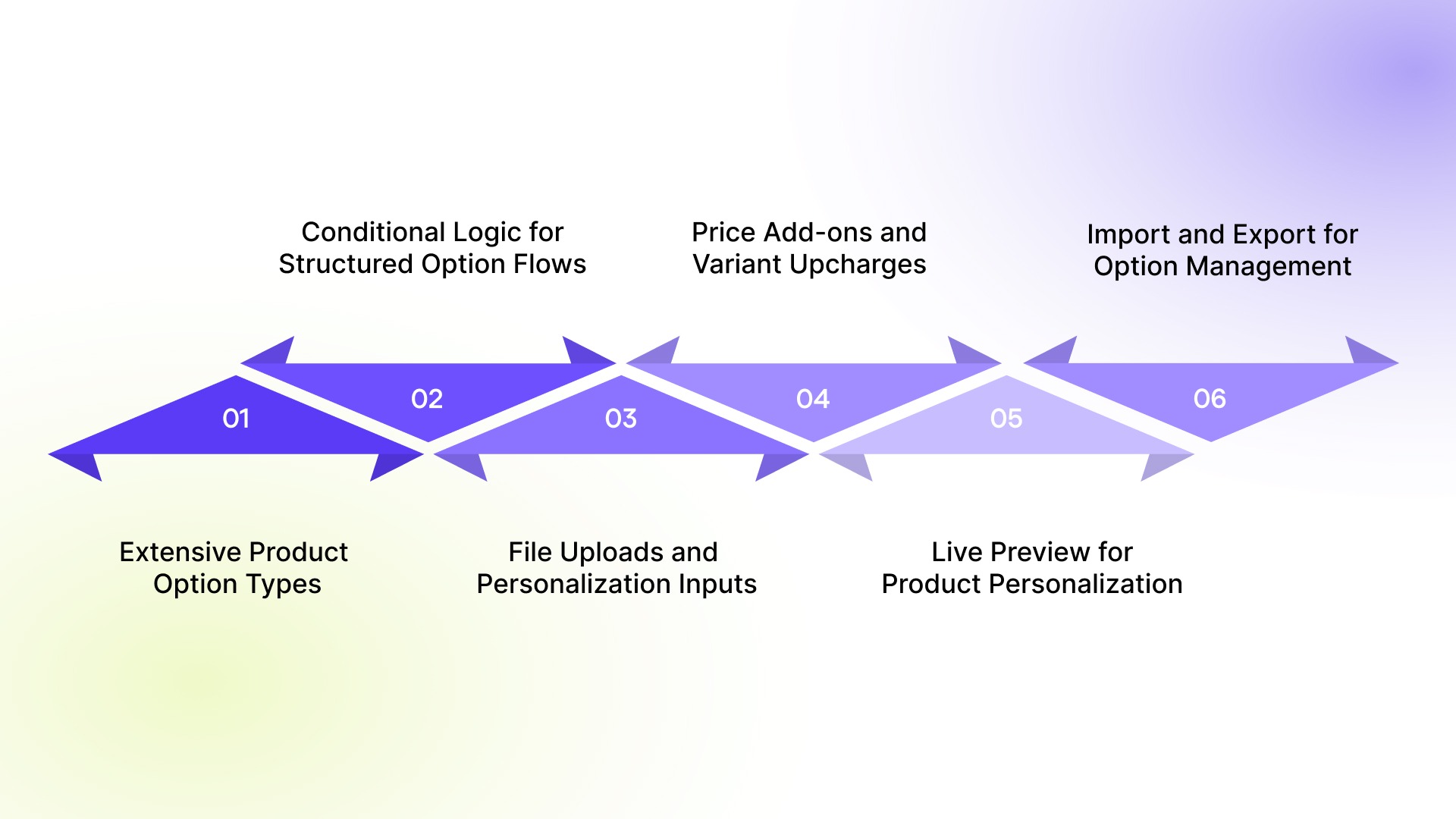
1. Extensive Product Option Types (15 to 30+)
Globo supports multiple input types, including text fields, dropdowns, checkboxes, image swatches, and file uploads. This allows you to match the option format to the product. For example, engraving needs text input, while custom prints may require uploads and previews. It keeps your setup flexible without forcing everything into a limited structure.
2. Conditional Logic for Structured Option Flows
You can show or hide options based on earlier selections. This helps structure complex configurations by revealing only relevant fields. Instead of displaying everything at once, it guides shoppers step by step and keeps the page easier to navigate.
3. File Uploads and Personalization Inputs
Supports file uploads, text inputs, dates, and other custom fields. This is useful for personalized products where customer input is required upfront. It reduces follow-ups after purchase and helps avoid errors due to missing details.
4. Price Add-ons and Variant Upcharges
You can assign additional charges to specific options. This works well for premium selections or custom upgrades. It avoids creating multiple variants for pricing combinations, keeping your catalog simpler.
5. Live Preview for Product Personalization
Includes a live preview feature on higher plans. Customers can see their customization before placing an order, which reduces uncertainty. This is especially helpful for visual products like prints or apparel.
6. Import and Export for Option Management
Supports bulk import and export of options via CSV. This helps manage large catalogs more efficiently and maintain consistency across products.
Globo Product Options Pricing Breakdown
Globo offers three main plans, including a free tier and paid plans with a 14-day free trial. The pricing is relatively accessible, especially for stores that want to test product customization before committing.
Shopify Plus pricing is higher across paid tiers, with Premium at $39.90/month and Advanced at $59.90/month. The free plan makes it easy to test customization without upfront cost, while paid tiers add practical features like price add-ons, file uploads, and bulk management. The Advanced plan is better suited for stores with deeper personalization needs, especially with live preview.
Overall, the value depends on how central customer input is to your product offering.
Globo Product Options Strengths and Limitations
Globo Product Options performs well when the goal is to collect structured input, support personalization, and offer flexible option-based pricing. At the same time, its scope is centered around the product page. When store requirements extend beyond customization into broader merchandising and variant presentation, its role becomes more defined.
Where Globo Product Options Performs Well
Globo is most effective when a store’s buying flow depends on customer input. Its main strengths include:
- Supports text fields, file uploads, swatches, dropdowns, and more, allowing you to match input types to different product needs
- Works well for personalized and made-to-order products where customers need to submit details before checkout
- Uses conditional logic to show only relevant options, keeping the product page more organized
- Allows option-based pricing, so you can charge extra for premium selections without creating multiple variants
- Offers a free plan, making it easier to test customization before committing
- Includes live preview on higher plans to help customers visualize custom products before purchase
These strengths make Globo a strong fit for stores where the product is defined during the buying process.
Where Globo Product Options Starts To Feel Limited
The app becomes less complete when the focus shifts from collecting input to improving how products are presented across the storefront. Its main limitations include:
- Less focus on visual variant comparison beyond basic swatches and styling
- Limited impact on collection-page browsing and merchandising
- No dedicated system for showing variant-specific images
- Minimal contribution to SEO or variant-level discoverability
- More setup is required as option complexity grows across large catalogs
- Focused on input collection rather than broader storefront presentation
These limitations reflect the type of problem it is built to solve. As stores grow, challenges often shift toward clearer product presentation, easier comparison, and better browsing across the storefront.
How StarApps Studio Improves Variant UX and Merchandising
After handling product customization, you need to pay attention to how clearly those options are presented.
Shoppers may be able to configure a product but still struggle to compare variants, understand visual differences, or browse across collection pages. This is where Globo’s role becomes more defined, and where a different layer becomes relevant.
StarApps Studio focuses on improving how variants are presented, organized, and experienced across the storefront, making it easier for shoppers to understand and act on their choices.
How StarApps Studio Can Help
StarApps Studio is best suited for Shopify stores where the challenge is not adding more options, but making existing variants easier to explore. This is especially relevant for stores with:
- Large variant catalogs
- Products with multiple colors, styles, or finishes
- Visual buying behavior (where appearance influences decisions)
- Collection pages where browsing impacts conversion
- A need to reduce confusion during variant selection
In these cases, improving how variants are displayed can have a direct impact on how quickly a shopper moves toward purchase.
Color Swatch King for Clearer Variant Selection
A common issue in many Shopify stores is that variant selection is not intuitive. Dropdowns hide information, and text-based options slow down comparison. When multiple variants exist, this adds friction to the buying process.
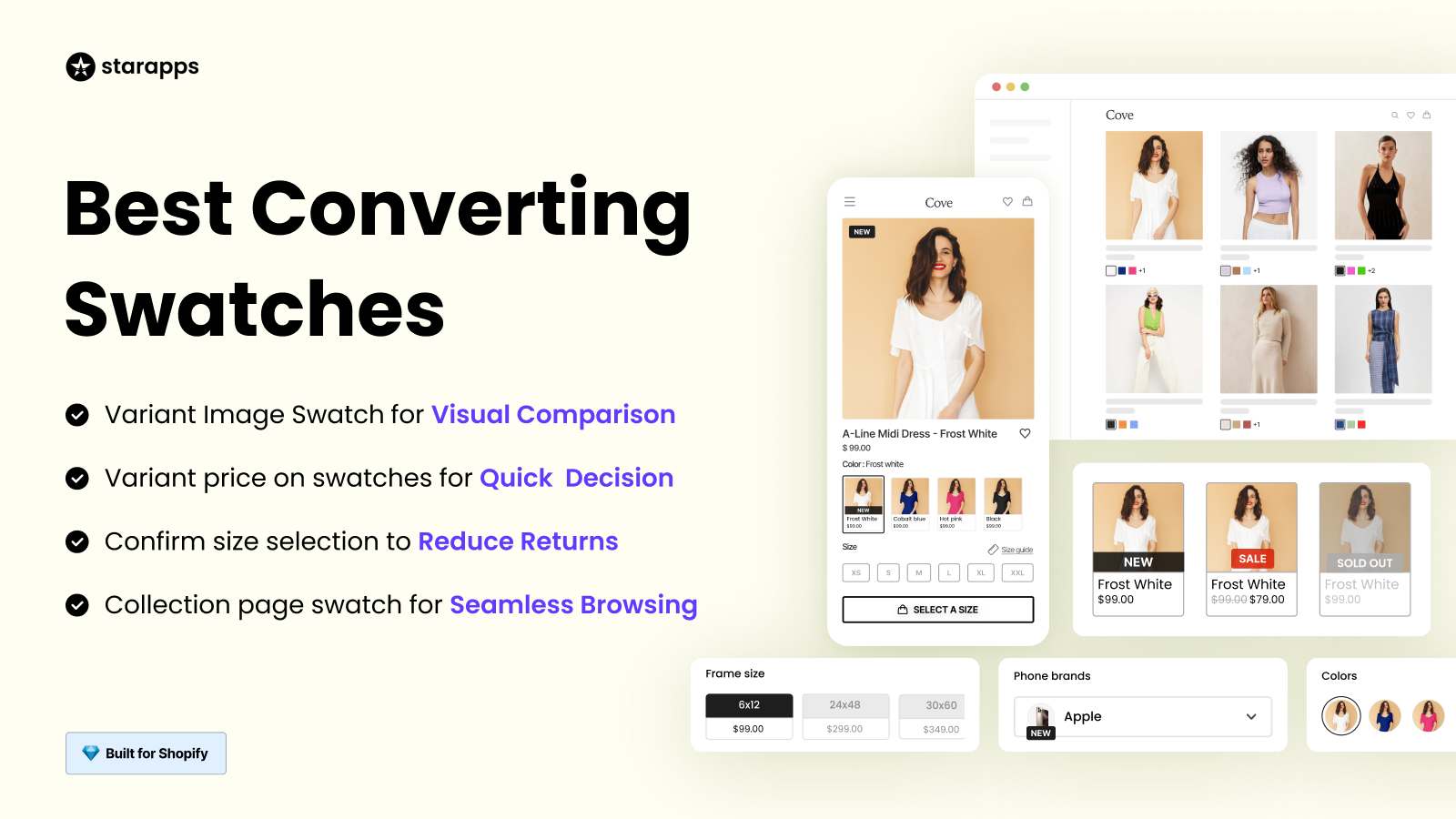
Color Swatch King replaces those patterns with visual selectors such as color swatches, image swatches, and buttons.
This helps shoppers:
- See available options at a glance
- Compare variants without extra clicks
- Make faster decisions on both product and collection pages
For categories like fashion, beauty, accessories, and home goods, where visual differences matter, this improves how quickly users can move forward in the buying journey.
Variant Image Automator for Relevant Product Galleries
Another common friction point appears after a variant is selected. Shoppers often continue to see unrelated images in the product gallery, which creates confusion and slows down decision-making.
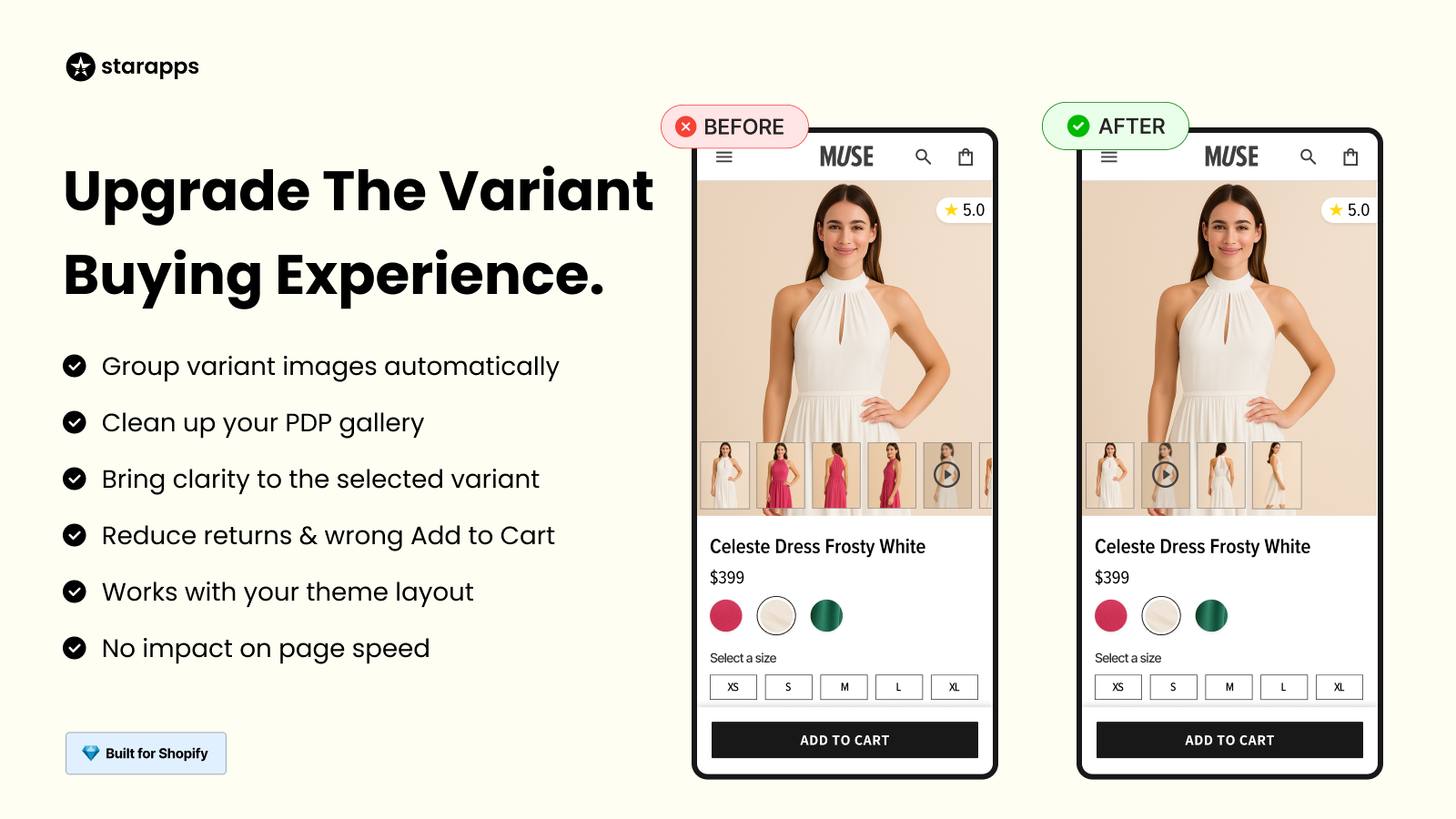
Variant Image Automator addresses this by showing only the images linked to the selected variant.
This results in:
- Cleaner and more focused product galleries
- Better alignment between selection and visuals
- Less effort is required from the shopper to find relevant images
This is particularly useful for stores with multiple images per variant or large catalogs where manual image grouping is not practical.
SA Variants: Combined Listings for Better Discovery
In many stores, variants are grouped under a single product, which limits how easily they can be discovered.
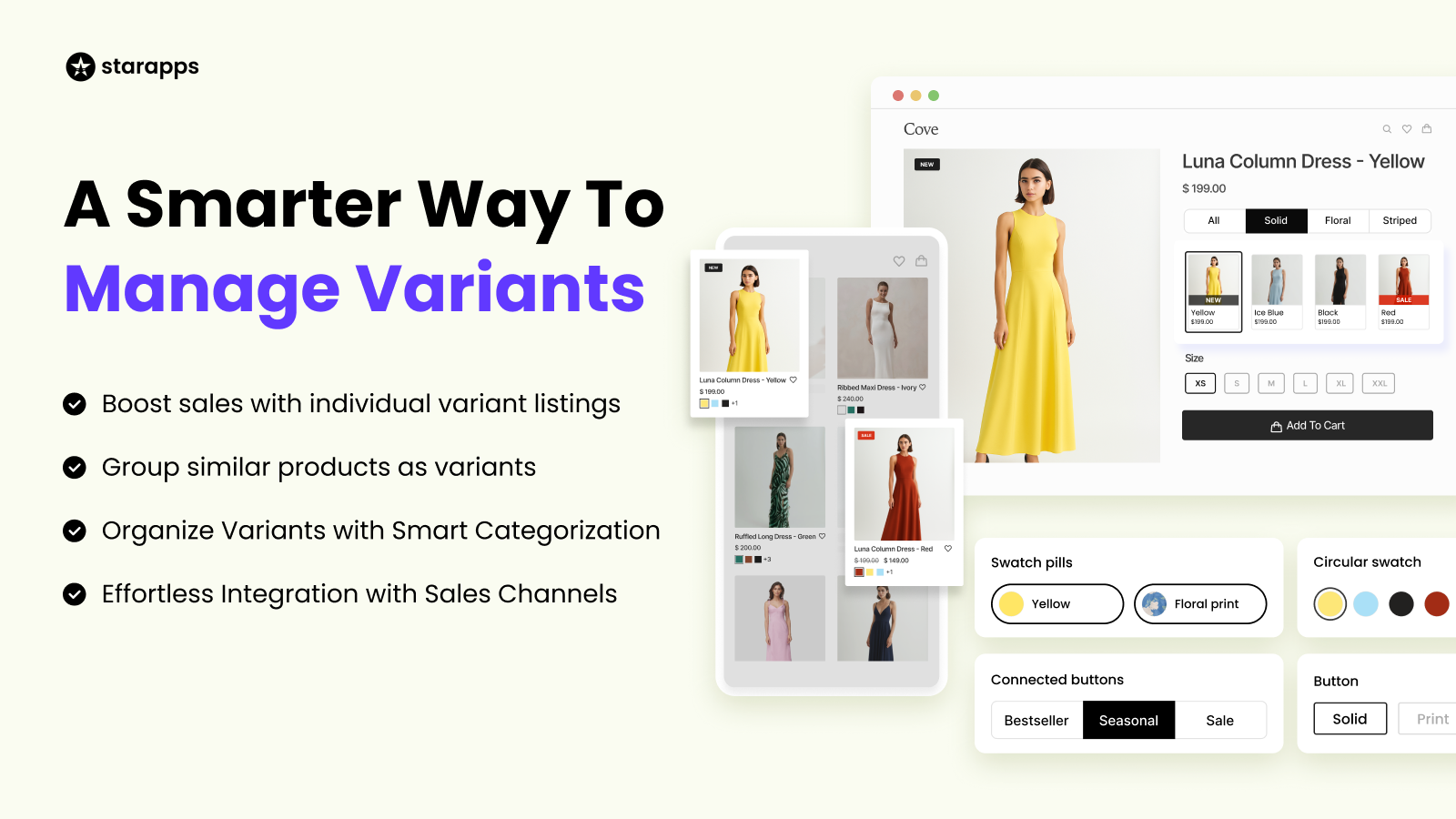
SA Variants: Combined Listings restructures how variants appear across the storefront by giving them more visibility at the collection level.
This helps merchants:
- Make variants easier to browse on collection pages
- Improve filtering and navigation
- Increase visibility of individual options
- Support better product discovery
For stores with large catalogs, this changes how customers explore products, not just how they configure them.
Why This Becomes Important as Your Store Grows
As stores grow, the bottleneck often shifts. It is no longer just about collecting inputs. It becomes about helping shoppers understand products quickly and move through the buying process without friction.
This shows up in areas like:
- Variant comparison speed
- Image clarity and relevance
- Collection-page browsing experience
- Product discoverability
Improving these areas can influence how effectively a store converts traffic into orders. That is where a merchandising-focused layer becomes important. It supports how products are presented and experienced, alongside how they are configured.
How StarApps Studio Compares to Globo Product Options
StarApps Studio and Globo Product Options are built for different parts of the Shopify buying journey.
Globo focuses on product-page customization. It helps merchants collect detailed customer input through text fields, file uploads, conditional logic, and option-based pricing. This makes it useful when the product needs to be configured before purchase.
StarApps Studio becomes relevant when the focus shifts to how those options are presented and explored. Its apps are designed to improve variant visibility, image clarity, collection-page browsing, and overall product discoverability.
Which Option Makes More Sense for Your Store?
If your store is trying to solve:
- Collecting custom inputs like text, uploads, or instructions
- Offering personalized or made-to-order products
- Creating conditional option flows
- Charging extra for specific selections
Then Globo Product Options is usually the more direct fit.
If your store is trying to solve:
- Variant confusion during selection
- Cluttered or irrelevant product image galleries
- Limited browsing experience on collection pages
- Difficulty in discovering variants across the storefront
Then StarApps Studio becomes more relevant. For many Shopify stores, these are not competing priorities. Customization and presentation often solve different parts of the same buying journey. Choosing the right tool depends on which problem you need to address first.
Final Thoughts
Globo Product Options is a strong fit for stores that rely on product customization. If your buying flow depends on collecting inputs like text, uploads, or conditional selections, it covers that layer effectively.
StarApps Studio becomes relevant when the challenge shifts to how products and variants are presented. If shoppers struggle with comparing options, navigating collections, or understanding visuals, improving that experience can have a direct impact on conversion.
These tools address different parts of the same journey. For many stores, the right approach depends on whether your priority is configuring the product or making it easier to explore and choose.
FAQs
1. Does Globo Product Options replace Shopify variants completely?
No. Globo does not replace Shopify’s native variants. Instead, it adds a separate layer of custom options on top of them. This allows you to collect additional inputs like text, uploads, or selections without being limited by Shopify’s variant structure.
2. Can Globo Product Options handle complex product personalization workflows?
Yes, to an extent. With conditional logic, multiple option types, and live preview (on higher plans), it can support fairly detailed personalization flows. However, as configurations become more complex across a large catalog, setup and management may require more effort.
3. Does Globo affect how products appear on collection pages?
Not significantly. Globo mainly works on the product page, helping with customization and input collection. It does not fundamentally change how variants are displayed, browsed, or discovered across collection pages.
4. Can you use Globo Product Options with other Shopify apps?
Yes. Many merchants use Globo alongside other apps that handle different parts of the storefront. For example, one app may manage customization, while another focuses on variant display, swatches, or image organization.
5. When should you consider adding a second app alongside Globo?
You may need an additional app when your store starts facing issues beyond customization, such as unclear variant selection, cluttered product galleries, or limited browsing on collection pages. At that stage, improving how products are presented can become just as important as how they are configured.
Heading

End-to-end traceability
To ensure regulatory compliance, you must have a complete overview of your products from production to shipping. Book a demo to see how Katana can give you full visibility of your operations.
.png)

.svg)

.svg)

.svg)
.png)