

Does Shop Pay have buyer protection? Learn what it covers, how disputes are handled, and tips for Shopify merchants to reduce issues.
Shop Pay is widely used across Shopify stores for faster checkout and saved payment details, but many merchants and customers still ask the same question: Does Shop Pay have buyer protection?
The answer is not always clear, especially when expectations are shaped by payment platforms that offer built-in protection programs. For Shopify merchants, this confusion can lead to disputes, refund requests, and support queries.
This guide explains what Shop Pay actually covers, where buyer protection comes from, and what store owners should know to set the right expectations while maintaining a smooth buying experience.
At A Glance
- Shop Pay does not offer automatic buyer protection; refunds and disputes rely on merchant policies or the buyer’s payment provider.
- Shopify Protect only covers merchants against fraud-related chargebacks, not buyers.
- Most disputes arise from product clarity issues, like incorrect variant selection or mismatched images.
- Clear variant images and detailed descriptions reduce errors, refunds, and support requests; tools like StarApps Variant Image Automator and Variant Descriptions King help achieve this.
- Accurate product presentation and variant-level clarity build buyer trust, lower disputes, and ensure smoother transactions on Shopify stores.
What Shop Pay Does for Shopify Stores
Shop Pay is Shopify’s accelerated checkout option that helps customers complete purchases faster while keeping their information secure. Returning buyers can save their email, shipping details, and payment information, so future purchases require fewer steps. For Shopify merchants, this reduces cart abandonment and ensures a consistent checkout experience across devices.
Buyers tend to trust Shop Pay for several reasons:
- Faster checkout with fewer form fields
- Secure storage of payment and shipping details
- Familiar experience across multiple Shopify stores
- Order tracking through the Shop app
How Shop Pay Checkout Works
Once a customer selects Shop Pay, their information is securely stored and auto-filled during future checkouts on any Shopify store that supports it. While Shop Pay simplifies the checkout process, it is not a payment provider. Payments are still processed through credit cards, debit cards, or installment partners.
Disputes, chargebacks, and payment authorization are handled by the underlying payment method, not Shop Pay itself. This distinction is important for merchants to understand, as it affects how disputes and refund requests are resolved.
Recommended: Key Strategies to Enhance Product Line Item Visibility.
Does Shop Pay Have Buyer Protection?
The short answer is no, Shop Pay does not offer buyer protection in the traditional sense. Unlike some payment platforms that include a dedicated buyer protection program, Shop Pay itself does not guarantee refunds or dispute resolution for purchases made through its checkout.
There is no universal buyer protection policy attached to Shop Pay orders. Shop Pay mainly speeds up checkout and stores customer information securely, but it does not act as an intermediary that steps in when something goes wrong with an order.
When a buyer faces an issue, protection typically comes from other sources:
- Merchant policies, including return, refund, and exchange policies set by the store, determine how most issues are resolved.
- Payment provider protections, where credit card networks or payment partners may allow disputes depending on their rules.
- Chargebacks through banks that allow buyers to contact their bank or card issuer if a resolution cannot be reached with the merchant.
This is where confusion often happens. Many customers assume that using Shop Pay automatically includes the same protections offered by services like PayPal, but Shop Pay functions differently. Responsibility for order fulfillment and issue resolution remains primarily with the merchant, while financial disputes are handled through the payment method used at checkout.
What Protection Does Shop Pay Actually Offer?
Shop Pay does include features that improve transaction safety and buyer experience, but these are often misunderstood as buyer protection. The protection available within the Shop Pay ecosystem is primarily designed to support merchants and improve order transparency rather than guarantee refunds for customers.
1. Shopify Protect (Seller Protection)
Shopify Protect is a program created to help merchants handle fraudulent chargebacks on eligible Shop Pay orders. If an order qualifies and a fraud-related chargeback occurs, Shopify may cover the disputed amount and handle the process on the merchant’s behalf.
Key points to note:
- Coverage applies only to eligible orders processed through Shop Pay
- Protection focuses on fraud-related chargebacks, not product dissatisfaction or delivery disputes
- The benefit is directed toward merchants, not buyers
This means buyers do not receive automatic refund protection through Shopify Protect.
2. Shop Promise and Order Tracking
Shop Pay also supports features such as Shop Promise and integrated order tracking through the Shop app. These features help set delivery expectations and keep customers informed about shipment progress.
They can improve buyer trust by offering:
- Clear delivery timelines where available
- Real-time order tracking updates
- Better visibility after checkout
However, these features do not provide financial protection or dispute coverage. They are designed to improve transparency and communication rather than act as a buyer protection program.
Also Read: Shopify Variants: How to Show Product Options Correctly.
What Happens If a Buyer Has a Problem With a Shop Pay Order?
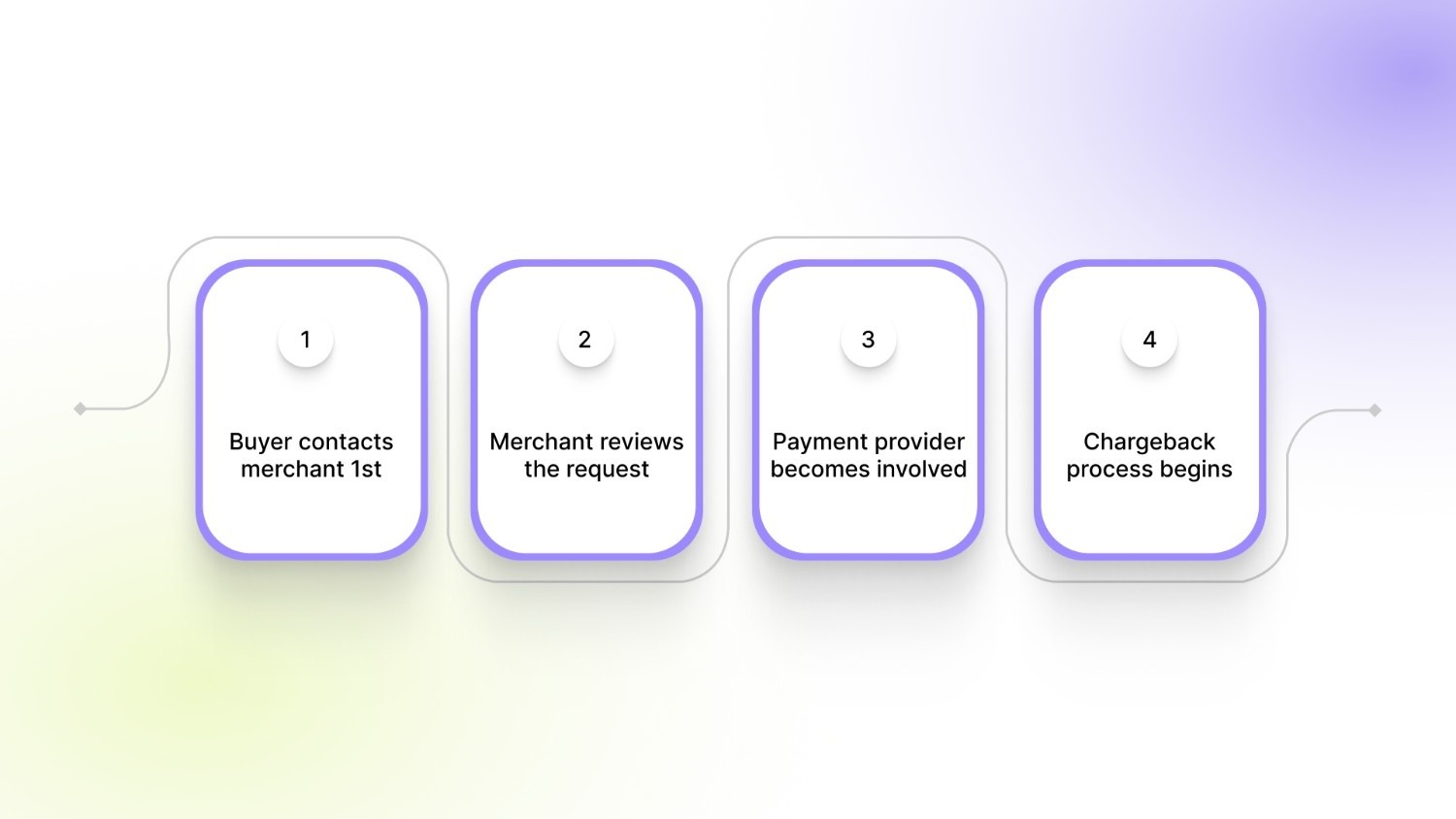
When an issue occurs with a Shop Pay order, the resolution process follows the same path as most online purchases. Shop Pay does not manage disputes directly, so the outcome depends on the merchant’s policies and the payment method used during checkout.
Here’s how the process typically works:
1. Buyer contacts the merchant first
The first step is always reaching out to the store where the purchase was made. Most issues, such as an item not arriving, receiving the wrong variant, or product damage, are resolved through the merchant’s return or replacement process.
2. Merchant reviews the request
The merchant checks order details, shipping status, and return eligibility based on their refund and exchange policy. At this stage, refunds, replacements, or store credits may be issued.
3. The payment provider becomes involved if unresolved
If the buyer and merchant cannot reach a resolution, the buyer may contact their card issuer or payment provider. The provider reviews the case and decides whether the transaction qualifies for a dispute.
4. The chargeback process begins if necessary
As a last step, the buyer can file a chargeback through their bank or credit card company. The bank temporarily reverses the charge while investigating the claim and requests evidence from the merchant.
For Shopify merchants, most disputes arise from delivery issues, incorrect variants, or mismatched expectations. Clear product information, accurate images, and transparent policies help reduce escalation before disputes reach the payment provider stage.
Now, let’s see the differences compared to payment methods that offer built-in buyer protection.
Shop Pay Buyer Protection vs PayPal and Other Payment Methods
Confusion around Shop Pay often comes from comparing it with payment methods that advertise built-in buyer protection. The key difference lies in where protection actually comes from. Shop Pay focuses on checkout speed and convenience, while dispute handling depends on the underlying payment method used.
For merchants, the important takeaway is that buyers often assume protection exists at the checkout level. When expectations do not match the actual process, disputes are more likely. Clear communication around returns, shipping timelines, and product details helps prevent misunderstandings before they reach the dispute stage.
Why Buyer Protection Confusion Leads to More Disputes for Shopify Stores
Many buyers assume that checkout options like Shop Pay include built-in protection similar to payment wallets or marketplaces. When something goes wrong, they expect the platform to step in automatically.
In reality, most issues still need to be resolved between the buyer and the merchant. This gap between expectation and reality often leads to disputes. A large number of disputes are not caused by payment issues but by product clarity problems:
- Buyers selecting the wrong variant because images or options are unclear
- Customers expecting a different color, size, or version than what arrives
- Product pages showing mixed variant images that create confusion
- Missing or unclear details that lead to incorrect assumptions before purchase
When customers believe they are protected at the platform level, they are more likely to escalate issues quickly instead of requesting an exchange or clarification first.
This is where storefront experience plays a major role. Clear variant images, accurate descriptions, and consistent product presentation help buyers understand exactly what they are purchasing before checkout.
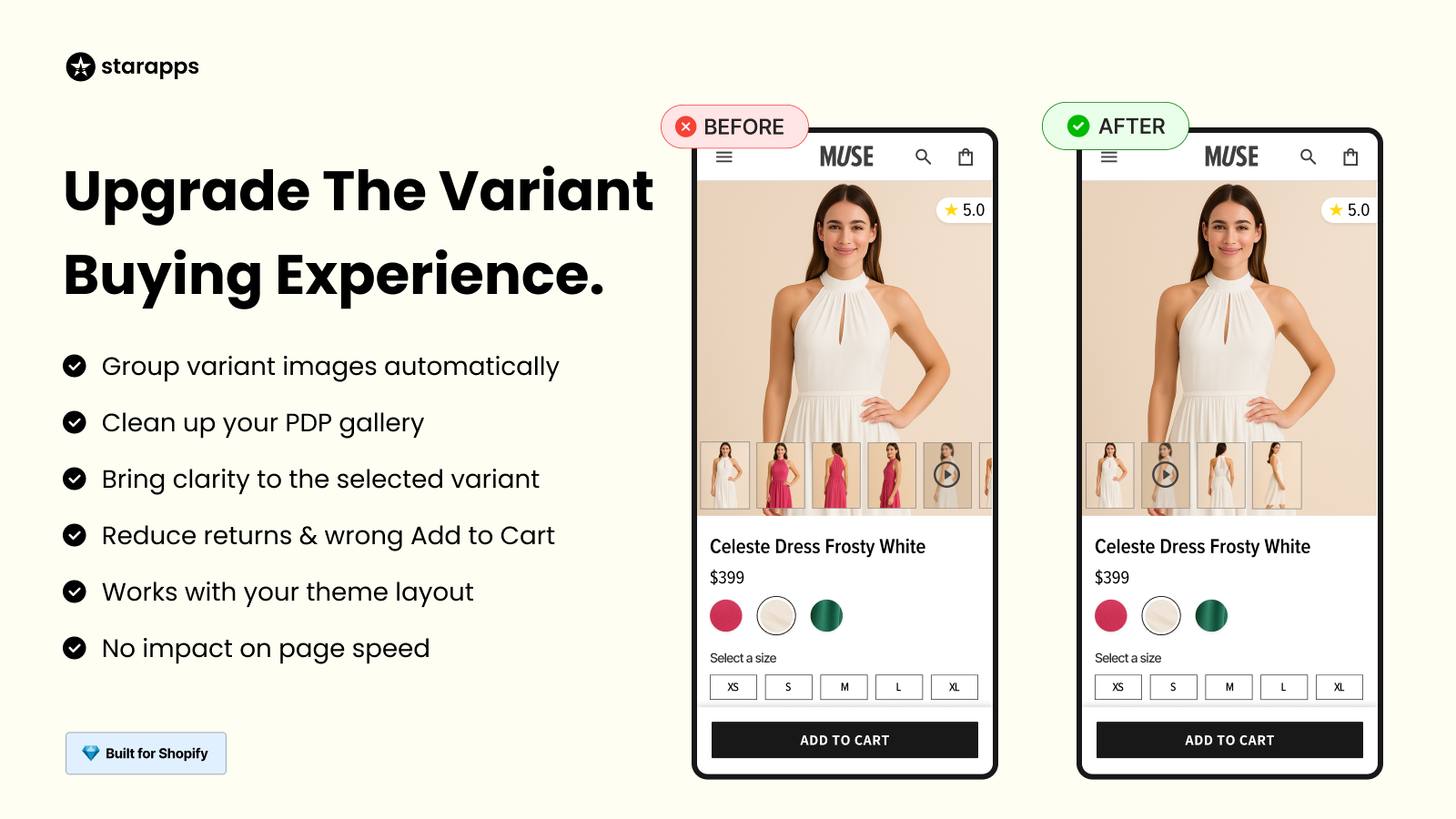
For stores managing multiple variants or large catalogs, tools like StarApps Variant Image Automator help ensure customers only see images relevant to the selected variant, reducing confusion and lowering the chances of disputes caused by mismatched expectations.
How Shopify Stores Can Reduce Disputes and Refund Requests
Improving product presentation reduces misunderstandings and helps customers select the correct variant the first time. Here are practical ways Shopify stores can reduce refund requests and disputes:
- Use clear variant images so customers can easily distinguish between colors, sizes, or styles. Avoid mixing images from different variants in the same gallery.
- Write accurate product descriptions that explain materials, sizing, inclusions, and limitations clearly. This reduces expectation gaps after delivery.
- Maintain variant-level clarity by showing details that change between variants, such as dimensions, finishes, or usage differences.
- Optimize image ALT text and titles to reflect the exact variant shown. This improves accessibility while also helping customers understand what they are viewing.
- Show correct variant visuals immediately after selection, so buyers can confirm their choice before adding the product to the cart.
Stores with multiple variants often see disputes because customers receive a different version than expected. Apps like StarApps Variant Image Automator help display only the images relevant to the selected variant, reducing confusion before checkout.
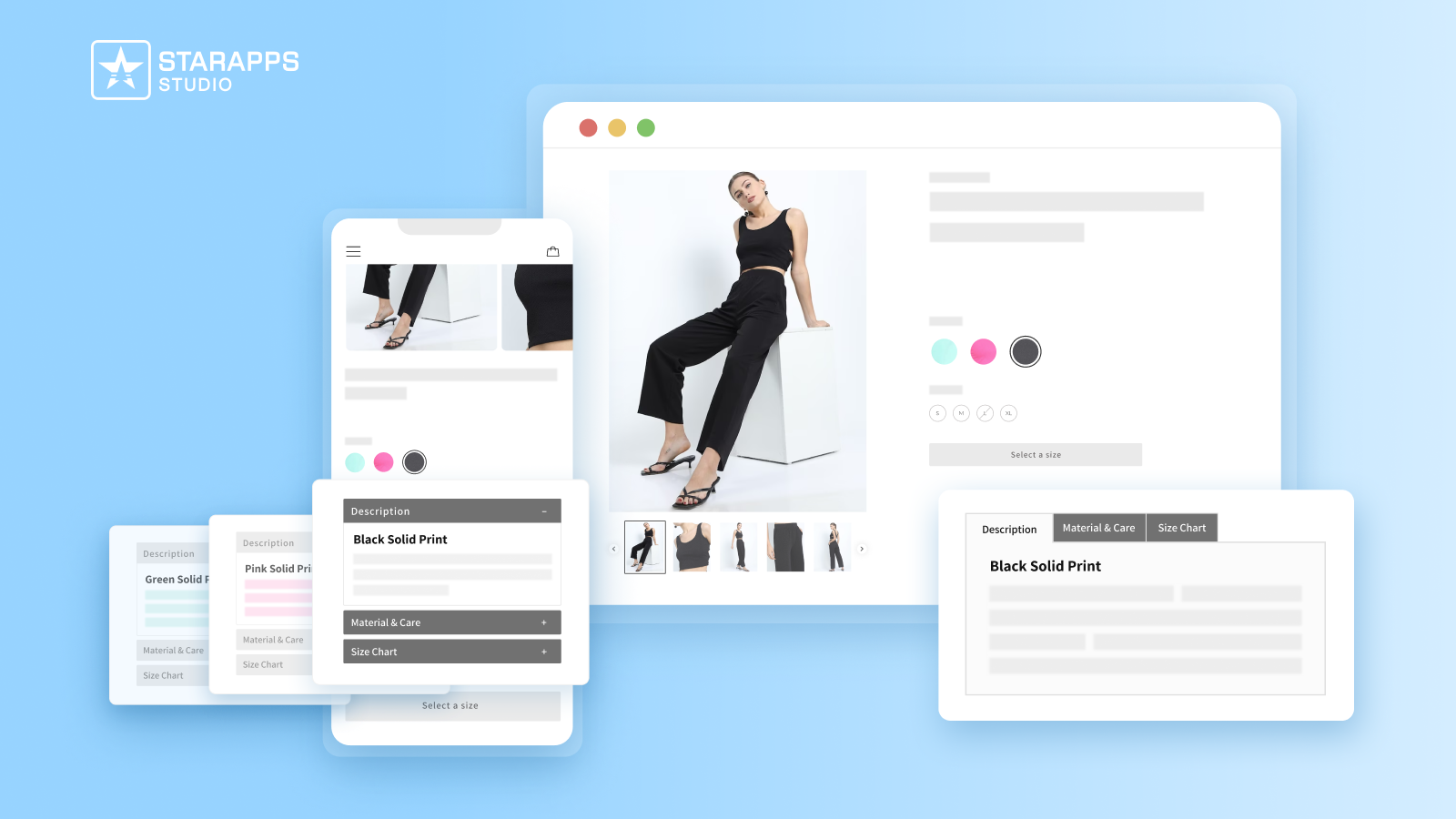
Similarly, Variant Descriptions King allows merchants to show variant-specific information such as size details, care instructions, or material differences, which helps prevent “not as described” claims and improves purchase clarity.
Best Practices for Building Buyer Trust When Using Shop Pay
Merchants who clearly communicate policies and present products accurately reduce disputes and improve customer satisfaction. Here are key practices to build trust:
- Clear return policies: Outline timelines, conditions, and steps for returns or exchanges. This helps set expectations upfront.
- Transparent shipping timelines: Provide estimated delivery dates and tracking updates so buyers feel informed and confident.
- Accurate product visuals: Show exactly what the customer will receive, including different colors, sizes, or styles.
- Variant clarity: Ensure each variant is easily distinguishable with its own images and specifications.
- SEO-friendly product information: Proper titles, descriptions, and ALT texts make products easier to find while improving clarity.
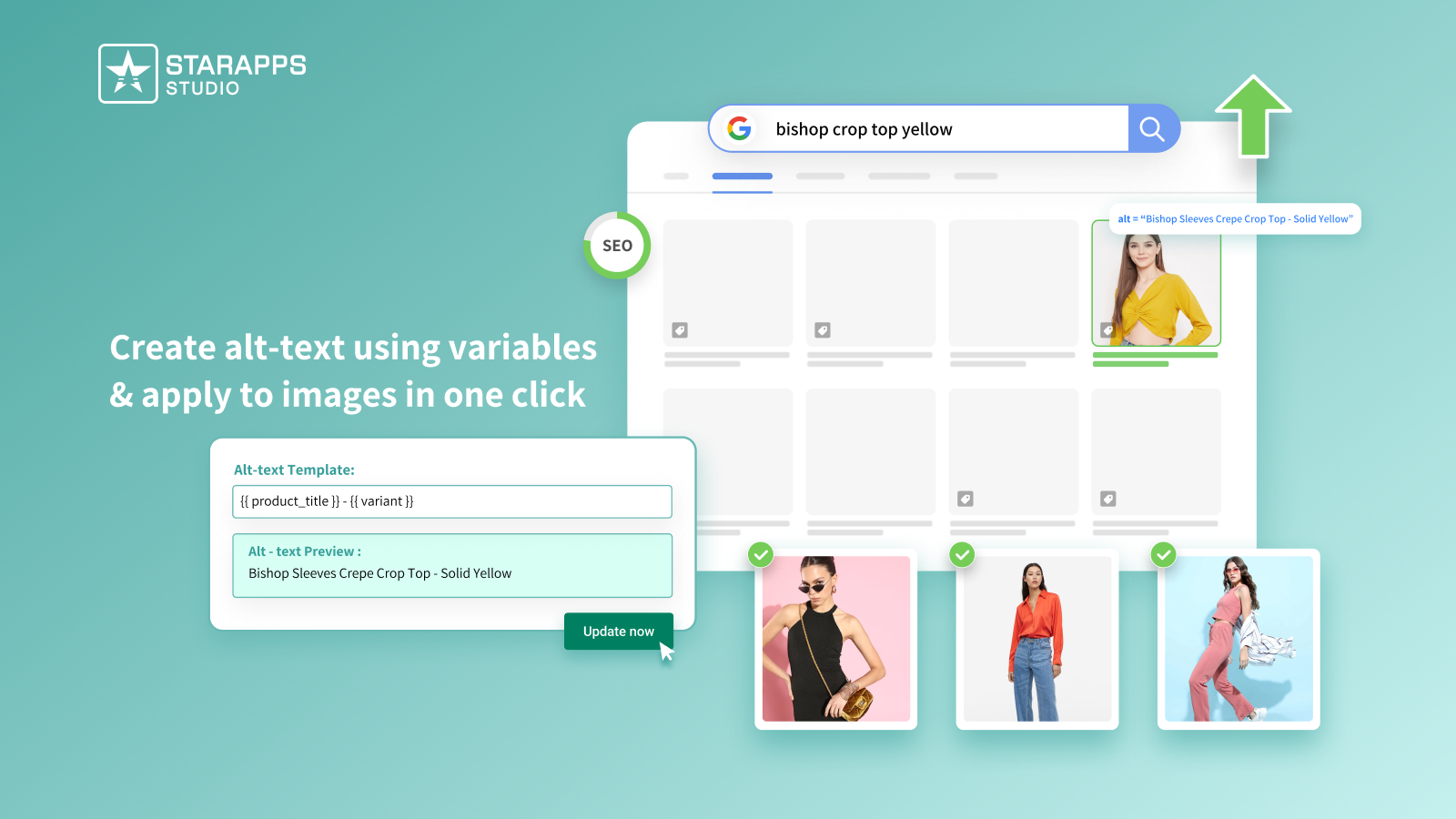
For stores with multiple variants, apps like StarApps Variant Alt Text King help ensure images are properly labeled for both accessibility and SEO, making it easier for buyers to identify the right variant. Additionally, Combined Listings improves product discovery by displaying each variant clearly on collection pages, reducing the chance of wrong purchases and disputes.
Conclusion
Shop Pay simplifies checkout, but buyers often expect protections that don’t exist. For Shopify merchants managing multiple variants, this can lead to disputes, refunds, and increased support requests when customers receive the wrong product or when the information is unclear.
Starapps studio offers tools that help merchants present the correct variant images and detailed descriptions, so customers can confidently select the right product. Clear presentation not only reduces errors and refund requests but also improves the overall shopping experience for buyers.
Book a demo to see how you take control of your store’s product presentation with StarApps Studio and reduce disputes today.
FAQs
1. Can merchants opt in or out of Shop Pay for their store?
Yes. Shopify merchants can enable or disable Shop Pay from their checkout settings. Offering Shop Pay can improve conversion rates because it speeds up checkout, but it does not change the store’s responsibility for refunds or dispute resolution.
2. Does Shop Pay cover installment payments or financing disputes?
Shop Pay Installments are processed through a financing partner, not Shop Pay itself. Any disputes or refunds related to installments must go through the financing provider, while the merchant still handles product fulfillment issues.
3. Are digital products covered under Shop Pay dispute processes?
No. Digital products do not receive protection through Shop Pay or Shopify Protect. Merchants are fully responsible for providing access and resolving any buyer issues with digital purchases.
4. How can merchants minimize disputes when using Shop Pay?
Merchants can reduce disputes by presenting accurate product information, clear variant images, and detailed descriptions. Using apps like StarApps Variant Image Automator and Variant Descriptions King ensures customers see the right variant and understand product details before checkout.
5. Does Shopify offer any buyer protection outside Shop Pay?
Shopify itself does not provide a buyer protection program. Customers rely on merchant policies, card issuer protections, or dispute processes through payment providers. Shopify Protect exists only to protect merchants from fraudulent chargebacks.
Heading

End-to-end traceability
To ensure regulatory compliance, you must have a complete overview of your products from production to shipping. Book a demo to see how Katana can give you full visibility of your operations.



.png)

.svg)

.svg)

.svg)
.png)