


Learn how to customize a variant picker Shopify stores use with color swatches, buttons, images, and apps to improve usability and increase conversions.
You have invested time in creating great products, capturing high-quality images, and organizing dozens of variants, yet customers still struggle to select the right option. A shopper lands on your product page, sees a crowded dropdown menu filled with colors, sizes, or styles, and leaves before making a purchase. For Shopify store owners, developers, and e-commerce managers, these small usability issues can lead to lower engagement, abandoned carts, and missed sales opportunities.
A customized variant picker helps you present options in a way that is faster, clearer, and more intuitive for shoppers. In fact, Shopify now supports up to 2,048 variants per product, up from 100, which makes a clear, scalable variant picker even more important for stores with complex catalogs.
Whether you use color swatches, image-based selectors, variant buttons, or dynamic product information, the right setup can make products easier to compare and purchase. It can also improve product discoverability, reduce confusion, and create a more engaging storefront experience.
This article explores how to customize a variant picker Shopify stores use, explores different customization methods, and applies best practices that support better user experience and stronger conversion performance.
Key Highlights:
- Variant pickers simplify product selection by allowing shoppers to choose options like size, color, material, and style directly on the product page.
- Customization improves product visibility and makes it easier for customers to compare options, leading to smoother and quicker purchase decisions.
- Different formats like dropdowns, buttons, color swatches, image swatches, and combined selectors help present variants in more intuitive and engaging ways.
- Shopify offers multiple customization paths, including theme settings, code-level edits, metafields for dynamic content, and third-party apps for more advanced control.
- A well-optimized setup enhances mobile usability, reduces selection errors, and improves overall shopping experience across product pages.
What is a Variant Picker in Shopify?
A variant picker is the interface customers use to select product options such as color, size, material, style, or configuration. It serves as the bridge between your product catalog and the customer's purchasing decision.
For products with multiple options, Shopify groups variants under a single product listing. The variant picker allows customers to switch between those options without navigating to separate product pages.
For example, if you sell a running shoe available in:
- 5 colors
- 8 sizes
- 2 width options
A variant picker helps shoppers select their preferred combination before adding the product to their cart.
Why Should You Customize Variant Picker in Shopify?
While Shopify themes provide default variant pickers, they are not always optimized for customer experience. Customization allows merchants to match the picker design with their products, brand, and customer expectations.
This is particularly important for fashion, beauty, home décor, and lifestyle brands where visual presentation influences purchasing decisions.
Here are some key reasons to customize your variant picker:
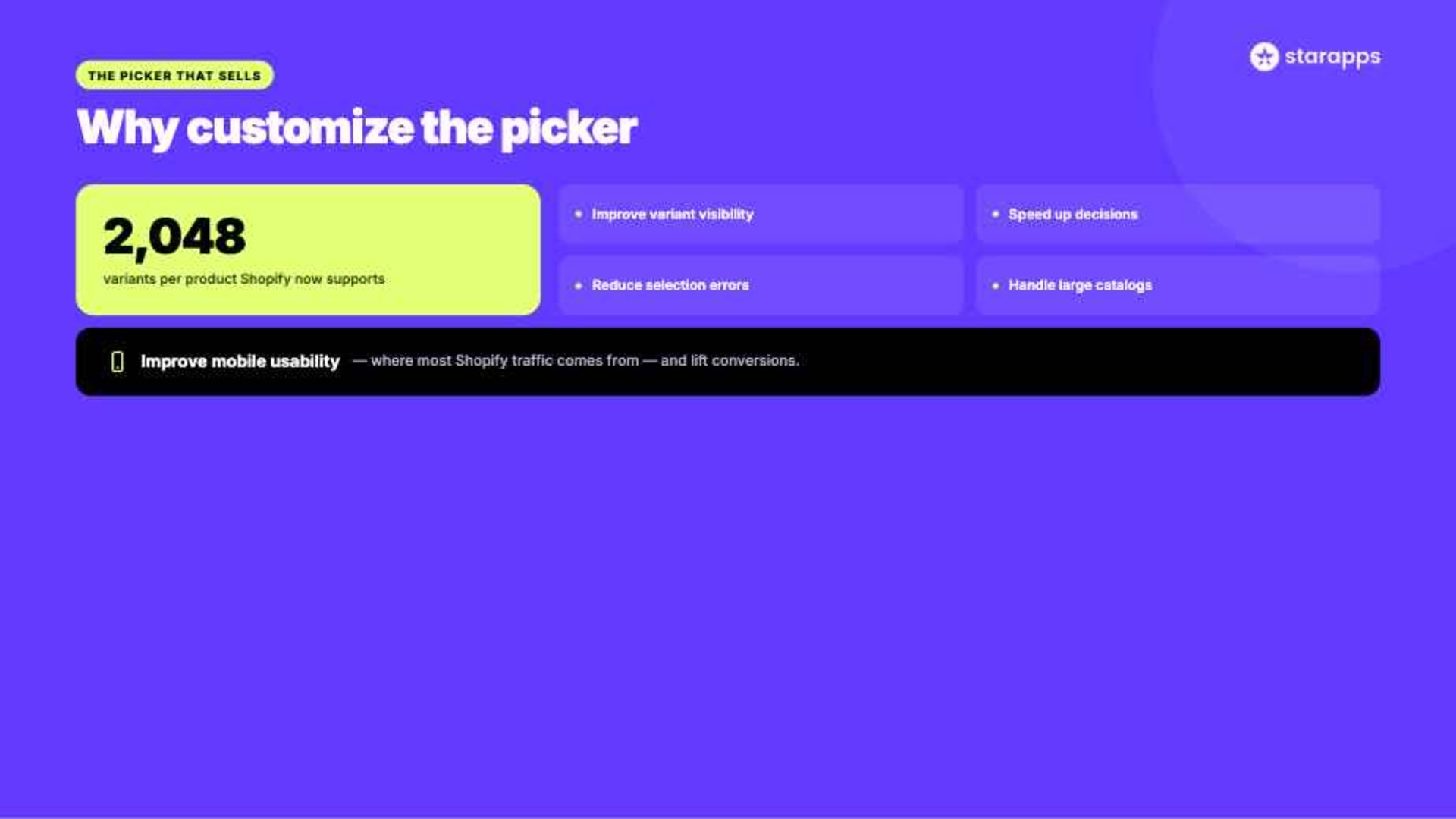
- Improve variant visibility: Visual swatches, buttons, and image selectors make product options easier to spot than traditional dropdown menus.
- Speed up customer decision-making: When shoppers can compare colors, sizes, or styles at a glance, they spend less time searching and more time purchasing.
- Reduce selection errors: Clear variant presentation helps customers choose the correct option, which can lower return requests and support inquiries.
- Handle large product catalogs more effectively: Stores with hundreds of SKUs can organize variant options in a way that remains easy to browse and manage.
- Improve mobile usability: Well-designed variant pickers are easier to tap and navigate on smaller screens, where much of Shopify traffic originates.
- Support higher conversion rates: Removing friction from the selection process can help more shoppers progress from product discovery to checkout.
Also Read: Shopify Variants vs Options: Key Differences for Store Owners
Types of Variant Pickers in Modern Shopify Themes
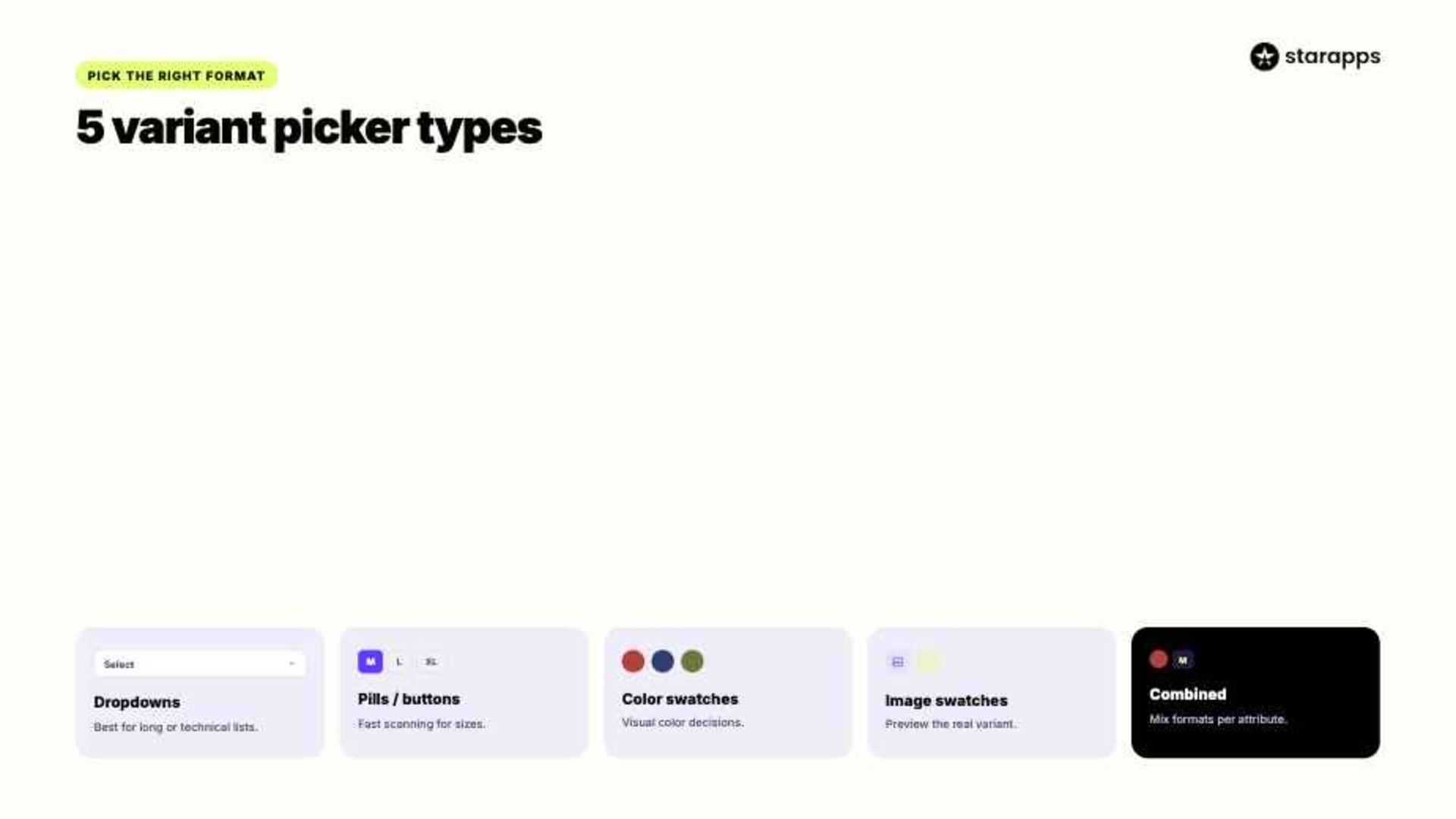
Modern Shopify themes offer multiple variant picker styles. Each serves a different purpose depending on your product catalog, customer preferences, and merchandising strategy.
Understanding these options helps you choose the right approach for your store setup and buying flow.
1. Dropdown Variant Pickers
Dropdowns are Shopify's traditional variant selector.
Customers click a menu and select an option from a list.
Advantages:
- Simple implementation
- Works well with large option lists
- Minimal space requirements
- Native Shopify support
Limitations:
- Poor visual presentation
- Slower comparison of options
- Less engaging shopping experience
Dropdowns work best for technical products, B2B catalogs, and products where visual appearance is not a primary purchase factor or does not strongly influence buying decisions.
2. Variant Pills or Buttons
Variant pills display options as clickable buttons.
Examples include:
- Small
- Medium
- Large
- XL
Advantages:
- Easy selection
- Faster comparison
- Better visibility
- Mobile friendly
Limitations:
- Can become cluttered with many options
- Limited visual merchandising capabilities
Many Shopify apparel stores use button-based selectors for size selection because they improve usability without overwhelming the page or adding unnecessary friction.
3. Color Swatches
Color swatches display actual color samples instead of text labels.
Rather than reading:
- Red
- Blue
- Green
Customers see clickable color circles or squares.
Advantages:
- Visual shopping experience
- Faster product comparison
- Better merchandising
- Improved engagement
Limitations:
- Requires swatch management
- May need customization beyond native Shopify features
Brands such as Zara and H&M rely heavily on color swatches because shoppers often make purchasing decisions based on visual color selection rather than text-based labels.
4. Image Swatches
Image swatches use product or variant images instead of simple colors.
Customers can preview the actual variant before selecting it.
Advantages:
- Rich visual experience
- Better product understanding
- Reduced uncertainty
- Stronger engagement
Limitations:
- Requires variant-specific images
- More setup effort
This approach works especially well for:
- Furniture
- Home décor
- Fashion
- Custom products
5. Combined Variant Selectors
Many modern stores combine multiple picker styles.
For example:
This approach balances usability and visual merchandising while keeping product pages organized and easier to navigate for customers.
Methods to Customize Variant Picker in Shopify
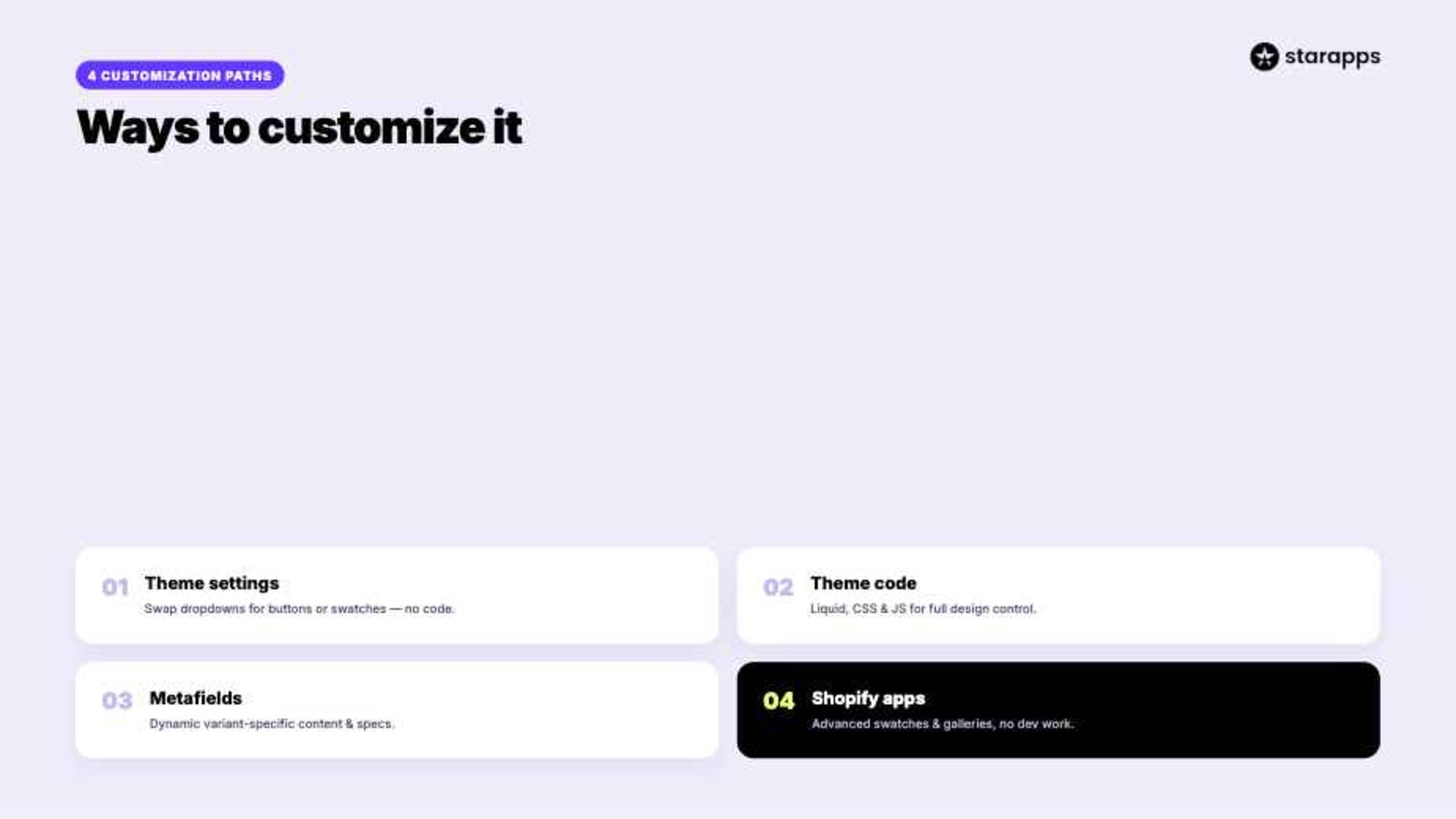
Shopify offers several ways to customize variant pickers. The right approach depends on your technical resources, catalog complexity, and desired customer experience.
Let's examine the most effective methods.
Method 1: Use Shopify Theme Settings
Many modern Shopify themes include built-in customization options.
Before editing code, check your theme settings.
Navigate to:
Online Store → Themes → Customize
Depending on the theme, you may be able to:
- Switch between dropdowns and buttons
- Enable color swatches
- Modify variant labels
- Adjust spacing and layout
- Change mobile behavior
This is often the easiest way to improve variant presentation without involving developers.
Example: A clothing store using Shopify's Dawn theme can replace dropdown size selectors with variant pills, making options easier to scan on mobile devices.
Business Outcome: Clearer visibility and quicker selection.
Method 2: Customize Variant Pickers Through Theme Code
Some stores require more flexibility than theme settings allow.
In these cases, developers can customize variant pickers through:
- Liquid
- CSS
- JavaScript
Common customizations include:
- Custom button designs
- Dynamic variant displays
- Hover effects
- Advanced image switching
- Variant-specific content blocks
Steps to Customize Through Theme Files
- Duplicate your theme before making changes.
- Locate variant picker files within the theme.
- Modify Liquid templates.
- Adjust styling through CSS.
- Test across desktop and mobile devices.
Trade-Offs
Benefits:
- Full control over design implementation
- A more tailored shopping experience for customers
Challenges:
- Requires development resources
- Ongoing maintenance
- Theme updates may require rework
For growing stores, custom coding can work well, but scalability should be considered before implementation.
Method 3: Use Shopify Metafields for Dynamic Variant Content
Variant selection isn't limited to colors and sizes.
Many merchants use Shopify metafields to display additional variant-specific information.
Examples include:
- Material details
- Care instructions
- Product specifications
- Shipping information
- Compatibility information
Instead of showing identical information for every variant, metafields allow content to update dynamically based on selected variants.
Benefits include:
- Better product understanding
- Reduced support inquiries
- Clearer decision-making for customers
Business Outcome: Minimized returns through clearer variant information.
Method 4: Use Specialized Shopify Apps
As catalogs grow, native Shopify functionality may become difficult to manage.
Apps can provide advanced customization without requiring extensive development work.
Common app-based improvements include:
- Collection page swatches
- Variant image galleries
- Dynamic variant titles
- Variant-specific descriptions
- Enhanced SEO functionality
These features help create a more visual and intuitive shopping experience.
Also Read: Best Shopify Apps for Product Variants 2026
Best Practices for High-Converting Variant Picker Design

Customization alone does not guarantee better results. The goal is to create a variant picker that helps customers make decisions quickly and confidently.
The following best practices can improve usability and support conversions.
1. Display Variant-Specific Images
Customers want to see exactly what they're selecting.
Showing variant-specific images helps:
- Build confidence
- Reduce uncertainty
- Increase product understanding
A customer selecting a green jacket should immediately see images of the green version without delay or mismatch.
2. Clearly Indicate Unavailable Variants
Out-of-stock options should be clearly marked.
Possible approaches include:
- Grayed-out swatches
- Crossed-out buttons
- Hidden unavailable variants
This prevents customers from attempting to purchase products that are no longer available or facing errors during checkout flow.
3. Optimize for Mobile Devices
Many Shopify stores receive most of their traffic from mobile devices.
Variant pickers should:
- Be easy to tap
- Avoid excessive scrolling
- Load quickly
- Maintain consistent spacing
Mobile optimization directly affects conversion performance and overall shopping experience quality.
4. Include Accessibility Considerations
Color alone should never communicate information.
Use:
- Labels
- Tooltips
- Alternative text
- Keyboard navigation
This improves usability and accessibility across different user needs and browsing contexts.
5. Monitor Performance Metrics
Track:
- Add-to-cart rate
- Product page engagement
- Variant interaction rate
- Conversion rate
A/B testing different picker styles can reveal which configuration works best for your audience and helps refine product page performance over time.
How StarApps Studio Helps You Build Advanced Variant Picker Experiences
As product catalogs grow, native Shopify variant pickers often become difficult to manage. StarApps Studio provides specialized Shopify apps designed to improve variant presentation, product discoverability, and customer experience without requiring extensive custom development.
Color Swatch King
- Visual Variant Selection: Replace standard dropdowns with color swatches, image swatches, buttons, or custom selectors that make product options easier to browse.
- Collection Page Swatches: Display color and variant swatches directly on collection pages so shoppers can explore options before opening a product page.
- Smarter Inventory Display: Hide sold-out variants automatically to reduce frustration and keep shoppers focused on available products.
- Bulk Swatch Management: Upload and manage swatches in bulk, making it easier to maintain large catalogs with hundreds of variants.
SA Variant Image Automator
- Automatic Variant Image Assignment: Display the right images whenever a customer selects a color, style, or product option without manual tagging.
- Cleaner Product Galleries: Show only images related to the selected variant, reducing visual clutter and improving navigation.
- Supports Rich Media: Works with multiple images per variant, zoom functionality, videos, and advanced product media experiences.
- Theme-Friendly Implementation: Integrates with Shopify themes, landing page builders, and custom storefronts without disrupting existing layouts.
SA Variants: Combined Listings
- Variant-Specific Product Listings: Create dedicated listings for individual variants with their own titles, URLs, images, and descriptions.
- Improved Collection Browsing: Help customers discover available colors and styles directly from collection pages instead of navigating through multiple screens.
- Enhanced SEO Opportunities: Separate URLs and content for each variant can help search engines understand and index products more effectively.
- Better Search and Filtering: Customers can locate specific variants faster using collection filters and on-site search.
Variant Title King
- Dynamic Product Titles: Automatically display selected colors, sizes, SKUs, or other variant details within the product title.
- Reduced Purchase Confusion: Customers can easily verify their selections before adding products to the cart.
- Inventory-Friendly Display: Make product identification easier for both shoppers and internal teams managing large catalogs.
- Flexible Configuration: Customize title formats to match your merchandising and branding requirements.
Variant Descriptions King
- Variant-Specific Content: Display unique descriptions for each product option to help customers make informed decisions.
- Tabs and Accordions: Present detailed information in a clean format without overwhelming the product page.
- Mobile-Optimized Experience: Automatically adapts content into accordion layouts for easier browsing on smaller screens.
- Supports Multiple Content Areas: Use tabs for FAQs, shipping details, return policies, and additional product information.
Variant Alt Text King
- Automated ALT Text Optimization: Generate descriptive ALT text using variant names, product titles, tags, vendors, and other attributes.
- Accessibility Support: Help make product images more accessible for shoppers using screen readers.
- Daily Synchronization: Automatically update ALT text as products and images change, reducing manual maintenance.
- Scalable SEO Management: Save hours of repetitive work when managing hundreds or thousands of product images.
More than 25,000 merchants use StarApps solutions, including over 1,000 Shopify Plus stores, making the platform a trusted choice for growing Shopify brands.
Conclusion
The way customers interact with product variants can influence every stage of the buying journey. While Shopify's default options provide a solid starting point, many stores benefit from more advanced customization that makes variant selection faster, clearer, and more visually engaging.
Whether you use built-in theme settings, custom code, metafields, image swatches, or specialized Shopify apps, the goal remains the same: make it easier for customers to find the exact product they want. As your catalog grows, advanced tools often become necessary to maintain a consistent and scalable experience.
If you're looking to build a more engaging variant selection experience and improve storefront performance, explore how StarApps Studio's Shopify apps can support your merchandising and conversion goals.
FAQs
1. How do I test my customized variant picker before publishing it on Shopify?
You can test your customized variant picker by duplicating your theme and using Shopify’s preview mode. Check all variants, image changes, and pricing updates across desktop and mobile before publishing changes to your live store.
2. What are common mistakes when customizing the variant picker in Shopify and how do I fix them?
Common mistakes include not syncing variant images, breaking theme scripts, and missing mobile checks. Fix them by validating code changes, using theme backups, testing each variant, and ensuring JavaScript and Liquid updates are compatible with your Shopify theme.
3. Can I use JavaScript to switch product images when a variant is selected in the custom picker?
Yes, you can use JavaScript to dynamically switch product images when a variant is selected. This improves user experience by instantly updating visuals based on selection. Shopify themes commonly use JS event listeners for this functionality.
4. How do I edit the variant picker code in Shopify’s product-template. liquid file?
You can edit the variant picker code in Shopify’s product-template.liquid by locating the product form section. Modify the select or radio inputs carefully, then update Liquid logic and scripts. Always duplicate your theme before making changes.
5. Do I need a developer to customize the variant picker in Shopify?
No, basic customization can be done using the Shopify theme editor and simple code edits. However, for advanced features like dynamic image switching or complex logic, hiring a developer ensures better performance and fewer errors.
Heading

End-to-end traceability
To ensure regulatory compliance, you must have a complete overview of your products from production to shipping. Book a demo to see how Katana can give you full visibility of your operations.
.png)

.svg)

.svg)

.svg)
.png)