
Automating Alt Text Generation for Images Using AI and Python

Automate alt text at scale with AI and Python. Learn how to build a models.py alt text generator for product images, variants, and Shopify SEO.
Automated alt text is becoming a core need for stores that rely heavily on visuals, especially brands managing large Shopify catalogs. As product counts grow, keeping every image accessible and optimized for search becomes difficult to maintain manually.
AI-driven generation offers a consistent, scalable way to keep product photos compliant, descriptive, and ready for search engines. With Python handling the workflow and models.py structuring the process, teams can produce accurate alt text without adding strain on internal teams.
In this blog, you’ll see how the full workflow comes together, from model choices and setup to automation, quality checks, and real implementation steps.
Key Takeaways
- Manual alt text breaks at scale: For catalogs with hundreds or thousands of variant images, AI + Python pipelines provide consistent, accurate captions.
- Choosing the right AI approach matters: Cloud APIs are fast and easy, but open-source Python models (BLIP, Florence-2, LLaVA) give full control for variant-heavy or custom workflows.
- A reusable models.py simplifies workflows: Centralized model loading and generate_caption() functions make automation modular, GPU-ready, and easy to integrate into batch or CMS pipelines.
- Post-processing ensures production-ready alt text: Clean up filler words, enforce templates, standardize formatting, and add missing variant details before uploading.
- Integration and scale are key for Shopify: Tools like StarApps Variant Alt Text King and Variant Image Automator automate daily updates, keep variant images accurate, and maintain SEO + accessibility at scale.
Alt Text Requirements for Accessibility, SEO, and Compliance
Alt text continues to play a central role in how users and search engines interpret images. Even with AI doing more of the heavy lifting, the underlying requirements haven’t changed.
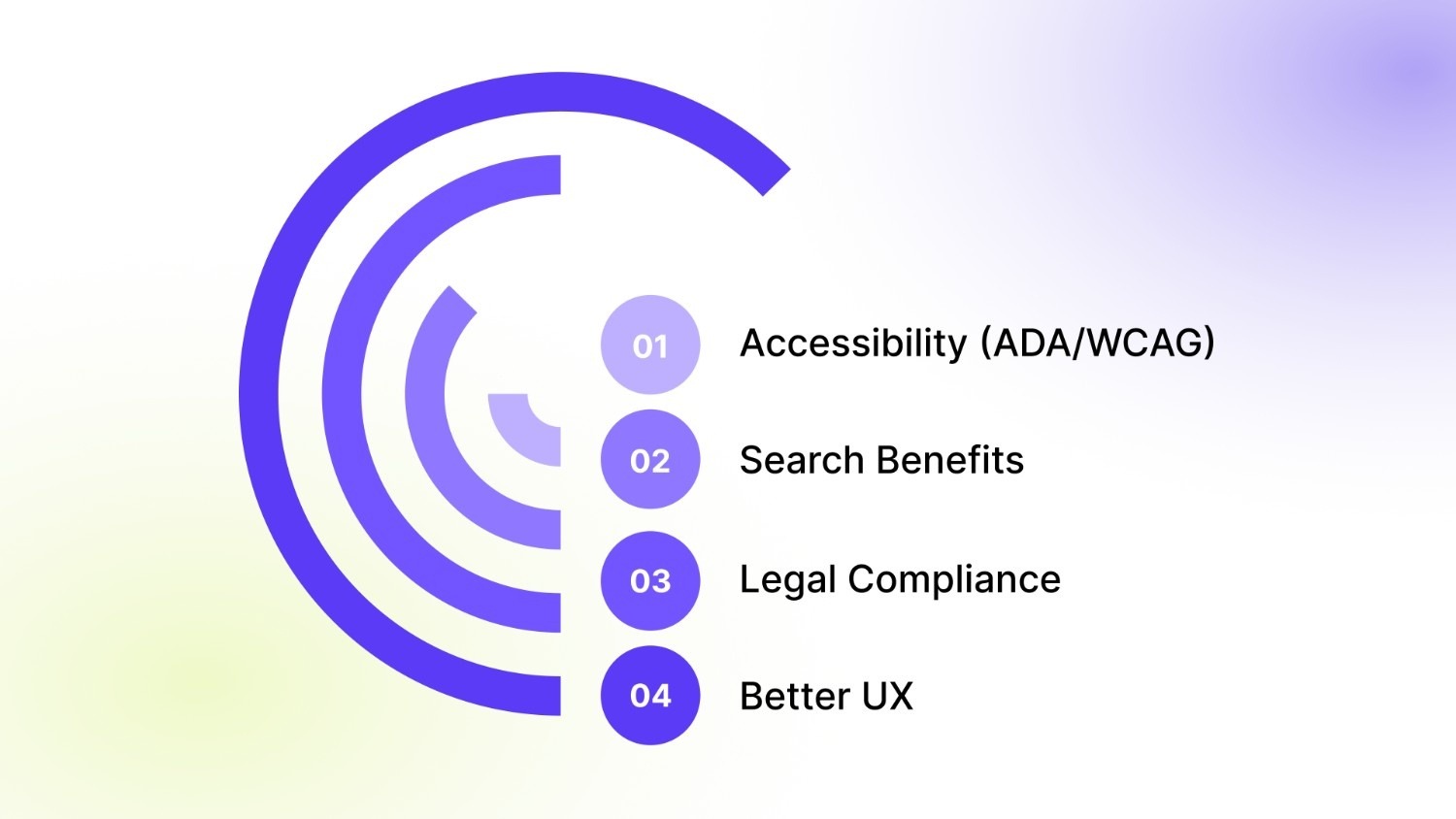
Key reasons it still carries weight:
- Accessibility (ADA/WCAG): Screen readers rely on alt text to describe visuals for users with visual impairments. Missing or vague descriptions directly affect browsing comfort.
- Search Benefits: Alt text helps Google correctly interpret images, which improves eligibility for Image Search and rich results.
- Legal Compliance: Sites that ignore accessibility guidelines run the risk of ADA-related complaints, especially ecommerce businesses with large catalogs.
- Better UX: Shoppers using assistive technology get accurate context for product photos, reducing friction and uncertainty.
Variant-rich galleries organized through StarApps Variant Image Automator help merchants maintain cleaner image sets, which pair well with automated alt text pipelines. Clear image grouping ensures the AI model receives consistent visual input, leading to better, more relevant descriptions.
When AI-Generated Alt Text Becomes a Practical Necessity
Manually writing alt text works when a store has a few hundred images. The process starts breaking down once the catalog jumps from 200 to 2,000 to 20,000 images, especially for merchants with frequent launches or a steady flow of UGC and lifestyle photos.
For most teams, the shift to automation becomes unavoidable when:
- Multi-angle product photos multiply the number of images requiring unique descriptions.
- Variant-level differences (colors, materials, finishes) need clear distinctions in alt text to prevent duplication.
- CRO goals depend on strong search visibility and a smoother experience for shoppers using assistive tools.
- Internal bandwidth drops as content teams get pulled into constant catalog updates.
Real stores face these constraints daily. Large-inventory retailers, dropship brands with rapid turnover, and DTC merchants with detailed product galleries all reach a point where manual entry slows everything down. AI-powered pipelines solve this by keeping alt text consistent, descriptive, and ready for scaling.
Choosing the Right AI Approach: Cloud APIs vs. Open-Source Models
Teams eventually decide between two main paths: cloud-based AI services or open-source captioning models built directly into a Python workflow.
Teams with strict naming patterns, variant-heavy products, or privacy-sensitive workflows usually benefit from open-source models. Custom rules, prompt templates, and predictable outputs become easier to maintain.
Recommended Read: Alt Text for Images: Importance, Characteristics & Best Practices.
After choosing your AI stack, you’ll need a setup that keeps model loading, preprocessing, and processing stable. That starts with a clean Python environment.
Setting Up Your Python Environment for Alt Text Automation
A solid environment reduces friction later when you integrate models, process images in bulk, or deploy the workflow into production. This section gives a straightforward setup that works for both cloud API users and teams running open-source models locally.
Recommended Python Version
Use Python 3.9–3.11. These versions have broad support across image captioning libraries and ensure compatibility with transformers, torch, and newer vision-language models.
Core Libraries You’ll Need
Most workflows rely on a consistent set of packages:
- transformers for BLIP, BLIP-2, Florence-2, and other captioning models
- torch required for model inference
- Pillow (PIL) image loading and preprocessing
- requests fetching images from URLs
- opencv-python (optional), additional image processing
- python-dotenv managing API keys and environment variables
- aiohttp / asyncio (optional) for async, high-volume URL processing
A minimal install might look like:
pip install transformers torch pillow requests python-dotenv
Suggested Folder Structure
A clear structure makes scaling easier, especially when you begin handling thousands of images.
alt-text-automation/
│
├── models/ # model loading, prompts, utilities
├── processors/ # image pre-processing, URL ingestion
├── outputs/ # generated alt text files
├── scripts/ # one-off batch jobs
├── data/
│ ├── raw/ # unprocessed images
│ └── processed/ # resized/standardized images
├── .env # API keys or model paths
└── main.py # entry point for running batches
For developers integrating into a CMS or Shopify pipeline, this format keeps code modular and easier to adapt.
Minimal Setup Guide
- Create a fresh virtual environment: python3 -m venv venv
source venv/bin/activate - Install required packages (listed above).
- Download your chosen model (BLIP, BLIP-2, Florence-2, etc.) using a simple loader function in models.py.
- Test a single image caption to confirm inference works before moving to bulk processing.
- Add environment variables in a .env file if using API keys or remote models.
This setup gives your team a stable base to run image captioning reliably, before moving into automation, batching, and integration. Once the setup is in place, it’s time to organize the core model functions. A well-designed models.py keeps loading, inference, and scaling consistent.
Building a Reusable models.py for Automated Alt Text Generation
A well-structured models.py becomes the backbone of your alt text automation workflow. Instead of scattering model loading, inference code, and utilities across multiple files, this module holds everything required to turn an image into a clean, descriptive sentence. It keeps your pipeline modular, easy to update, and production-ready.
What Belongs Inside models.py
A strong models.py typically includes:
- Model loading functions: Handle downloading, caching, and initializing your captioning model (BLIP, BLIP-2, Florence-2, LLaVA).
- A unified inference function: A single method generate_caption(image) that accepts a PIL image and returns a caption string.
- Device detection: Automatically use GPU if available, otherwise run on CPU.
- Prompt templates or caption rules (optional): Helpful if you want consistent phrasing, variant-specific cues, or truncation logic.
- Preprocessing utilities: Image resizing, conversion to RGB, or normalizing differ depending on the model.
All of this allows any script, like batch processors, CMS integrations, crawlers, to call:
from models import generate_caption
And reliably get alt text for the image.
CPU/GPU Compatibility
Inside models.py, device handling ensures inference works everywhere:
device = "cuda" if torch.cuda.is_available() else "cpu"
This avoids runtime errors and lets the same pipeline scale from local development to GPU-enabled servers.
Example models.py Structure
├── load_model()
├── generate_caption(image)
└── device handling + preprocessing
Below is a clean implementation using a HuggingFace captioning model (BLIP and Florence-2 examples included).
Example Code: BLIP Model (HuggingFace)
import torch
from PIL import Image
from transformers import BlipProcessor, BlipForConditionalGeneration
device = "cuda" if torch.cuda.is_available() else "cpu"
# Load model & processor
def load_model():
processor = BlipProcessor.from_pretrained("Salesforce/blip-image-captioning-base")
model = BlipForConditionalGeneration.from_pretrained("Salesforce/blip-image-captioning-base").to(device)
return processor, model
processor, model = load_model()
# Generate caption
def generate_caption(image: Image.Image) -> str:
inputs = processor(image, return_tensors="pt").to(device)
output = model.generate(**inputs, max_new_tokens=40)
caption = processor.decode(output[0], skip_special_tokens=True)
return caption.strip()
This version handles:
- loading the BLIP model
- automatic device selection
- consistent caption generation
- returning a clean string ready to convert into alt text
Example Code: Florence-2 (If Using Vision-Encoder/Decoder Models)
from transformers import AutoProcessor, AutoModelForVision2Seq
import torch
from PIL import Image
device = "cuda" if torch.cuda.is_available() else "cpu"
def load_model():
processor = AutoProcessor.from_pretrained("microsoft/Florence-2-large-ft")
model = AutoModelForVision2Seq.from_pretrained("microsoft/Florence-2-large-ft").to(device)
return processor, model
processor, model = load_model()
def generate_caption(image: Image.Image) -> str:
inputs = processor(images=image, return_tensors="pt").to(device)
output = model.generate(**inputs, max_new_tokens=40)
caption = processor.batch_decode(output, skip_special_tokens=True)[0]
return caption.strip()
Florence-2 produces more descriptive captions and handles complex scenes better. With the core functions in place, the next step is wiring them into a workflow that turns images into usable captions. This is where the full alt-text generation pipeline comes together.
Also Read: Fixing Missing Alt Text for Shopify Images.
Python Workflow for Generating Alt Text from Images
Your models.py is ready. Now, you need to build the full captioning pipeline. This pipeline takes an input image, either a local file or a URL, processes it, runs it through your model, and returns a raw caption string that you’ll later refine into production-ready alt text.
1. Accepting Input (File Path or URL)
Your script should support both:
- Local images are ideal for batch jobs on stored assets
- Remote URLs are common when pulling from Shopify, S3, or a site crawl
A flexible loader ensures both work smoothly.
2. Preprocessing the Image
Most captioning models expect:
- RGB format
- Consistent size (handled automatically by the processor)
- Standardized input shape
Converting to RGB avoids model errors caused by CMYK, transparency, or grayscale formats.
3. Running Inference
Your script simply calls generate_caption(image) from models.py. This returns a raw description based purely on the visual content.
- Output Format
The pipeline outputs:
- A raw caption string
- Optional metadata (processing time, model used, input source)
This raw caption will later move to your post-processing and quality control layer.
Example Python Script:
import requests
from io import BytesIO
from PIL import Image
from models import generate_caption
def load_image(source):
# If it's a URL
if source.startswith("http://") or source.startswith("https://"):
try:
response = requests.get(source, timeout=10)
response.raise_for_status()
return Image.open(BytesIO(response.content)).convert("RGB")
except Exception:
return None
# If it's a local file
try:
return Image.open(source).convert("RGB")
except:
return None
def caption_image(source):
image = load_image(source)
if image is None:
return {"error": "Could not load image"}
try:
caption = generate_caption(image)
return {"caption": caption}
except Exception:
return {"error": "Model inference failed"}
# Example usage
result = caption_image("https://example.com/product.jpg")
print(result)
Handling Errors Gracefully
A production pipeline needs safeguards for messy real-world images. Common issues include:
- Timeouts from slow or unreachable image URLs
- Invalid URLs or redirects to HTML pages instead of images
- Corrupted files that cannot be opened by PIL
- Non-RGB formats (handled with .convert("RGB"))
- Model inference failures if the input tensor is malformed
Recommended protections:
- Add retry logic for HTTP failures
- Validate content type before processing
- Log failed URLs to restart later
- Set inference timeouts if running asynchronous batches
These small checks prevent broken images from stopping large batch jobs. Once the workflow is running smoothly for individual images, the next challenge is handling volume.
Scaling Alt Text Generation for Large Image Catalogs
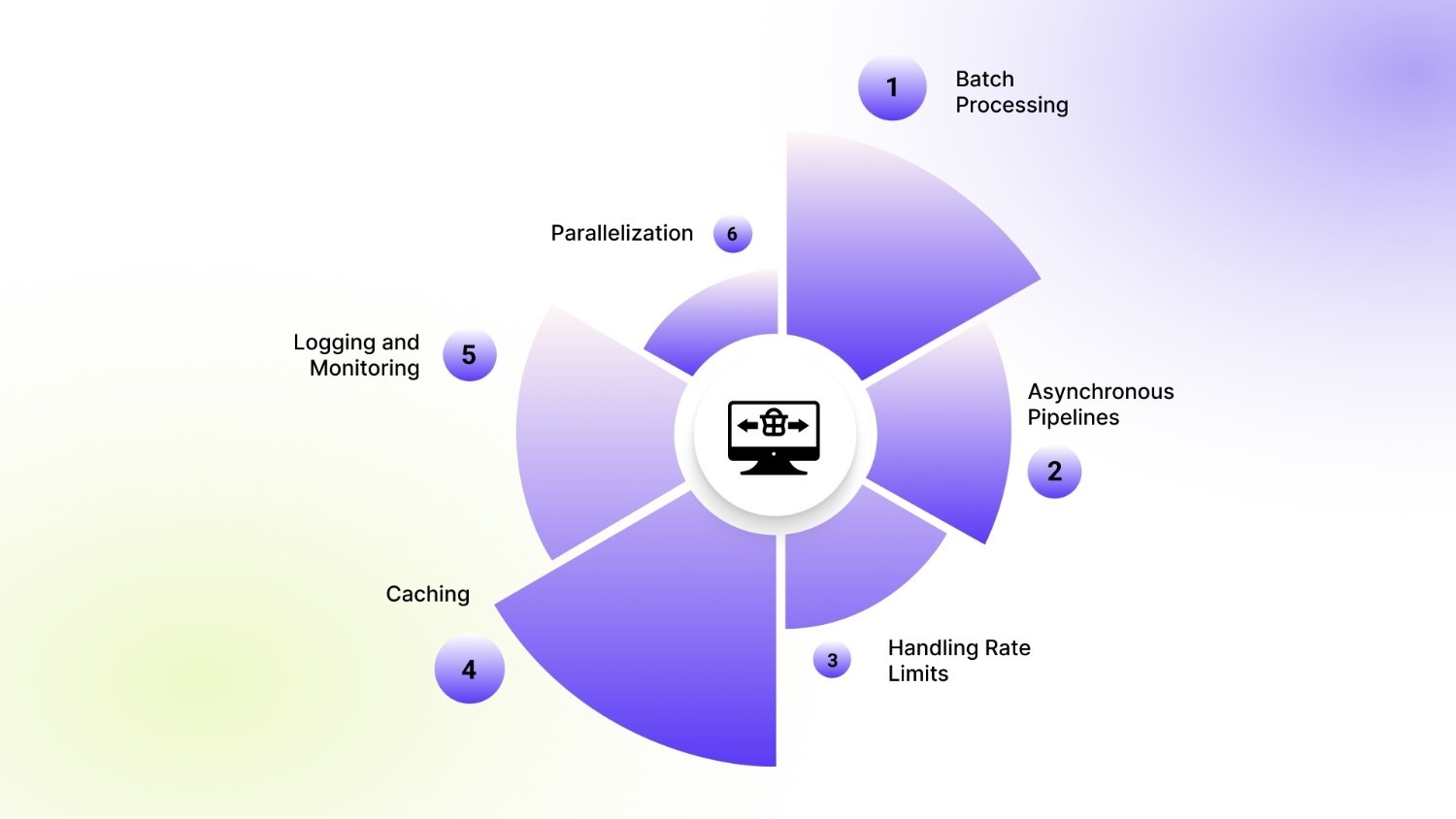
Shopify stores with hundreds or thousands of product variants, multi-angle shots, and lifestyle images quickly reach a point where single-image processing becomes impractical. Efficient scaling ensures your alt text generation keeps pace with catalog updates without slowing down operations.
1. Batch Processing
Processing images in batches reduces overhead and improves throughput. Instead of calling the model for one image at a time, group images into batches that the model can handle simultaneously. This is especially effective when using GPU-enabled servers.
2. Asynchronous Pipelines
For large catalogs or remote images, asynchronous processing allows multiple downloads and inference tasks to run in parallel. Python’s asyncio or aiohttp can manage hundreds of URLs at once, keeping the pipeline fast and responsive.
3. Handling Rate Limits
When fetching images from external sources, APIs, or hosting services may impose rate limits. Include retry logic, exponential backoff, and queuing to prevent failures or temporary bans.
4. Caching
Store already processed images or previously generated captions to avoid repeated inference. Simple caching strategies using filenames, hashes, or database keys can dramatically reduce computation time.
5. Logging and Monitoring
Keep detailed logs for each processed image:
- Source URL or file path
- Timestamp
- Caption generated
- Errors encountered
Logging is critical for auditing and troubleshooting large-scale workflows.
6. Parallelization
Use multi-core CPUs or multiple GPUs to process batches concurrently. Frameworks like PyTorch support distributed processing, while Python’s concurrent.futures can help scale across CPU cores for inference-heavy tasks.
You can also use StarApps Variant Image Automator or Combined Listings to manage large sets of variant images. For merchants working at this scale, automated pipelines become essential for keeping alt text consistent across every product and gallery asset.
Designing Effective AI-Generated Alt Text: Rules and Templates
High-quality alt text goes beyond simply describing an image, it communicates essential product details to both shoppers and search engines. For stores with multiple variants, angles, and styles, alt text must be precise, informative, and concise to improve accessibility, SEO, and the overall shopping experience.
Core Principles for Good Alt Text
Alt text should follow key principles that ensure it is useful and actionable:
- Clear: Avoid vague phrases; describe exactly what the image shows.
- Specific: Include details like color, material, size, or angle when relevant.
- Variant-Aware: Differentiate between product variations so shoppers know exactly which option is shown.
- Concise: Keep descriptions brief—around 90–140 characters—to balance clarity and readability.
Template Examples
Templates help standardize alt text across large catalogs while maintaining accuracy:
- Generic Product: “Stainless steel water bottle – 500ml”
- Variant-Specific: “Black cotton t-shirt – side view.”
- Fashion/Beauty: “Red leather ankle boots – front angle.”
- Home Goods: “Ceramic coffee mug – blue with handle.”
Merchants using Swatch King or Variant Image Automator can ensure that alt text reflects the exact variant being displayed, like a specific color or angle. This consistency is critical when managing large product galleries or multiple image variations.
Refining AI Captions into Ready-to-Use Alt Text
Raw captions from AI models often include extra words, inconsistent formatting, or missing details. Post-processing ensures that every alt text entry is clean, concise, and ready for use in production—maintaining accessibility, SEO, and clarity across your store’s catalog.
Key Post-Processing Steps
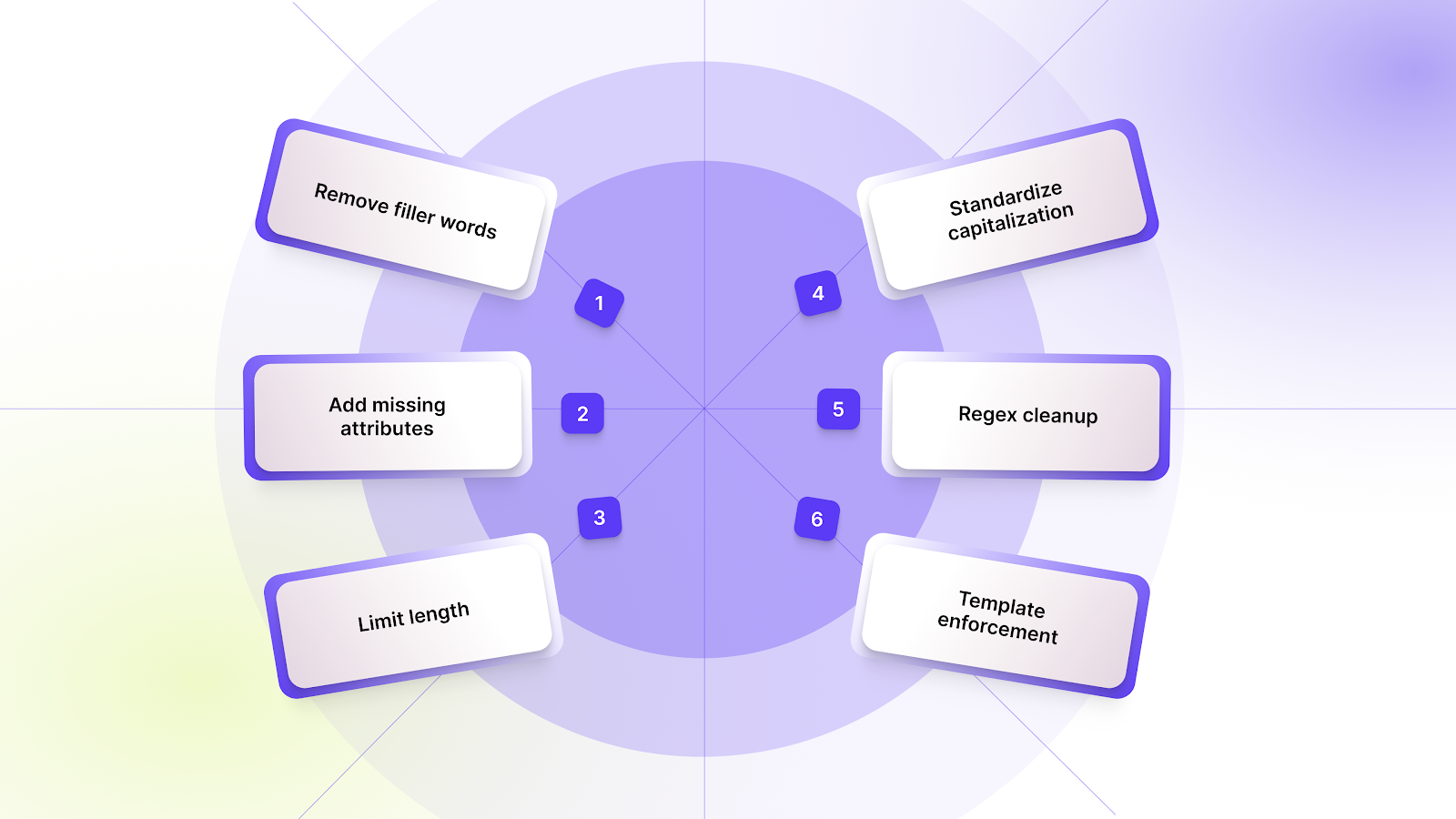
Before sending alt text to your CMS or Shopify store, apply the following adjustments:
- Remove filler words: Strip phrases like “a photo of” or “image showing” that don’t add value.
- Add missing attributes: Ensure critical details such as color, size, or variant are included when absent.
- Limit length: Keep alt text concise, ideally 90–140 characters, for readability and SEO.
- Standardize capitalization: Apply consistent capitalization rules for product names and descriptors.
- Regex cleanup: Use simple regex patterns to remove unwanted symbols, HTML tags, or repetitive characters.
- Template enforcement: Apply pre-defined templates (generic, variant-specific, or category-based) to maintain consistency across thousands of images.
These post-processing steps turn AI-generated captions into reliable, production-ready alt text that aligns with store standards and improves user experience, especially for large catalogs with many variants.
Recommended: Fixing Missing Alt Text for Shopify Images.
Once alt text is generated and post-processed, the next step is integration.
Integrating Automated Alt Text into Your Shopify Store or CMS
For stores with large catalogs, adding alt text manually is impractical, so automation ensures every image, especially variant-heavy ones, stays optimized.
Technical Integration Options
- Shopify Admin API: Update product images programmatically, including variant-specific alt text.
- Shopify Files API: Shopify Files API can store and manage uploads, but alt text updates typically happen through the Product Images API.
- CLI Scripts: Automate repetitive tasks like processing CSVs of product images.
- Headless Storefronts: Insert alt text directly into content managed via headless architectures.
- Bulk Upload Workflows: Combine your captions with CSVs or JSON feeds for mass updates.
For a no-code alternative, StarApps Variant Alt Text King automatically maintains and syncs alt text for all variant images on a daily basis. This is ideal for merchants who want accurate alt text without running Python pipelines, ensuring consistent SEO and accessibility across large catalogs.
Special Considerations for E-Commerce and Shopify Merchants
E-commerce stores face unique challenges when generating alt text, especially on Shopify: multiple variants, different angles, and lifestyle versus studio images can quickly create hundreds of images per product. Ensuring each image has descriptive, accurate alt text is critical for accessibility and SEO.
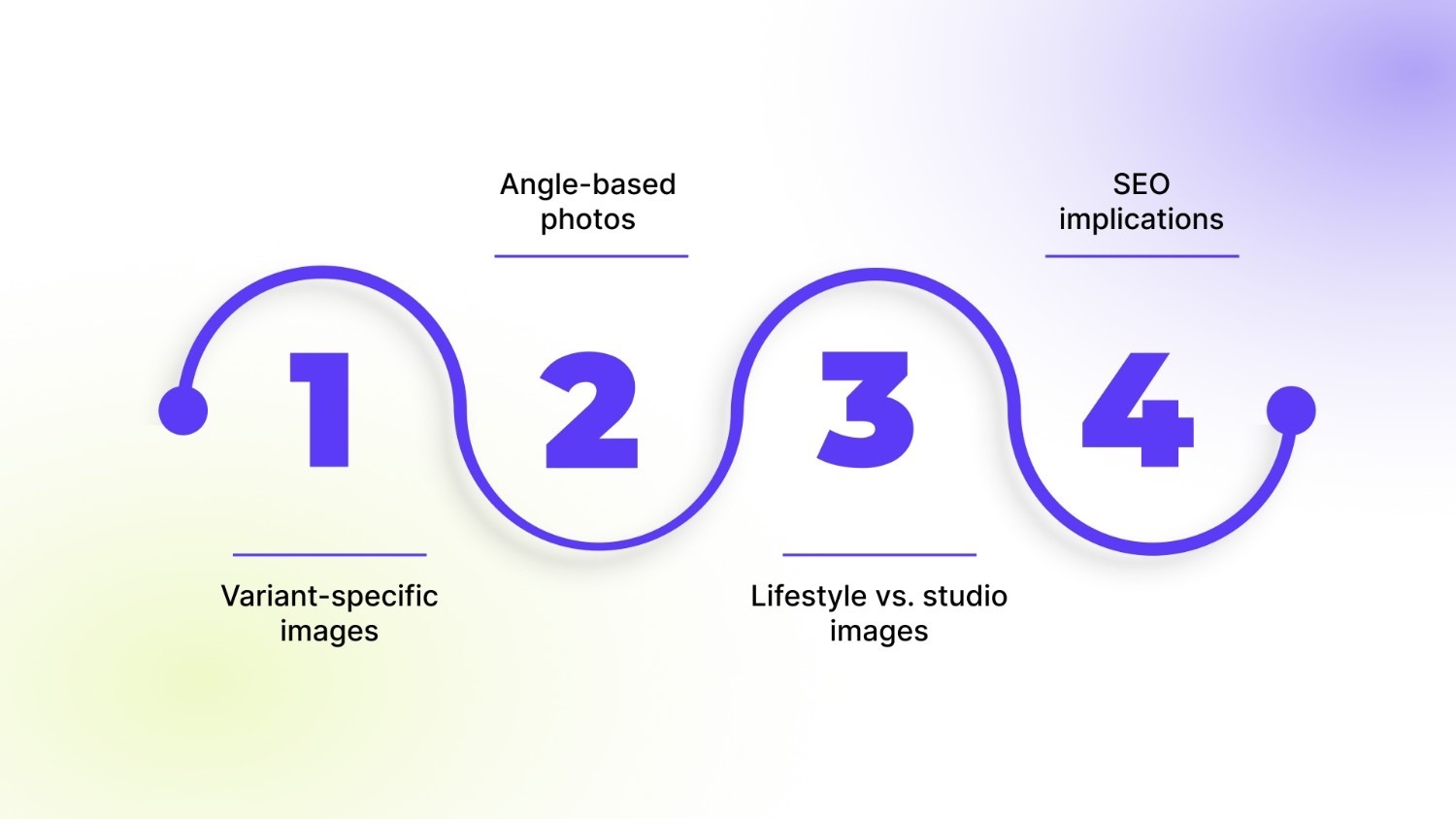
Key points to keep in mind:
- Variant-specific images: Each color, size, or style should have distinct alt text.
- Angle-based photos: Side, front, and back views need descriptive captions to aid user understanding.
- Lifestyle vs. studio images: Context is important, so remember to highlight setting, use, or props when relevant.
- SEO implications: Multiple images per product should all be optimized to avoid duplicate content issues.
Apps like Variant Image Automator ensure the correct variant images appear on your store, making it easy to pair each image with accurate alt text for scalable, SEO-friendly catalogs.
Ethics, Risks & Limitations of AI-Generated Alt Text
AI-generated alt text can save time, but it is not infallible. Relying solely on automation may introduce issues that affect accessibility, usability, and compliance. Understanding the limitations helps maintain high-quality, reliable descriptions.
Key risks and considerations include:
- Bias: AI models may unintentionally reflect biases present in training data, misrepresenting certain objects, people, or products.
- Incorrect Descriptions: The model might misidentify colors, materials, or variant details, leading to inaccurate alt text.
- Over-Descriptiveness: Excessive detail can overwhelm screen readers or exceed the recommended alt text length.
- Legal Implications: Non-compliant alt text can expose stores to ADA or WCAG-related issues.
- Human Review: Manual checks remain crucial for sensitive categories, unique product types, or high-traffic pages to ensure accuracy and inclusivity.
Balancing automation with human oversight ensures alt text remains effective, accessible, and legally sound while still benefiting from AI efficiency.
Conclusion
Manual alt text management becomes unmanageable once your catalog grows. AI-driven captioning with Python offers a scalable way to keep descriptions accurate, variant-aware, and aligned with accessibility and SEO expectations. When paired with structured image management, the entire workflow stays consistent and far easier to maintain.
If you prefer a hands-off setup, StarApps Studio offers purpose-built tools that keep product and variant images organized and updated with the right alt text every day. It offers the simplest way to maintain accuracy as your catalog expands. Give it a try today to keep your store fully optimized and accessible.
FAQ’s
1. Can AI-generated alt text fully replace human-written descriptions?
AI can handle most alt text automatically, especially for variant-heavy catalogs, but human review is recommended for unique products, sensitive categories, or marketing-focused images to ensure accuracy, context, and inclusivity.
2. How often should alt text be updated for Shopify stores?
Alt text should be updated whenever new variants, product photos, or seasonal collections are added. Automated pipelines or tools like Variant Alt Text King can refresh alt text daily, ensuring consistency without manual effort.
3. Can AI-generated alt text handle complex lifestyle or multi-product images?
Yes, modern models like BLIP, Florence-2, and LLaVA can generate descriptive captions for complex scenes, but post-processing may be needed to keep descriptions concise and focused on the relevant product.
4. Does automated alt text affect page load or site performance?
No, alt text itself is lightweight and doesn’t impact page speed. However, ensure image optimization (size, format, compression) is maintained alongside automation for the best SEO and UX results.
5. Can I use the same alt text pipeline for other platforms besides Shopify?
Absolutely. Python-based pipelines and open-source models can generate alt text for any CMS, headless storefront, or e-commerce platform, with minor adjustments for API integration or bulk uploads.
Heading

End-to-end traceability
To ensure regulatory compliance, you must have a complete overview of your products from production to shipping. Book a demo to see how Katana can give you full visibility of your operations.


.png)

.svg)

.svg)

.svg)
.png)