
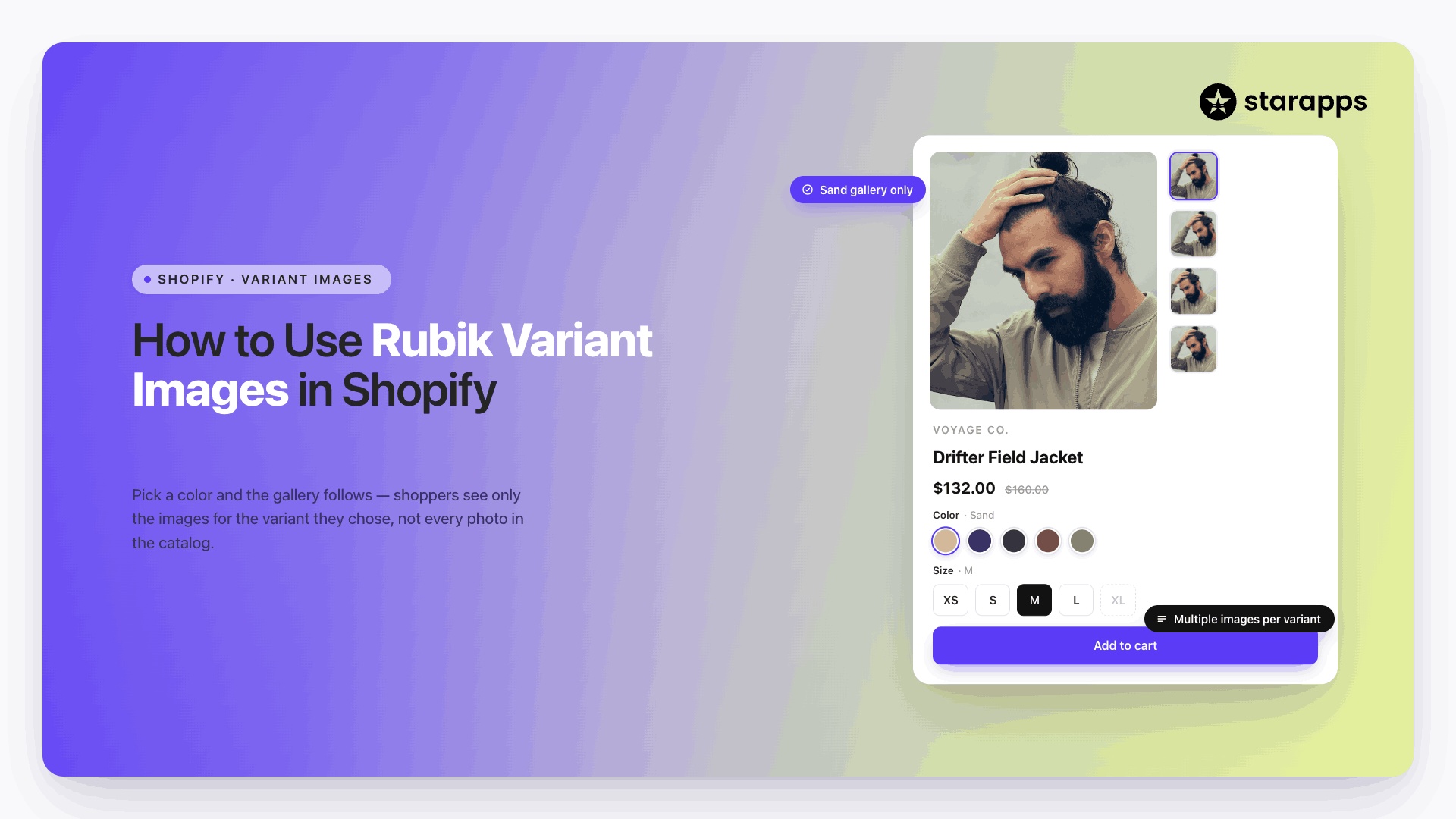

Learn how to use Rubik Variant Images in Shopify, organize variant galleries, improve product presentation, and create a better shopping experience.
A customer selects the black version of a product but continues seeing images from every other color in the gallery. Instead of helping them evaluate the product, the gallery creates confusion and makes it harder to find the exact variant they want. This is a common challenge for Shopify stores with products available in multiple colors, styles, or materials.
According to Baymard Institute, product-page usability plays a major role in ecommerce purchasing decisions. When variant images are not organized properly, shoppers may spend more time searching for information or leave the page altogether.
Many merchants explore solutions such as Rubik Variant Images to create cleaner, variant-specific galleries and improve product presentation. In this article, we'll explain how to use Rubik Variant Images in Shopify, share best practices for managing variant galleries, and discuss the features that help create a better shopping experience.
TL;DR
- Variant-specific galleries help reduce customer confusion by displaying only the images associated with the selected product option.
- Multiple images per variant give shoppers a clearer view of products, making it easier to evaluate details before purchasing.
- Color swatches, image swatches, and organized galleries create a smoother shopping experience than traditional dropdown-based navigation.
- When evaluating Rubik Variant Images or similar solutions, features such as automatic image assignment, theme compatibility, and mobile responsiveness should be priorities.
- Effective variant image management improves product discovery, customer confidence, and overall storefront usability as Shopify catalogs grow.
What Is Rubik Variant Images and Why Do Shopify Merchants Use It?
Managing product images becomes more challenging as Shopify catalogs grow. Stores selling products in multiple colors, styles, materials, or patterns often need a way to display the right images when customers select a specific variant.
Without a structured approach, product galleries can become cluttered and difficult to navigate.
The Challenge of Managing Variant Images
Shopify's default product gallery setup works well for simple products, but it can become limiting when a single product has many variants.
Common challenges include:
- Customers seeing images from every variant instead of only the selected option.
- Product galleries becoming overcrowded with dozens of images.
- Difficulty identifying which images belong to a specific color or style.
- Additional scrolling and navigation, particularly on mobile devices.
These issues can make product evaluation more difficult and create unnecessary friction during the buying journey.
What Merchants Typically Use Rubik Variant Images For
Many Shopify merchants explore Rubik Variant Images to create a more organized and variant-focused product gallery experience.
Common use cases include:
- Variant-Specific Galleries: When a shopper selects a product variant, the gallery updates to display only the images associated with that option. This helps customers focus on the product they are considering instead of sorting through unrelated images.
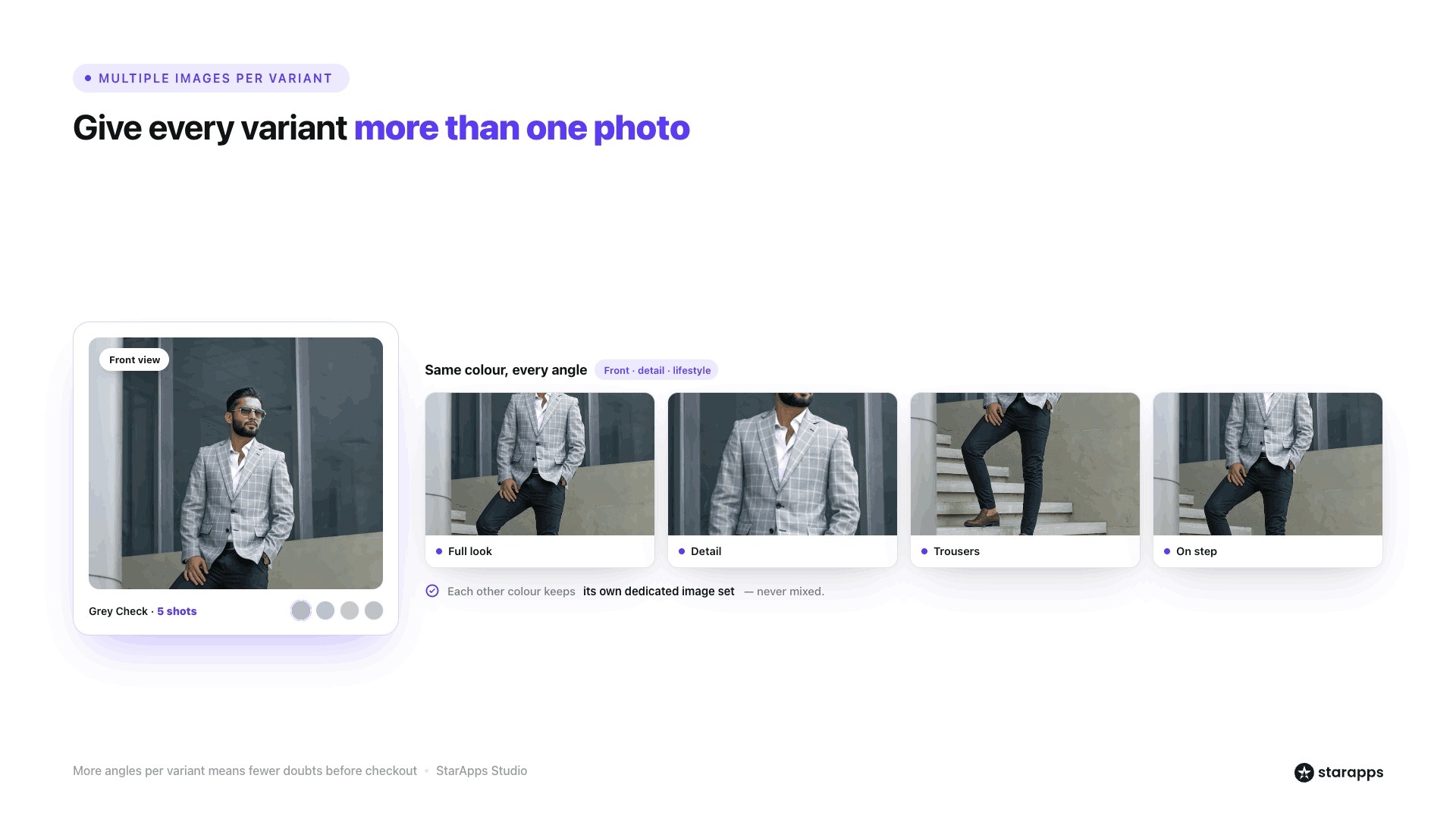
- Multiple Images Per Variant: Merchants can associate several images with a single variant, allowing customers to view different angles, close-up details, and lifestyle shots for the selected product option.
- Cleaner Product Presentation: By organizing images around individual variants, stores can reduce gallery clutter and create a more streamlined shopping experience. This makes it easier for customers to evaluate products and compare available options.
Example: Fashion Store with Multiple Color Variations
Consider a fashion retailer selling a jacket available in eight different colors. If every image appears in a single gallery, shoppers may need to scroll through dozens of photos before finding images that match their preferred color.
A variant-specific image setup creates a more intuitive experience. When a customer selects the navy jacket, the gallery updates to display only navy product images. This reduces confusion, improves product presentation, and helps shoppers make decisions more quickly.
For stores managing large numbers of variants, organized image galleries can play an important role in creating a smoother and more customer-friendly shopping experience.
Also Read: Shopify Product Variants: How to Manage and Optimize Them
How to Use Rubik Variant Images in Shopify
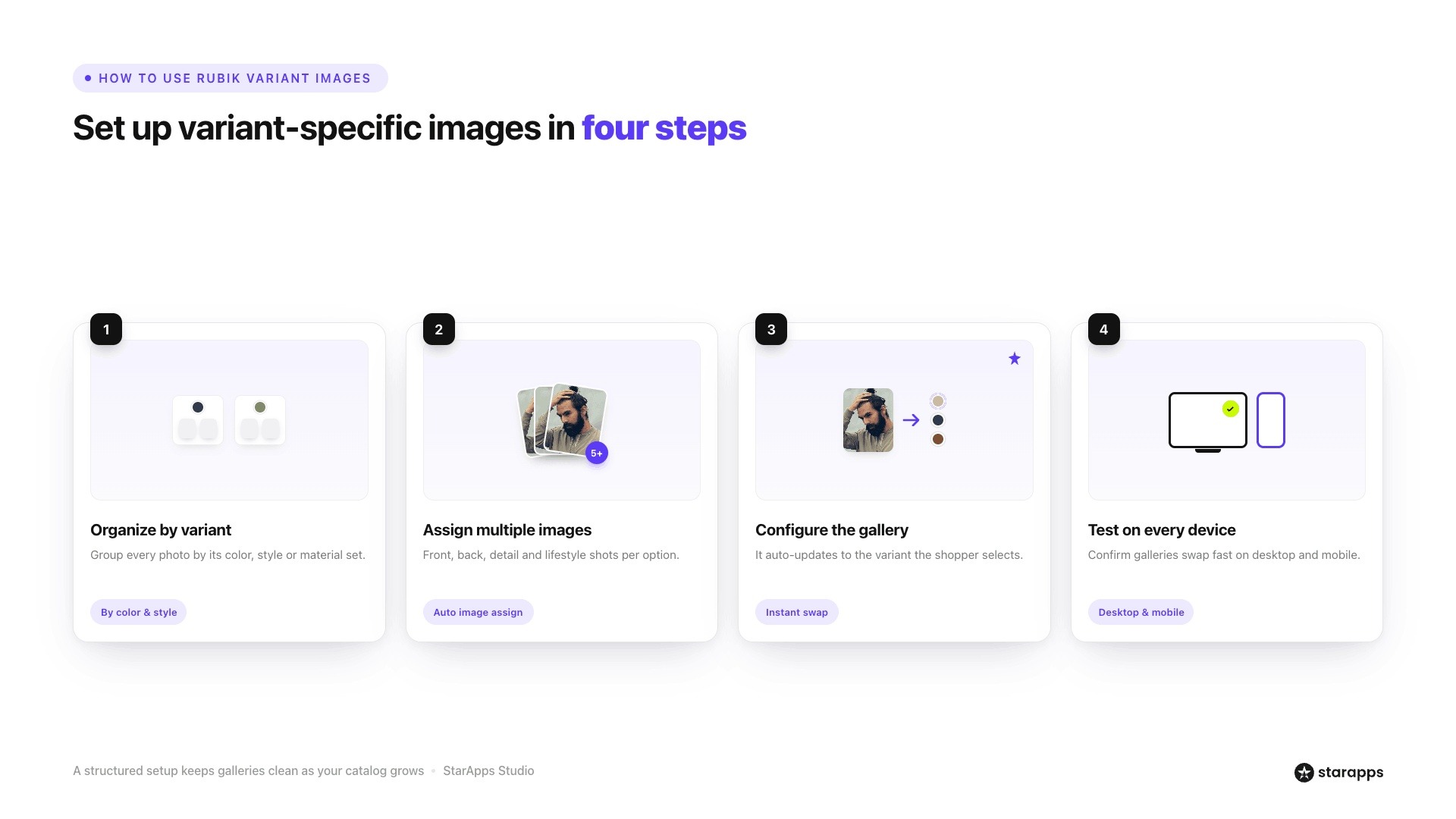
The effectiveness of any variant image solution depends on how well product images are organized and displayed. Simply installing an app is not enough. Merchants need a structured approach to ensure customers see the right images at the right time.
Step 1: Organize Product Images by Variant
Before assigning images, review your product catalog and group images according to their corresponding variants.
For example, if a product is available in five colors, each color should have its own dedicated image set. This helps prevent images from being mixed across variants and creates a more organized gallery structure.
A good practice is to:
- Group images by color, style, or material.
- Remove duplicate or outdated photos.
- Maintain consistent image quality and dimensions.
The cleaner your image organization, the easier it becomes to manage variants at scale.
Step 2: Assign Multiple Images to Each Variant
Many products require more than a single image to help customers make informed decisions. Different angles, close-up shots, and lifestyle images provide additional context and help shoppers evaluate the product more effectively.
When assigning images:
- Include front, back, and side views where relevant.
- Add detail shots for important product features.
- Use lifestyle images when they help showcase the product in use.
For example, a footwear brand may assign six to eight images to each color variant to highlight design details and materials.
Step 3: Configure Variant-Specific Gallery Behavior
Once images are assigned, configure the gallery so it updates automatically when customers select a different variant.
The goal is simple: shoppers should only see images that relate to the option they have chosen.
This helps:
- Reduce visual clutter.
- Improve product clarity.
- Create a more intuitive browsing experience.
- Minimize confusion when switching between variants.
For stores with large catalogs, variant-specific galleries make product pages significantly easier to navigate.
Step 4: Test the Experience Across Devices
A setup that works well on desktop may not always deliver the same experience on mobile devices.
After configuring your gallery:
- Test variant selection on smartphones and tablets.
- Verify that images update correctly when variants change.
- Check gallery loading speed.
- Ensure swatches and image selectors remain easy to use on smaller screens.
Since a large percentage of ecommerce traffic comes from mobile devices, testing across multiple screen sizes is an important final step.
Common Setup Mistakes to Avoid
Even with the right tools, a few common mistakes can reduce the effectiveness of variant image galleries.
Avoid:
- Displaying every product image for every variant.
- Using only one image for visually distinct variants.
- Mixing images from different colors or styles.
- Uploading inconsistent image sizes.
- Skipping mobile testing before publishing changes.
For example, an apparel store selling a shirt in ten colors may unintentionally display images from all ten variants within a single gallery. Instead of helping customers compare options, this often creates confusion and makes it harder to evaluate the selected product.
A well-organized variant image setup helps customers find relevant information faster, improves product presentation, and creates a smoother shopping experience across your storefront.
Also Read: How to Create Multiple Shopify Stores Under One Account
Best Practices for Shopify Variant Image Galleries
A well-organized variant image gallery helps customers find the information they need faster and creates a smoother shopping experience. As your catalog grows, following a few best practices can help keep product pages clean and easy to navigate.
1. Show Only Relevant Images: Display only the images associated with the selected variant. This reduces visual clutter and helps customers focus on the product option they are considering.
2. Use Multiple Images for Each Variant: Include several images for each variant, such as different angles, close-up shots, and lifestyle photos. This gives shoppers a better understanding of the product before they purchase.
3. Optimize Images for Mobile Shoppers: Ensure images load quickly and galleries update smoothly across devices. Mobile shoppers should be able to switch variants without excessive scrolling or delays.
4. Keep Galleries Organized as Catalogs Grow: Use consistent image naming and grouping practices to make variant management easier as new products and collections are added.
Example: Apparel Brand Managing Seasonal Collections
Imagine an apparel retailer launching four seasonal collections each year, with every product available in multiple colors and sizes. Over time, the store accumulates thousands of product images across its catalog.
Without an organized variant image strategy, galleries can become difficult to manage and shoppers may struggle to find relevant product visuals. By displaying only variant-specific images, using multiple images per option, and maintaining consistent image organization practices, the retailer creates a cleaner shopping experience that scales alongside catalog growth.
As your product catalog expands, variant image galleries should evolve with it. Well-organized galleries help customers evaluate products more efficiently, support better merchandising, and contribute to a more streamlined storefront experience.
Also Read: Key Strategies to Enhance Product Line Item Visibility
Features to Look for in Any Shopify Variant Image Solution
Whether you're researching Rubik Variant Images or evaluating other Shopify variant image apps, it is important to look beyond basic functionality.
The right solution should help customers find the correct product variant quickly while making image management easier for your team. As product catalogs grow, these capabilities become increasingly important for maintaining a consistent shopping experience.
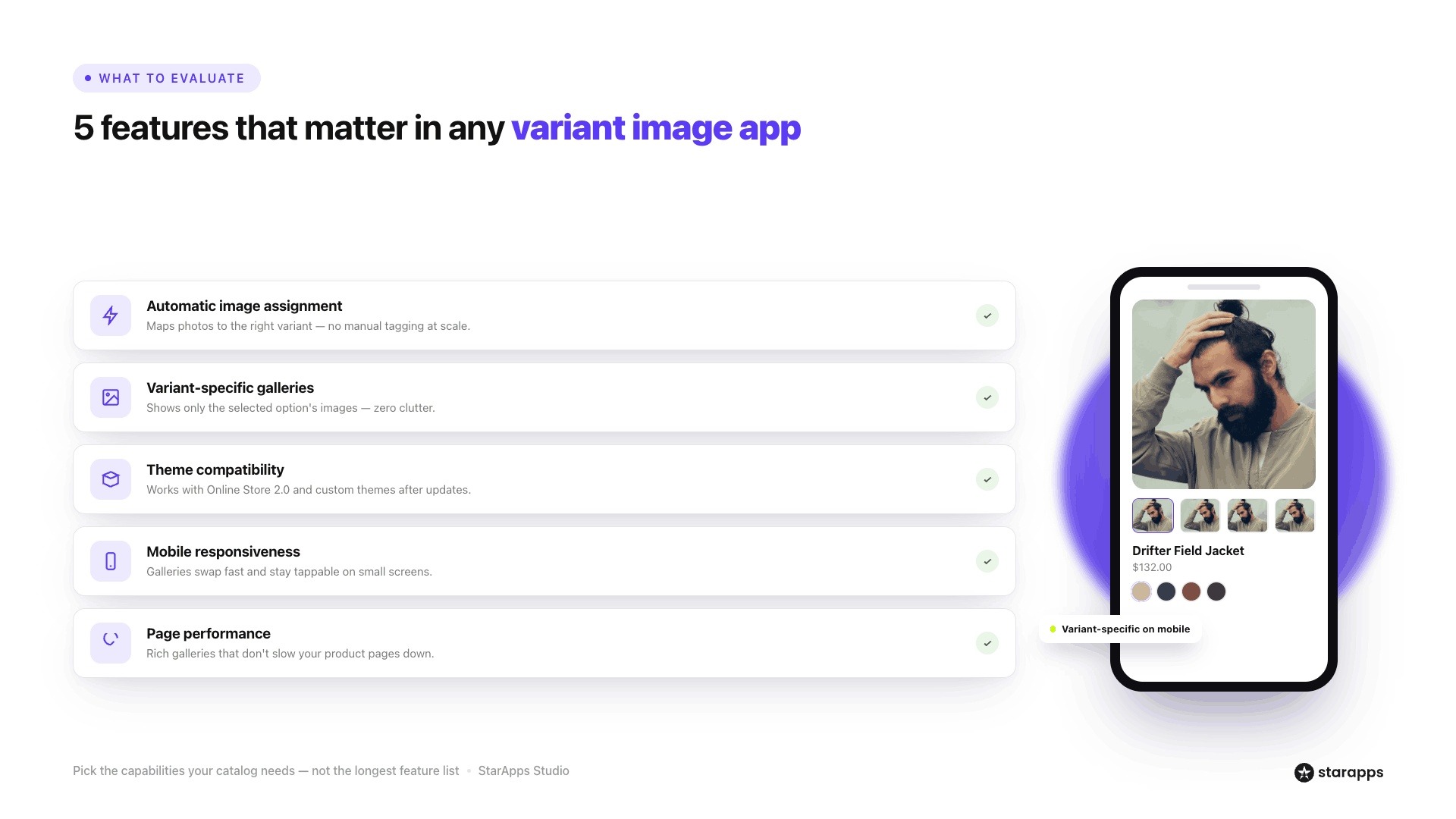
Automatic Image Assignment
Managing variant images manually can become time-consuming, especially for stores with large catalogs and frequent product launches. Automatic image assignment helps connect the correct images to each variant without requiring extensive manual updates.
For example, a fashion retailer adding new colorways every season may need to manage hundreds of variant images. Automated assignment reduces administrative work and helps maintain gallery accuracy as the catalog expands.
Variant-Specific Galleries
One of the most valuable features in a variant image solution is the ability to display only the images associated with the selected variant.
Instead of showing every image in a single gallery, the gallery updates dynamically when customers choose a different color, style, or material. This reduces visual clutter, improves product clarity, and makes it easier for shoppers to evaluate their preferred option.
Theme Compatibility
A variant image app should integrate smoothly with your existing Shopify theme and continue working properly as your storefront evolves.
Before choosing a solution, consider whether it:
- Supports Online Store 2.0 themes.
- Works with custom themes.
- Maintains compatibility after theme updates.
- Requires minimal developer intervention.
Strong compatibility helps reduce maintenance work and minimizes the risk of storefront issues over time.
Mobile Responsiveness
A significant portion of ecommerce traffic comes from mobile devices, making mobile usability a critical consideration.
Variant galleries should:
- Update quickly when variants change.
- Display images clearly on smaller screens.
- Remain easy to navigate with touch interactions.
- Avoid excessive scrolling or complicated navigation.
A mobile-friendly gallery helps customers browse products efficiently regardless of device.
Performance Considerations
Additional functionality should not negatively impact storefront performance. Slow-loading product pages can create frustration and interrupt the shopping experience.
When evaluating a solution, look for features that balance functionality with efficiency, ensuring galleries remain responsive even when products contain multiple variants and image sets.
Why Merchants Compare These Capabilities
When researching Rubik Variant Images or similar Shopify apps, merchants are typically trying to solve a broader challenge: improving how customers interact with product variants.
The most effective solution is not necessarily the one with the largest number of features. Instead, merchants should focus on capabilities that support their catalog size, merchandising strategy, and customer experience goals.
Features such as automatic image assignment, variant-specific galleries, mobile responsiveness, and theme compatibility often have a greater impact on storefront performance than an extensive feature list alone.
Also Read: Key Strategies to Enhance Product Line Item Visibility
How StarApps Helps Shopify Merchants Improve Variant Image Management
Managing variant images becomes more challenging as product catalogs grow. The right tools can help merchants organize product galleries, simplify variant selection, and create a more intuitive shopping experience.
StarApps Studio develops Shopify apps designed to address these challenges while helping stores improve product presentation and merchandising performance.
Variant Image Automator
Variant Image Automator helps merchants create cleaner, variant-focused product galleries by automatically assigning images to the correct product variants.
Key capabilities include:
- Automatic image assignment for faster catalog management.
- Support for multiple images per variant.
- Variant-specific galleries that display only relevant images.
- Reduced gallery clutter and improved product clarity.
For stores with products available in multiple colors or styles, this helps customers see the exact variant they are considering without sorting through unrelated images.
Color Swatch King
Color Swatch King improves how customers interact with product options by replacing traditional dropdown menus with visual selectors.
Key capabilities include:
- Color swatches for faster variant selection.
- Image swatches for visually distinct product options.
- Collection-page swatches that improve product discovery.
- More intuitive browsing across large catalogs.
This creates a smoother shopping experience while helping customers compare variants more efficiently.
If your store struggles with image organization, variant presentation, or product discoverability, consider using Shopify apps designed specifically to improve product merchandising and customer experience.
Book a demo to create cleaner storefront experiences while making large product catalogs easier to manage.
Final Thoughts
A well-organized variant image strategy helps customers find the right product faster, reduces confusion, and creates a more intuitive shopping experience. As catalogs grow, features such as variant-specific galleries, image swatches, and automatic image assignment become increasingly important for product discovery and customer confidence.
If you're looking to improve variant presentation and create a better storefront experience, explore the StarApps app suite and find the solution that best fits your Shopify store's needs.
FAQs
1. Can Rubik Variant Images show multiple images for a single variant?
Yes. One of the primary reasons merchants use variant image solutions is to associate multiple images with a single product variant. This allows customers to view different angles, close-up details, and lifestyle photos for the selected option, creating a more informative shopping experience.
2. Do variant-specific galleries improve conversion rates?
Variant-specific galleries can help customers evaluate products more efficiently by displaying only the images relevant to their selection. When shoppers can quickly understand what a product looks like in their preferred color or style, they often feel more confident in their purchasing decisions. While results vary by store, clearer product presentation generally supports a better user experience.
3. How many images should each Shopify variant have?
There is no fixed number that works for every product. Most merchants benefit from including enough images to show key product details, different angles, and important features. For visually driven categories such as fashion, footwear, and home décor, multiple images per variant can help customers make more informed decisions.
4. Can variant image apps affect Shopify page speed?
Variant image apps can influence page performance depending on how they load and manage product images. Well-designed solutions are built to minimize performance impact while maintaining a smooth browsing experience. Merchants should always evaluate both functionality and speed when choosing a variant image app.
5. What should merchants consider when choosing a Shopify variant image app?
Merchants should look beyond basic image management and evaluate how well the solution supports their catalog size and customer experience goals. Important considerations include multiple images per variant, automatic image assignment, theme compatibility, mobile responsiveness, and ease of maintenance as the store grows.
Heading

End-to-end traceability
To ensure regulatory compliance, you must have a complete overview of your products from production to shipping. Book a demo to see how Katana can give you full visibility of your operations.
.png)

.svg)

.svg)

.svg)
.png)