


Explore AvisPlus features, pricing, and constraints. Learn if this Shopify product options app works for complex product options and growing catalogs.
When you look into AvisPlus features, you’re usually dealing with a deeper issue than standard variants. It is how to handle custom product options without turning your product pages into a mess.
As customization grows, so does complexity. File uploads, add-ons, conditional fields, and dynamic pricing can quickly become difficult to manage within Shopify’s default setup.
AvisPlus Product Options is built to bring that structure under control. With a 5.0 rating from 1,600+ reviews on the Shopify App Store, it’s often used by stores that need flexibility beyond basic variants. But how well does it hold up as those requirements scale? Let’s break that down.
Overview
- AvisPlus is a Shopify product options system designed to extend default variant functionality by enabling advanced customization through inputs, rules, and pricing logic within product pages.
- It is structured to handle complex product configurations, including text fields, file uploads, conditional logic, and add-on pricing, all managed within a single setup.
- Its strength lies in supporting layered customization flows where multiple option types and dependencies need to work together within one product experience.
- Since the system is focused on customization depth, managing simpler catalogs or purely visual variant structures may involve more configuration than necessary for basic use cases.
- In setups where the priority shifts from building product configurations to improving how variants are presented, compared, and navigated across the storefront, tools like StarApps Studio are often evaluated for that layer of experience.
AvisPlus Overview: Key Features and Pricing Breakdown
AvisPlus Product Options is built for Shopify merchants who need more flexibility in how products are customized, especially when default variants start to feel limiting.
Instead of relying on Shopify’s basic structure, it enables layered product options like text inputs, image uploads, add-ons, and conditional logic within a single system. This helps manage personalized or made-to-order products more efficiently.
The app focuses on improving how customers interact with customization through real-time previews, flexible option types, and dynamic pricing. It’s commonly used by stores handling personalized, print-on-demand, or configurable products at scale.
What AvisPlus is Made For
At its core, AvisPlus extends Shopify’s product customization capabilities beyond standard variants by enabling more advanced input types and logic-driven configurations.
Rather than limiting options to simple dropdowns or fixed variants, it allows merchants to create interactive product experiences using multiple input formats and dynamic rules. This includes capturing custom text, uploading images, applying conditional logic, and adjusting pricing based on selected options.
For example, a store can use AvisPlus to:
- Add custom fields like text inputs, file uploads, checkboxes, or dropdowns.
- Allow customers to preview their inputs directly on product images.
- Apply conditional logic to show or hide options based on selections.
- Set add-on pricing for extras, bundles, or premium customizations.
- Manage multiple option sets across different products.
- Sync selected options directly with orders, emails, and fulfillment workflows.
This makes AvisPlus more of a product customization and input management tool, rather than a solution focused purely on variant display or merchandising.
Key Features of AvisPlus
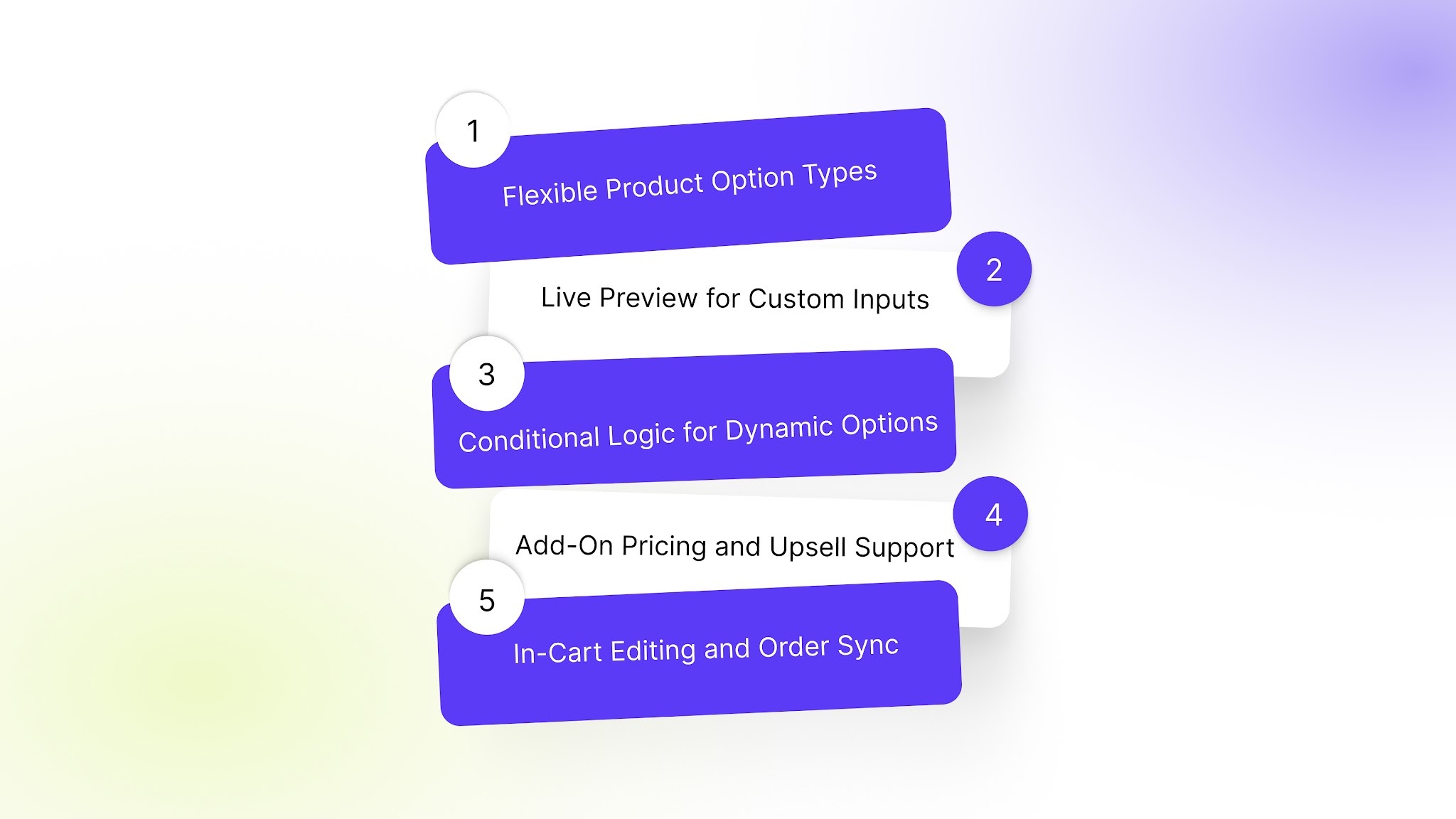
1. Flexible Product Option Types
AvisPlus supports multiple input formats such as text fields, dropdowns, checkboxes, radio buttons, image swatches, and file uploads. This allows merchants to create more customized product configurations.
2. Live Preview for Custom Inputs
Customers can see their custom inputs, like text or uploaded images, reflected directly on the product display. This helps them visualize the final output before purchase.
3. Conditional Logic for Dynamic Options
The app allows merchants to show or hide specific options based on customer selections. This keeps product pages cleaner and ensures that only relevant choices are displayed during the buying process.
4. Add-On Pricing and Upsell Support
AvisPlus enables pricing adjustments based on selected options, including add-ons or extra features. This helps merchants offer upgrades, bundles, or premium customizations directly within the product page.
5. In-Cart Editing and Order Sync
Customers can edit their selected options directly from the cart, and all custom inputs are automatically synced with orders, emails, and fulfillment workflows.
Also Read: BssCommerce Features, Price & Review: Is It Worth It in 2026?
AvisPlus Pricing Breakdown
AvisPlus offers a four-tier pricing structure, starting with a free plan and scaling based on customization depth, feature access, and support levels.
This structure makes it easy to start with basic customization and gradually unlock more advanced configuration capabilities as your product catalog and requirements grow.
AvisPlus Strengths and Limitations
AvisPlus is built for merchants who want to move beyond Shopify’s default variant structure and introduce more flexible product customization. It performs best when stores need deeper control over product inputs, personalization, and pricing logic within a single system.
At the same time, because it focuses heavily on customization depth, the experience can vary depending on how simple or complex a store’s setup is.
Where AvisPlus Performs Well
AvisPlus is particularly effective for merchants who need a wide range of product customization options without relying on multiple external tools.
Its key strengths include:
- Supports a large variety of input types, including text fields, swatches, file uploads, and dropdowns, enabling richer product personalization.
- Allows customers to preview custom inputs directly on product images, improving clarity before purchase.
- Enables conditional logic to dynamically show or hide options based on customer selections.
- Offers add-on pricing and bundling, making it easier to manage upsells and custom charges within product pages.
- Includes order sync across emails, packing slips, and admin workflows for smoother fulfillment.
- Works well for stores with personalized, print-on-demand, or configurable product catalogs.
These strengths make AvisPlus a strong fit for merchants who prioritize flexibility in product configuration and want a single system to handle multiple customization needs.
Where AvisPlus May Feel Limited
While AvisPlus offers a broad feature set, its depth and complexity may require more setup time depending on the store’s requirements and use case.
Some considerations include:
- A feature-rich interface can feel complex for stores that only need basic variant display.
- Advanced customization options may require initial learning to configure effectively.
- Performance and setup complexity can increase when multiple option layers are used across large catalogs.
- Stores focused purely on visual variant presentation may not use the full range of customization tools available.
- Broader functionality means merchants may need to carefully structure options to avoid over-complicating product pages.
These aspects don’t reduce its capability, but they reflect its positioning as a deeper product customization tool rather than a lightweight variant display solution.
How StarApps Studio Supports Variant Experience Improvements?
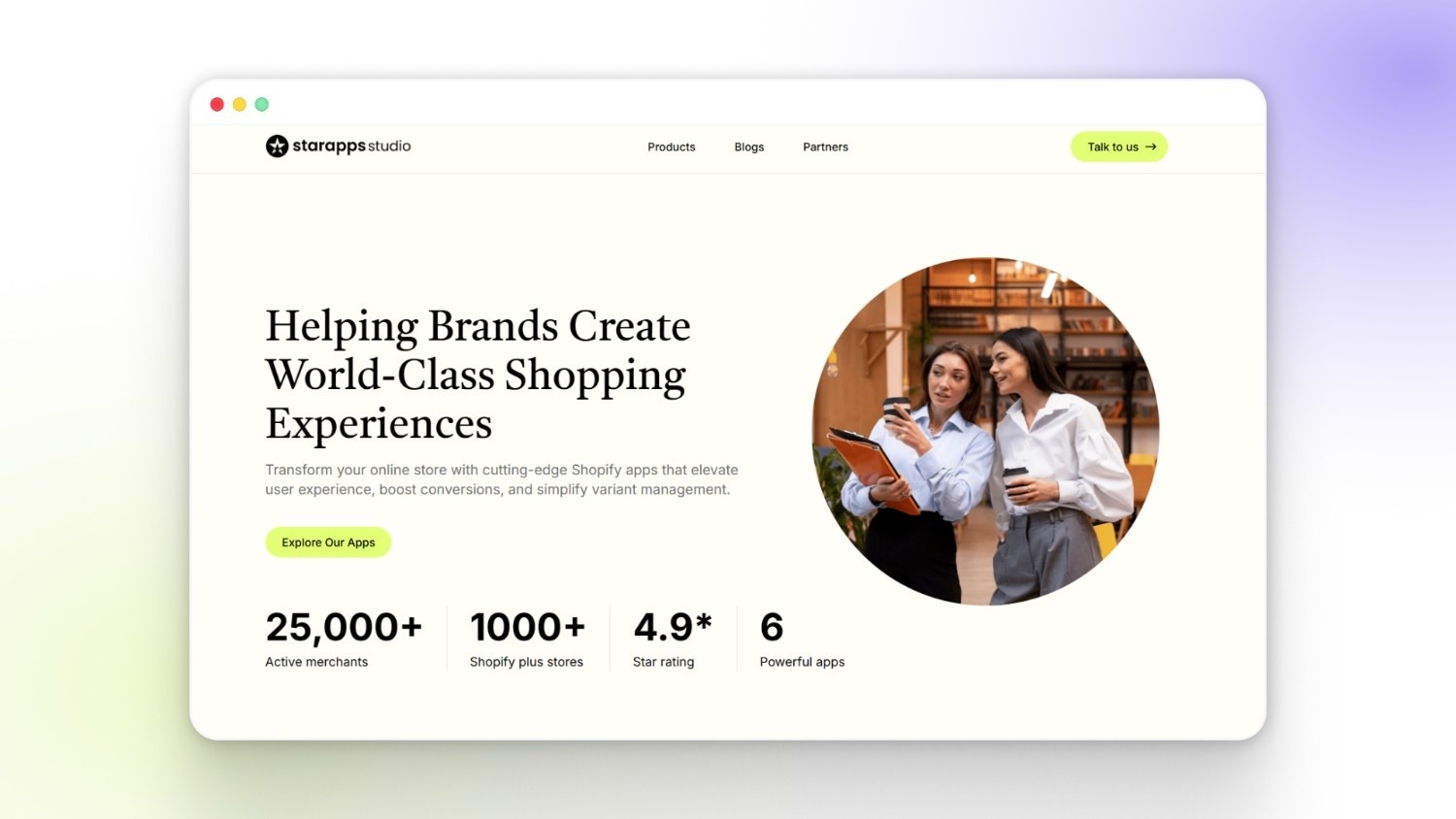
StarApps Studio approaches a variant experience from a more segmented angle, where each part of the shopping journey is handled through a focused tool rather than a single bundled setup.
In comparison to broader product configuration systems like AvisPlus, the emphasis here shifts toward refining how variants are displayed, interpreted, and interacted with once they are already defined in a store.
This becomes relevant when merchants want to improve the presentation layer of variants, especially in stores where product structure already exists, but the browsing experience still feels unclear or inconsistent.
Where StarApps Studio Fits In
For Shopify stores that already have product customization or variant logic in place, StarApps typically comes into the picture when the focus moves toward improving how customers navigate those options.
It tends to align with setups where:
- Product ranges include multiple visual variations or styles.
- Customers rely heavily on images and quick comparisons before deciding.
- Collection pages contribute significantly to product discovery.
- Variant clarity directly influences conversion flow.
- Store growth has made the browsing experience more complex over time.
Rather than changing how variants are created, the focus stays on how those variants are experienced across storefront touchpoints.
Color Swatch King for Faster Visual Selection
As product catalogs expand, dropdown-based selection can slow down how quickly shoppers understand available options.
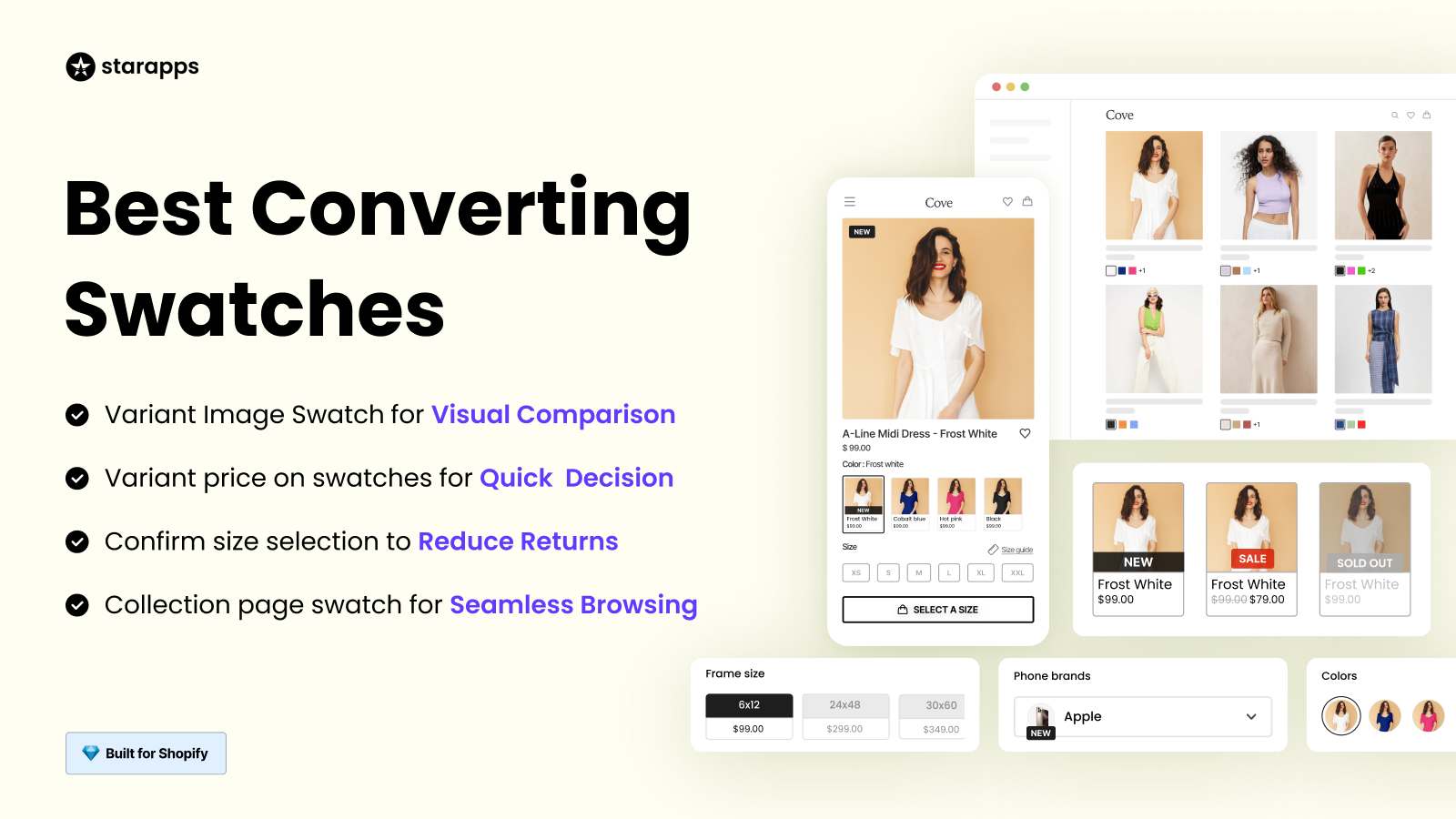
Color Swatch King introduces a more visual way to explore variants through swatches, buttons, or image-based selectors. It helps customers grasp differences without needing to open multiple menus.
This becomes useful in scenarios where:
- Products exist in multiple colors, styles, or finishes.
- Visual differences influence purchase decisions.
- Collection pages need a quicker interaction flow.
The goal here is simply to reduce friction during early-stage product exploration.
Variant Image Automator for Consistent Product Views
When products include multiple variants with separate images, storefronts can sometimes display unrelated visuals during selection. This may interrupt user understanding.
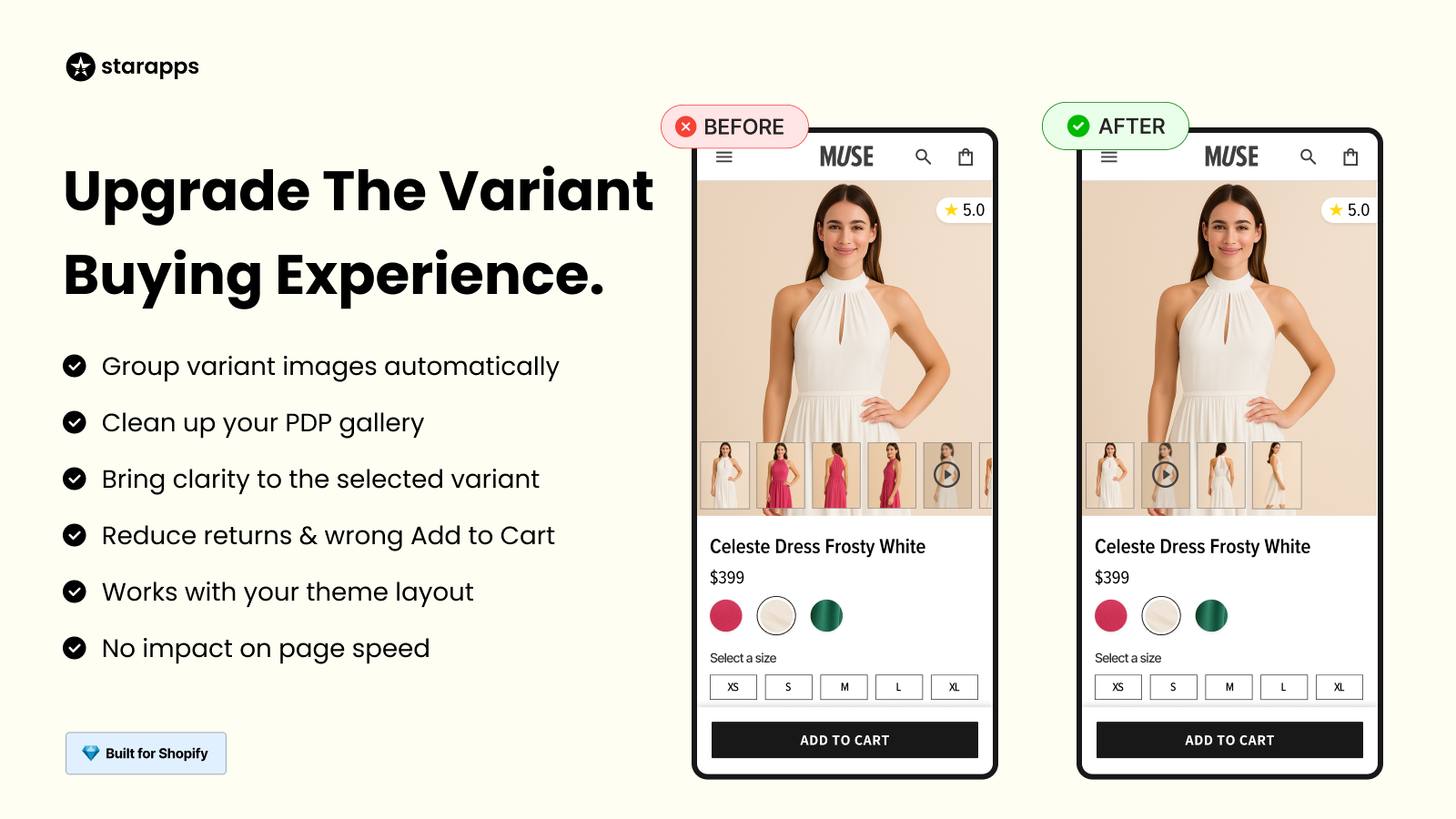
Variant Image Automator helps align images with selected variants so that customers only see visuals relevant to their current choice.
This setup is often useful when:
- Products contain multiple image sets per variant.
- Manual image assignment becomes difficult to manage at scale.
- Stores want a more structured and predictable gallery experience.
It mainly supports clarity during product browsing rather than changing how products are configured.
SA Variants: Combined Listings for Structured Browsing
In many Shopify setups, variants remain grouped under a single product page, which can limit how easily they appear across collections and search results.
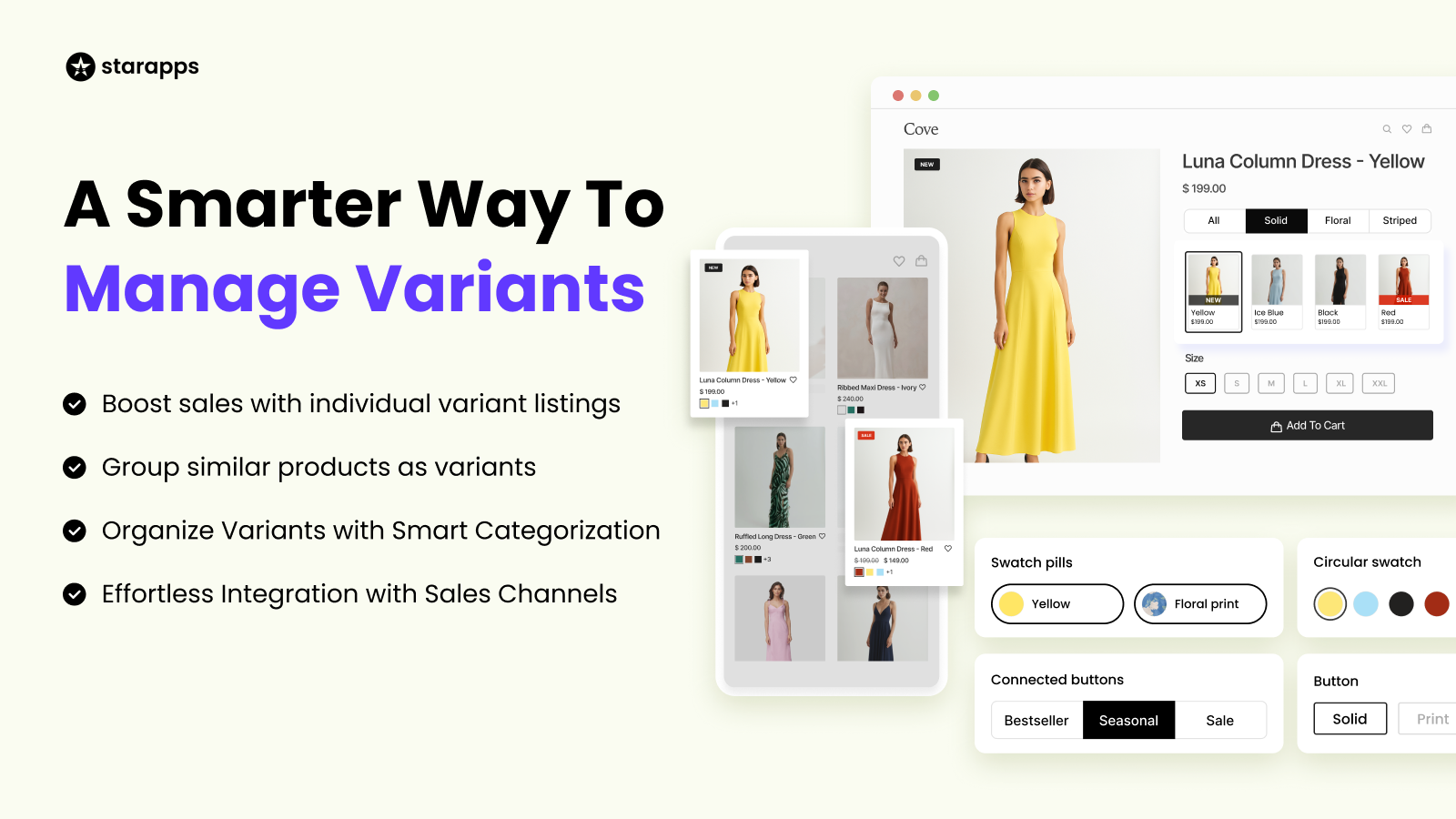
SA Variants: Combined Listings restructures this by allowing variants to surface as individual listings while still staying connected under a shared product structure.
This can support:
- More visible product variants across collection grids.
- Easier filtering and browsing across large catalogs.
- Improved accessibility of variant-level information in search.
It is generally used where discovery across the storefront matters as much as the product page experience itself.
Why Variant Experience Becomes More Important at Scale
As product catalogs grow, the challenge shifts away from simply defining variants toward helping customers move through them smoothly.
This is usually reflected in areas such as:
- How quickly do customers compare options?
- How accurately images reflect selections>
- How easily are products discovered in collections?
- How much effort is needed to understand the differences between variants?
Improving these areas doesn’t change the product itself, but it improves how easily customers can interpret and act on available choices within the storefront flow.
How StarApps Studio and AvisPlus Differ in Approach?
StarApps Studio and AvisPlus address overlapping storefront challenges, but they are structured around different layers of the product experience.
AvisPlus is built around product customization and configuration, helping merchants create personalized shopping experiences using inputs, logic-based rules, and pricing adjustments.
StarApps Studio, in contrast, focuses more on the presentation and interaction layer of variants, shaping how product options are displayed, browsed, and understood across the storefront.
Instead of being alternatives, they often sit at different stages of the same journey: one defining what the product can be customized into, and the other refining how those variations are experienced by customers.
Also Read: How to Manage High-Variant Products in Shopify.
Which One Makes More Sense for Your Store?
If your store is working with:
- Products that require flexible configuration beyond Shopify’s default variants
- Inputs like text fields, file uploads, checkboxes, or dropdown-based selections
- Conditional logic to show or hide options based on customer choices
- Pricing adjustments based on selected add-ons or customizations
- Centralized management of multiple product option sets
Then, AvisPlus Product Options is typically used as the goal is to build a more flexible product configuration system that goes beyond standard variant limits.
If your store is focused on:
- Making product variants easier to view and compare visually
- Improving how options appear across product and collection pages
- Reducing friction in selecting between colors, sizes, or styles
- Strengthening browsing clarity and product discovery
Then, StarApps Studio tools are generally used to improve how existing variants are presented and experienced across the storefront.
Final Thoughts
AvisPlus Product Options is built for stores that need more flexibility in how products are configured beyond Shopify’s default variant setup. It brings multiple input types, conditional logic, and pricing controls into one system, making it easier to manage customizable or made-to-order products at scale.
As product setups become more complex, having a structured way to handle customization can help keep both management and customer experience consistent. In contrast, stores that are more focused on how variants are displayed and explored across the storefront often look at additional tools like StarApps Studio to refine that layer of the experience.
Ultimately, it depends on whether your priority is building product customization flows or improving how existing variants are presented and navigated.
FAQs
1. Can AvisPlus handle products with multiple customization options on the same page?
Yes, AvisPlus allows multiple option sets on a single product, including inputs like text fields, dropdowns, checkboxes, and file uploads. This helps stores combine different customization layers, such as engraving text, color selection, or add-on features, within one structured setup instead of creating separate variants.
2. Does AvisPlus replace Shopify’s default variant system?
AvisPlus does not replace Shopify’s default variant system. Instead, it works alongside it and extends its functionality by allowing merchants to add more flexible product options such as custom inputs, conditional logic, and pricing adjustments. This makes it easier to handle complex product configurations that go beyond standard Shopify variants while still keeping the native system in place.
3. How does AvisPlus help with order processing for custom products?
AvisPlus syncs selected product options directly with orders, emails, and packing slips. This ensures that all customization details are passed to fulfillment teams clearly, reducing manual errors and making it easier to process personalized or made-to-order items.
4. Is AvisPlus suitable for stores that do not sell custom or personalized products?
Yes, but its full value is more visible in stores that require flexible product configuration. If a store only needs a simple variant display (like size or color), a lighter variant-focused setup may be sufficient. AvisPlus becomes more relevant when products require dynamic options or conditional logic.
5. When should a store consider tools like StarApps Studio instead?
Stores typically consider variant-focused tools like StarApps Studio when the main challenge is not customization, but how product variants are displayed and experienced. This includes improving swatch visibility, image clarity, and collection-page browsing for easier product selection.
Heading

End-to-end traceability
To ensure regulatory compliance, you must have a complete overview of your products from production to shipping. Book a demo to see how Katana can give you full visibility of your operations.



.png)

.svg)

.svg)

.svg)
.png)