
6 Steps to Make Size Selection Easier With Shopify Size Swatches in 2026
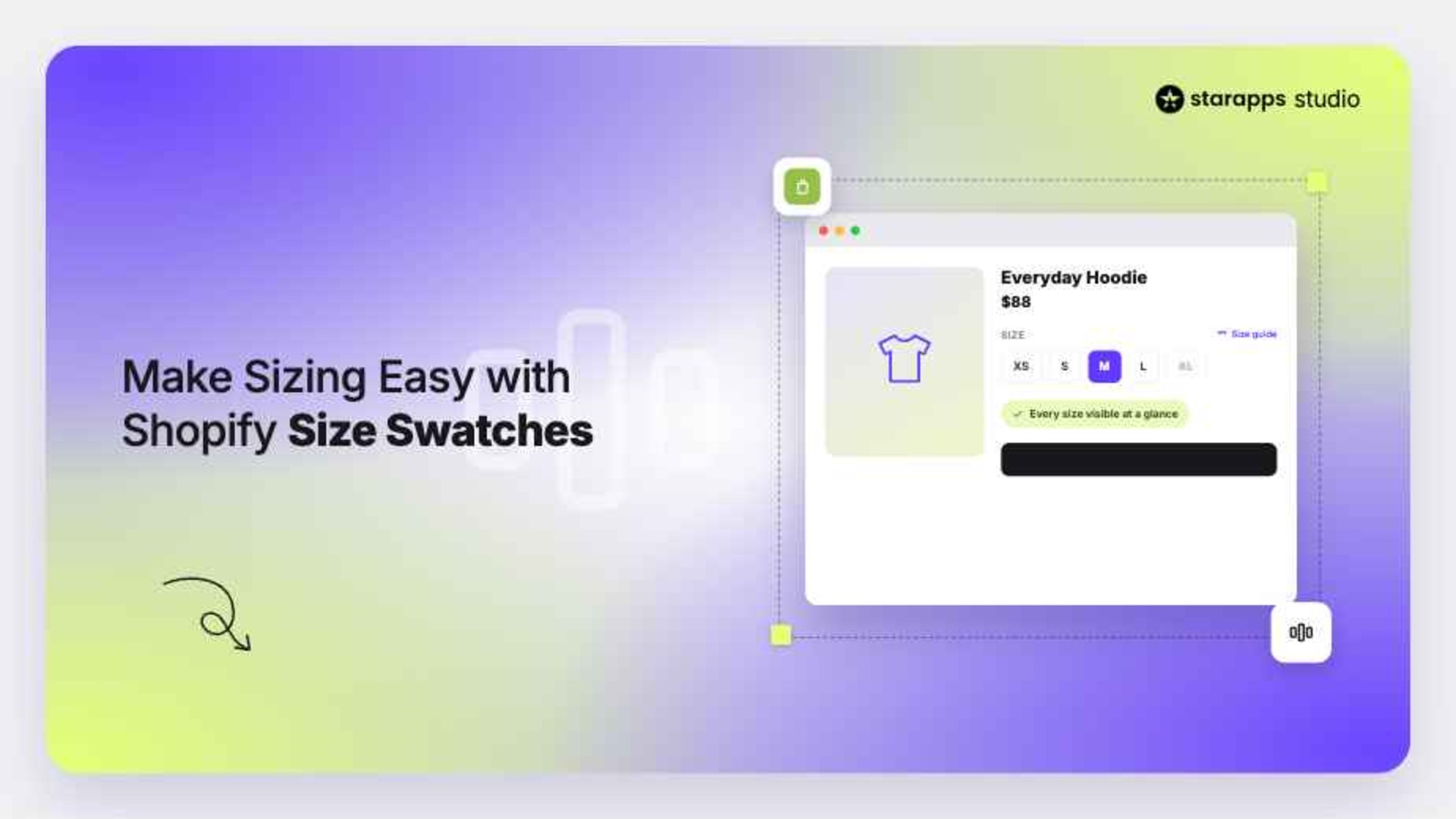

Learn how to add Shopify size swatches, improve variant selection, and create a smoother shopping experience. Follow these 6 steps to make size selection easier.
A customer finds a product they love, but uncertainty around sizing stops them from buying. It is a costly problem: fit and size issues account for 46% of all clothing returns.
If you sell products with multiple size options, you have likely seen this challenge firsthand. In this article, you will learn how Shopify size swatches can make selection easier, improve product discovery, and create a smoother shopping experience.
Let's start with the basics:
- Size selection impacts more than the shopping experience. Fit and sizing issues account for a significant share of ecommerce returns, making clear variant selection essential.
- Shopify size swatches make product options easier to discover. Shoppers can see available sizes immediately instead of searching through dropdown menus.
- Visual selectors reduce friction throughout the buying journey. Fewer clicks and clearer choices can help customers make decisions faster.
- Great size experiences require more than adding swatches. Consistent labels, visible availability, mobile optimization, and size guidance all play an important role.
- StarApps helps simplify size selection with tools like Swatch King and Variant Image Automator. Together, they create a clearer and more intuitive variant experience for shoppers.
What Are Shopify Size Swatches?
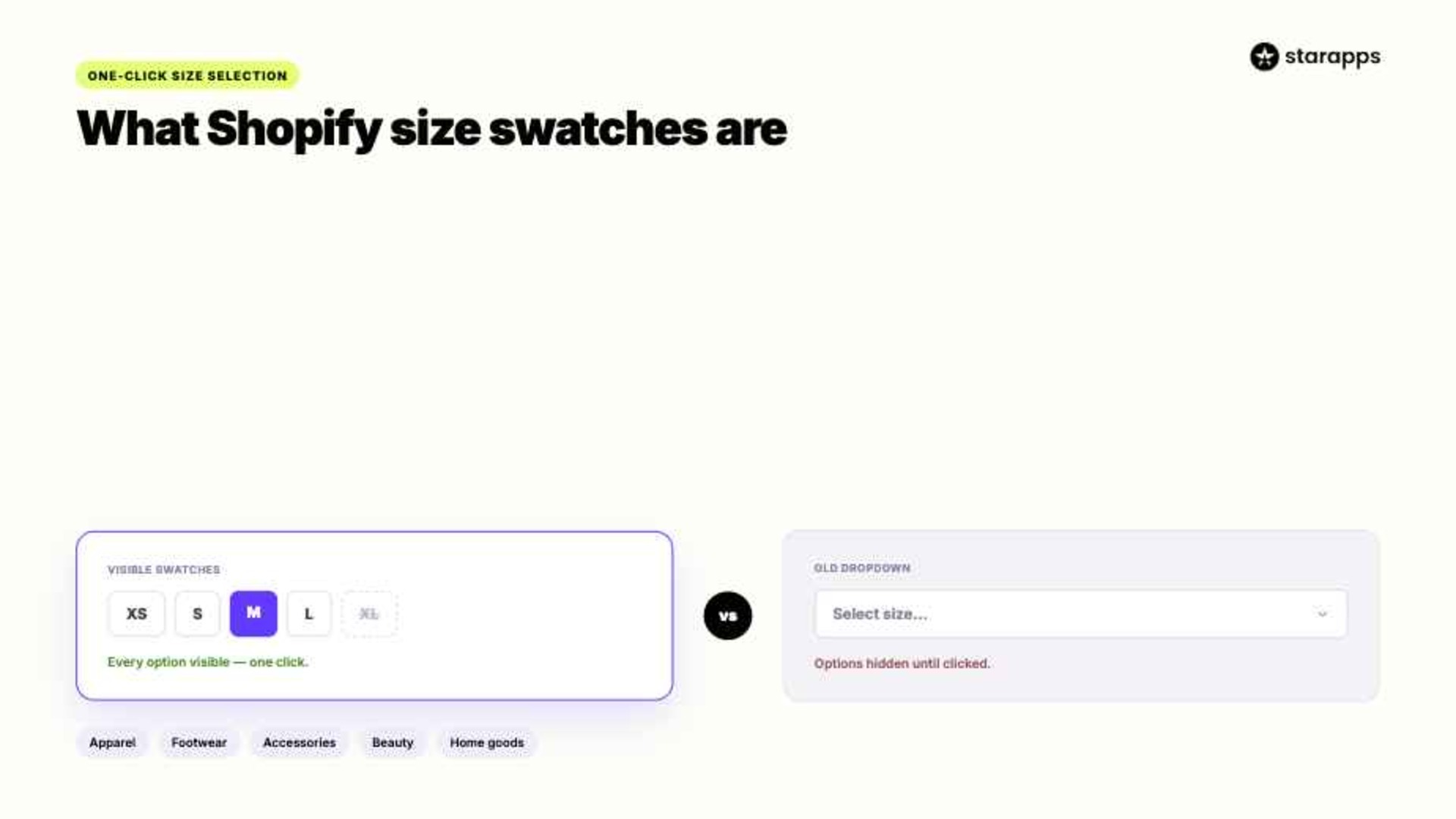
Shopify size swatches are visual selectors that allow shoppers to choose sizes directly from a product page. Instead of opening a dropdown menu and scrolling through options, customers can see available sizes at a glance and select the one they want with a single click.
They are commonly used for:
- Apparel: Display clothing sizes such as XS, S, M, L, XL, and XXL in a more visible format.
- Footwear: Make shoe sizes easier to compare and select across product variants.
- Accessories: Present size-based options for products such as belts, hats, gloves, and jewelry.
- Beauty Products: Help shoppers choose between different package sizes or volumes.
- Home Goods: Showcase dimensions, capacities, or size variations without relying on dropdown menus.
By making options more visible, size swatches can simplify product selection and reduce unnecessary clicks. The next question is whether they actually perform better than traditional dropdown menus.
Suggested Read: Understanding Product Swatches: A Comprehensive Definition
Benefits of Using Size Swatches Instead of Dropdowns
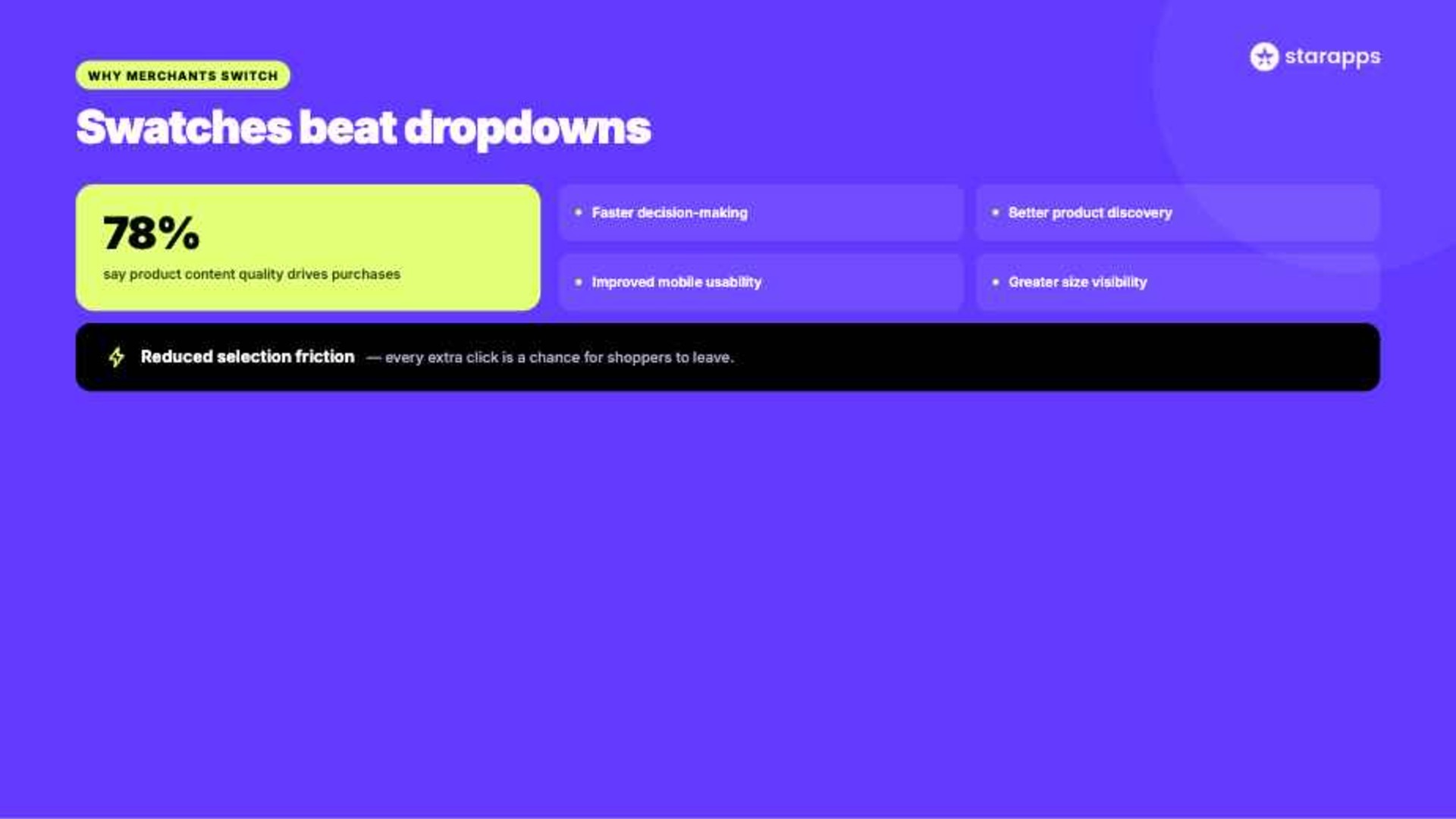
Think about the last time you shopped online and had to open a dropdown just to check which sizes were available. It is a small interaction, but those moments add up. Considering that 78% of consumers say the quality of product content is very important when making purchase decisions, making size information easier to find is more than a design choice. It is part of creating a better buying experience.
Here is why merchants are making the switch:
- Faster Decision-Making: Shoppers can see available sizes immediately. Fewer clicks often means less hesitation.
- Better Product Discovery: Available options become part of the product experience instead of hiding inside a menu. Customers can understand the product faster.
- Improved Mobile Usability: Swatches are easier to tap and scan on smaller screens. That matters when most ecommerce traffic comes from mobile devices.
- Greater Size Visibility: Customers can instantly spot available, unavailable, and selected sizes. This reduces confusion during product selection.
- Reduced Selection Friction: Every extra click creates another opportunity for shoppers to leave. Swatches streamline the path to purchase.
If you want to implement size swatches without custom development, StarApps offers a purpose-built solution. Swatch King transforms standard Shopify variant selectors into visual swatches for sizes, colors, and other product options. It gives you extensive customization control while making variant selection easier for shoppers. Try for free.
6 Steps to Make Size Selection Easier on Shopify
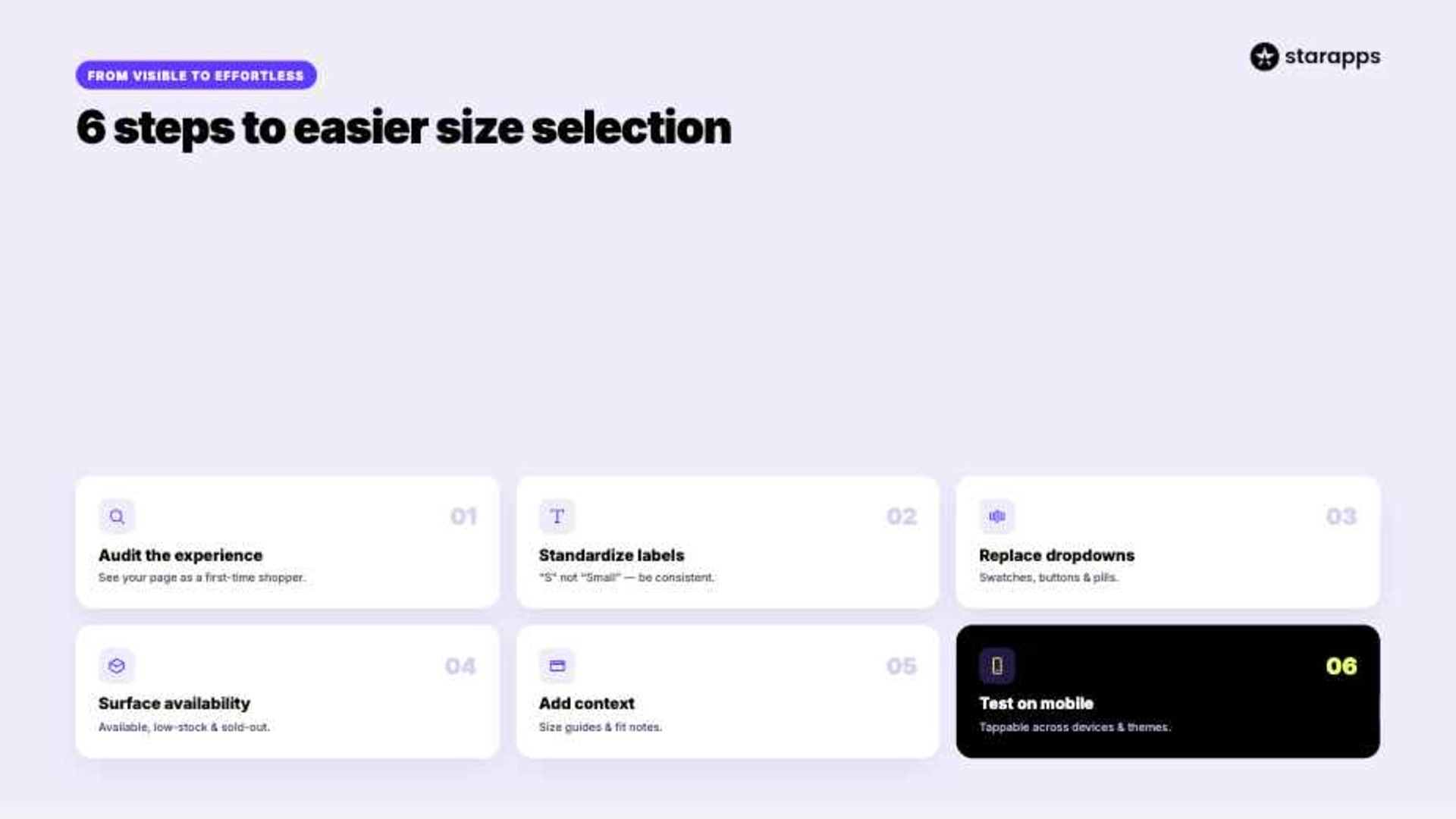
Making sizes visible is only the beginning. The real goal is helping shoppers find the right option quickly and confidently, regardless of how many variants you sell.
Follow these steps:
1. Audit Your Current Experience
Start by looking at your product pages through a customer's eyes. What feels obvious to you may feel frustrating to a first-time shopper.
Review these areas:
- Number of clicks required
- Visibility of available sizes
- Mobile usability
- Out-of-stock handling
- Variant presentation
2. Standardize Size Labels
Inconsistent sizing creates unnecessary confusion. If one product uses "Small" while another uses "S," shoppers may hesitate.
Focus on consistency across:
- Clothing categories
- Product collections
- Regional sizing
- Variant naming
- Product templates
3. Replace Dropdowns
Dropdown menus hide important information until shoppers interact with them. Visual selectors make available options immediately visible.
Consider implementing:
- Size swatches
- Button selectors
- Pill-style options
- Hover states
- Active selections
4. Surface Availability
Customers should not have to guess which sizes are available. Making inventory status visible can reduce frustration and speed up decisions.
Highlight:
- Available sizes
- Low-stock sizes
- Sold-out options
- Backorder availability
- Restock information
5. Add Context
A size alone rarely tells the whole story. Additional information helps shoppers feel more confident in their choice.
Consider including:
- Size guides
- Measurement charts
- Fit recommendations
- Model information
- Product dimensions
6. Test on Mobile
Many customers will interact with your size selector from a phone. What looks great on desktop may feel crowded on a smaller screen.
Review your experience across:
- Different devices
- Screen sizes
- Touch interactions
- Product templates
- Browser types
Making sizes easier to find is valuable, but visibility alone does not solve every challenge. Next, let us look at how size swatches can help reduce purchase uncertainty and give shoppers greater confidence in their selections.
Suggested Read: Shopify Image Size Guide 2025: Best Dimensions and Formats
How Can Size Swatches Help Reduce Purchase Uncertainty?
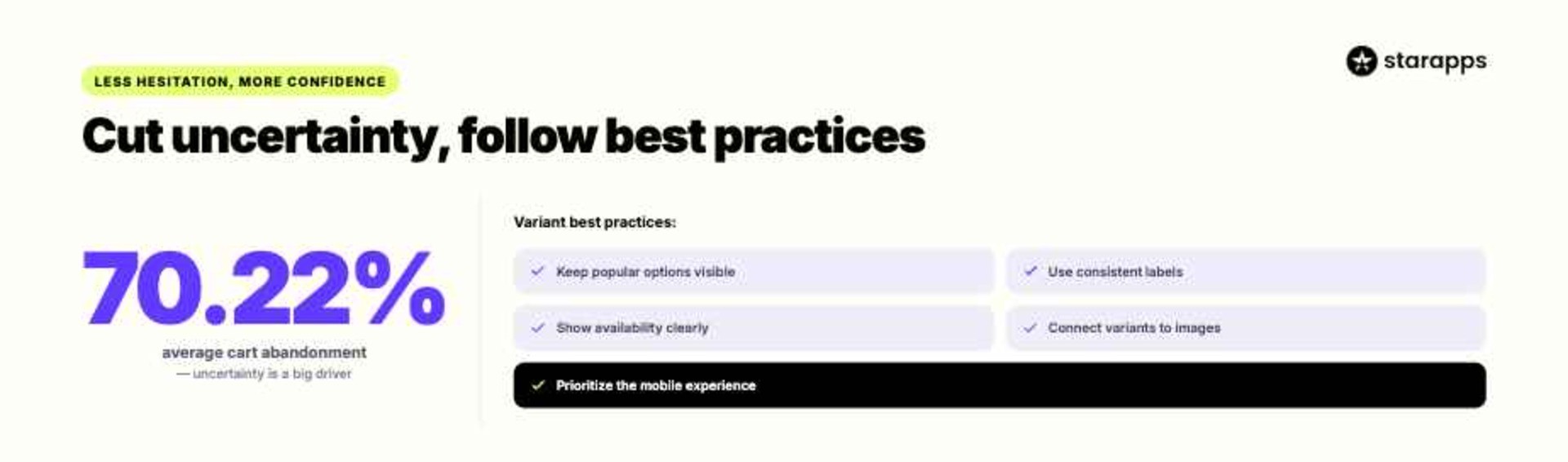
The global average cart abandonment rate sits at 70.22%, and uncertainty often plays a major role in those abandoned purchases. When shoppers cannot quickly understand their options, even interested customers may delay a decision or leave altogether. Size swatches help remove some of that hesitation by making product choices easier to evaluate.
They help by:
- Making Options Visible: Shoppers can see available sizes immediately. There is no need to open menus just to understand what is in stock.
- Creating Clearer Choices: Visual selectors make it easier to compare options. Customers spend less time figuring out the interface and more time evaluating the product.
- Reducing Selection Errors: Active and unavailable states help shoppers understand exactly what they have chosen. This can lower the likelihood of accidental selections.
- Supporting Faster Decisions: The easier it is to evaluate options, the easier it is to move forward with a purchase. Small reductions in friction can have a meaningful impact.
- Building Confidence: Customers feel more comfortable when product information is easy to access. Clear choices create a smoother path to checkout.
A Quick Example:
Imagine you sell a hoodie available in eight sizes. With a dropdown menu, shoppers must click, scroll, and search before understanding what is available. With size swatches, every option is visible immediately, helping customers evaluate the product and make a decision with greater confidence.
Reducing uncertainty is important, but implementation matters just as much. Let us look at a few best practices that can help you get more value from your product variant experience.
Suggested Read: Shopify Swatches Sold Out Variants Guide
Best Practices for Product Variant Selection
A great variant experience should feel almost invisible. Shoppers should spend their time evaluating the product, not figuring out how to select the right option. A few simple practices can make the entire experience smoother and more intuitive.
These are:
- Keep Popular Options Visible: Surface your most frequently selected sizes and variants. The fewer clicks required, the easier it is for customers to engage.
- Use Consistent Labels: Stick to the same sizing structure across your catalog. Consistency reduces confusion and helps shoppers browse with confidence.
- Show Availability Clearly: Let customers see which options are available, low in stock, or sold out. Clear inventory signals support faster decisions.
- Connect Variants to Images: Update product images when shoppers select a variant. Visual confirmation helps customers feel more certain about their choice.
- Prioritize Mobile Experiences: Variant selectors should be easy to tap, scan, and navigate on smaller screens. Mobile shoppers have little patience for unnecessary friction.
Even the best practices can be difficult to execute with standard Shopify variant selectors. That is where the right tools can make a meaningful difference.
Suggested Read: What Is a Color Swatch? A Practical Guide for Shopify Stores
Create Better Variant Experiences With StarApps
StarApps builds Shopify apps designed to improve product discovery, variant selection, and the overall shopping experience. Whether you manage a handful of products or thousands of SKUs, its tools help customers find the right option faster and with greater confidence.
Our product suite supports different parts of the buying process. Swatch King transforms dropdowns into visual swatches for sizes, colors, and other options. Variant Image Automator automatically updates product images based on variant selections.
If you are using size swatches, StarApps can help you:
- Replace Generic Dropdowns: Turn hidden size options into visible, clickable selectors. Shoppers can evaluate choices without extra clicks.
- Improve Size Visibility: Make available, selected, and unavailable sizes easier to understand. This creates a smoother browsing experience.
- Reduce Purchase Hesitation: Clearer variant presentation helps customers feel more confident about their selections. Confidence often translates into faster decisions.
- Support Large Catalogs: Keep variant selection manageable, even when products have multiple sizes, colors, and styles. This is especially valuable for growing brands.
- Create Consistent Experiences: Deliver a familiar variant selection experience across your storefront. Consistency helps shoppers navigate your catalog more easily.
More than 25,000 active merchants trust StarApps to improve their Shopify stores. The platform also powers variant experiences for over 1,000 Shopify Plus stores, making it a proven choice for brands that take ecommerce UX seriously.
Make Size Selection Feel Effortless
When size selection is difficult, shoppers hesitate. That hesitation can lead to abandoned carts, incorrect purchases, and avoidable returns. Even great products can lose momentum when customers struggle to find the right fit.
Size swatches help remove that friction by making options easier to discover, compare, and select. StarApps takes that experience further with tools designed to create clearer, faster, and more intuitive product pages for Shopify merchants.
Sometimes a few fewer clicks can make a surprisingly big difference. Get in touch with us to see how visual size selectors can simplify shopping for your customers.
Frequently Asked Questions
1. Can Shopify size swatches display unavailable sizes?
Yes. Many size swatch solutions can display sold-out sizes while visually distinguishing them from available options. This helps shoppers understand inventory without clicking through each variant.
2. Are size swatches better than dropdown menus for mobile users?
In most cases, yes. Size swatches are easier to scan and tap on smaller screens, helping shoppers navigate product options more efficiently.
3. Can I use size swatches for products besides clothing?
Absolutely. Merchants often use size swatches for footwear, accessories, beauty products, furniture dimensions, and other size-based product variations.
4. Do size swatches work with Shopify themes?
Most size swatch apps are designed to integrate with popular Shopify themes. Compatibility may vary, so it is always worth reviewing theme support before installation.
5. Can size swatches improve conversion rates?
While results vary by store, making product options easier to discover and select can reduce friction during the buying process. A smoother shopping experience often supports higher engagement and conversions.
Heading

End-to-end traceability
To ensure regulatory compliance, you must have a complete overview of your products from production to shipping. Book a demo to see how Katana can give you full visibility of your operations.
.png)

.svg)

.svg)

.svg)
.png)