

Explore Hulk Product Options features, pricing, and limitations to see if it fits your Shopify store’s customization and growth needs.
If you’re searching for Hulk Product Options, you’re likely trying to figure out whether it can handle your store’s product customization needs or if you’ll run into limitations as your catalog grows.
That’s a common challenge many stores face. Shopify’s default variant system works well for simple products, but it can feel limited when you need features like custom inputs, file uploads, conditional logic, or add-on pricing.
Hulk Product Options is one of the more established apps in this space, with a 4.8-star rating across 1,124 reviews on the Shopify App Store. But strong ratings don’t always reflect how well an app fits your specific use case.
In this guide, we’ll take a closer look at its features, pricing, strengths, and limitations to help you decide if it aligns with your store’s needs.
Quick Overview
- Hulk Product Options is built for customization-heavy stores: It works best when your products require inputs like text fields, file uploads, conditional logic, or add-on pricing before purchase.
- Its core strength lies on the product page: The app helps structure and collect customer input efficiently, making it suitable for personalized and made-to-order products.
- Pricing is accessible but scales with complexity: Lower tiers cover basic needs, while advanced features like conditional logic, inventory control, and deeper configuration sit behind higher plans.
- It focuses less on storewide variant experience: While it handles option creation well, it has a limited role in improving variant visibility, image presentation, and collection-page browsing.
- Customization solves only one layer of the buying journey: As stores grow, challenges often shift from collecting inputs to helping customers compare, browse, and understand variants more clearly.
- StarApps Studio becomes relevant when variant UX needs improvement: If your focus is on variant clarity, image handling, and discoverability across the storefront, a merchandising-focused layer can complement Hulk Product Options.
Hulk Product Options Overview: Features and Pricing Breakdown
Hulk Product Options is a Shopify app designed to extend how product customization works beyond Shopify’s native variant structure. It focuses on giving merchants more flexibility to create, manage, and display custom product options without relying solely on default variants.
At a functional level, the app acts as a product customizer. It allows stores to add multiple input types, create option sets, and apply them across products in bulk. This is especially useful for stores that need to collect customer input, offer personalization, or structure more complex product configurations.
What Hulk Product Options Does
The app expands the product-page experience by allowing merchants to build more flexible option flows. For example, stores can use it to:
- Add custom text fields, dropdowns, and selection inputs
- Allow customers to upload files or images for personalization
- Apply option sets across multiple products using templates
- Offer add-ons or cross-sell options with custom pricing
- Display color or image swatches for better selection clarity
It also supports bulk operations, which helps when managing customization across larger catalogs. Overall, Hulk Product Options is built to solve customization at scale, particularly for stores that need more than basic variant setups.
Key Features of Hulk Product Options
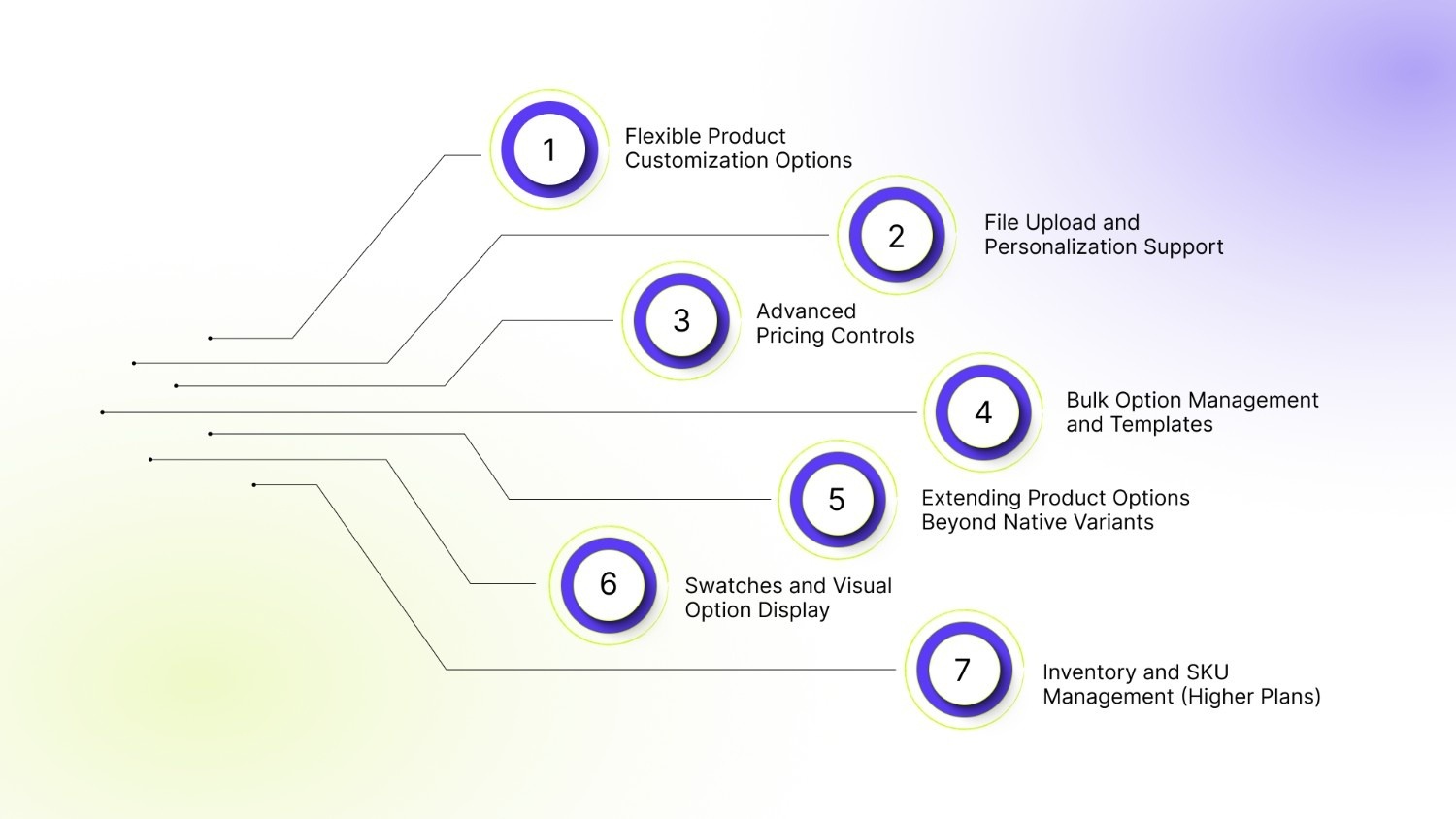
1. Flexible Product Customization Options
The app supports a wide range of input types, including checkboxes, dropdowns, radio buttons, text inputs, file uploads, and more. This allows merchants to build detailed customization flows based on how their products are sold.
It also includes support for:
- Conditional logic
- Size charts
- Custom CSS and HTML
- Live preview functionality
This makes it suitable for stores where products require structured customer input before purchase.
2. File Upload and Personalization Support
Hulk Product Options allows customers to upload files in multiple formats, including images, PDFs, ZIP files, and more.
This is useful for:
- Custom print products
- Personalized merchandise
- Design-based orders
The ability to collect files directly on the product page simplifies the ordering process for both customers and merchants.
3. Advanced Pricing Controls
The app includes multiple pricing options that allow merchants to adjust prices based on selected options.
These include:
- Add-on pricing
- Conditional pricing
- Dynamic pricing
- Variant upcharges
This makes it easier to monetize customizations and create structured pricing for premium selections.
4. Bulk Option Management and Templates
Hulk Product Options supports bulk application of option sets across products, along with import/export functionality. Merchants can do the following:
- Create reusable templates
- Apply options to entire collections
- Manage large catalogs more efficiently
This reduces manual effort, especially for stores with many customizable products.
5. Extending Product Options Beyond Native Variants
Shopify has a fixed variant structure, which can become limiting when products require more complex or flexible configurations. Hulk Product Options works around this by adding custom options outside of Shopify’s native variant system.
This helps with the following:
- Create more flexible product configurations
- Offer additional choices without relying only on variants
- Support more detailed customization flows
6. Swatches and Visual Option Display
The app includes support for color and image swatches, along with dropdowns and other visual selectors. This improves how options are presented during product selection, making it easier for customers to understand available choices.
7. Inventory and SKU Management (Higher Plans)
On advanced tiers, the app includes inventory-related features such as:
- SKU management
- Stock availability display
- Hiding out-of-stock options
- Auto-updates
This adds an operational layer for stores managing more complex inventories.
Hulk Product Options Pricing Breakdown
Hulk Product Options offers multiple pricing tiers, including a free plan for development stores and a 7-day free trial for paid plans.
All plans are billed in USD, with optional annual pricing discounts. For stores with simple customization needs, lower tiers may be sufficient. As requirements grow, especially around logic, pricing flexibility, and inventory, higher plans become more relevant.
Overall, the app’s pricing aligns with how deeply your store depends on customization rather than just how many products you have.
Hulk Product Options: Strengths and Limitations
Hulk Product Options is designed to solve a specific problem: expanding Shopify’s product customization capabilities. It does that well in many cases, but like most option-based apps, its strengths and limitations become clearer depending on how your store operates and scales.
Where Hulk Product Options Perform Well
Hulk Product Options stands out when the goal is to add flexible customization to the product page without building a custom solution from scratch.
Its main strengths include:
- Strong customization flexibility: Supports multiple option types and configurations beyond Shopify’s default variants.
- Well-suited for personalized products: Handles file uploads, text inputs, and structured option flows for customization-heavy stores.
- Easy to use: Accessible for non-technical users, especially for standard setups.
- Supports pricing and inventory logic: Enables price adjustments, SKU management, and inventory control.
- Bulk setup and scalability: Templates and bulk actions reduce manual effort across large catalogs.
These strengths make Hulk Product Options a practical choice for stores where purchases depend on collecting customer input or offering structured customization. For example, a custom t-shirt store can collect design uploads and size preferences directly on the product page. Similarly, a gifting store can offer engraving text, gift wrap, and add-on options in a single flow.
Where Hulk Product Options May Feel Limited
The app’s limitations usually appear when stores move beyond customization and start focusing on performance, scalability, or storefront experience. Its main limitations include:
- Can get complex at scale: Setup and maintenance may become harder as option complexity increases.
- Performance can vary: Complex setups may lead to slower rendering or occasional inconsistencies.
- Theme dependency: Theme updates may require adjustments due to frontend reliance.
- Limited beyond product page: Focused mainly on customization, not browsing or merchandising.
- Feature gaps in some environments: Certain features may be limited in contexts like Shopify POS.
Hulk Product Options works best when your main challenge is collecting and structuring customer input during product selection.
However, it becomes less complete when the focus shifts to variant display, product discovery, visual catalog management, and overall storefront experience. As many stores grow, the bottleneck often moves from input collection to how clearly products and variants are presented across the storefront.
How StarApps Studio Improves Variant Experience and Merchandising
Once product customization is in place, the challenge often shifts from enabling choices to making those choices easier to understand and navigate across the storefront. This is where StarApps Studio fits.
Hulk Product Options focuses on building the input layer, adding fields, logic, and customization on the product page. StarApps Studio, on the other hand, focuses on the experience layer, how those options are visually presented, organized, and explored across product pages and collection pages.
This distinction matters because even well-configured options can still create friction if customers struggle to compare variants, view relevant images, or browse products efficiently.
Where StarApps Studio Fits In
StarApps Studio is best suited for Shopify stores that want to improve how customers experience variants beyond the product page.
This is especially relevant for stores with:
- Stores with a high number of product variations that need clearer organization
- Products where visual selection (like color, style, or finish) influences buying decisions
- Catalogs with multiple configurations within a single product
- Stores where customers rely heavily on collection-page browsing before clicking in
- Situations where faster comparison and reduced friction can improve decision-making
Rather than replacing customization tools, StarApps works as a complementary layer. It becomes useful when you need to improve clarity, navigation, and overall storefront usability.
Color Swatch King for Faster Variant Selection
A common friction point in Shopify stores is how variants are presented. Text-based dropdowns can slow down decision-making, especially when products have multiple options.
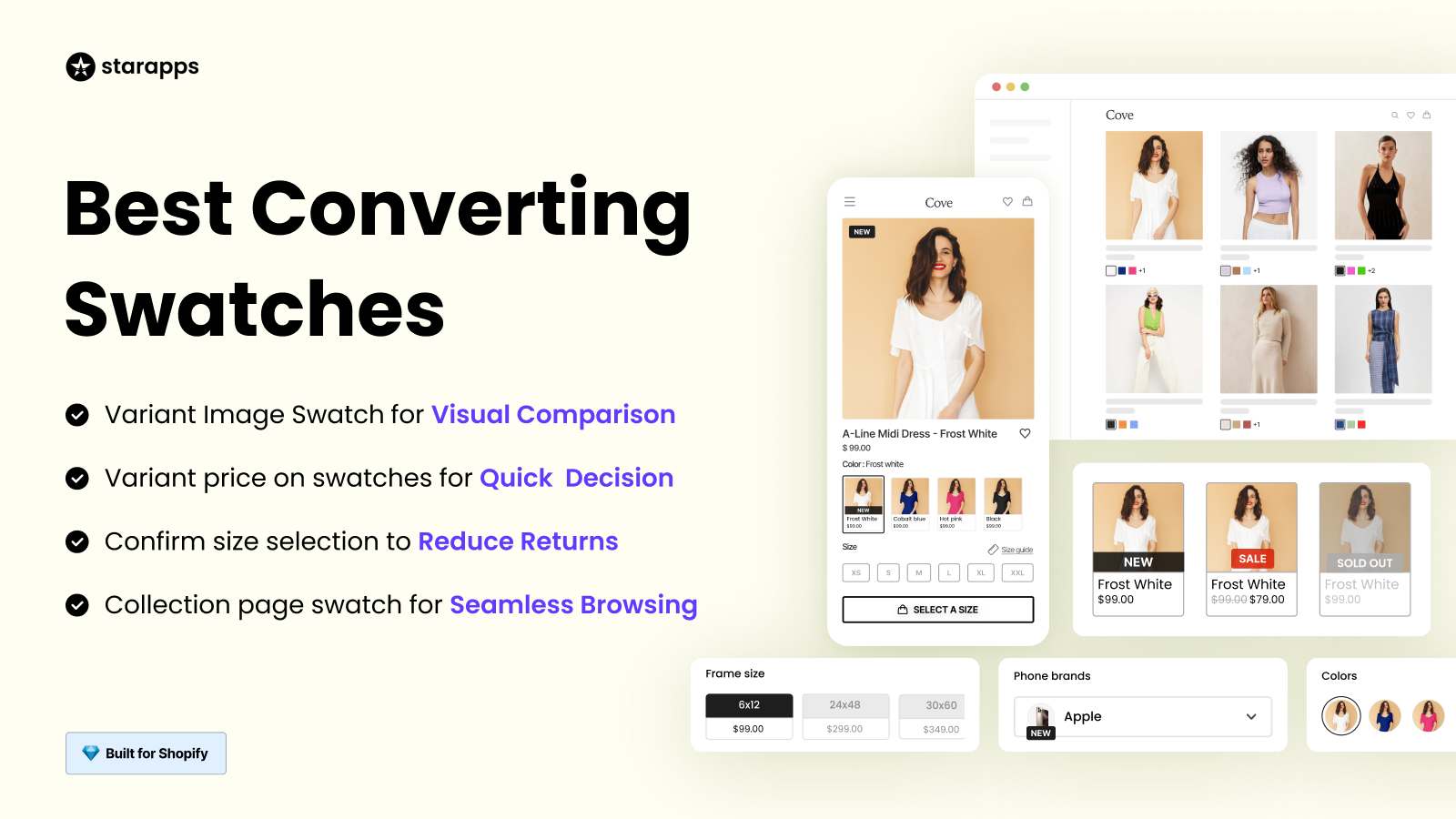
Color Swatch King replaces standard selectors with visual swatches, image-based options, and buttons that make it easier for customers to compare and choose variants quickly.
This improves:
- Variant visibility on product pages
- Browsing experience on collection pages
- Overall decision speed for customers
For visually driven categories, this kind of clarity can directly influence conversion.
Variant Image Automator for Cleaner Product Galleries
Another challenge appears after a variant is selected. In many stores, product galleries still show images that are not relevant to the chosen option, which can create confusion.
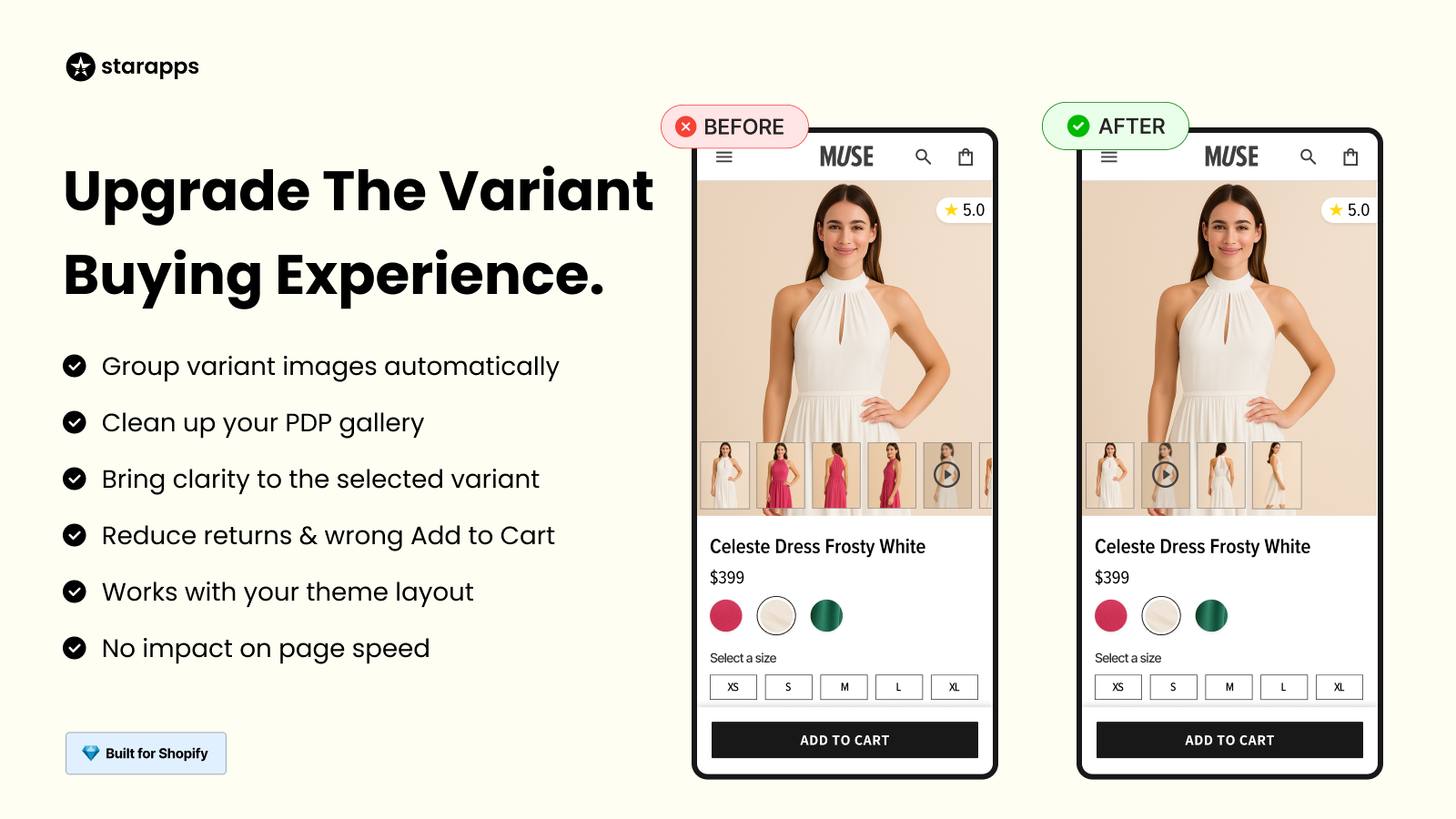
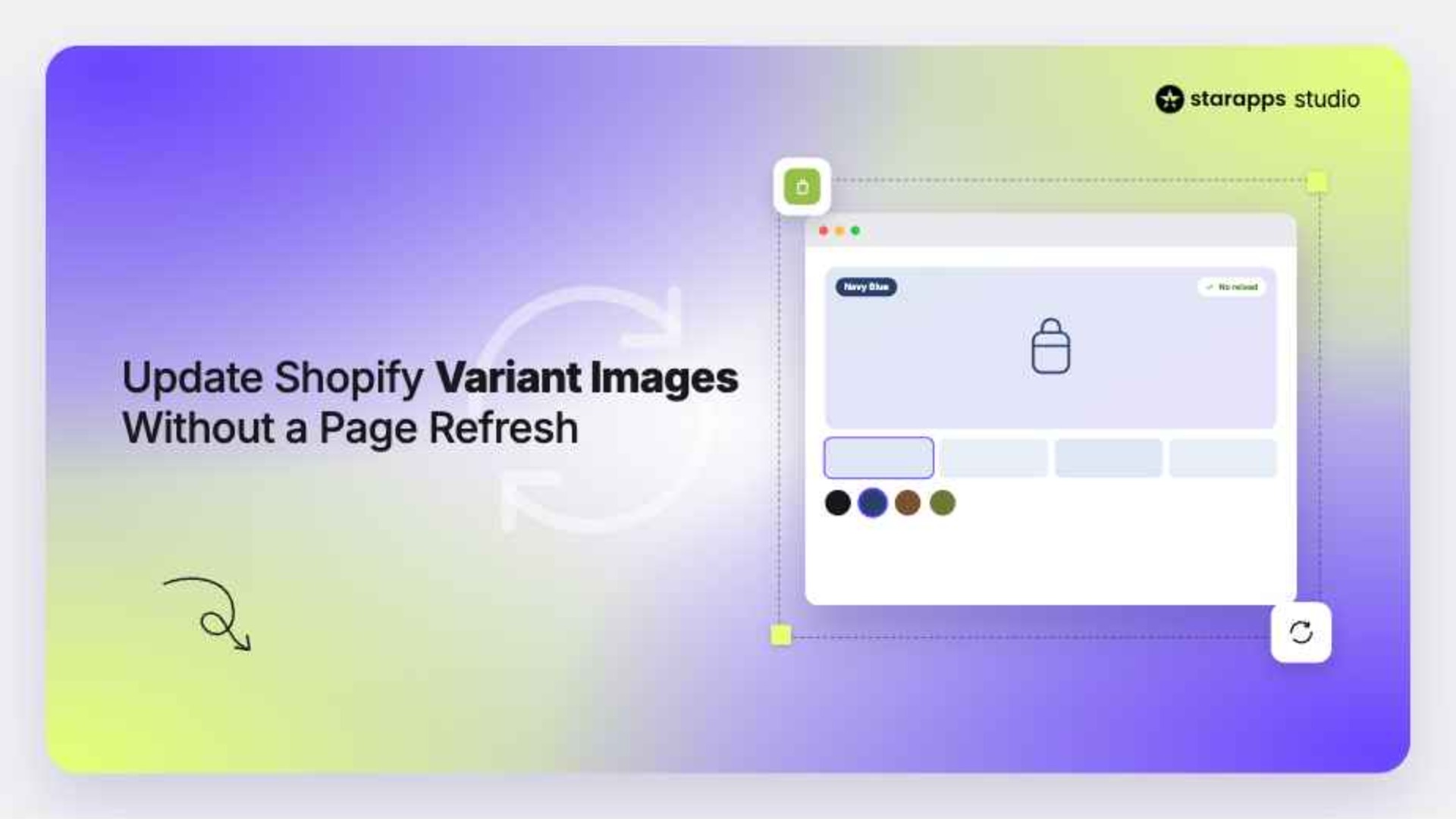
Variant Image Automator solves this by automatically displaying only the images associated with the selected variant. This keeps the gallery clean and aligned with the customer's view.
It is particularly useful for:
- Products with multiple images per variant
- Stores with many color or style variations
- Catalogs where manual image management is not scalable
Ensuring image relevance helps customers make decisions with more confidence.
SA Variants: Combined Listings for Better Discovery
In some stores, variants exist but are hidden within a single product page, making them harder to discover during browsing.
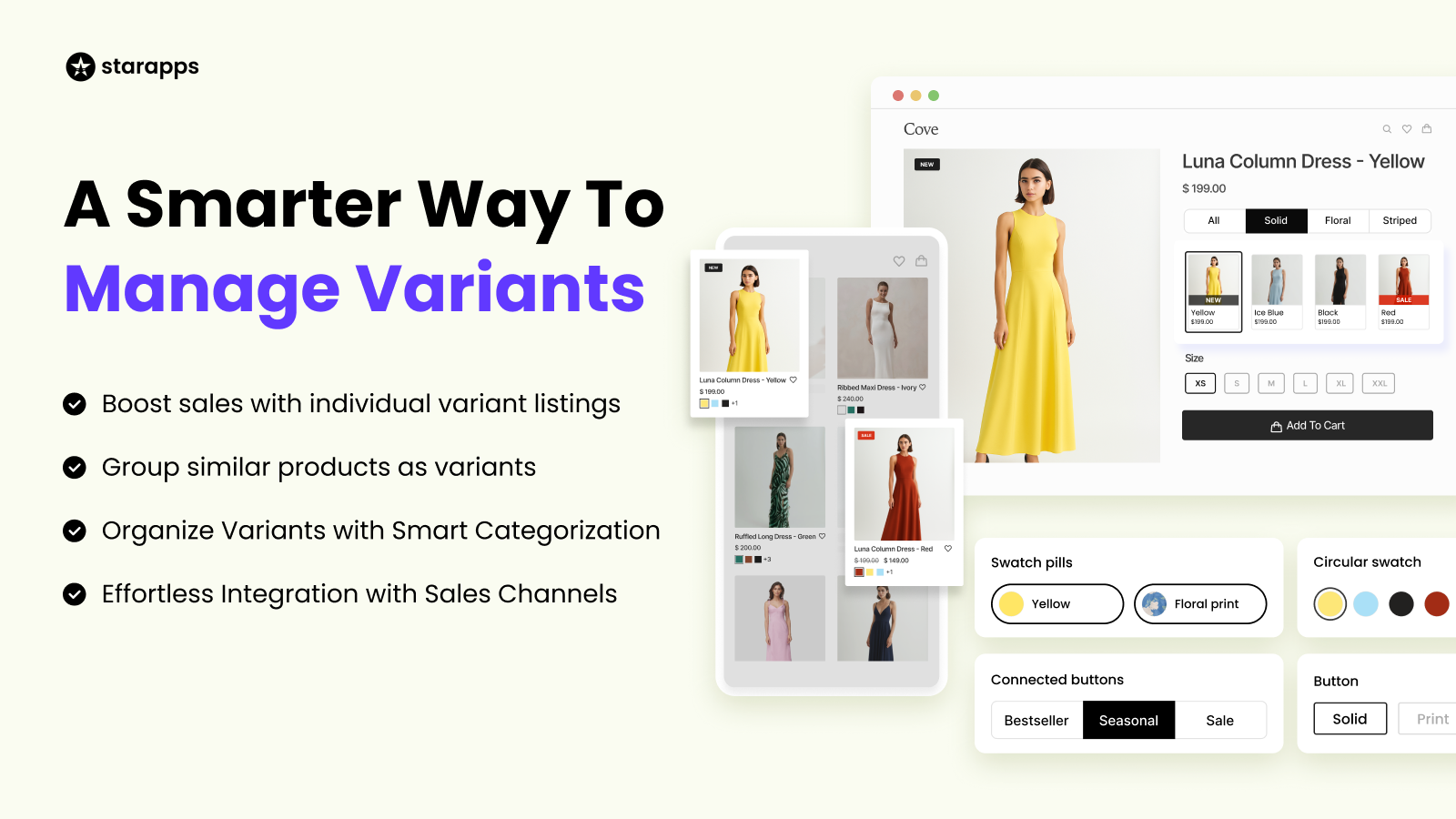
SA Variants: Combined Listings improves this by making individual variants more visible across collection pages and search results. Each variant can have its own representation, making it easier for customers to find what they are looking for.
This helps:
- Improve product discovery
- Enhance filtering and navigation
- Support better visibility for variant-level options
For stores with large catalogs, this changes how products are explored, not just how they are configured.
Why This Matters for Growing Shopify Stores
As stores scale, the buying journey becomes more complex. The challenge is no longer just about adding more options, but about reducing friction and helping customers reach the right choice faster.
This often shows up in areas like:
- Variant comparison and clarity
- Image relevance and presentation
- Collection-page browsing behavior
- Overall product discoverability
Improving these areas has a direct impact on how easily customers can understand products and move toward purchase.
That’s why many stores eventually need a second layer focused on merchandising and user experience. It complements customization tools by improving how options are presented, not just how they are created.
How StarApps Studio Compares to Hulk Product Options
StarApps Studio and Hulk Product Options serve different parts of the Shopify experience, so the right choice depends on what problem you’re solving.
Hulk Product Options focuses on product-page customization, helping collect inputs through option types, uploads, logic, and pricing.
StarApps Studio focuses on how those options are presented, improving variant clarity, image display, browsing, and overall product discoverability.
Which One Makes More Sense for Your Store?
If your store is trying to solve:
- Collecting customer input (text fields, uploads, notes)
- Offering personalized or made-to-order products
- Creating conditional option flows
- Adding extra charges for custom selections
Then, Hulk Product Options is usually the more direct fit.
If your store is trying to solve:
- Variant confusion or slow decision-making
- Cluttered or irrelevant product image galleries
- Weak collection-page browsing experience
- Limited product discoverability across the storefront
Then StarApps Studio becomes more relevant.
In many cases, these are not competing solutions. You can use them together: Hulk Product Options to handle customization, and StarApps Studio to improve how those options are presented, browsed, and understood.
The right choice depends on where friction exists in your buying journey today, and which layer of that experience needs the most improvement.
Final Thoughts
Hulk Product Options is a strong fit for stores that depend on product customization at the point of purchase. If you need to collect inputs like text, uploads, or conditional selections, it handles that layer effectively.
But as stores grow, the challenge often shifts from configuration to clarity and browsing. Customers may still struggle to compare variants, navigate collections, or understand options visually.
If your primary need is customization, Hulk Product Options is a good fit. If your focus is on variant presentation, browsing, and discoverability, StarApps Studio becomes more relevant.
In many cases, stores use both, one to manage inputs, the other to improve how those choices are experienced.
FAQs
1. Does Hulk Product Options replace Shopify variants completely?
No, it works alongside Shopify’s native variant system. Instead of replacing variants, it adds a separate layer of custom options that allows you to go beyond Shopify’s default limitations for product customization.
2. Can Hulk Product Options be used for product bundles or add-ons?
Yes, it can be used to create bundle-like experiences through add-ons and option-based pricing. However, for more advanced or dynamic bundling setups, a dedicated bundling app may still be required.
3. Are Hulk Product Options suitable for large product catalogs?
It can support large catalogs through bulk option sets and templates. However, managing very complex option structures across many products may require careful setup and ongoing maintenance.
4. Does Hulk Product Options work with Shopify Express checkout options?
Yes, it is compatible with Shopify’s “Buy Now” and Shop Pay express checkout buttons, allowing customers to complete purchases without disrupting the customization flow.
5. Can customers edit their selected options after adding a product to the cart?
Yes, this functionality is available on higher-tier plans, where customers can modify selected options directly from the cart without returning to the product page.
Heading

End-to-end traceability
To ensure regulatory compliance, you must have a complete overview of your products from production to shipping. Book a demo to see how Katana can give you full visibility of your operations.
.png)

.svg)

.svg)

.svg)
.png)