

Learn how low stock alert systems improve inventory management, reduce stockouts, and optimize replenishment for Shopify stores and growing ecommerce brands.
If you run a Shopify store with hundreds of SKUs across multiple sales channels, keeping inventory levels accurate can quickly become a daily challenge. A best-selling product can sell out faster than expected, while slow-moving items continue taking up shelf space and working capital. Without a system that alerts you before inventory reaches critical levels, stockouts often catch you by surprise. The result is lost sales, frustrated customers, and rushed replenishment decisions.
According to a 2024 survey by IHL Group, stockouts continue to cost retailers $1.73 trillion in lost sales each year, making inventory visibility a critical part of store performance. Low stock alerts help you spot inventory risks before they become revenue problems. Instead of reacting to stockouts, you can set inventory thresholds, automate notifications, and replenish products at the right time.
This creates a smoother shopping experience, improves inventory planning, and helps maintain product availability across your catalog. In this article, we'll learn what low stock alerts are, the different types available, how to set them up effectively, and the best practices for building a scalable inventory monitoring process.
In a nutshell:
- Low stock alerts act as an early warning system that notifies businesses when inventory drops below set levels, helping prevent stockouts and missed sales opportunities.
- They support better inventory control by reducing manual tracking, improving visibility across SKUs, and helping teams make faster replenishment decisions.
- Different alert types such as threshold-based, reorder point, forecast-based, and variant-level alerts help businesses manage diverse inventory needs more effectively.
- A structured setup process includes identifying priority products, calculating reorder points, accounting for seasonal demand, automating notifications, and regularly testing accuracy.
- Effective management relies on ongoing best practices like reviewing thresholds, avoiding alert fatigue, using historical data, monitoring suppliers, and improving forecasting over time.
What Are Low Stock Alerts in Inventory Management?
Low stock alerts are automated notifications that inform businesses when inventory levels fall below a predefined threshold. Instead of manually checking inventory reports every day, businesses receive alerts that prompt timely action before stock reaches critical levels.
For growing e-commerce businesses, these alerts serve as an early warning system that helps maintain product availability and avoid disruptions in the buyer journey.
Low stock alerts are particularly valuable for businesses with:
- Large SKU catalogs
- Seasonal inventory fluctuations
- Multiple warehouse locations
- Omnichannel selling operations
- Fast-moving inventory
Key Benefits of Implementing Low Stock Alerts
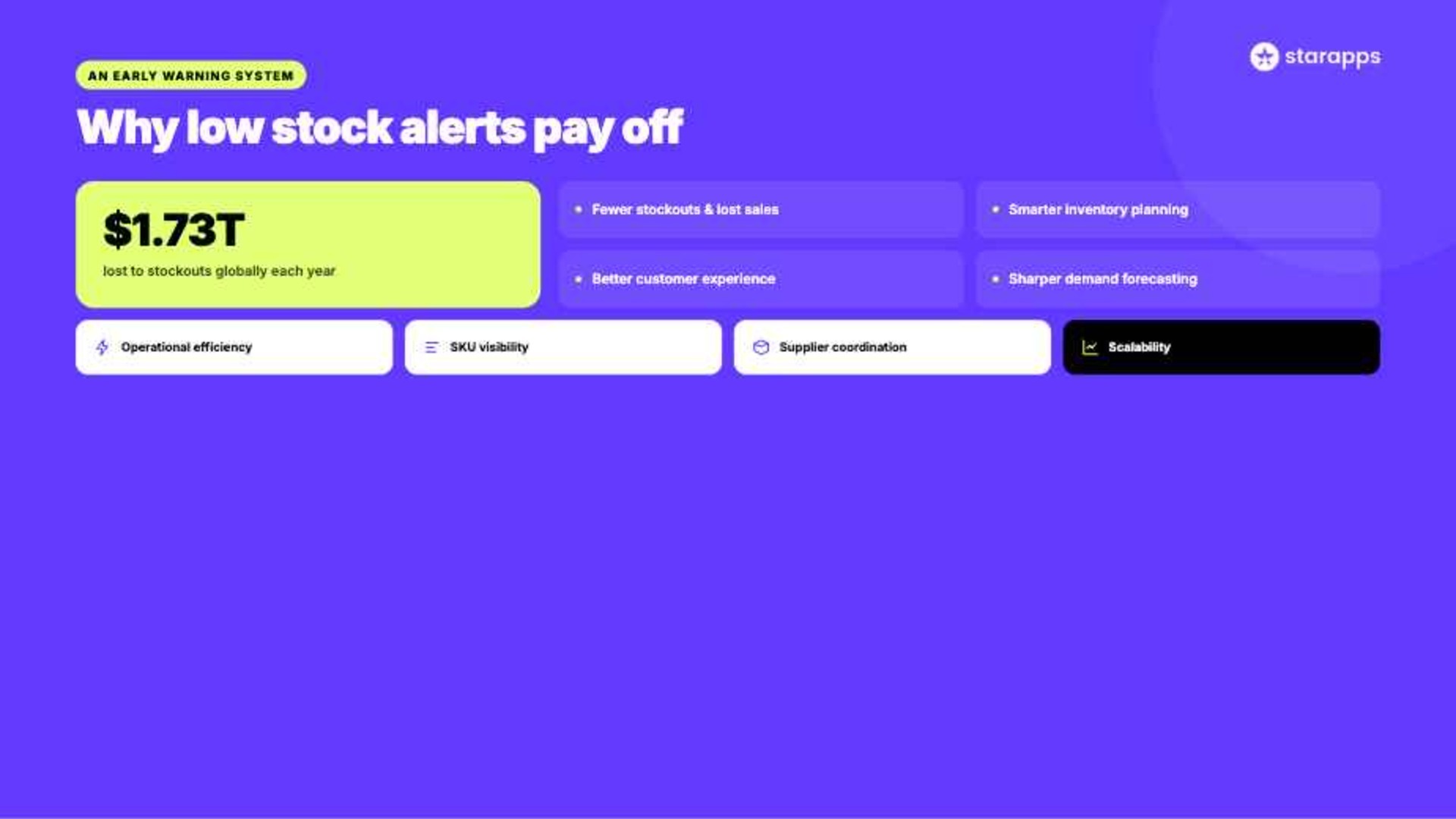
Low stock alerts help businesses stay ahead of inventory issues instead of reacting after products run out. They improve visibility, support better planning, and help maintain a consistent shopping experience for customers.
- Reduce stockouts and lost sales: Low stock alerts notify your team before inventory reaches critical levels, giving you enough time to reorder products and avoid missed sales opportunities.
- Improve inventory planning: Automated alerts help inventory teams make more informed purchasing decisions based on actual stock levels rather than guesswork or manual checks.
- Enhance customer experience: Customers are less likely to encounter unavailable products, creating a smoother shopping journey and increasing confidence in your store.
- Support more accurate demand forecasting: Inventory alerts provide valuable data that can be analyzed alongside sales trends to predict future demand and optimize stock levels.
- Increase operational efficiency: Teams spend less time manually monitoring inventory and can focus their efforts on products that genuinely require attention.
- Improve inventory visibility across SKUs: Businesses with large catalogs can quickly identify which products, variants, or locations require replenishment before shortages affect customers.
- Strengthen supplier coordination: Receiving alerts earlier allows businesses to place orders within normal procurement cycles and better accommodate supplier lead times.
- Support business scalability: As product catalogs and sales channels grow, automated alerts provide a structured way to manage inventory without significantly increasing manual workload.
Types of Low Stock Alerts
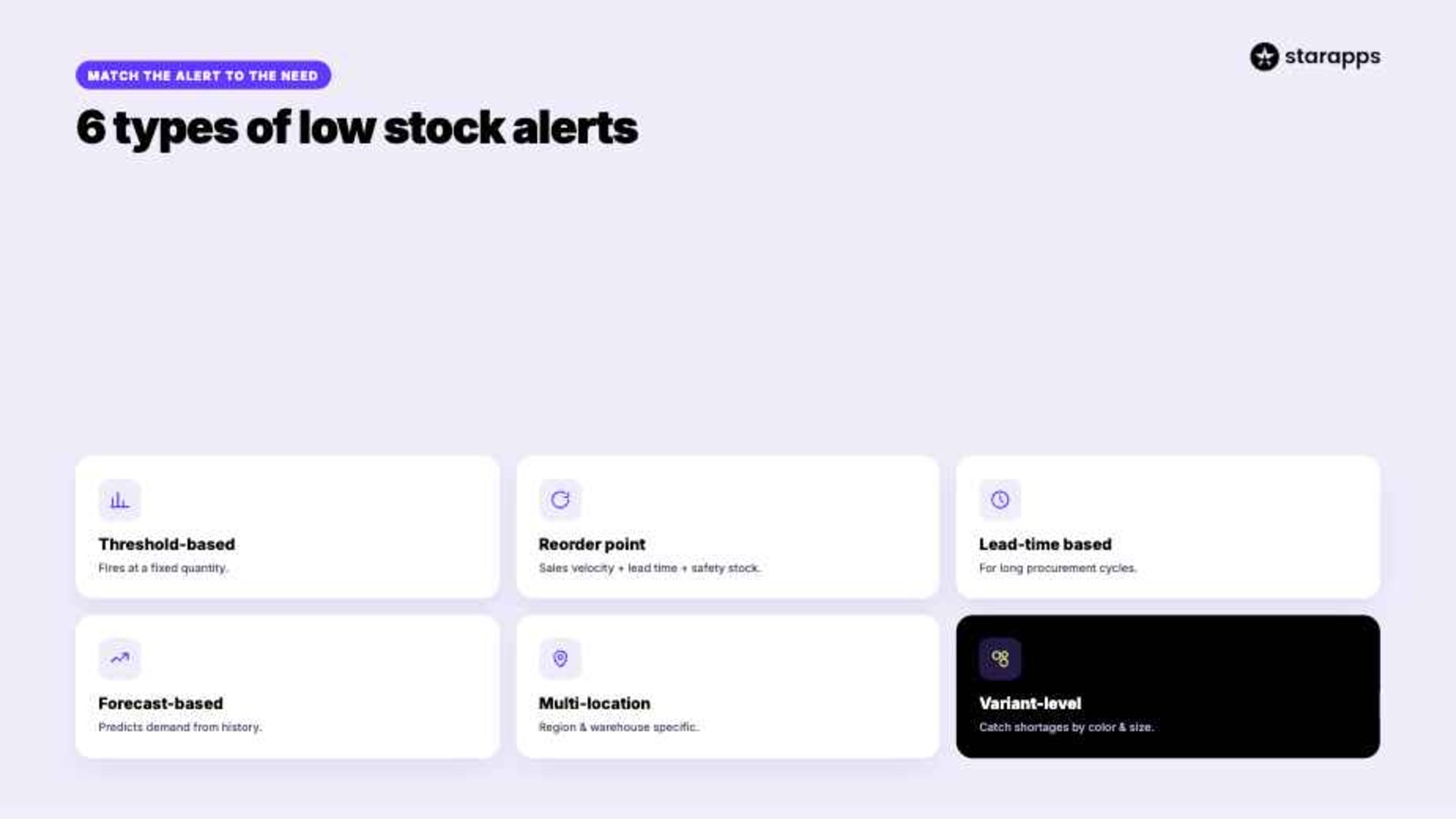
Not all inventory alerts serve the same purpose. Different businesses require different alert mechanisms depending on product demand, supplier lead times, sales velocity, and operational complexity.
Understanding the available options helps businesses build a more effective inventory management strategy.
1. Threshold-Based Alerts
These are the most common alerts.
A notification is triggered when inventory falls below a fixed quantity.
Example:
- Alert at 50 units remaining
- Alert at 25 units remaining
- Alert at 10 units remaining
This approach works well for products with stable demand patterns.
2. Reorder Point Alerts
Reorder point alerts go beyond simple quantity thresholds.
They consider:
- Average sales velocity
- Supplier lead time
- Safety stock requirements
This approach creates more accurate replenishment triggers.
For example, if a product sells 10 units per day and supplier delivery takes seven days, the reorder point should account for at least 70 units plus safety stock.
3. Lead-Time Based Alerts
Some products require longer procurement periods.
These alerts notify teams when inventory reaches a level that may become problematic based on supplier delivery timelines.
This is especially useful for:
- Imported products
- Custom-manufactured goods
- Seasonal inventory
4. Forecast-Based Alerts
Forecast-based alerts use historical sales data and demand trends to predict future inventory needs.
These alerts are especially useful for businesses experiencing:
- Seasonal demand spikes
- Promotional campaigns
- Product launches
- Holiday sales fluctuations
Forecast-based systems help businesses prepare for future demand rather than simply reacting to current inventory levels.
5. Multi-Location Inventory Alerts
Businesses operating multiple warehouses or retail locations often need location-specific alerts.
These alerts help identify:
- Regional stock shortages
- Store-specific inventory issues
- Transfer opportunities between locations
This improves inventory utilization across the network.
6. Variant-Level Alerts
For stores with multiple product variants, inventory issues often occur at the variant level rather than the product level.
A fashion retailer may have:
- Black T-shirt: In stock
- Blue T-shirt: In stock
- Red T-shirt: Low stock
Variant-level alerts help identify these situations early.
This is particularly valuable for Shopify stores managing large numbers of color, size, and style variants.
Essential Features to Look for in a Low Stock Alert System
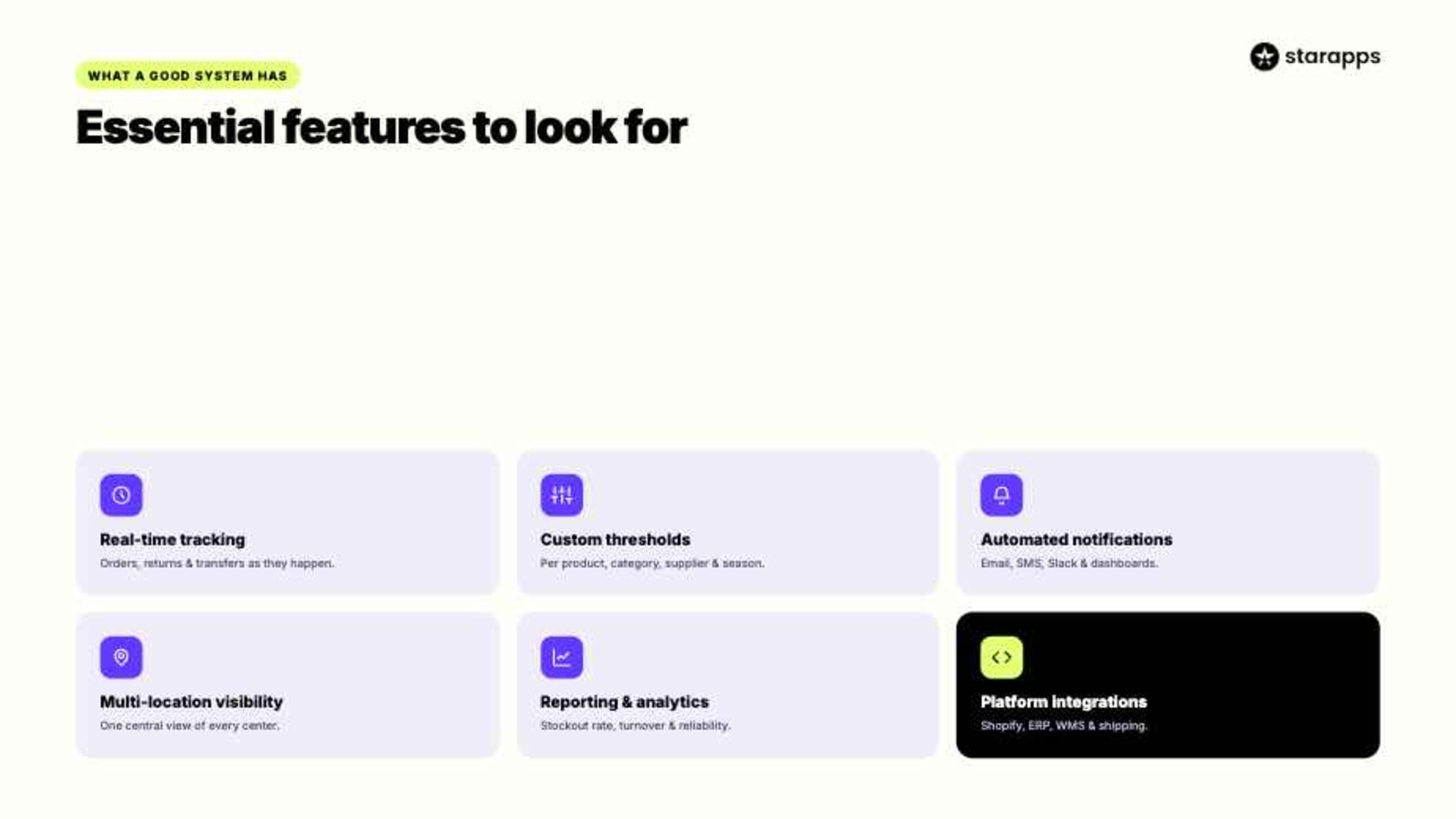
A low stock alert system should go beyond sending notifications and instead provide real-time visibility, forecasting support, and inventory insights that teams can act on.
When evaluating inventory management tools, consider the following features.
1. Real-Time Inventory Tracking
Inventory data becomes less useful when it is outdated.
A strong low stock alert system should track inventory movements as they happen, including:
- Sales orders
- Returns
- Stock transfers
- Purchase receipts
- Warehouse adjustments
Real-time visibility helps teams spot inventory risks early, before they affect customers.
For example, if a product experiences an unexpected sales spike after a social media campaign, real-time tracking allows alerts to trigger immediately rather than hours later.
2. Customizable Alert Thresholds
Different products require different inventory strategies.
A fast-selling product may require alerts at 100 units, while a slow-moving product may only need alerts at 10 units.
Look for systems that allow businesses to:
- Set product-specific thresholds
- Configure category-level alerts
- Create supplier-based inventory rules
- Adjust thresholds by season
This flexibility helps reduce unnecessary alerts while keeping inventory signals accurate.
3. Automated Notifications
Manual monitoring does not scale effectively.
A modern low stock alert system should automatically notify relevant stakeholders through:
- SMS
- Mobile applications
- Slack or Microsoft Teams
- Inventory management dashboards
Automation ensures inventory issues reach the right people without requiring constant oversight from your team.
4. Multi-Location Inventory Visibility
Businesses operating multiple fulfillment centers need a centralized inventory view.
Without it, one location may run out of stock while another location holds excess inventory.
Multi-location visibility enables teams to:
- Rebalance inventory
- Reduce overstocking
- Improve fulfillment efficiency
- Lower carrying costs
5. Reporting and Analytics
Inventory alerts are only part of the equation.
Businesses also need data that explains why inventory shortages occur.
Look for reporting features that track:
- Stockout frequency
- Inventory turnover
- Reorder performance
- Supplier reliability
- Demand fluctuations
These insights support long-term inventory optimization.
Example: A retailer managing 1,000 products might discover through analytics that 80% of stockouts originate from only 15% of SKUs. With that insight, they can focus inventory planning efforts where they matter most.
6. Platform Integrations
Inventory systems should integrate seamlessly with:
- Shopify
- ERP systems
- Warehouse management platforms
- Shipping software
- Forecasting tools
Integration reduces manual data entry and improves operational efficiency across the entire workflow.
How to Set Up Low Stock Alert Systems That Actually Work
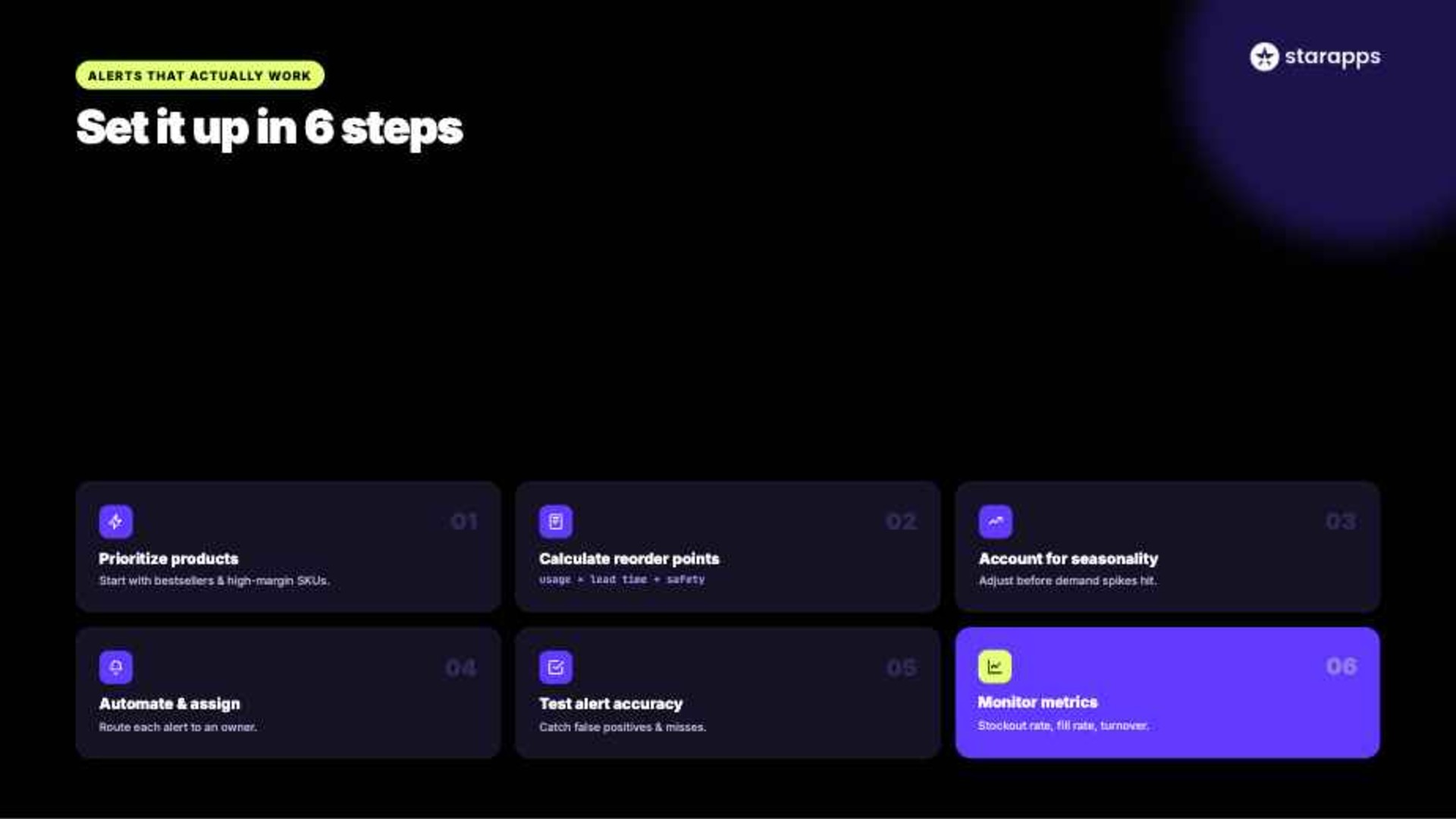
Many businesses implement inventory alerts but fail to achieve meaningful results because thresholds are poorly configured or alerts are ignored.
A successful setup requires a structured approach that aligns inventory policies with actual business needs.
Step 1: Identify High-Priority Products
Start by identifying products that have the greatest impact on revenue.
These often include:
- Bestsellers
- High-margin products
- Seasonal products
- Frequently reordered items
Prioritize these products when establishing alert systems.
Example:
A fashion retailer selling 5,000 SKUs may focus first on its top 200 revenue-generating products.
Step 2: Calculate Appropriate Reorder Points
Avoid setting random inventory thresholds.
Base your decisions on actual sales patterns and supply constraints instead.
Instead, consider:
- Average daily sales
- Supplier lead times
- Safety stock requirements
- Seasonal demand fluctuations
A data-driven approach produces more accurate alerts.
Formula:
Reorder Point = Average Daily Usage × Lead Time + Safety Stock
This formula helps determine when replenishment should begin.
Step 3: Account for Seasonal Demand
Historical sales data often reveals predictable demand patterns.
These patterns can be used to adjust inventory before demand changes occur.
Examples include:
- Holiday shopping spikes
- Back-to-school demand
- Summer inventory surges
Adjust alert thresholds before demand increases.
Step 4: Automate Notifications
Assign alerts to specific team members.
Clear ownership ensures alerts don’t get missed or delayed in execution.
For example:
Defined responsibilities improve response speed and reduce confusion during restocking.
Step 5: Test Alert Accuracy
Run alerts for several weeks.
Treat this phase as validation of system behavior, not just setup completion.
Evaluate:
- False positives
- Missed shortages
- Notification frequency
Adjust thresholds where necessary. Small adjustments at this stage help avoid recurring inventory issues later.
Step 6: Monitor Performance Metrics
Track inventory performance after implementation.
Key metrics include:
- Stockout rate
- Fill rate
- Inventory turnover
- Reorder cycle time
Review results regularly and adjust thresholds as demand changes. This keeps your system aligned with real operational behavior instead of static assumptions.
Best Practices for Managing Low Stock Alerts Effectively
Even well-designed inventory systems can underperform if alerts are not actively managed. The effectiveness depends on how consistently the system is reviewed and maintained.
The following practices help ensure alerts remain accurate, actionable, and useful.
- Review Thresholds Regularly: Update reorder points periodically to reflect changing sales trends, seasonal demand, and inventory requirements.
- Avoid Alert Fatigue: Limit notifications to important inventory events so critical alerts are not overlooked.
- Use Historical Inventory Data: Past sales trends, stockout incidents, and replenishment cycles can help identify recurring demand patterns and improve the accuracy of low stock alert settings.
- Segment Products by Demand: Different products require different inventory strategies. Fast-selling and high-margin items should generally have higher reorder thresholds than slow-moving inventory.
- Align Inventory and Merchandising Teams: Ensure inventory updates inform promotions, collections, and product merchandising decisions.
- Monitor Supplier Performance: Track supplier lead times and reliability to avoid replenishment delays.
- Continuously Improve Forecasting: Compare forecasted demand with actual sales performance to identify gaps in planning. Better forecasting directly improves the reliability of alert systems over time.
How StarApps Studio Can Strengthen Inventory Visibility and Stock Management
While inventory management systems handle stock tracking and replenishment, customer-facing inventory visibility is equally important.
Trusted by 25,000+ active merchants, powering 1,000+ Shopify Plus stores, and maintaining a 4.9-star rating, StarApps helps Shopify merchants improve product discoverability, variant management, and storefront performance at scale.
Color Swatch King: Variants
- Hide sold-out variants automatically: Prevent customers from selecting unavailable colors, sizes, or styles, reducing frustration and helping them focus on products they can actually purchase.
- Improve variant discoverability: Display color swatches, image swatches, and variant options directly on collection and product pages, making it easier for shoppers to find available inventory faster.
- Support large product catalogs: For fashion, beauty, and home goods brands with hundreds of variants, swatches simplify product navigation and reduce decision-making time.
SA Variant Image Automator
- Show only relevant variant images: When a customer selects a specific variant, the app automatically displays the corresponding images, creating a cleaner and more organized product gallery.
- Improve inventory clarity: Customers immediately see what is available instead of scrolling through images belonging to out-of-stock or unrelated variants.
- Enhance shopping confidence: Accurate visual representation helps customers make informed decisions and reduces uncertainty during the buying process.
SA Variants: Combined Listings
- Create dedicated listings for variants: Individual variants can have their own titles, URLs, descriptions, and images, making available products easier to discover.
- Improve search and filtering: Customers can locate specific colors, sizes, or styles more quickly, especially in stores with extensive inventories.
- Support inventory visibility across catalogs: Instead of hiding inventory within a single product page, merchants can showcase available variants more prominently throughout the storefront.
Variant Descriptions King
- Display variant-specific information: Show unique details such as dimensions, materials, specifications, or care instructions for each variant.
- Reduce purchasing mistakes: Customers can review accurate information before ordering, which helps minimize confusion and unnecessary returns.
- Keep product pages organized: Tabs and accordions present detailed information without overwhelming shoppers.
Variant Title King: Color, SKU
- Make selected variants instantly identifiable: Automatically update product titles with variant-specific details such as color or SKU.
- Improve operational accuracy: Clear variant identification helps customers and internal teams verify the exact product being viewed or purchased.
- Support large SKU inventories: Particularly useful for stores managing extensive product catalogs where similar variants can be difficult to distinguish.
Variant Alt Text King: SEO
- Optimize variant images automatically: Generate descriptive ALT text for product images, helping search engines understand variant-specific content.
- Improve product discoverability: Better image optimization can increase visibility in image search results and support broader SEO efforts.
- Maintain accessibility standards: Accurate ALT text makes product information more accessible while reducing manual optimization work.
If your Shopify store manages large numbers of product variants, StarApps Studio's tools can help improve how inventory availability is presented to customers while maintaining a clean, organized storefront experience.
Conclusion
Low stock alerts provide businesses with a proactive way to identify inventory risks before they affect customers. When configured correctly, they help reduce stockouts, improve forecasting, support better purchasing decisions, and maintain healthy inventory levels across sales channels.
The most effective inventory strategies combine automated alerts, demand forecasting, regular audits, and real-time visibility. Together, these practices create a more resilient inventory management process that supports growth and customer satisfaction.
For Shopify merchants, inventory management is only one part of the equation. Customers also need clear visibility into available products and variants. As your product catalog grows, investing in scalable inventory monitoring and customer-facing inventory visibility becomes increasingly important.
If you're looking to improve how customers discover and interact with available product variants, explore the StarApps Studio app suite and identify the tools that best fit your store's inventory and merchandising needs.
FAQs
1. How do perishable goods and expiration dates change low stock alert strategies?
Perishable goods require tighter, time-sensitive low stock alerts aligned with expiration dates. Strategies shift to FEFO, dynamic reorder points, and higher safety buffers to prevent spoilage while ensuring faster replenishment before products become unsellable.
2. What testing and validation should be done before deploying low stock alerts system-wide?
Testing and validation should include historical sales simulation, threshold accuracy checks, integration testing with inventory systems, edge-case handling for spikes, alert fatigue assessment to ensure reliable system-wide deployment without disruptions.
3. How do price changes and promotions influence low stock alert thresholds?
Price changes and promotions can temporarily spike demand, reducing stock faster than expected. Alerts must adjust dynamic thresholds, factor elasticity, and widen safety buffers to avoid stockouts during high-conversion promotional periods.
4. Can AI/ML be used to optimize low stock alert thresholds, and how?
AI/ML can optimize low stock alert thresholds by analyzing demand trends, seasonality, lead times, and supplier reliability. It continuously refines reorder points using predictive forecasting and anomaly detection for improved accuracy.
5. How can low stock alerts be used to support just-in-time (JIT) inventory strategies?
JIT alignment uses low stock alerts to trigger replenishment only when needed, reducing holding costs. Real-time monitoring ensures inventory flows match demand closely, supporting lean operations and minimizing excess stock buildup.
Heading

End-to-end traceability
To ensure regulatory compliance, you must have a complete overview of your products from production to shipping. Book a demo to see how Katana can give you full visibility of your operations.
.png)

.svg)

.svg)

.svg)
.png)