
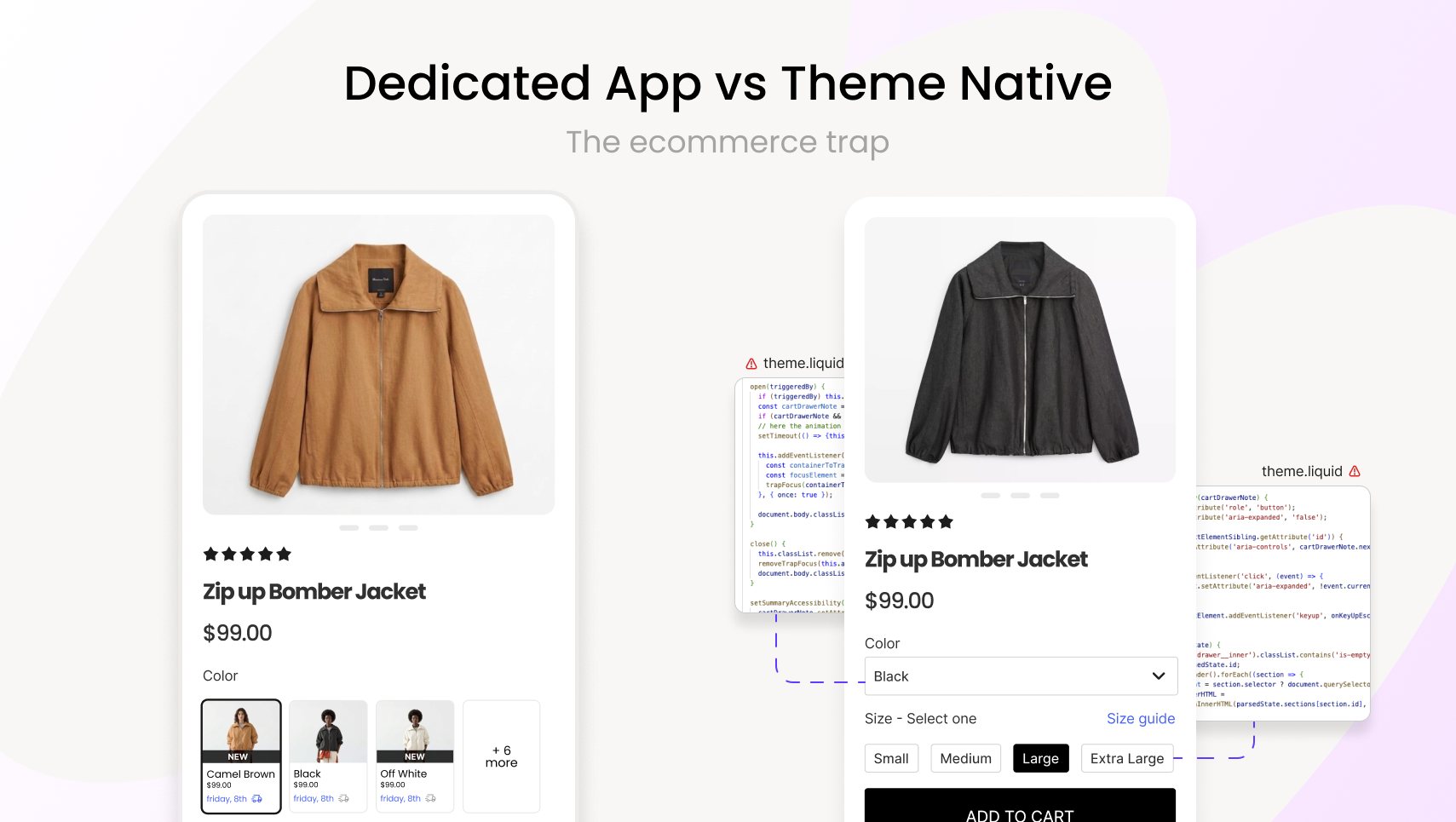

Are Shopify theme-native swatches enough? We compare native vs. dedicated apps across features, integrations, breaking changes, and true cost of ownership.
Shopify themes have gotten genuinely better at handling variants and swatches. If you've been eyeing your app subscriptions wondering what you can cut, that's a fair question.
We've built a $7M ARR company building some of the best Shopify variant apps, so take this with that context. But we talk to hundreds of merchants moving in both directions (theme-native to app, app to native), and the picture is more nuanced than either side admits.
Quick Overview
- Shopify now builds more variant display features directly into themes — raising a fair question about whether dedicated swatch apps are still necessary.
- The answer depends on your catalog, your integrations, and how much platform risk you're willing to carry.
- This piece covers what native handles well, where the gaps are, and how to make the call for your store.
What theme-native actually gives you today
For stores with simple catalogs, think 20-50 products with basic color and size options, this genuinely works. No app needed. Seriously.
- Color hex swatches on product pages
- Variant image associations
- Metafield-driven option display
- Combined listings via meta-fields
The gaps show up in specific scenarios, not across the board.

The integration limitations
This one catches merchants off guard. Tools like Okendo, Yotpo, Judge.me, Klaviyo, Omnisend, and Boost Commerce build their integrations against app install bases, not theme-native swatches.
That means: Per-variant review stars? Not connected to native swatches. Variant-specific email personalization? Klaviyo and Omnisend can't read your theme code. Filter facets by swatch attributes? Boost Commerce and similar tools need an app to talk to.
Theme-native swatches are visually on the page but invisible to the rest of your tech stack. Dedicated apps sit in the ecosystem these tools expect.

The breaking change problem nobody warns you about
Shopify's platform evolves fast. That's generally good, but it means custom theme code has an expiration date you can't predict.
.png)
Multiple of these deadlines have already passed. This isn't hypothetical.
Why this hits theme-native swatches harder
When Shopify ships a platform change, the update pipeline looks very different depending on what you're relying on:
Dedicated app: the app developer tracks Shopify's changelog, migrates their code, pushes an update. You get the fix automatically. One vendor, one responsibility.
Theme-native customization: your fix depends on your theme developer shipping an update. Then you need to apply it, which overwrites your custom code (Shopify theme updates replace all files, no merge). Then you need to re-apply your customizations. Then test everything.
The theme developer gap
Not all themes are maintained equally:
- Major theme studios (Out of the Sandbox, Archetype, Clean Canvas) have dedicated teams, fast update cycles, and tooling to help merchants preserve customizations during updates.
- Marketplace themes (ThemeForest, etc.) come with a default support window of 6 months. No enforced quality bar. Updates depend on one developer's availability and interest.
- End-of-life themes get no updates coming, ever. Every platform change is another crack that won't be patched.
If your swatches are built into a theme from a small studio that goes quiet, you're carrying the maintenance burden yourself, or hiring a developer every time something breaks.
The compounding effect
These aren't isolated events. A merchant running custom swatches on a marketplace theme could face a scenario where their variant display breaks (platform change), their cart stops working (SDK sunset), and their theme developer has no update available, all within the same window. Each week that goes unresolved is lost revenue that's difficult to recover.
The test that tells you everything
Before you evaluate any feature list, do this:
.png)
This 2-minute exercise is worth more than any comparison chart.
The costs that don't show up on an invoice
Going native with customizations:
- Developer hours to build custom swatch behavior → ongoing
- Developer hours to fix it after theme updates → recurring
- Conversion impact from limited variant display → invisible until you measure
- Returns from "didn't match expectations" → real but hard to attribute
Using a dedicated app:
- Monthly subscription → visible and easy to scrutinize
- Page speed impact from added scripts → test this, some apps are heavy
- Vendor dependency → if the app shuts down, you're migrating under pressure
- Learning curve and setup time → front-loaded but real
The uncomfortable truth: "free" native that costs 10 dev hours per quarter isn't free. An app that slows your site by 400ms isn't cheap at any price. Neither column is as clean as it looks.

If you're thinking about switching
App → Native: Don't rip it out and hope. Track your conversion rate, add-to-cart rate, and return rate for 30 days before and after. If metrics drop, you have your answer.
Native → App: Use the free trial. Test on collection pages, not just product pages. Test on mobile. Check page speed before and after.
Either direction: Revisit quarterly. What works at 50 products might not at 500. What works at $10K/month might not at $100K/month.
One thing both sides agree on
Your customers don't know or care how your swatches are implemented. They care whether they can see what they're buying, compare options quickly, and trust that what arrives matches what they saw on screen.
Whatever gets your store closest to that (native, app, or a mix of both) is the right answer for you.
FAQs
1. Are Shopify theme-native swatches good enough for most stores?
For many stores, yes. If you have a straightforward catalog — under 50 products, simple color and size options, and no need for collection-page display — native swatches handle the job without any additional cost or complexity. The gaps only become meaningful as catalog complexity grows.
2. Can Shopify theme-native swatches handle image swatches like fabric textures or patterns?
Not without custom development. Native swatches support solid hex colors as circles or squares. Showing textures, patterns, or lifestyle crops requires custom Liquid and CSS — which works, but needs a developer to maintain through theme updates. A dedicated app provides this out of the box without custom code.
3. Do theme-native swatches work on collection pages?
Most themes only render swatches on product detail pages. Getting interactive swatches with image switching on collection pages requires either custom code or a dedicated app. For stores where browsing behavior matters — fashion, home goods, apparel — this is worth evaluating carefully.
4. Do third-party tools like Klaviyo or Yotpo work with theme-native swatches?
Generally, no. Tools like Klaviyo, Omnisend, Yotpo, and Boost Commerce build integrations against app install bases. Per-variant review stars, variant-specific email flows, and swatch-based filters require a dedicated app. If you're not using these tools, this limitation may not affect you at all.
5. How do Shopify platform updates affect custom swatch code?
Theme updates replace all theme files — custom swatch code can be overwritten without warning. This affects custom-coded native implementations more than dedicated apps, since app developers handle platform migrations on their end. The risk is lower if you're using a major theme studio with regular update support; higher with marketplace or indie themes.
6. Is a dedicated swatch app worth the monthly cost?
It depends on your revenue stage and catalog type. For stores doing low volume with simple products, the subscription cost likely outweighs the benefit. For stores with visually complex variants, high SKU counts, or where variant display directly drives purchasing decisions, the ROI case is usually clear. Neither answer applies universally.
7. When does it make sense to stay theme-native?
When your catalog is simple, your variants are well-represented by solid colors, you don't need collection-page swatches, and you have no plans to integrate with review or email tools that depend on variant-level data. Native keeps your stack lean and eliminates vendor dependency — both legitimate advantages.
Heading

End-to-end traceability
To ensure regulatory compliance, you must have a complete overview of your products from production to shipping. Book a demo to see how Katana can give you full visibility of your operations.



.png)

.svg)

.svg)

.svg)
.png)