
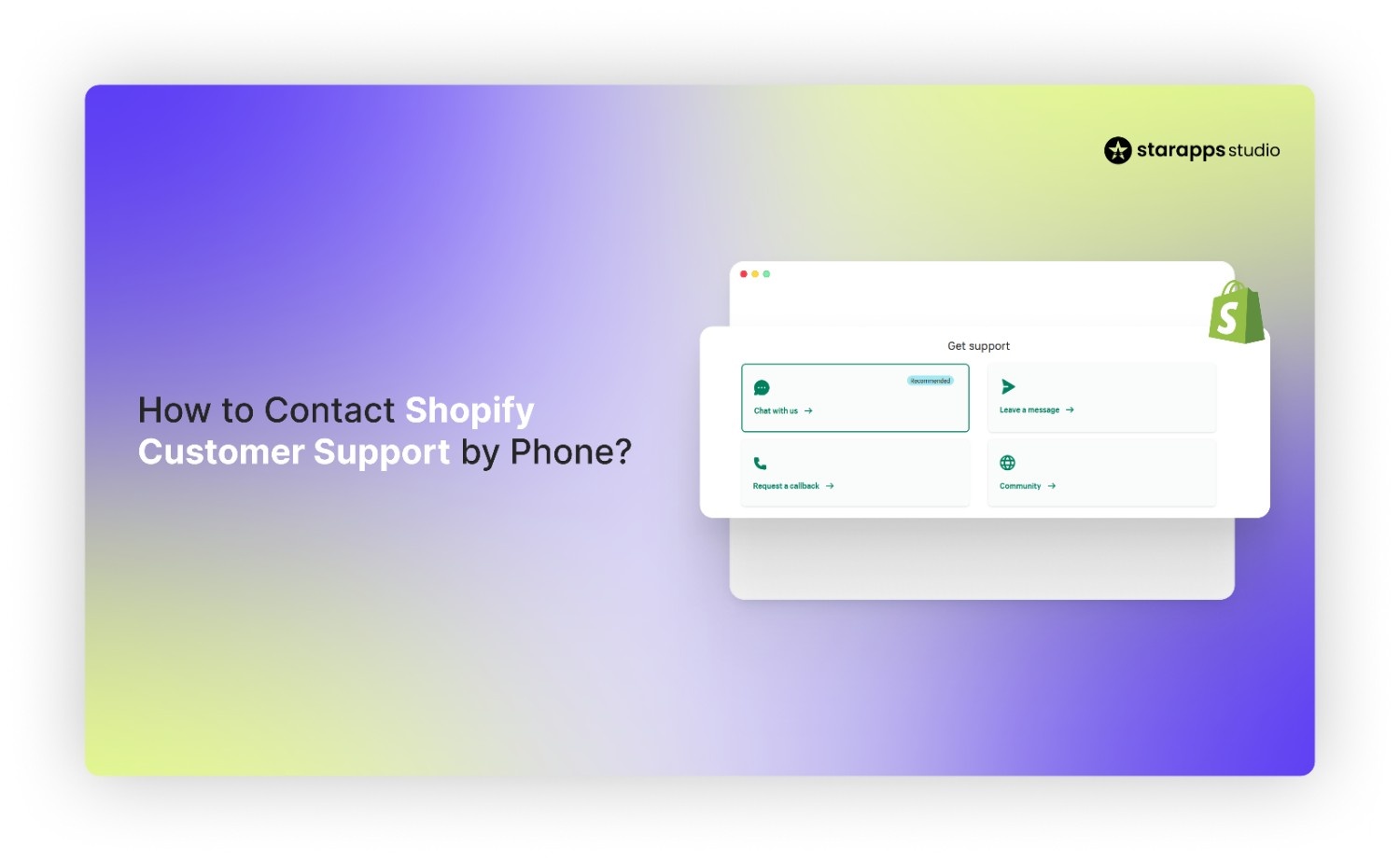

Get clear guidance to contact Shopify customer service by phone. Log in for a callback. Visit Shopify Help Center. Get solutions fast!
Running an online store means knowing how to get help when things go wrong, fast. Shopify powers millions of merchants across 175+ countries, processing over $1 trillion in cumulative gross merchandise volume, a clear sign of its importance in global e-commerce and the scale of support needs merchant owners face.
For any business, especially those managing high traffic and sales, knowing how to contact Shopify customer support by phone can be the difference between a brief issue and a costly disruption.
This blog walks you through the exact steps to reach Shopify support by phone, explains when phone support is available, outlines alternatives if phone help isn’t an option, and shares tips to resolve issues efficiently.
Key Takeaways
- Shopify doesn’t offer a universal, public “dial-in” support number for all merchants; contact options are shown inside the Help Center flow after you log in.
- Phone support is typically reserved for Shopify Plus/Enterprise, while most merchants use chat and support tickets for resolution.
- Phone is best for urgent, account-impacting issues (access, payouts, checkout failures), while chat/tickets are often faster for configuration questions and theme/app troubleshooting.
- Many “support” problems can be reduced upstream by fixing storefront clarity (variant selection, images, product information), which lowers customer confusion and repeat troubleshooting.
- StarApps Studio helps improve variant UX (swatches, variant images, variant info), which can reduce avoidable variant-related issues before they turn into tickets.
Shopify Customer Support Options
Shopify’s customer support is structured around guided access, meaning the support options you see depend on your subscription plan, login status, and the type of issue you report. Rather than offering a single public contact number, Shopify routes merchants through its Help Center to ensure issues are handled by the most appropriate support channel.
This approach helps prioritise urgent problems, reduce resolution time, and connect you with advisors who have the right technical context for your store.
Support options range from self-service resources and live chat available to all merchants, to phone and email support reserved for specific plans such as Shopify Plus and Retail.
Primary channels of Shopify with 24/7 access are:
- Help Center resources: best for self-service troubleshooting and known issues.
- Live chat/messaging: often the fastest path for setup questions, theme conflicts, and app-related troubleshooting.
- Support tickets (email-style): best when you need to attach screenshots, logs, billing details, or when Shopify needs to investigate.
- Phone support / callbacks (when available): typically offered for Shopify Plus/Enterprise and shown inside the Help Center flow when your plan/issue qualifies
Phone callbacks work for basics, but what about true direct phone access? Here's the 2026 reality for your plan and region.
Does Shopify Still Offer Phone Support?
No direct-dial phone lines exist for Basic/Shopify/Advanced plans anymore, Shopify eliminated universal toll-free numbers in 2024, shifting to callback requests only through Admin > Help.
Shopify Plus merchants get private dedicated lines via onboarding email from their Merchant Success Manager, typically +1-888-746-7439 (USA/Canada) or regional equivalents, 24/7 with 15-minute SLAs.
Here’s a detailed overview of plan-specific access in 2026:
Once you know phone support exists, the next challenge is accessing it correctly.
Step-by-Step: Contacting Shopify Support by Phone
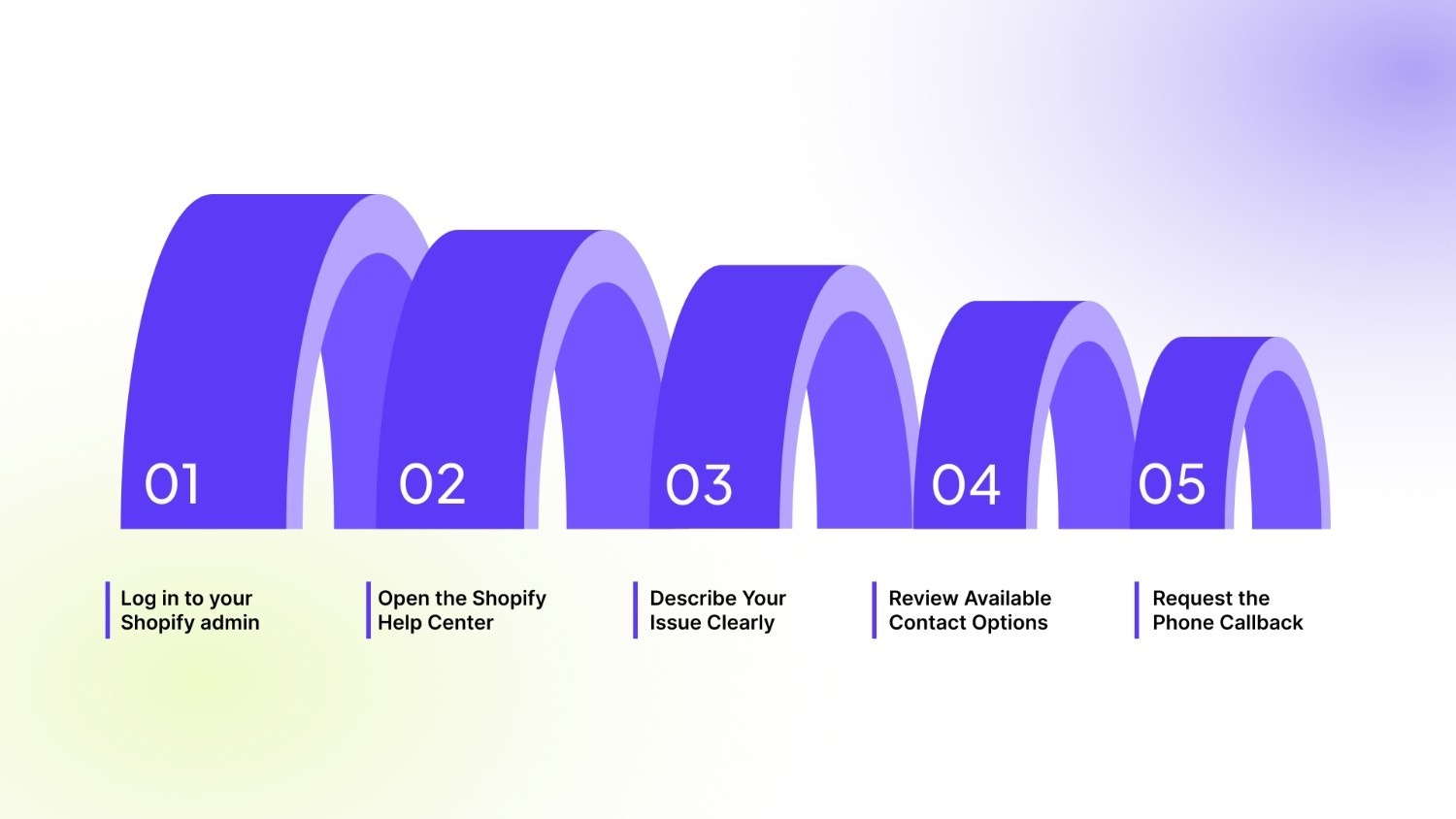
Shopify phone support is accessed only through the Help Center and appears after you complete a guided flow. Following the correct steps matters because skipping one often means the phone option never shows.
Step 1: Log in to your Shopify admin
Before any phone support option becomes available, Shopify needs to recognise who you are and which store you’re contacting support for. This is why logging in is mandatory; without it, phone and callback options will not appear.
- Phone support is not visible unless you are signed in to your Shopify account.
- Always log in using the store owner account or a user profile with full administrative permissions.
- Visit admin.shopify.com, sign in, and select the relevant store you need help with.
Step 2: Open the Shopify Help Center
Once you’re logged in, the next step is to access Shopify’s official support gateway. The Help Center is where Shopify determines which support options you’re eligible for and how your issue should be handled.
- In your Shopify admin, click Help in the bottom-left corner of the screen.
- Select Contact support to begin the guided support flow.
- This step allows Shopify to identify your subscription plan, store details, and issue context before showing available contact options.
Step 3: Describe Your Issue Clearly
Enter a short but specific description (for example, “billing hold on payouts” or “store access issue”). Shopify uses this input to decide:
- Which team should handle the case
- Whether phone support is appropriate
Tip: Vague inputs often route you to chat only.
Step 4: Review Available Contact Options
Based on your plan and issue type, Shopify will show available options such as:
- Live chat
- Email (for eligible plans)
- Phone callback (Shopify Plus and Retail plans)
If phone support is available, you will see a callback or call option here.
Step 5: Request the Phone Callback
If your plan and issue qualify for phone support, Shopify will offer a callback option instead of placing you on hold. This approach helps advisors review your case before contacting you.
- Enter your phone number carefully, including the correct country code.
- Select or confirm your availability window, if prompted.
- Submit the request and wait for Shopify to call you back directly.
Callbacks triggered, but agents ghosting you? Skip the guesswork, here are the official numbers (where they still exist) broken down by your store's biggest markets.
Official Shopify Support Numbers (Country Breakdown)
Shopify does not maintain a single, universally published phone number that works for all merchants across all plans. Instead, phone support is typically unlocked through the Shopify Help Center based on your plan and issue type.
That said, Shopify has historically operated regional support lines, which are sometimes referenced online. These numbers may not connect you to an advisor unless a callback or support flow is initiated first.
Shopify stopped universal direct-dial toll-free lines for Basic/Advanced plans in 2024, leaving callback-only access through Admin Help. Only Shopify Plus stores receive private numbers via onboarding email from their Merchant Success Manager.
Best practice: log in to your Shopify admin → open Help → Contact support and use the options shown for your store and issue.
What Issues Are Best Resolved by Phone?
Not all Shopify problems require a phone call. Phone support is most effective when immediate action is needed or when the problem involves a sensitive account or technical details that are difficult to explain via chat or email. Using phone support strategically ensures your issue is resolved faster and more accurately.
Common issues suited for phone support are:
When phone support isn’t available or urgent, Shopify still offers dependable ways to get help without slowing your business down.
Alternative Support Channels (Fast and Reliable)
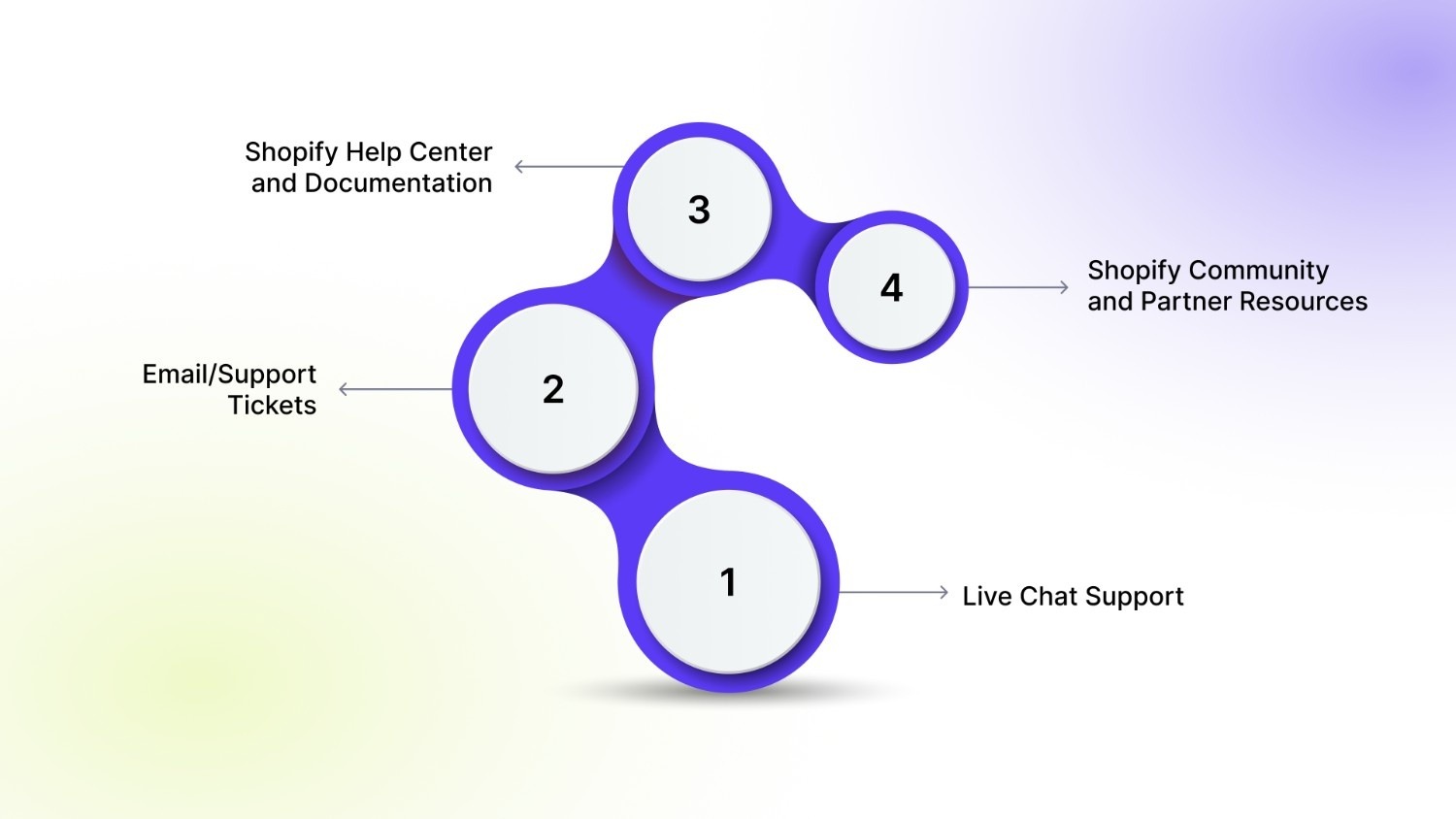
Shopify’s support ecosystem is designed to route issues efficiently based on urgency, complexity, and plan level. In many cases, these alternative channels resolve problems faster than phone support, especially for technical, operational, or documentation-heavy queries.
1. Live Chat Support
Best for real-time assistance without waiting for a callback.
- Available directly through the Shopify Help Center after logging in
- Ideal for setup questions, app conflicts, theme issues, and configuration guidance
- Advisors can access your store context instantly and share links or steps in real time
Why it works: Live chat combines speed with written clarity, making it easier to follow technical instructions.
2. Email/Support Tickets
Best for non-urgent or detailed issues that require investigation.
- Used automatically when an issue needs escalation or backend review
- Suitable for billing reviews, bug reports, and account verification cases
- Responses include written explanations, screenshots, or follow-up steps
Why it works: Provides a documented trail and allows Shopify teams to involve specialists if needed.
3. Shopify Help Center and Documentation
Best for self-service problem solving.
- Covers store setup, payments, shipping, APIs, and theme customization
- Updated regularly with Shopify product changes
- Includes step-by-step guides and troubleshooting checklists
Many common issues can be resolved immediately without contacting support.
4. Shopify Community and Partner Resources
Best for peer-driven solutions and best practices.
- Community forums include real merchant use cases
- Shopify Partners often share advanced workflows and optimizations
- Useful for theme tweaks, growth strategies, and app recommendations
If support isn’t immediately available, a few smart steps can help you stay in control.
What to Do If You Cannot Reach Support
When Shopify support is unavailable or delayed, focus on the following actions that reduce downtime and speed up resolution.
- Confirm access: Log in as the store owner or with full permissions to unlock all support options.
- Recheck issue routing: Adjust how you describe the problem in the Help Center to reveal additional contact methods.
- Use self-service resources: Search the Shopify Help Center using exact error messages and check platform status updates.
- Stabilise your store: Disable recent apps, revert theme changes, or pause affected features if needed.
- Escalate smartly: Start a live chat, submit a support ticket with screenshots, or contact your Shopify Plus manager.
Before relying on Shopify support, many variant and product issues can be prevented with the right tools.
How StarApps Prevents Support Headaches
StarApps Studio builds specialised Shopify apps designed to eliminate the common causes of variant-related support tickets, from incorrect product images to confusing variant options. With 25,000+ active merchants and a 4.9-star rating across six powerful apps, StarApps focuses on variant clarity, automation, and user experience at every step.
Reduce support issues with precision tools:
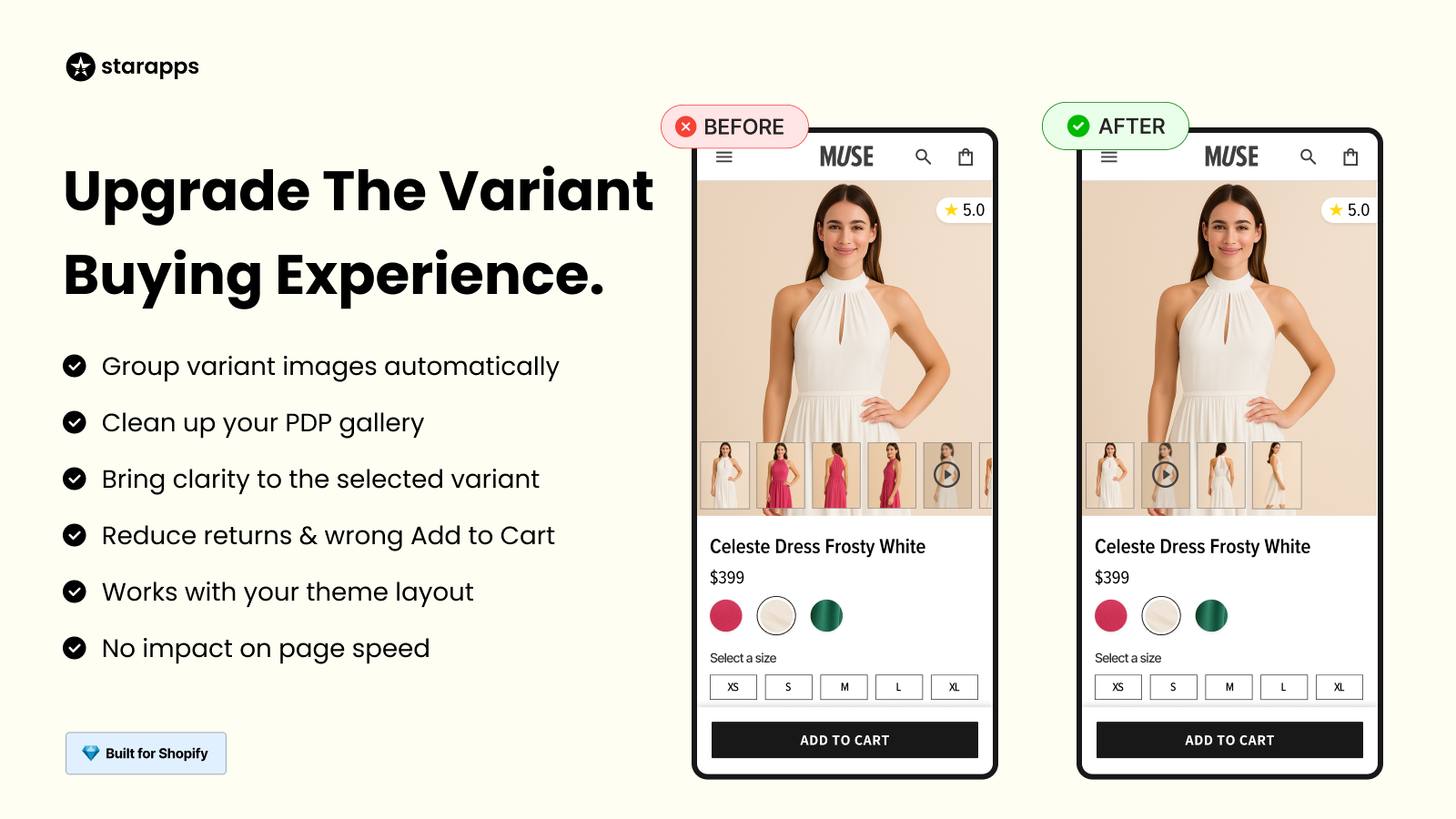
- Variant Image Automator: Automatically links multiple images to each variant and displays only relevant images when a variant is selected, preventing image mismatches and customer confusion.
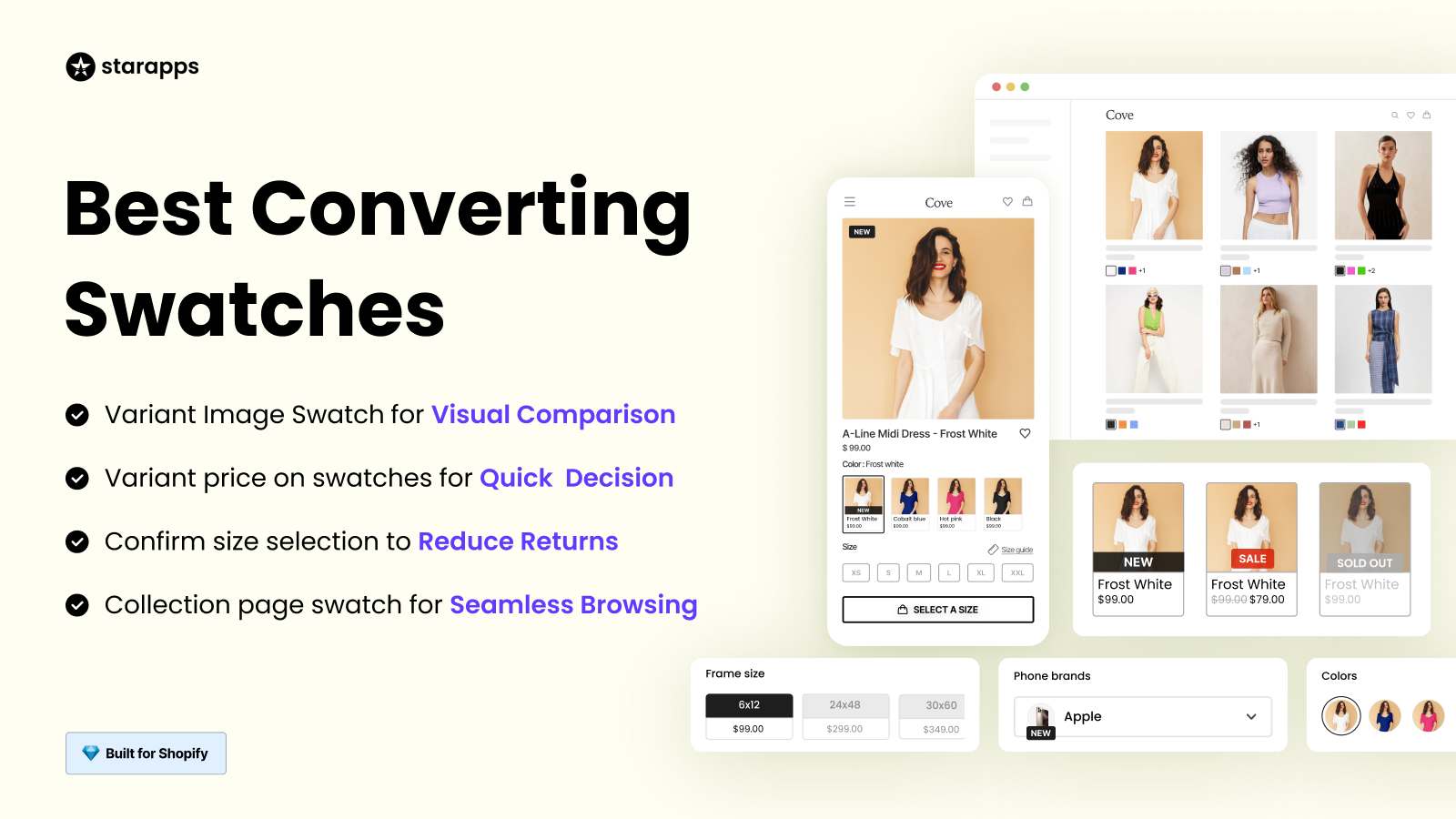
- Color Swatch King: Replaces dropdowns with colour and image swatches on product and collection pages, helping customers select the correct variant without errors.
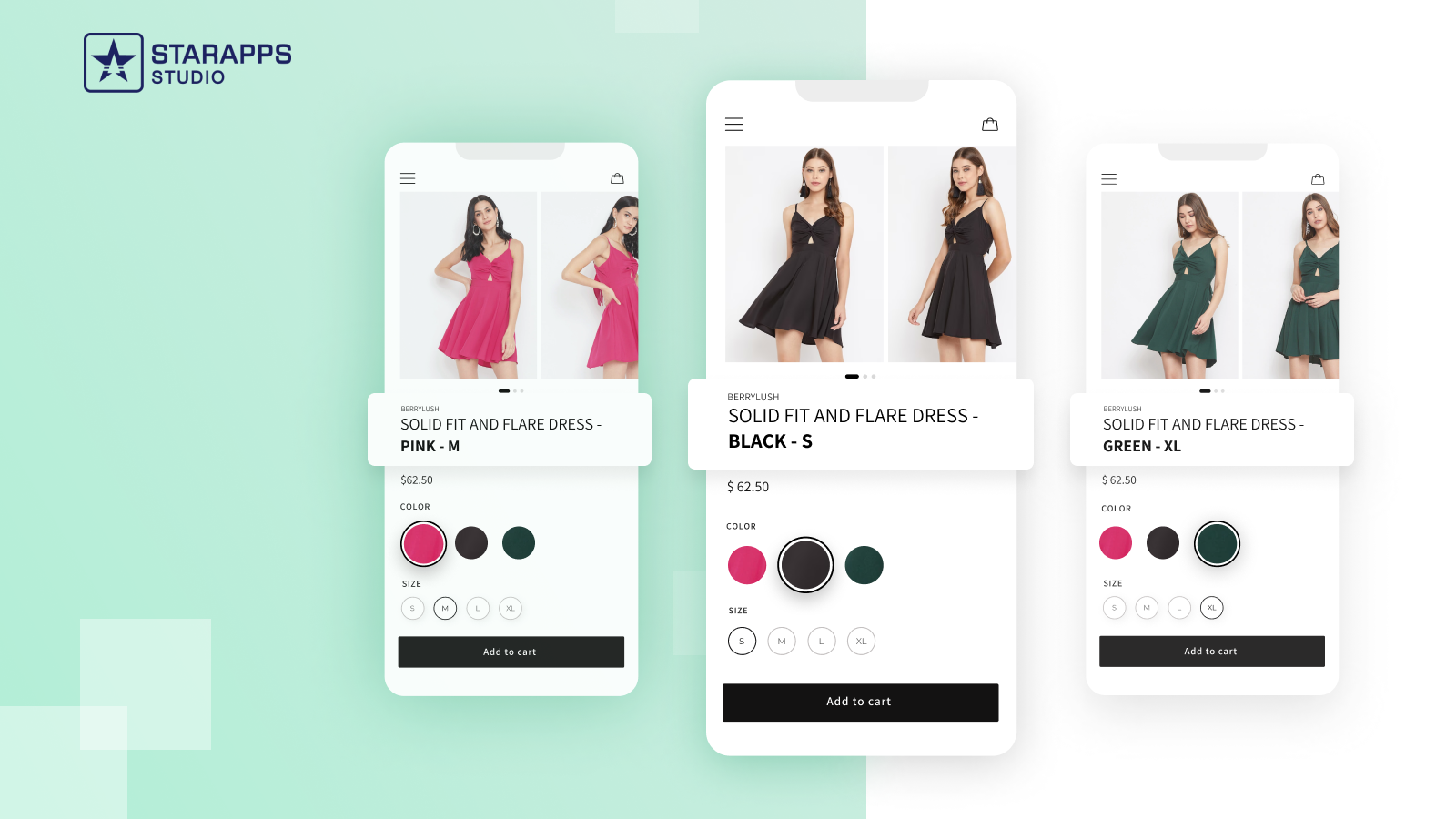
- Variant Title King: Dynamically updates product titles based on selected colour, SKU, or variant, improving clarity for both customers and internal teams.
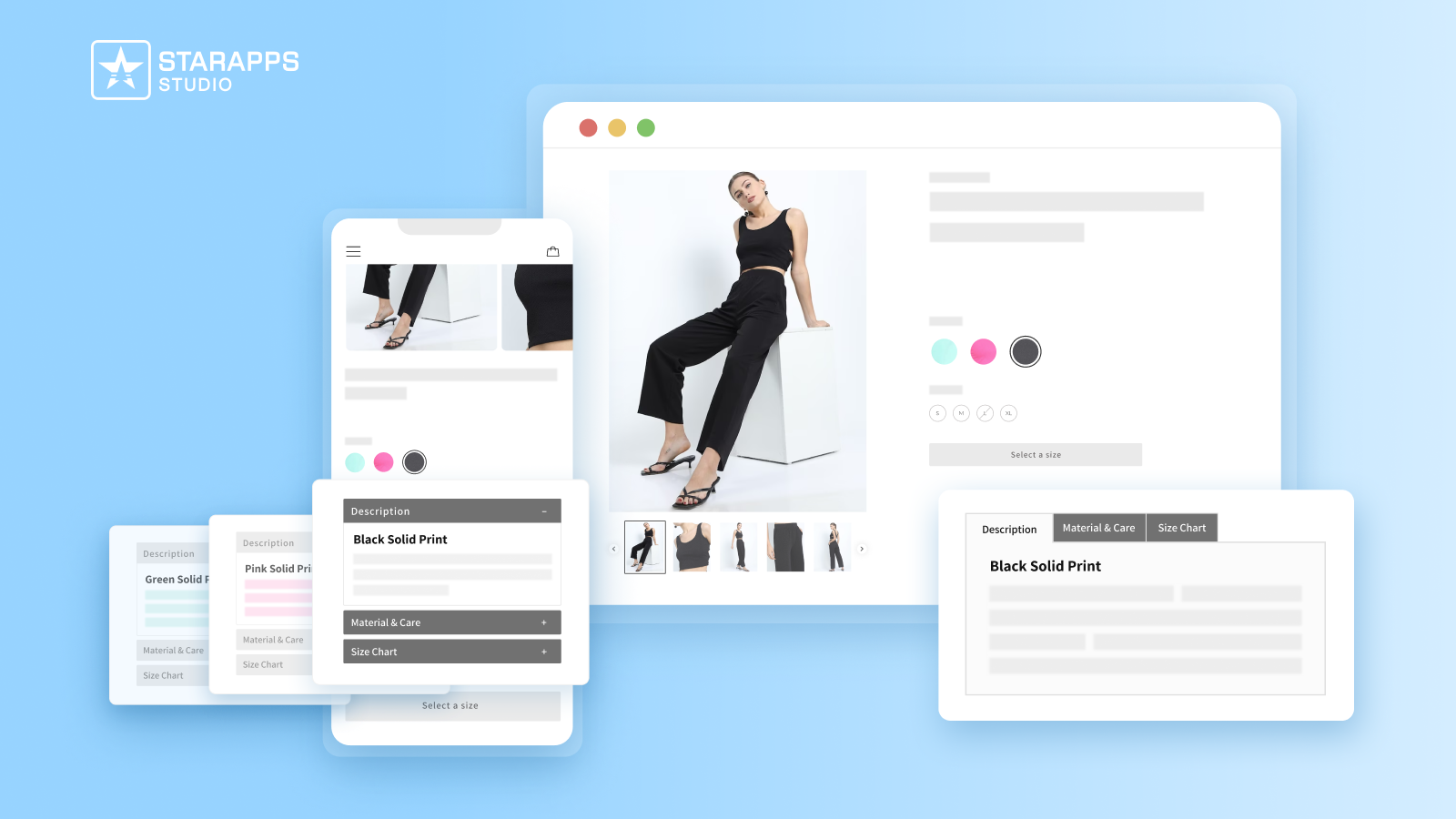
- Variant Descriptions King: Displays variant-specific content such as size charts or material details, reducing returns and clarification requests.
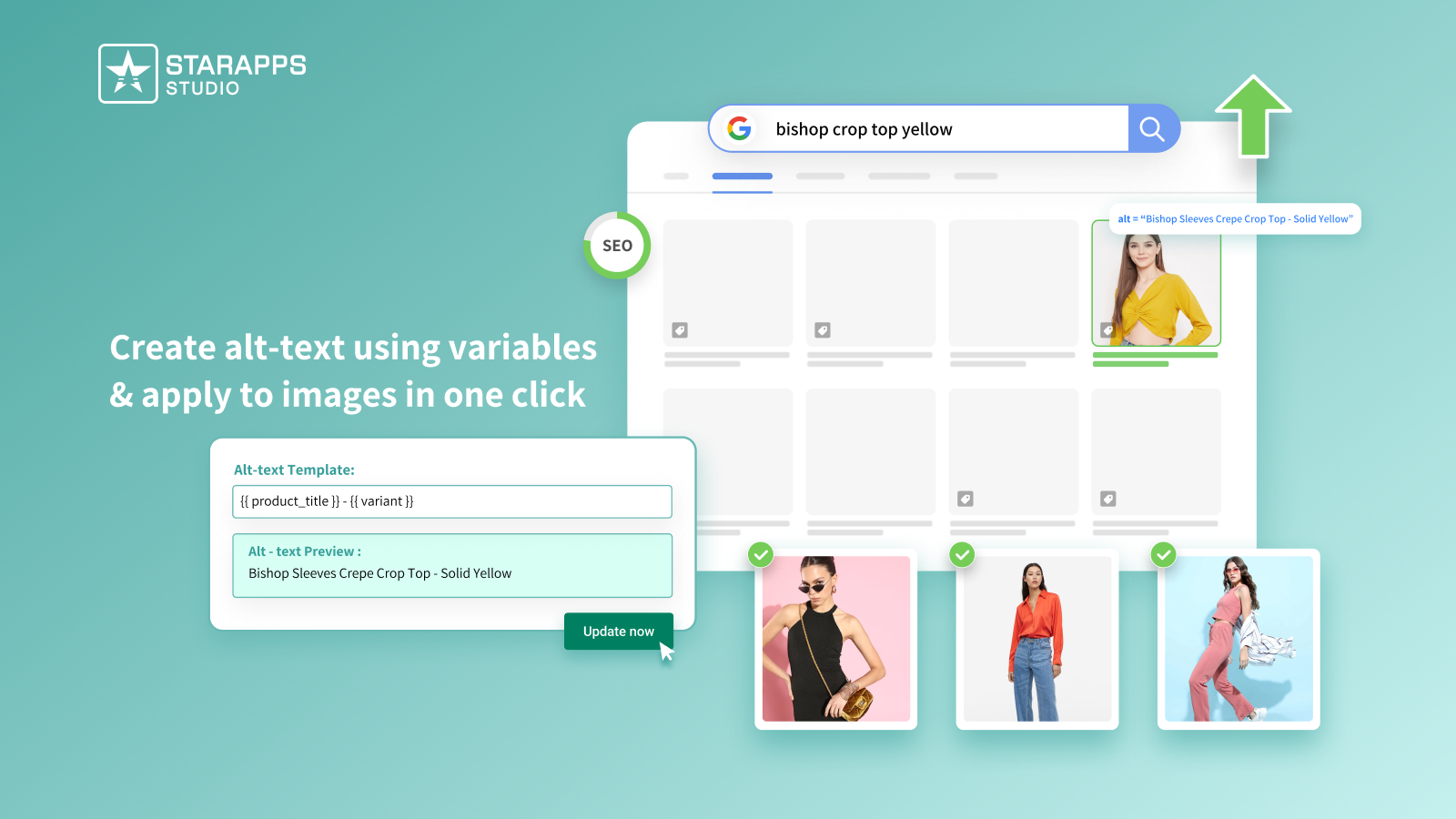
- Variant Alt Text King: Automatically generates and syncs variant-level ALT text daily, supporting SEO and accessibility without manual updates.
By addressing the root causes of customer confusion and variant complexity, StarApps helps merchants spend less time troubleshooting visual and structural issues and more time growing sales, reducing reliance on frequent support interactions. Talk to us today!
Final Thoughts
Contacting Shopify customer support by phone can be helpful for urgent or complex issues, but repeated outreach often signals deeper storefront inefficiencies. Understanding when and how to reach support ensures faster resolution, fewer delays, and better operational control for your business.
At the same time, many common support challenges, especially those tied to variant confusion, incorrect product displays, and inconsistent listings, can be avoided altogether. StarApps helps address these issues at the storefront level through reliable, theme-safe automation that improves clarity for both customers and internal teams.
Looking to reduce support escalations and improve day-to-day store operations?
Explore StarApps Studio's Shopify apps and build a more predictable, support-light storefront.
FAQs
1. Can Shopify support verifying account ownership over the phone?
No. Shopify does not complete ownership verification by phone. Account access and ownership changes must be verified through logged-in admin credentials and email confirmation.
2. Is phone support available for development or staging stores?
Phone callbacks are typically limited to development and partner stores. Most support for non-live stores is handled through chat or Help Center tickets.
3. Does Shopify phone support handle third-party app disputes?
Shopify support can review app-related technical conflicts, but cannot intervene in billing disputes or policy enforcement for third-party apps.
4. Are phone callbacks recorded by Shopify?
Yes. Shopify may record calls for quality assurance and training purposes, in line with its privacy and data handling policies.
5. Can you request phone support outside business hours?
Phone callbacks depend on regional availability and plan level. During off-hours, Shopify usually routes urgent issues to chat or email support instead.
Heading

End-to-end traceability
To ensure regulatory compliance, you must have a complete overview of your products from production to shipping. Book a demo to see how Katana can give you full visibility of your operations.



.png)

.svg)

.svg)

.svg)
.png)